
AI Miniature World Videos: How to Make Them in Minutes
The step-by-step guide to make AI miniature world videos, with copy-paste prompts for the image and the clip, plus the exact settings. Try it for $1.

Mauricio Valdivia
·5 min
Tutorial en video por Pablo
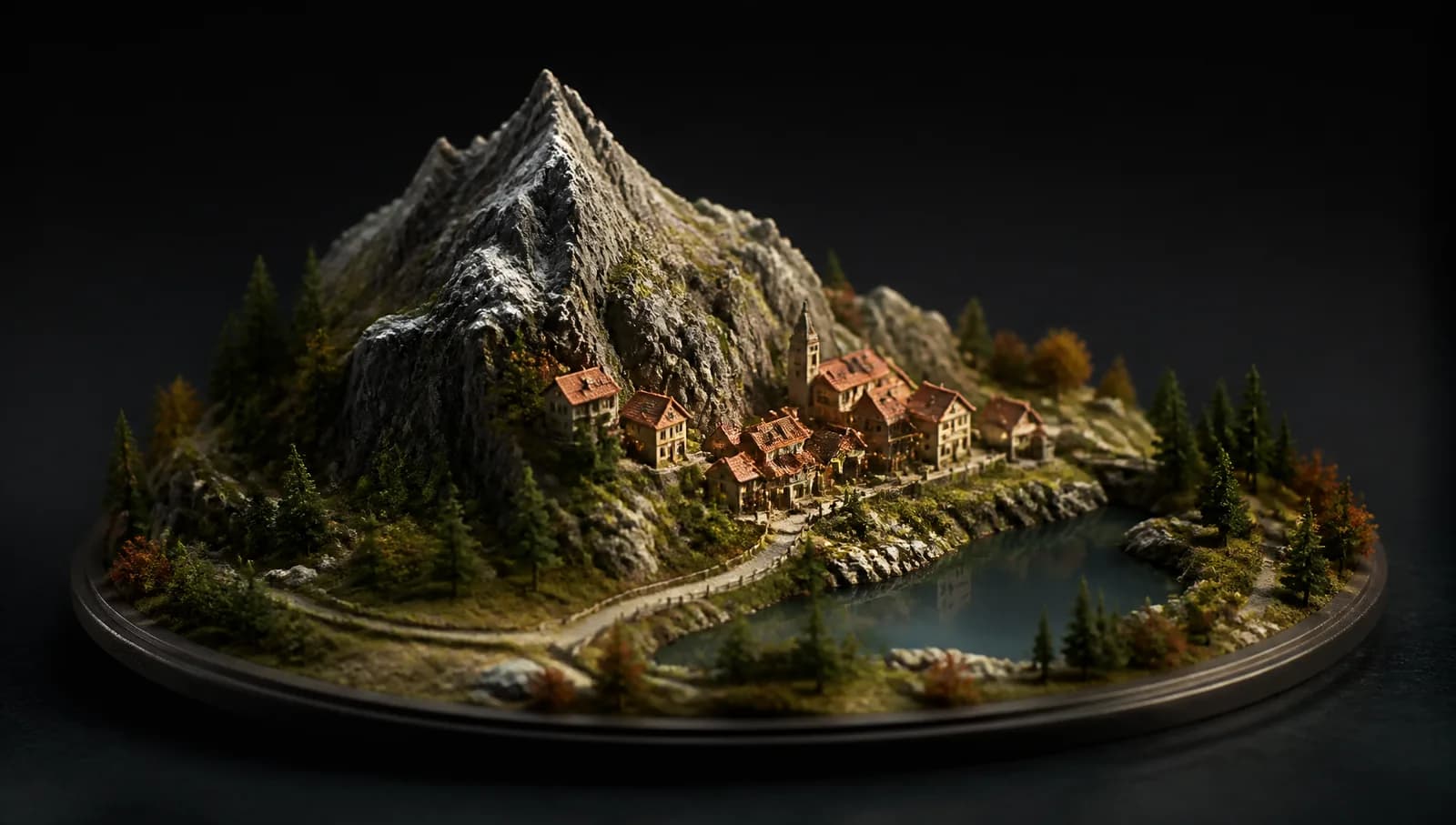
You can make your own AI miniature world video, the trend taking over your feed, in minutes.
How to make an AI miniature world video, step by stepKey takeaways
- It's 2 steps in Novoads: you generate the base image of the scene with GPT Image 2, then animate it with Kling 3.0.
- The whole flow costs about 6.1 credits (0.3 for the image and 5.8 for the 12-second video).
- It's ready in under 5 minutes: about 1 minute for the image and 3 to 4 minutes for the video.
- It comes out vertical 9:16, ready for Reels, TikTok, and Facebook Ads.
This isn't theory: Pablo, co-founder of Novoads, recorded it end to end in the video above. The credits and times shown came from that real recording, with no camera, no set, and no physical product.
What is the AI miniature-worlds trend
You have seen them: tiny, hand-built looking worlds where a whole town, a kitchen, or a beach fits on a desk. The camera drifts over the scene and everything looks real but shrunk down, like a living diorama.
The look works because it stops the thumb. It is detailed, a little surreal, and satisfying to watch on loop. It also brands well: drop your product into the tiny world and you have a ready-to-post clip for Reels, TikTok, or Facebook Ads.
The best part is you do not need a 3D artist or a camera. You write a prompt, generate a scene, and animate it.
What you need
- A Novoads account (the $1 trial, cancel anytime).
- Two prompts: one for the image, one for the video. You copy both below.
- The image model: GPT Image 2, set to medium quality.
- The video model: Kling 3.0, 12 seconds, 9:16 vertical.
Step 1: create the base image of the scene
Open the Image section in Novoads. This is where you generate the still that becomes your first frame.
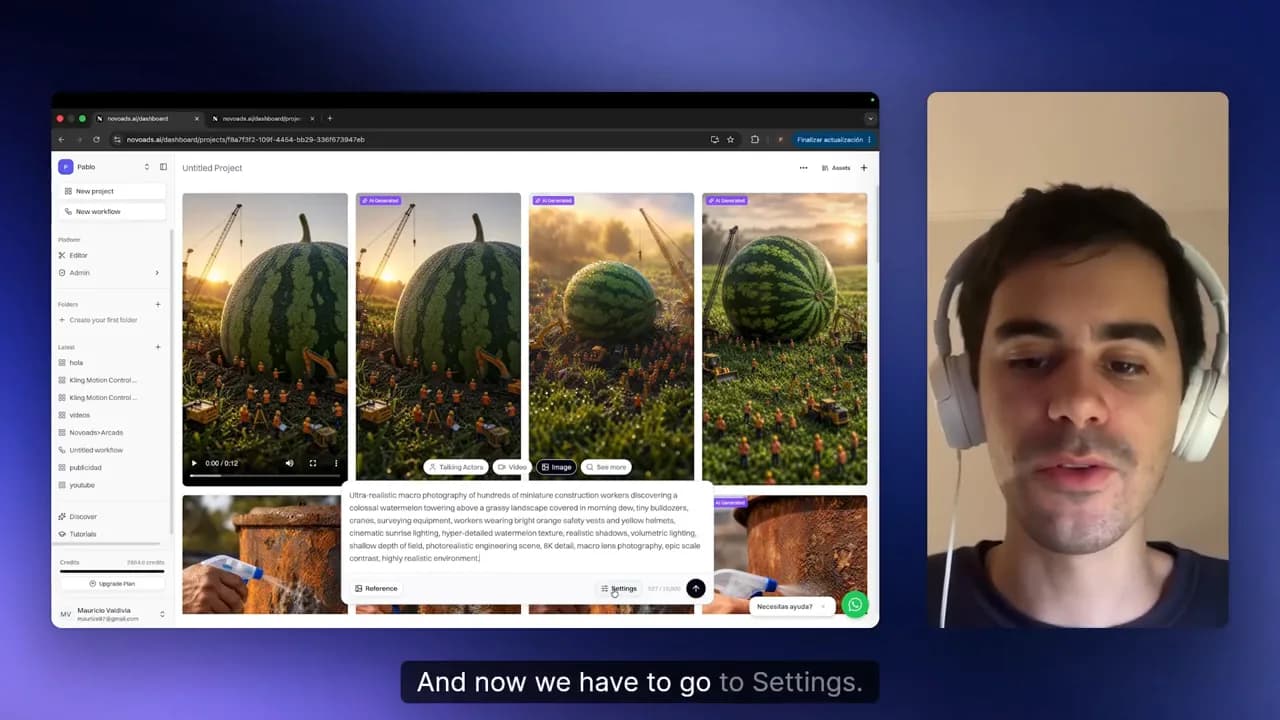
Paste the image prompt into the box:
Ultra-realistic macro photograph of hundreds of miniature construction workers discovering a colossal watermelon rising over a landscape covered in grass and morning dew, with tiny excavators, cranes, and surveying equipment; workers wear bright orange safety vests and yellow helmets, cinematic sunrise lighting, hyper-detailed watermelon texture, realistic shadows, volumetric lighting, shallow depth of field, photorealistic engineering scene, 8K detail, macro lens photography, epic scale contrast, highly realistic environment.
Open Image Settings, set the model to GPT Image 2, and switch the quality from high to medium.
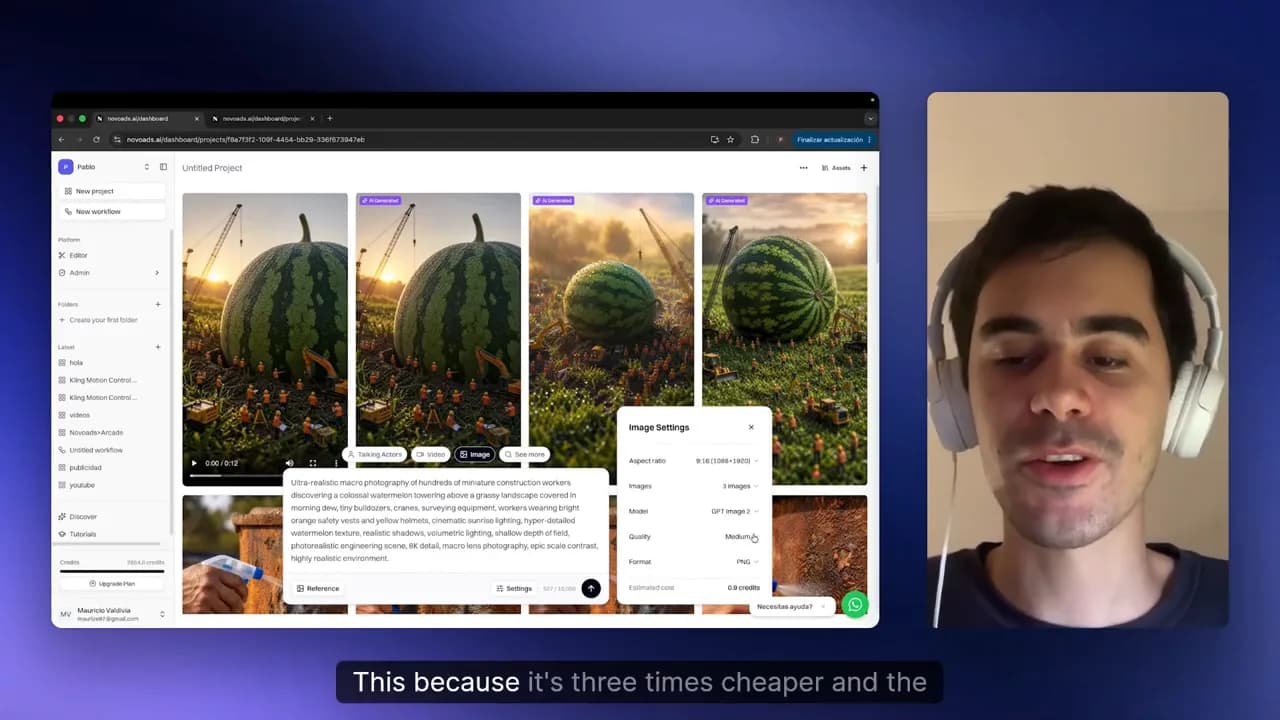
Generate, then wait about one minute. You get a set of options. Pick the one you like most and click Use as Start Frame.
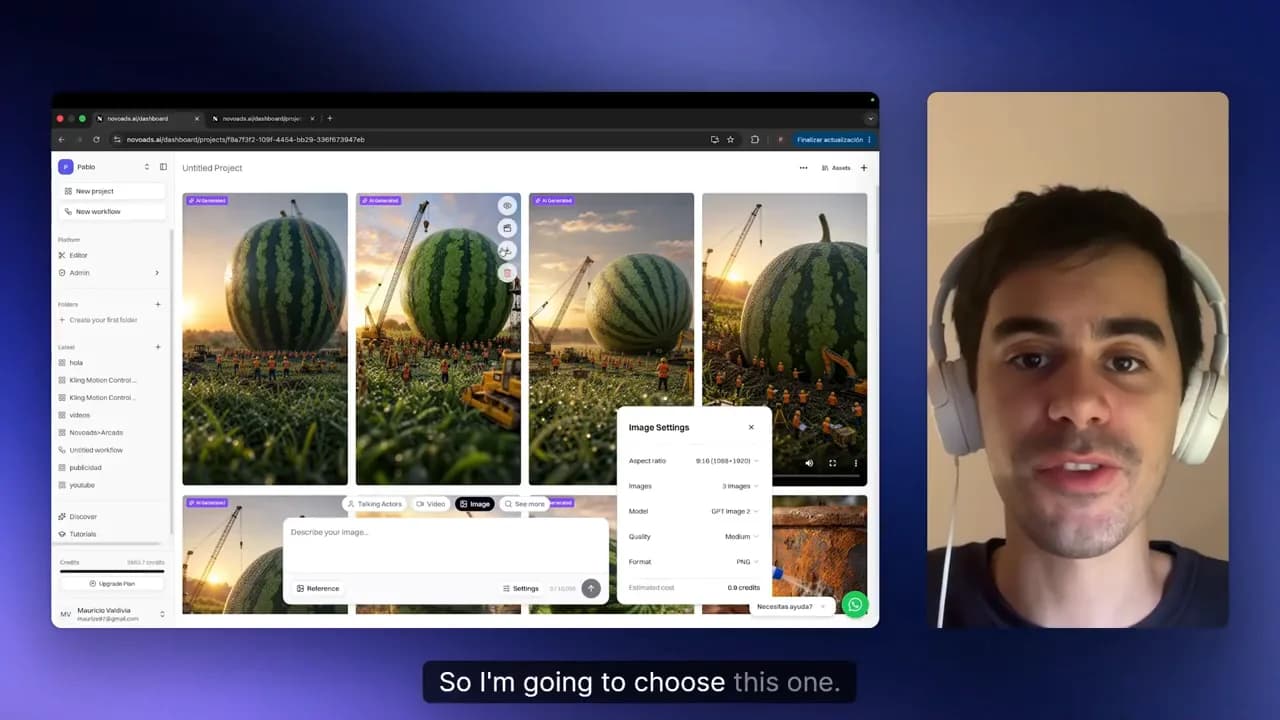
Keep the media quality on medium. At medium, each image costs 0.3 credits, and the detail still holds up for this look. High quality costs more without a visible payoff here.
Create the base image of the scene with AI
Open the editor, paste the prompt, and generate your image in about 1 minute. You start for $1.
Start for $1Step 2: animate the video with Kling 3.0
With your start frame set, paste the video prompt:
Tiny construction vehicles move through the grass while morning dew sparkles. The camera slowly advances towards the gigantic watermelon. Surveying drones fly around the fruit scanning its surface. Workers point and gather around some blueprints. A gentle breeze sways blades of grass as sunlight gradually illuminates the scene.
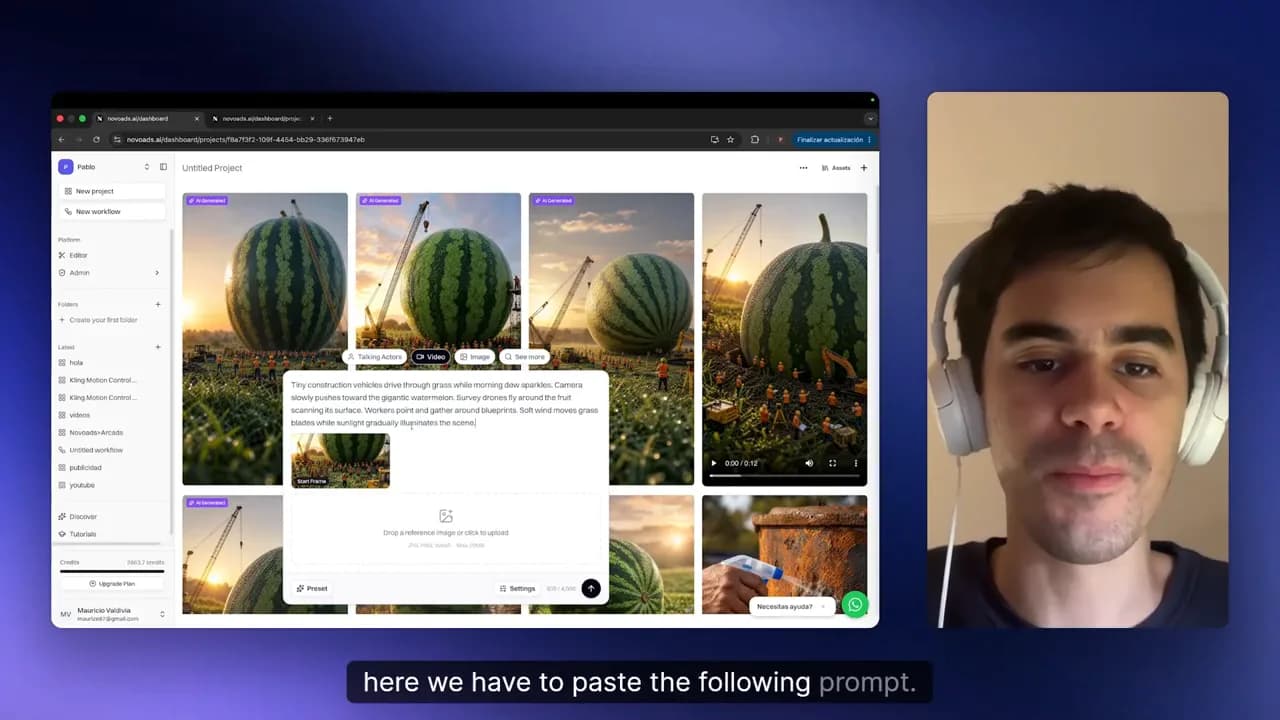
Open Settings and change the model from Veo 3.1 to Kling 3.0. Leave the duration at 12 seconds and the format at 9:16 vertical.
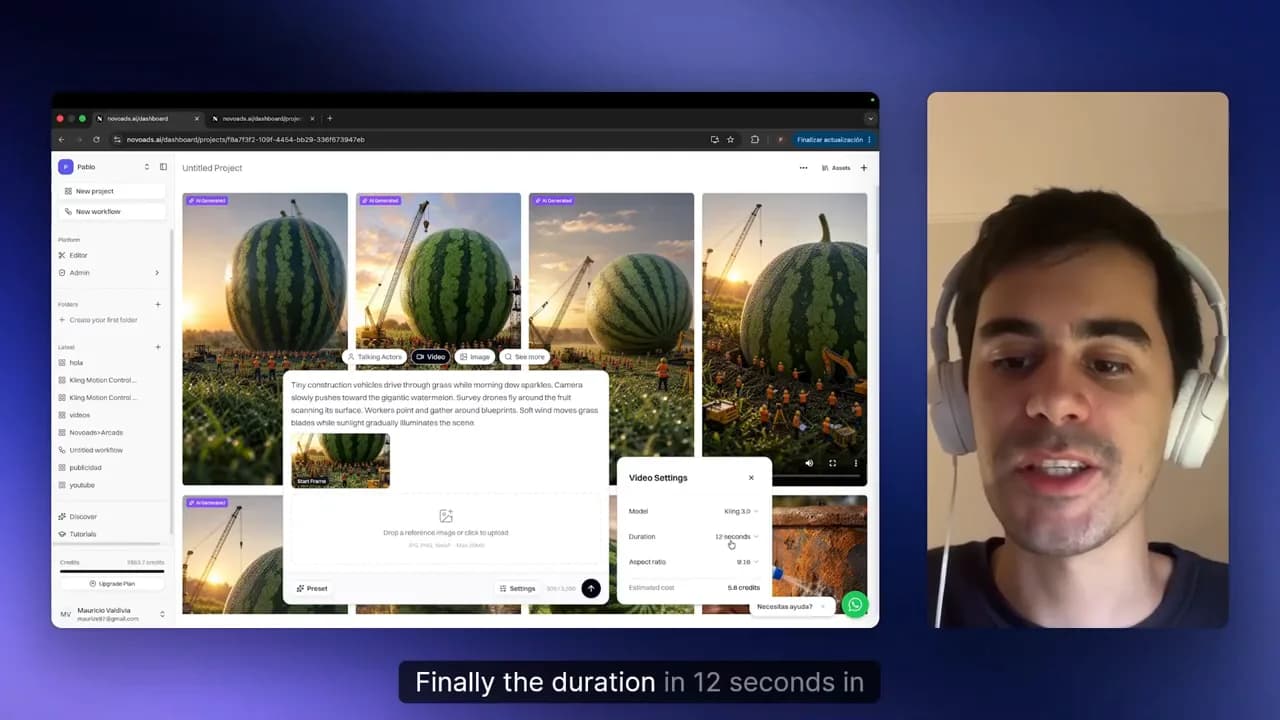
Click Generate and wait three to four minutes.
The result
When the progress bar fills, your clip is ready.
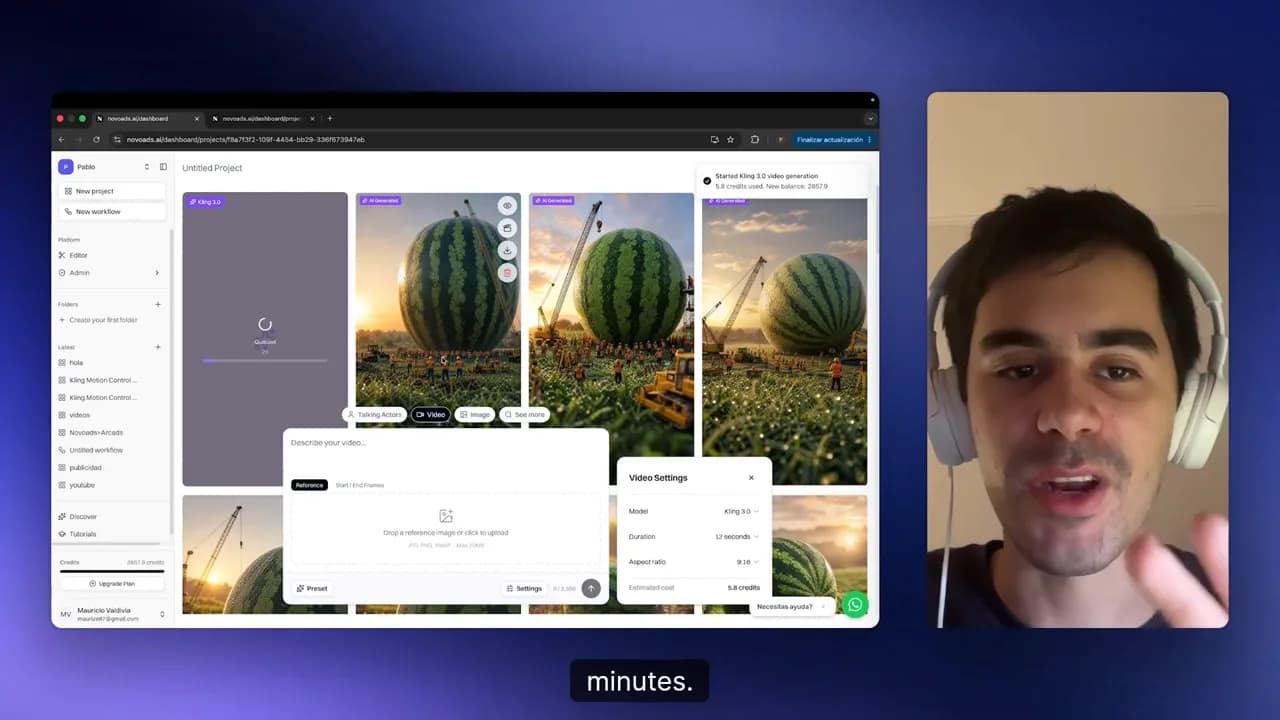
Play it back. The camera move carries the miniature illusion: the scene holds together, the lighting reads as real, and it loops cleanly on a vertical feed. Set it next to the clips filling your feed right now and it fits right in.
Common mistakes and how to fix them
- You left the quality on high. The image looks about the same for this style but burns more credits. Fix: drop it to medium in Image Settings before you generate.
- The video ignores your scene. That usually means the still was never set as the first frame. Fix: select your favorite image and click Use as Start Frame before you paste the video prompt.
- The clip came out on the wrong model. If you skip Settings, the video runs on Veo 3.1 instead of Kling 3.0. Fix: open Settings and switch the model before you hit Generate.
Want a different world? Keep the structure of the prompt and swap the subject. Trade "a tiny coastal town" for "a miniature ramen shop at night" and you get a fresh scene with the same look.
Make your first miniature world video today
Open Novoads, run the two prompts, and try variations until you land the clip you want to post. You start for $1.
Start for $1Video transcript
View the full transcript
These types of AI videos are becoming very viral these days, and in this tutorial, I'm going to teach you how to do it. So first of all, we need to go to Novoads AI, and here you need to create an account. After that, you will arrive here, and here we need to go to the Image section. Now, here we have to paste the following prompt that is going to be in the comment section, and now we have to go to Settings.
Here, we are going to change the model to GPT Image 2 and the quality from high to medium. This because it's three times cheaper, and the quality in medium is really good. So now we have to click here, and now we have to wait more or less one minute. Perfect. Here we have the images, and now we have to choose the one we like the most.
So I'm going to choose this one. So we have to click here where it says Use as Start Frame, and now here we have to paste the following prompt. Now we have to click in Settings, change the model from Veo 3. 1 to Kling 3. 0. Finally, the duration in twelve seconds is okay, and now we have to click here. Now click in Generate, and now we have to wait more or less three minutes.
Perfect. Here we have the video, so now let's see it. Well, I don't know what you think, but personally, I like it a lot. The video looks really similar to those videos that are becoming very viral these days in the social media, and the quality, as you can see, is really good. So if you want to do a video like this one, the prompts are going to be in the comment section, and you can try Novoads for just one dollar.
And then if you don't like it, you can just cancel anytime. So after saying that, if you have any doubts, you can comment in the comment section, and see you in the next video.
Frequently Asked Questions
How do I make an AI miniature world video?
You make it in two steps. First you generate a base image of your scene from a text prompt, then you set that image as the start frame and animate it into a short vertical clip. The whole flow runs inside Novoads, so you never leave the app.
How much does it cost to make one miniature world video?
At medium quality, the base image costs 0.3 credits. The 12-second clip costs 5.8 credits, so one full video runs about 6.1 credits. You can start on the $1 trial and cancel anytime.
What app can I use to create miniature world videos with AI?
Novoads handles both halves in one place: the image generation and the animation. You paste a prompt for the scene, pick your favorite image, then paste a second prompt to turn it into a vertical video. There is no separate image tool or editor to wrangle.
How long does it take to generate a miniature world video?
The base image takes about one minute to generate. The clip takes three to four minutes on top of that. So from prompt to finished video you are looking at roughly five minutes of waiting.
What aspect ratio works best for miniature world videos?
Use 9:16 vertical. It fills the screen on Reels, TikTok, and Stories, which is where this trend spreads. The tutorial sets the clip to 9:16 so it is ready to post without cropping.
How does Novoads work for creating this type of video?
Novoads is an AI video platform where you generate the image and the animation from text prompts. For this trend you create the miniature scene as an image, set it as the start frame, then animate it into a short vertical clip. You can try the whole workflow on the $1 trial.
Sources

Related Articles
Related use cases
Ready to create video ads with AI?
Generate professional video ads in minutes, not weeks.
Start for $1