Arcads Claude Code Skill: The 37-Template Community Repo, Arcads' Own MCP, and Alternatives
The arcads-claude-code repo is a community skill pack, not an Arcads product: it drives the Arcads API with your key, while Arcads' own route is a hosted MCP connector that its October 14, 2026 help article says works in Claude, ChatGPT or any MCP app, on all plans.

Mauricio Valdivia
·Updated ·12 min

The first result for this search was not built by Arcads
On September 17, 2026, a US search for "arcads claude code" put a GitHub repository first. It has an MIT license, about 1,600 stars as of October 22, 2026, and a README that promises AI marketing videos from your Arcads account inside Claude Code or Cursor. Arcads did not build it.
That is not a scandal. It is simply worth knowing before you paste an API key into somebody else's setup script.
The repository, krusemediallc/arcads-claude-code, is a community skill pack made by a media buyer. Arcads runs its own route into Claude, a hosted MCP connector described in its help centre on June 26, 2026. This guide covers what the community repo installs, what it needs, what Arcads' own terms say about the API it depends on, how the official connector differs, and the other ways to make ads from Claude Code. Every page quoted below was read on September 17, 2026 and checked again on October 22, 2026, except Arcads' October 14, 2026 MCP article, first read on October 23, 2026.
What the arcads-claude-code repo is, and who is behind it
A skill pack for Claude Code and Cursor
The repository describes itself as "Arcads external API: agent skills, prompting library, and Cursor/Claude workspace." In Claude Code's format, every skill needs a SKILL.md file: frontmatter that tells Claude when to use it, plus the instructions, with a directory for supporting files as an optional extra. This repo is a whole workspace of those folders, plus shell scripts and prompt libraries, that you clone and open in your editor.
When Claude Code opens the folder, a SessionStart hook prints a banner showing which skills are installed and whether your .env and MASTER_CONTEXT.md are set up. Cursor gets the same skills under .cursor/skills/. If the skill format itself is new to you, our walkthrough of building Meta ad creative with Claude Code skills explains the folder model from the ground up.
Built by a media buyer, with a referral link and a paid community
The README's author introduces himself as Caleb, aka "Mr. Paid Social", and he is upfront about the repo's role: "This repo handles the creative side." The next block sells the rest. It invites you into The AI Ad Alchemists, a private Skool community, at $97/month, and the Arcads sign-up link it gives you carries a ?via=claude-code referral tag.
None of that makes the code worse. It does mean the README is marketing as well as documentation, and its enthusiasm for Arcads is not neutral. When it calls a workflow "live-validated end-to-end against the Arcads API", read that as the author's own test, not an independent one.
Open source, and it changes under you
The repository is MIT-licensed under Caleb Kruse / Kruse Media LLC, so you can fork it and keep only the parts you use. It also updates often. At every Claude Code session start, a context-check script automatically runs git fetch origin and tells you when your clone is behind, and the README says new templates land in the prompt library regularly.
That is convenient. It also means the scripts you read last month may not be the scripts you run today, so read the diff before each git pull.

What the repo installs
The core API skill and its prompt libraries
The README calls skills/arcads-external-api/ "the core skill": an API reference, a prompting guide, per-model prompt libraries, and two sub-workflows, analyze-video and clone-ad. It names Seedance 2.0 as its flagship video model and says five prompt formulas ship with the skill, from a selfie-style UGC product review to a fast feature walkthrough.
The same workspace targets the other models Arcads exposes through its API, including Veo 3.1 for animating a start frame, Kling 3.0 for b-roll and scenes, Grok Video, Nano Banana 2 and Nano Banana Pro for stills, and ChatGPT Image 2 for typography-heavy images. The README lists per-model prompt libraries rather than one generic prompt, and those libraries are the part of the pack most worth reading even if you never run it.
A static Meta ad family, 37 templates by the README's count
For static ads, the README describes "a four-skill family for static Meta image ads with a shared library of 37 validated prompt templates." The formats it lists include Apple Notes lists, fake Google searches, comparison tables, iMessage screenshots, magazine covers and scratch-off tickets.
The named skills split the work by generator:
chatgpt-image-adhandles typography-heavy and UI-mimicry creatives on gpt-image-2.nano-banana-image-adhandles photoreal, lifestyle and multi-reference frames.image-ad-clonereverse-engineers any existing ad image into a new library entry.
The count of 37 and the word "validated" are the author's. We did not re-run the templates, and the output is image files, not finished campaigns.
Animated pipelines, thumbnails and captions
Beyond single renders, the pack carries multi-step recipes:
- Pixar-style ad. An anthropomorphized mascot across a multi-beat story arc: lock a cast sheet, draw storyboard stills, run one Seedance 2.0 image-to-video call per beat, then stitch with ffmpeg and burn in captions.
- Claymation ad. The same backbone with an eight-beat, narrator-driven arc and clay textures.
- YouTube thumbnails. A dedicated skill with five formulas.
- Captions. An out-of-band post-step with no Arcads call, so it works on any finished video.
Publishing to Meta, paused by default
The last piece is meta-ad-builder, which takes a finished creative and uploads it through the Meta Marketing API. The README is explicit that every ad is created paused and that you review and launch manually in Ads Manager. The same skill can pull top-spending ads and competitor ads for research.
Paused by default is the right design for an agent holding your ad account token. Copy it into any workflow you build yourself.
What you need before the first render
An Arcads account and an API key
Setup is one script. According to the README, ./scripts/setup.sh will:
- Ask for your Arcads API key, which it tells you to find at app.arcads.ai/settings/api.
- Save it securely in
.env, which is never committed to git. - Verify your connection to Arcads.
- Create your personal
MASTER_CONTEXT.mdworkspace file.
The script itself is more flexible than the README. Its prompt reads "Paste your Basic header or raw API key (input hidden, Enter to skip)", so it accepts either the ready-made authorization header or the bare key, and the hidden input keeps the key out of your terminal scrollback.
Local tools, per workflow
The README says the agent and the basic Arcads workflows (image generation, video generation, polling) work with just Python 3.10+ and the API key. The rest depends on what you ask for.
| Tool | Needed for |
|---|---|
| Python 3.10+ | Every workflow |
| ffmpeg | Pixar, claymation, caption stitching |
| jq | Several bash scripts |
| Node.js and Whisper | Caption burn-in |
| Meta deps and keys | Publishing paused ads |
For Meta publishing you also add META_ACCESS_TOKEN and META_AD_ACCOUNT_ID to .env. On Windows, the README recommends WSL2, because the shell scripts assume bash.
Cost estimates come from your own log
This is the part to read twice. The README says cost "is presented as an estimate before every generation", and the estimate is assembled from two local sources:
- The call log. The agent reads
logs/arcads-api.jsonlfor historicalcreditsChargedvalues matching your config. - The workspace file.
MASTER_CONTEXT.mdholds credit costs that you fill in once, or that the agent asks for.
Then comes the caveat: "Always confirm exact pricing in the Arcads dashboard if it matters for budgeting."
In practice, a model you have never run has no history to estimate from, and a price change at Arcads only shows up once your own log catches it. The estimate is a memory of what you paid, not a quote. If you are comparing vendors on that basis, our explainer on turning any credit price into a cost per finished ad shows the conversion.

The API question to settle before you clone
What Arcads' terms say about API access
Arcads' Terms & Conditions, in force since October 16, 2026, describe two kinds of offer:
- Standard offers, described on the platform.
- A Customized offer, "a customized offer made following a call and summarized at the time of purchase."
The next sentence is the one that matters for this repo: "The API is only accessible to the Client if he subscribes to a Customized offer."
Arcads' own help centre reads differently. Its article "How does Arcads pricing work?", updated October 14, 2026, lists the public API among the features of Pro and above. The two pages do not agree, so ask Arcads which one applies to your plan before you rely on either.
The same terms set a hard ceiling on automation. Any usage exceeding 40 requests per second through the API "will be considered fraudulent", and access is denied. An agent firing parallel renders will not come close in normal use, but a badly written polling loop could.
What the help centre describes
Arcads' API documentation article, dated April 16, 2026, tells you to go to Settings > Public API and click Generate credentials, after which your Client ID and Client Secret are displayed. The secret is only visible at the time of generation, so you copy it then or generate a new pair.
The community README talks about a single API key at a different settings path. We have not reconciled the two descriptions. Each comes from its author's own page, and a signed-out reader cannot see which screen a given plan shows.
Check this before you install anything
The practical order is short:
- Open your Arcads settings and look for the API section first.
- If there are no credentials to generate, ask Arcads whether your plan includes API access.
- If there are, generate them, store the secret straight away, and only then run the setup script.
A skill pack cannot grant access that your contract does not include. It can only fail on its first call.
Arcads' own route: the MCP connector and skills plugin
Connecting the hosted server
Arcads' help article "Arcads MCP" is dated June 26, 2026 and says the server "lets you create AI-generated video ads directly from your MCP client (Claude Desktop, etc.)". The server is hosted at https://mcp.arcads.ai, and the documented setup is for Claude Desktop:
- Open Settings, then Connectors.
- Choose Add custom connector.
- Name it Arcads and paste https://mcp.arcads.ai as the URL.
- Save the connector, then click connect.
At the time of reading, the article's own "Start creating" section still said examples were coming soon. A second help article, "How do I make video ads in Claude with Arcads?", updated October 14, 2026, gives the same URL and says the connector lets you use Arcads "from inside Claude, ChatGPT or any MCP app".
Claude Code has its own path. Its documentation calls HTTP servers "the recommended option for connecting to remote MCP servers" and says to use /mcp to authenticate with remote servers that require OAuth 2.0. Arcads' setup section covers Claude Desktop, so treat Claude Code as a route to test on your own account rather than one Arcads walks you through.
What it requires
The June 26 article's prerequisites are an Arcads account and "an active subscription with remaining credits". It warns that without an active subscription, or once you have run out of credits, generation requests will fail. The October 14 article reads differently: asked "Which plans include the MCP?", it answers "All plans, including the free trial." Both pages were live on October 23, 2026 and they differ, so check what your own account allows before an agent depends on it.
Two more first-party lines complete the picture:
- The connector page: generations "use the available credits on your eligible Arcads plan."
- The terms: generation via Workflows, the Agent, the API or MCP consumes credits from your offer in the ordinary way, even during a promotional offer.
There is one more rule worth knowing before you hand an agent the keys. Arcads' help centre says a Starter account is temporarily blocked once it reaches its monthly credit limit, until renewal or an upgrade.
What the official plugin adds, and what it leaves to other connectors
The article recommends "the official Arcads skills plugin" at github.com/arcads-ai/skills, and lists three commands it unlocks:
- /spy-competitor-ads analyzes competitor video ads for inspiration.
- /clone-hook clones the hook of a video ad and adapts it to your brand.
- /clone-static-ad recreates a static ad as a video ad with your own assets.
The connector page is clear about scope: "Arcads MCP powers creative generation through Arcads." Store research, campaign publishing and performance analysis depend on the other tools and connectors you give Claude access to, such as Shopify and Meta.
Community repo or official connector: how to choose
The two routes side by side
| Community repo | Arcads MCP | |
|---|---|---|
| Built by | Caleb Kruse | Arcads |
| Access | API key via setup script | Custom connector plus sign-in |
| Plan condition | API access, per the terms | All plans (Oct 14 article); active plan with credits (June 26) |
| Documented clients | Claude Code, Cursor | Claude, ChatGPT or any MCP app |
| Cost view | Estimate from your log | Credits on your plan |
| Meta publishing | Built in, ads paused | Through your other connectors |
Use the community repo when
- You already have Arcads API credentials and want workflows you can version, read and edit.
- You want the static template library and the animated pipelines as files, not as a black box.
- You are comfortable reading shell scripts before you run them.
Use Arcads' MCP when
- You are on a standard Arcads plan and want the route Arcads itself documents.
- You work in Claude Desktop rather than in a terminal.
- You would rather not keep an API secret in a local
.envfile.
A worked example: one eight-beat animated ad
Here is what the claymation recipe costs in Arcads credits, using only Arcads' own numbers. Arcads' "How Are Credits Counted?" article, last updated October 6, 2026, prices video models per generation and lists Seedance 2.0 at 720p at 192 to 720 credits. The recipe runs one Seedance 2.0 image-to-video call per beat, and the arc has eight beats.
The clips alone: 8 × 192 = 1,536 credits at the low end, and 8 × 720 = 5,760 credits at the high end.
Arcads' help centre puts the Starter plan at 8,000 monthly credits. So one animated ad's clips use 19% to 72% of a Starter month, before storyboard stills, retries or a second variant. Since one creative is rarely enough to find a winner, the real constraint on an agent-driven batch is the credit ceiling, not the prompt library.
Other ways to make ads from Claude Code
For the wider field, our comparison of the AI video MCP servers for making ads sets Arcads' connector beside the others an agent can call.
Higgsfield's hosted MCP
Higgsfield's connector skips the API key entirely. Its help centre says its MCP "isn't the Higgsfield API": it connects to your existing account and uses your existing plan credits, with no API key required, and anything generated through MCP, the CLI or other automated tools deducts credits at standard rates. We covered where its unlimited plans stop in our Higgsfield MCP explainer, and what those plan credits buy in our Higgsfield pricing breakdown.
Your own skill around any generation API
The most transferable idea in the community repo is not Arcads-specific. It is a folder that holds per-model prompt rules, a cost step before each render and a paused-by-default publisher. You can build the same thing around whichever generation API you already pay for, and our guide to cloning a competitor's ad without copying it covers the research half that feeds it. If you are weighing platforms rather than plumbing, the Arcads alternatives compared by what a test month costs is the wider map.
Four checks before you run anyone's skill pack
- Read the setup script and any SessionStart hook first. Both execute on your machine.
- Keep keys in
.env. Never paste a key into a chat transcript. - Confirm paused-by-default on anything that can touch your ad account.
- Take the price from the vendor at the moment of spend, not from a number stored in a repo.
How Novoads solves the price-before-render problem
Novoads, which competes with Arcads in AI UGC ads, publishes its own open-source skill pack for Claude Code and Cursor at novoads/agent-skills. It runs against your own Novoads account, and setup stops at one step only you can do: pasting your Novoads API key. It is built to close the estimate gap described earlier:
- Prices come live. Every credit number comes from a live estimate call in the session that is about to spend, shown to you and approved first.
- Ads start paused. Every Meta ad the pack publishes is created paused.
- API on every plan. Its README says every plan can generate through the API.
Novoads starts at $15/month (Starter, 200 credits per month). Plus is $49/month (1,000 credits), and Ultra starts at $129/month (3,000 credits) for more volume. All plans are published on /pricing, and there is no trial. For environments with no shell, Novoads also runs a hosted connector at novoads.ai/mcp, which is a separate surface that carries none of the pack's skills.
Full disclosure, since it is on the page anyway: our pack adapts that repo's MIT-licensed Pixar and claymation prompting guides, which is why its license lists Caleb Kruse / Kruse Media LLC as a copyright holder next to NOVO SpA, and why it follows the same workspace layout.
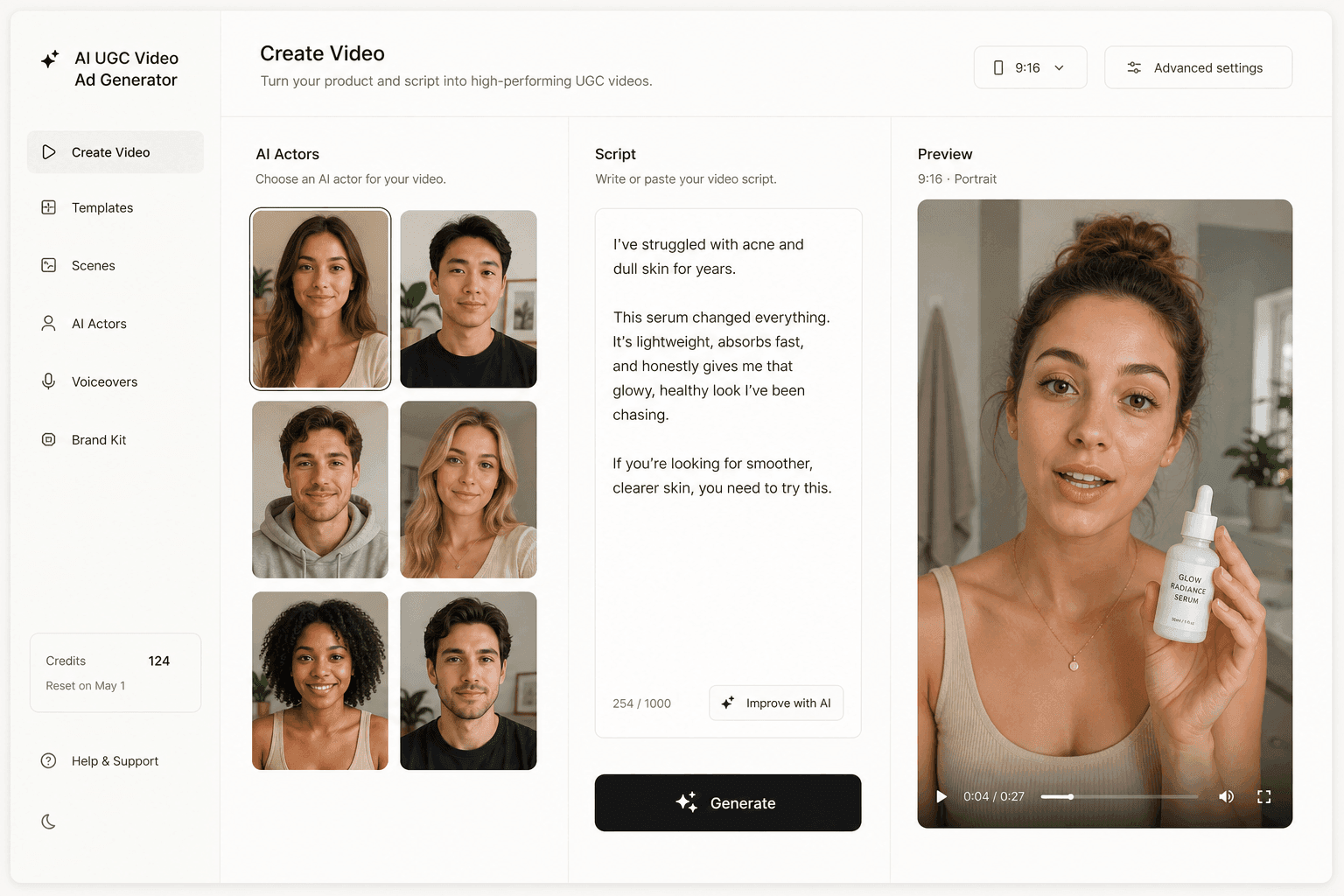
The engines underneath are shared across the category: Seedance 2.0, the repo's flagship, is available in Novoads too, and a video runs from about 25 cents for a five-second Seedance 2.0 Mini clip to about $4 for an eight-second Google Veo 3.1 clip, and about $10 for a full 30-second Seedance 2.5 take. If you would rather skip the terminal, you can upload a product image or write a script, pick an AI actor and generate the ad in Novoads directly. Our head-to-head with Arcads covers where each one fits.
A skill pack is a wrapper, and the plan underneath decides
Every route in this guide is a thin layer over the same thing: a vendor account with a credit balance, and a contract that says what you are allowed to call. The community repo is a well-built wrapper with a paid community attached. Arcads' connector is the door Arcads itself keeps open.
Pick the one your plan actually unlocks, read the scripts before you run them, and let the price come from the vendor at the moment of spend. The folder is replaceable. The plan is not.
Frequently Asked Questions
Is arcads-claude-code an official Arcads product?
No. The krusemediallc/arcads-claude-code repository is maintained by Caleb Kruse, who goes by Mr. Paid Social. Its README links to Arcads with a referral-tagged sign-up URL and promotes his paid Skool community at $97 a month. Arcads' own help centre points to a different route: a hosted MCP server and an official skills plugin at github.com/arcads-ai/skills.
What do I need to run the Arcads Claude Code skill?
An Arcads account, an API key that the setup script saves to a local .env file, and Python 3.10 or later for the basic image and video workflows. The multi-step pipelines add ffmpeg and jq, caption burn-in adds Node.js and the Whisper package, and publishing to Meta needs a META_ACCESS_TOKEN and META_AD_ACCOUNT_ID. Check your plan first: Arcads' terms say the API is only accessible on a Customized offer, while its pricing article lists the public API on Pro and above.
How do I connect Arcads to Claude without the community repo?
Arcads documents a hosted MCP server at https://mcp.arcads.ai. In Claude Desktop you open Settings, then Connectors, add a custom connector named Arcads with that URL, save it and connect. Its June 26, 2026 article lists an active subscription with remaining credits as a prerequisite and says generation requests fail without one, while its October 14, 2026 article answers 'Which plans include the MCP?' with 'All plans, including the free trial.' The two pages differ, so check what your own account allows. Claude Code can add remote HTTP MCP servers as well, but Arcads' setup section covers Claude Desktop.
Do Arcads MCP generations use my plan's credits?
Yes. Arcads' connector page says generations use the available credits on your eligible Arcads plan, and its terms say generation through Workflows, the Agent, the API or MCP consumes credits in the ordinary way, even while a promotional offer runs. On the Starter plan the account is temporarily blocked once it reaches the monthly credit limit.
Does the repo publish ads that go live straight away?
No. The README says its meta-ad-builder skill uploads a finished creative through the Meta Marketing API and every ad is created paused, so nothing runs until you launch it yourself in Ads Manager.
What are the alternatives for making ads from Claude Code?
Arcads' own MCP connector and skills plugin; Higgsfield's hosted MCP, which connects to an existing Higgsfield account with no API key and deducts credits at standard rates; or Novoads' open-source agent-skills pack, which runs against a Novoads API key and prices every render with a live estimate before it spends. Novoads starts at $15/month (Starter, 200 credits per month).
Key Takeaways
- The krusemediallc/arcads-claude-code repo is built by media buyer Caleb Kruse, not by Arcads; its README carries a referral-tagged Arcads sign-up link and promotes a paid community at $97 a month.
- Its setup script asks for your Arcads API key, and its README lists a core API skill, a static Meta image-ad library it counts at 37 templates, Pixar-style and claymation pipelines, a caption step and a Meta publisher that creates every ad paused.
- Arcads' terms, in force since October 16, 2026, say the API is only accessible on a Customized offer, while its pricing article lists the public API on Pro and above, so confirm your plan shows API credentials before you clone a repo that depends on them.
- Arcads' own route is a hosted MCP server at mcp.arcads.ai. Its June 26, 2026 help article documents it for Claude Desktop and lists an active subscription with remaining credits, while its October 14, 2026 article says it works from Claude, ChatGPT or any MCP app and answers 'Which plans include the MCP?' with 'All plans, including the free trial.' The two pages differ.
- On Arcads' credit table, last updated October 6, 2026, the eight clips of one eight-beat animated ad at 720p cost 1,536 to 5,760 credits, which is 19% to 72% of a Starter month's 8,000 credits.