
Make an animated GIF ad
Turn a product photo and a short prompt into a square GIF that loops, in the app, by API or from your AI.
What you get

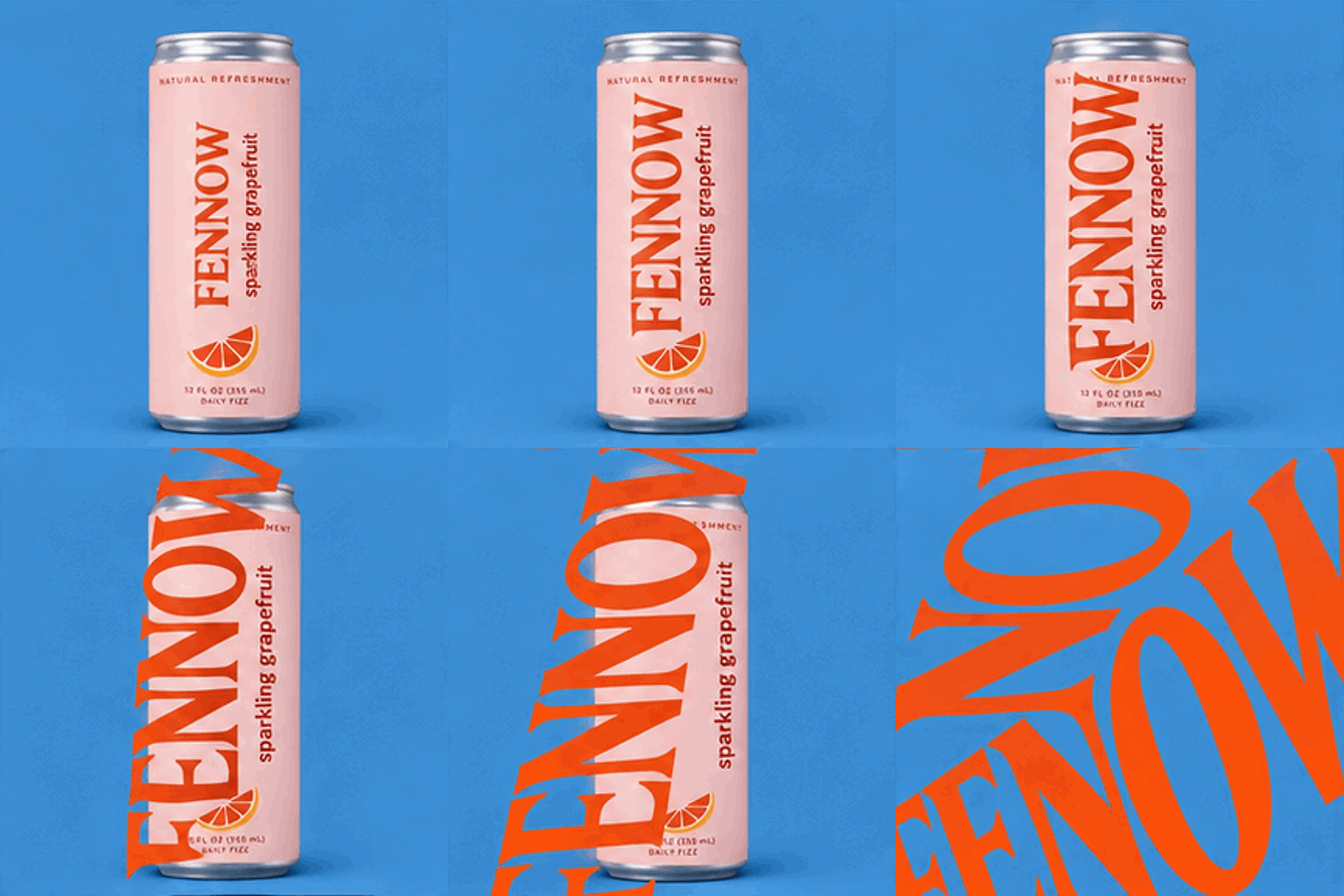
A square GIF that loops. It is stored at 720 x 720 pixels, and one loop lasts from 0.4 seconds to 4.8 seconds.
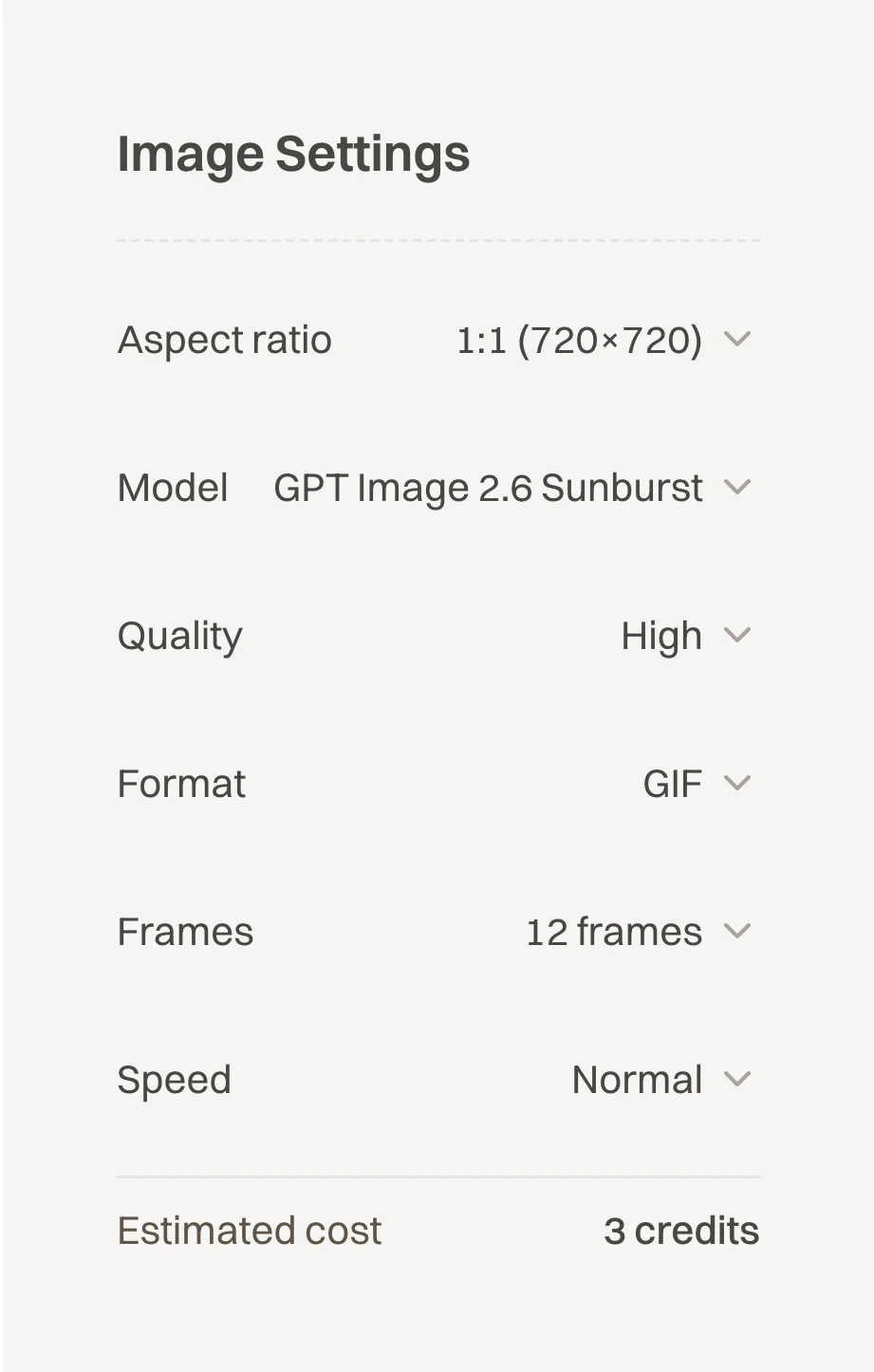
- One GIF costs 3 credits at 4, 8 or 12 frames and 4 credits at 16 frames. The price is the same in the app, by API and from your AI.
- You need a plan first. Starter costs $15 a month and brings 200 credits a month. That makes 66 GIFs at 12 frames. Renews monthly. Cancel anytime.
- Two models make GIFs: GPT Image 2.6 Sunburst and GPT Image 2.6 Flare.
The prompt
An animated GIF ad, square, flat and clean like a studio product shot. [YOUR PRODUCT] from the reference picture stands alone, upright and centered on a plain flat [BACKDROP COLOUR] backdrop, soft even studio light, a soft shadow under it. Only the product: no hands, no people, no other objects, no words except what is printed on the product. Frame 1 shows the product with its [YOUR BRAND] logo at its normal size. In every following frame the [YOUR BRAND] logo on the product is bigger than in the frame before: first it fills the product, then it spills off the product across the [BACKDROP COLOUR] backdrop, until in the last frame one giant [LOGO COLOUR] [YOUR BRAND] logo covers the whole picture from edge to edge. The camera never moves and the product never moves; only the logo grows.
Put your product, its colours and your brand in the slots. The pattern works for other ideas too: the first frame shows the start, and every frame after it changes one thing.
Three ways to make it
- Press Open the GIF maker. The picture tool opens on GPT Image 2.6 Sunburst with GIF chosen.
- If GIF is not chosen when you arrive, press Image above the box, then Settings. Under Model pick GPT Image 2.6 Sunburst or GPT Image 2.6 Flare. Then under Format pick GIF.
- Press Settings to change the loop. Frames takes 4, 8, 12 or 16 frames. Speed takes Slow, Normal or Fast. On a phone this button shows as an icon only.
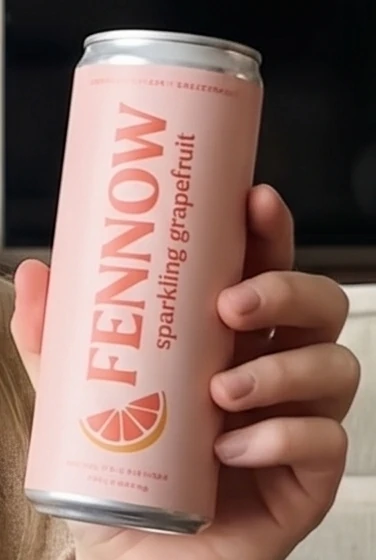
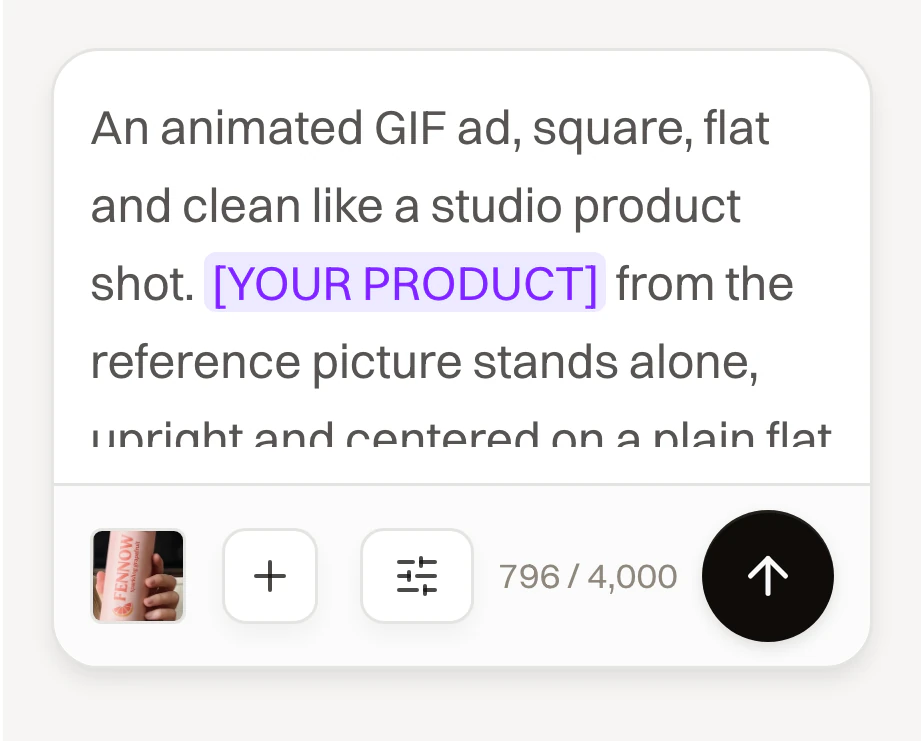
- Press Reference and add a photo of your product. A GIF takes up to 2 photos. A prompt with no photo works too.
- Paste the prompt in the box, with your product in the slots. A GIF prompt takes up to 4,000 characters.
- Check the price. Estimated cost in the settings shows it before you make anything.
- Press the arrow button. A GIF takes about a minute. Then download it from its card.


A press with no plan opens the plans first, before anything is made. The chat does not make GIFs yet, so use the picture tool for them.
- Make a key. In the app open Settings, then the Developer tab. Under API Keys press Create your first API key, or Create Key if the workspace already has a key. Only the owner or an admin of the workspace sees this tab. The API works on any paid plan.
- Check the price first if you like.
POST /v1/estimatesanswers with the credits and your balance, and it spends nothing. Send your prompt with it: an estimate without one is refused.curl -sS https://api.novoads.ai/v1/estimates \ -H "Authorization: Bearer $NOVOADS_API_KEY" \ -H "Content-Type: application/json" \ -d '{"kind": "image", "model": "gpt-image-2.6-sunburst", "prompt": "[YOUR PROMPT]", "outputFormat": "gif", "frameCount": 12, "frameDurationMs": 150}' - To use a product photo, ask for an upload.
POST /v1/uploadsanswers with anassetId, anuploadUrland theheadersto send. Write the file's exact size insizeBytes.curl -sS https://api.novoads.ai/v1/uploads \ -H "Authorization: Bearer $NOVOADS_API_KEY" \ -H "Content-Type: application/json" \ -d '{"contentType": "image/png", "sizeBytes": 123456}' - Send the photo to
uploadUrlwith aPUT, with thoseheadersas they are. When it answers200, theassetIdis ready to use.curl -sS -X PUT "[UPLOAD URL]" \ -H "Content-Type: image/png" \ -H "Content-Length: 123456" \ --data-binary @product.png - Make the GIF with
POST /v1/images. LeavereferenceAssetIdsout to make it from the prompt alone. A GIF is always square, so leaveaspectRatioout.curl -sS https://api.novoads.ai/v1/images \ -H "Authorization: Bearer $NOVOADS_API_KEY" \ -H "Content-Type: application/json" \ -d '{ "model": "gpt-image-2.6-sunburst", "prompt": "[YOUR PROMPT]", "outputFormat": "gif", "frameCount": 12, "frameDurationMs": 150, "referenceAssetIds": ["[YOUR ASSET ID]"] }' - Set your client's timeout to at least 120 seconds. A timeout means the answer was lost. It does not mean the GIF failed.
- Read the answer. When
statusissucceeded,imagesholds the GIF'surl,widthandheight, andcreditsChargedsays what it cost. When it isrunning, askGET /v1/generations/{jobId}every few seconds until it is done. - Download the GIF from
urlsoon. The link expires, andexpiresInSecondssays when.
A GIF request that breaks a GIF rule is refused before any charge: the answer is a 400, and details.reason names the rule it broke. A GIF asked for in any shape but square answers gif_aspect_ratio. Too few credits answers 402, with what it needs and what you have. The GIF's own assetId is the finished file, so it cannot go back in as a reference picture.
First connect Novoads to your AI. You do it once.
In Claude, press this button and approve it.
Add Novoads to ClaudeIn Claude Code, run this line in your terminal.
claude mcp add --transport http novoads https://novoads.ai/api/mcpIn Cursor, add this to ~/.cursor/mcp.json.
{"mcpServers":{"novoads":{"url":"https://novoads.ai/api/mcp"}}}In VS Code, add this to .vscode/mcp.json.
{"servers":{"novoads":{"type":"http","url":"https://novoads.ai/api/mcp"}}}In any other AI app, add a connector with this address.
https://novoads.ai/api/mcp
- Ask in plain words, with your prompt at the end.
Use Novoads to make one looping GIF ad with GPT Image 2.6 Sunburst: GIF, 12 frames, Normal speed, square. Tell me what it costs with estimate_cost and wait for my yes. The GIF: [YOUR PROMPT]
- The connector has a tool for the price,
estimate_cost, and one that makes the GIF,generate_image. The price check spends nothing. - In Claude Code or Cursor your AI can send a product photo. It asks
upload_assetfor an upload and sends the file with onePUT. - The GIF comes back in the same answer, with a link to the file. In Claude Code the picture in the chat is a still. Open the link to see it loop.
- A GIF takes about a minute. If the answer says the job is still running, ask your AI to check it again. It has
get_generationfor that. - If your AI does not know about GIFs, it was probably connected before they arrived. Remove Novoads from it and connect it again.
ChatGPT is coming.
Limits
- Square only, stored at 720 x 720 pixels.
- One GIF for each press or call.
- Up to 2 photos, and up to 4,000 characters of prompt.
- A GIF is the finished file. It cannot be a reference picture or a video's start frame.
- No MP4 yet, and no change of speed after the GIF is made.