How to Target Audiences in Meta Ads: Advantage+ Audience, Lookalikes and the Retargeting Exception
You target Meta ads at the ad set level: controls set the hard limits, suggestions steer Meta's AI, and a custom audience set as a hard limit is for retargeting, the one case Meta leaves out of Advantage+ audience.

Mauricio Valdivia
·15 min

Your interest list is now a suggestion, not a fence
A skincare founder builds her first Meta campaign the way an old tutorial taught her. Women, 25 to 44. Interests in skincare and beauty. A lookalike of her customers. A week later she opens the breakdown and finds that some of her ads reached men.
Nothing broke.
That is how targeting in Meta Ads works now. You target an audience at the ad set level, and on most new campaigns Meta switches on Advantage+ audience by default. Locations, minimum age, custom audience exclusions and languages are controls: hard limits Meta will not cross. Age, gender, detailed targeting and the custom audiences you include are suggestions: Meta shows your ads to people who match them, and to other people when its AI expects better results. To turn a suggestion into a hard limit, you pick "Further limit the reach of your ads" and uncheck "Use as a suggestion". Meta recommends testing its default on almost every campaign type, with one exception: retargeting.
Meta says the trade pays. Its Business Help Center says Advantage+ audience could get between 7.2% and 14.8% lower cost per result, depending on the objective, and the footnote traces those figures to Meta's own analysis of A/B tests run from January 2023 to August 2024. It is Meta's number about Meta's product. Treat it as a reason to test, not a result you are owed.
This guide covers the settings that decide who sees your ads: controls and suggestions, the audience types you still build yourself, the retargeting exception, what changed for health topics, and one brand's three ad sets from start to finish. How much to spend is its own question, answered in our guide to what Meta ads cost.
How to target an audience in Meta Ads in 2026
Every targeting choice in Meta Ads lives in one place and falls into one of two boxes. Learn the place and the two boxes, and the rest of the screen stops looking like a maze.
Targeting is set on the ad set, not the campaign
Ads Manager builds every ad in three layers. The campaign carries the objective. The ad carries the creative. In between sits the ad set, and Meta's own lesson on Ads Manager puts it plainly: at the ad set level, you decide how to select the people who will see your ads. Placements, budget and schedule are chosen there too. If you have never built one, the Facebook ads beginner's guide walks through all three layers.
The default at that level has changed. Meta says Advantage+ audience is automatically applied when it is available on a new campaign. On the Sales, App promotion and Leads objectives, the Audience section shows "Advantage+ on", which Meta says is the same as Advantage+ audience. Meta is also rolling out a similar recommended setup to the Traffic, Awareness and Engagement objectives.
Controls: the limits Meta will not cross
Meta describes audience controls in one line: they limit who can see your ads. There are four:
- Locations. Meta won't deliver beyond them unless you select the option to reach more people likely to respond. Its setup guide adds: "We recommend targeting as broadly as possible."
- Minimum age. With Advantage+ audience you can't select ages under 18, or older in some countries. Meta says you can raise the minimum age up to 25 without turning Advantage+ off.
- Custom audiences to exclude. Current customers are the usual example. Meta says exclusions are always set as controls, even when the "Use as a suggestion" box is checked.
- Languages. Worth setting when the ad only makes sense in one language.
Limits that apply to your whole business, such as a country you cannot ship to, belong in your ad account settings instead. Meta says account-level controls do not change a campaign's Advantage+ state.
Suggestions: the hints Meta may go past
Suggestions are the targeting you used to type in as rules: age range, gender, detailed targeting, and the custom audiences and lookalikes you want to include. Meta shows ads to people matching your suggestion, and to other audiences when it is likely to improve performance. Suggestions are never shown outside your controls.
Meta gives its own example. If you suggest the gender Women, your ads could also deliver to men if Meta's AI finds them likely to respond. That is exactly what our skincare founder saw.
When one audience matters more than performance, you can still draw a hard line. Choose "Further limit the reach of your ads" (on some objectives it reads "Further limit your audience", then "Reach a limited audience") and uncheck "Use as a suggestion". The Audience section then shows "Advantage+ off", and Meta says the campaign will no longer benefit from all of its AI optimizations. Here is how each setting behaves:
| Setting | Default role | Can it be a hard limit? |
|---|---|---|
| Locations | Control | Always |
| Minimum age | Control | Always |
| Languages | Control | Always |
| Custom audience exclusions | Control | Always |
| Age range and gender | Suggestion | With Advantage+ off |
| Detailed targeting | Suggestion | With Advantage+ off |
| Custom audience inclusions | Suggestion | With Advantage+ off |
What Advantage+ audience does, and how to read Meta's numbers
Advantage+ audience is Meta's name for letting its AI find the audience, with your inputs as the starting point. Three questions decide whether it earns a place in your account: what it looks at, what Meta's figures actually measure, and where Meta itself says not to use it.
What Meta's AI looks at
Meta's help page says its AI uses numerous pieces of information to find your audience, evolving constantly as it learns. The examples it names are past conversions, Meta Pixel data and interactions with previous ads. Your suggestions tell it where to start. Meta says that when you add audience suggestions, the system prioritizes audiences matching that profile before searching more widely.
So the inputs still matter. A customer list, a lookalike of your best buyers and a Pixel that records real purchases are the raw material. What changed is their job: they now steer delivery instead of fencing it.
The 14.8%, 9.7% and 7.2% figures, read carefully
Meta's Business Help Center gives three figures for Advantage+ audience, one per group of objectives:
- Awareness: could get 14.8% lower cost per result.
- Traffic, Engagement and Leads: could get 9.7% lower cost per result.
- Sales and App promotion: could get 7.2% lower cost per result.
Meta's Advantage+ audience product page presents the same three numbers as median CPA improvements at a 99.9% confidence level. The footnote on each figure describes the method: a meta-analysis of 469 A/B studies (236 lower funnel, 150 middle funnel, 83 upper funnel) that ran from January 1, 2023 to August 1, 2024, comparing each advertiser's usual setup with the same setup plus Advantage+ audience. Studies whose usual setup already used broad targeting or Advantage+ shopping campaigns were left out.
Four things follow from that method:
- It is Meta measuring Meta. Useful evidence from the platform, not an independent audit.
- It is a median. Half of the studies in each group landed above the figure and half below it.
- The baseline was narrower targeting. The figure says that loosening a manual setup tended to lower costs. It says nothing about an account that already runs broad.
- It is two years old. The last test in the analysis ended on August 1, 2024.
When Meta says to use it, and when it points elsewhere
Meta's recommendation is narrower than its product page. Meta recommends A/B testing with Advantage+ audience for almost all campaign types, except retargeting campaigns. For the sales, leads and app promotion objectives it goes a step further and recommends Advantage+ campaigns, its more complete product that applies AI across many steps, with Advantage+ audience as the alternative for advertisers who don't want to automate every step. We looked at what that end-to-end automation leaves in your hands in Meta's AI ad suite announcement.
Some campaigns can't use it at all. Meta says Special Ad Category campaigns under its financial products and services, employment or housing policies, and Social Issues, Elections and Politics ads, will not have access to Advantage+ audience. For everyone else, the honest way to decide is Meta's own A/B test, run long enough and with enough budget to produce a readable result.
The four Meta Ads audience types you still build yourself
Suggestions only help if you give Meta something worth suggesting. These are the four building blocks, and each one behaves differently once Advantage+ audience is on.
Custom audiences: your customers and your engagers
Meta describes a custom audience as one built from your own data sources or Meta engagement data, for retargeting campaigns, new customer campaigns and other targeting. They come in two families:
- From your business: website visitors tracked by the Meta Pixel, app activity, catalog interactions, a customer list of emails or phone numbers, and offline activity such as in-store purchases.
- From Meta's apps: people who watched your videos, opened or submitted a lead form, interacted with an Instant Experience, browsed your Shop, engaged with your Instagram account or Facebook Page, responded to your events, or interacted with your Marketplace listings.
Four details from Meta's help pages decide whether a custom audience is worth using:
- The cap. You can create up to 500 custom audiences per ad account.
- The size. Meta recommends that a customer list include at least 1,000 customers, and warns that a smaller one may affect delivery.
- The age. Meta marks a customer list "Outdated" when it hasn't been updated in over 30 days. Its match score shows, out of ten, how well your list matched profiles on Meta's apps.
- The start date. A website custom audience starts populating when you create it and won't backfill, so build the ones you need before the campaign that needs them.

Lookalike audiences: similar people, sized by a percentage
A lookalike finds new people who resemble a source audience. Meta requires a source of at least 100 people and generally recommends one of 1,000 to 5,000 people. You choose a percentage: smaller percentages match the source more closely, larger ones create a bigger, broader audience. Meta adds that you may get better results from a source made of your best customers rather than all of them.
Three details have changed quietly:
- No country picker. You no longer choose a location when you create a lookalike. Meta uses the ad set's location settings instead.
- The source sits out. People in your source audience are excluded from the lookalike.
- The percentage is a starting point. Advantage+ lookalike is switched on automatically for new, duplicated and draft ad sets that use lookalikes built from mobile, website or customer list audiences, and it lets Meta deliver beyond the percentage you chose when it sees better performance there.
A new lookalike can take up to three days to populate, although Meta says you can start running ads with it right away.
Detailed targeting: interests, behaviors and demographics
Detailed targeting is the old interest menu. Meta says it reaches people based on their interests, behaviors and demographics, and draws on signals such as the ads people click and the Pages and posts they engage with. The examples on its help page are the interest Blues music, the behavior Frequent travelers and the demographic In college.
Under Advantage+ audience, detailed targeting is a suggestion. In the original audience options, the Advantage+ detailed targeting setting does a similar job: it can show your ad to people outside your selections when Meta expects more or cheaper results. Meta notes that it doesn't apply to location, age or gender, which keep working as you set them. Stacking five interests to narrow an audience was a real skill a few years ago. Today, unless you switch Advantage+ off, it mostly adds hints.
Exclusions, and the one you can't make
Exclusion targeting keeps a particular audience from seeing an ad. Meta's own example is excluding your current customers from a campaign meant to win new ones. For lists you must never target, such as people who opted out of your services, Meta offers an exclusion-only custom audience: a customer list that can only exclude. It can't be converted to a regular audience later, can't seed a lookalike, and isn't available for Special Ad Category campaigns.
One exclusion is off the table. Meta says it is not possible to exclude lookalike audiences under Advantage+ audience, because exclusion constrains your audience and reduces delivery. If you want a lookalike's people out of an ad set, exclude the custom audiences you care about directly.
Retargeting: the one case Meta leaves out
Retargeting is the exception in Meta's own recommendation, and the reason is built into how suggestions work.
Why retargeting needs a hard limit
A suggestion lets Meta deliver past it. That is the point of prospecting and the opposite of retargeting, where the whole job is to reach people who already visited, watched or bought, and nobody else. If your cart-abandoner audience sits in the suggestions box, your retargeting ad set is really a prospecting ad set with a head start. For the strategy side, which visitors to chase and with what message, see what retargeting is and how to use it.
How to set a custom audience as a control
- Build the audience. In Audiences, choose Create audience, then Custom audience, then Website, and pick the events or pages that define the group. Meta's own example is people who visited your website in the last 30 days but haven't converted yet. You can use up to five rules per audience.
- Wait for Ready. An audience has to populate before you use it. Meta shows its status in the Audiences list.
- Add it to the ad set. Under Audience, include it as a custom audience.
- Make it a limit. Select "Further limit the reach of your ads" (or "Further limit your audience", then "Reach a limited audience") and uncheck "Use as a suggestion".
- Exclude buyers. Add a purchasers audience as an exclusion, so people who already bought stop seeing the offer.
How to tell it worked: the Audience section reads "Advantage+ off". For a retargeting ad set, that label is the goal, not an error.
Keeping existing customers out of prospecting
The mirror problem is a prospecting ad set that keeps finding people who already bought. On the Sales objective, Meta's customer lifecycle strategy includes an "Acquire new customers" option that lets you exclude existing customers and engaged audiences. Meta warns that it may increase your cost per result, because the audience shrinks to new prospects, and recommends judging it on new customer CPA rather than overall campaign CPA alone.
Health topics: what you can no longer target, and what works instead
Health and wellness campaigns meet the tightest limits in Meta's targeting, and older setup tutorials still describe options that are gone.
Health-cause interests were removed in January 2022
Meta announced that starting January 19, 2022, it would remove Detailed Targeting options relating to topics people may perceive as sensitive, such as causes, organizations or public figures related to health, race or ethnicity, political affiliation, religion or sexual orientation. The health examples it listed were "Lung cancer awareness", "World Diabetes Day" and "Chemotherapy". It pointed advertisers to three alternatives that stayed available: broad targeting by gender, age and location, custom audiences, and lookalike audiences.
So if you are setting up an obesity or diabetes awareness campaign and searching the interest box for the condition, don't build the plan around finding it. The targeting has to come from somewhere else.
Audiences built on health data get flagged
The restriction reaches your own data too. Meta says references to specific health conditions, with arthritis as its example, aren't allowed, and custom or lookalike audiences that include them are flagged and can't be used to run campaigns. A lookalike built on a flagged seed audience has to wait until that seed is fixed. Meta also says the names and criteria you set for events, conversions and custom audiences must not reflect, imply or be based on prohibited information, and it can assign websites and apps to a health and wellness category that may carry additional data sharing restrictions.
| Old move | Status now | Use instead |
|---|---|---|
| Health-cause interest | Removed in January 2022 | Location and age controls |
| A list tied to a condition | Flagged | Engagement audiences |
| Lookalike of a flagged list | Flagged | A clean seed audience |
| A condition in an audience name | Not allowed | Neutral names |
A health awareness setup that stays inside the rules
Here is a setup for a clinic or nonprofit running an obesity awareness campaign, built only from options Meta still offers:
- Objective: Awareness, with Advantage+ audience on.
- Controls: the region you serve and a minimum age of 18.
- Suggestion: an engagement custom audience of people who watched your earlier videos. Meta's own 2022 example was an advocacy group using engagement custom audiences to reach people who had watched its videos.
- Names: something like "Video viewers 2026", never a condition.
- Creative: the topic lives in the ad. A dietitian explaining one habit lets the people who care find the ad, without addressing the viewer's own weight.
One caveat. If the message argues a public-policy position rather than raising awareness or promoting a service, check whether it belongs in Meta's social issues category, because those ads don't get Advantage+ audience at all.
A worked example: one skincare brand, three ad sets
Take a hypothetical US skincare brand that sells one serum online. It has a Meta Pixel recording purchases, a store export of 2,400 past customers, and a manual setup that currently pays $40 per purchase. Here is how the targeting above turns into ad sets.
The three ad sets
- Prospecting, Advantage+ on. Controls: the United States and a minimum age of 18, with purchasers excluded. Suggestions: a lookalike of the 2,400 customers (inside Meta's recommended 1,000 to 5,000 source range), women 25 to 44, and a skincare interest. On the Sales objective, turn on "Acquire new customers" if a repeat buyer is worth less to the brand than a new one.
- Retargeting, Advantage+ off. A website custom audience of product-page visitors from the last 30 days who haven't bought, set as a control, with purchasers excluded.
- Replenishment, Advantage+ off. The customer list itself as a control, refreshed at least every 30 days so it never shows as Outdated, with a reorder offer.
Budget, bids and when to add money are a separate job; our guide on how to scale ad campaigns covers that side.
What Meta's number would be worth here
The Meta-figure check: saving per purchase = your cost per purchase × Meta's percentage for your objective. For this brand on the Sales objective, that is $40 × 7.2% = $2.88 per purchase. At 150 purchases a month, it comes to $432 a month.
That is real money, and it is also modest. It is the median of Meta's own tests, so this brand could land above or below it, and it only exists if the prospecting ad set stays on Advantage+ audience. Run the brand's manual setup against Advantage+ audience in an A/B test, and let the account's own numbers replace Meta's median.

Where this setup usually breaks
- Unchecking every suggestion to keep control. The Audience section flips to "Advantage+ off", and the prospecting ad set gives up the delivery Meta's figures describe.
- Stacking interests to shrink the audience. Under Advantage+ audience they are hints, so the audience doesn't shrink. Limit them and you are back on manual.
- A thin or stale customer list. Below 1,000 customers, or untouched for 30 days, Meta warns the list may hurt delivery.
- Retargeting left as a suggestion. The ad set leaks into cold traffic, and its cost per purchase drifts toward prospecting's.
- Excluding a lookalike. Advantage+ audience won't allow it. Exclude the custom audience you actually care about.
- Health or financial terms in audience names. A flagged audience stops working, and so does every lookalike built on it.
How Novoads solves the creative side of broad targeting
When Meta decides who sees an ad, the ad has to say who it is for. A women-25-to-44 suggestion is a hint. A creator in her thirties describing her morning routine is a stronger one, because the people who recognize themselves stop scrolling, and interactions with previous ads are among the signals Meta says its AI learns from. That is why creative diversity in Meta ads now does work that interest stacking used to do, and why testing video ad variations matters more than testing interest lists.
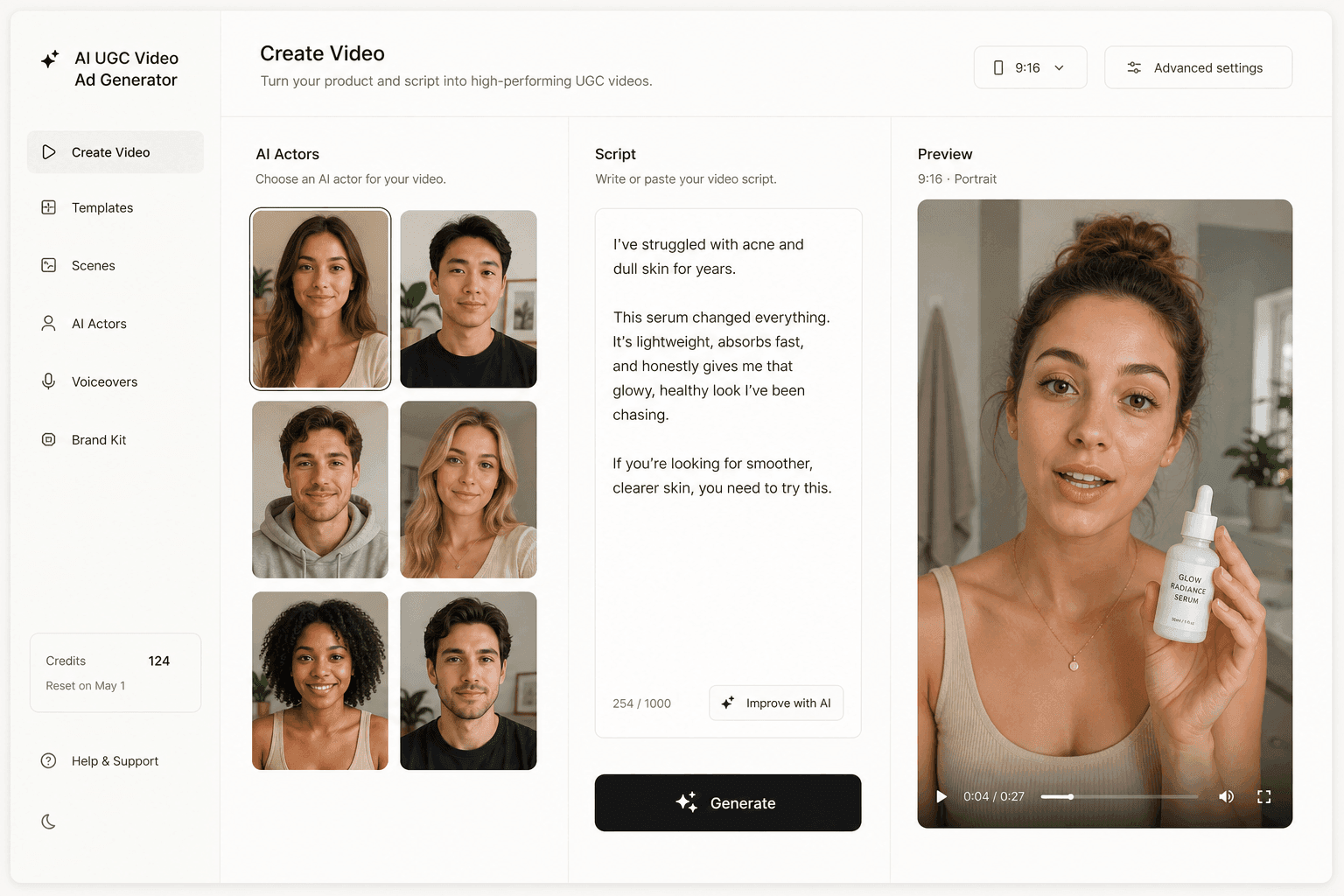
Novoads makes that range cheap enough to produce. You write a script (or auto-generate one), pick an AI actor, and get a UGC-style video ad, with voices in 31 languages when your location controls cover more than one market. One serum can become the routine ad, the gift ad and the ingredient explainer, each with its own actor and its own opening line, drafted from twelve hook formulas rather than from one lucky first take. To show the product in hand, use a custom actor made from a photo of someone holding it, or a Discover product template. Novoads starts at $49/month (Starter, 50 credits per month); a clip costs from about a dollar for a five-second Seedance 2.0 Mini clip to about $8 for an eight-second Seedance 2.5 clip, and about $26 for a full 30-second Seedance 2.5 take. You can try it on your own product.
You draw the fence, the ad picks the crowd
Targeting in Meta Ads used to be a list of rules you typed in and Meta obeyed. Now it is two kinds of input. Controls you set once, from your business's real limits. Suggestions Meta weighs against what it sees people do.
Set the controls honestly. Give Meta good seeds. Keep retargeting on a hard limit. Test Meta's defaults against your own before you trust either.
After that, the targeting decision you make most often isn't in the Audience section at all. It is the next ad you put in front of it.
Frequently Asked Questions
How do I target an audience in Meta Ads?
You set targeting at the ad set level. On most new campaigns Meta applies Advantage+ audience automatically, which splits your settings in two. Controls (locations, minimum age, custom audience exclusions and languages) are hard limits. Suggestions (age, gender, detailed targeting and the custom audiences or lookalikes you include) are hints: Meta shows ads to people who match them and to others when it expects better performance, but never outside your controls. To make a suggestion a hard limit, choose 'Further limit the reach of your ads' and uncheck 'Use as a suggestion'.
Is Advantage+ audience better than manual targeting?
Meta says it can be. Its Business Help Center says Advantage+ audience could get 14.8% lower cost per result on Awareness, 9.7% on Traffic, Engagement and Leads, and 7.2% on Sales and App promotion. Those are Meta's own figures, from its meta-analysis of 469 A/B studies run from January 2023 to August 2024 against advertisers' usual setups, so they are medians to test against, not a guarantee. Meta recommends A/B testing Advantage+ audience for almost all campaign types except retargeting.
How do I retarget website visitors when Advantage+ audience is on?
Build a website custom audience first, for example people who visited in the last 30 days but haven't bought. In the ad set, add it as a custom audience, then choose 'Further limit the reach of your ads' (or 'Further limit your audience', then 'Reach a limited audience') and uncheck 'Use as a suggestion'. The Audience section will show 'Advantage+ off', which is what a retargeting ad set should show. Exclude purchasers so buyers stop seeing the offer.
Can I target people interested in obesity or other health conditions on Meta?
Not through detailed targeting. Starting January 19, 2022, Meta removed Detailed Targeting options that relate to health causes, with examples such as 'Lung cancer awareness', 'World Diabetes Day' and 'Chemotherapy'. Custom and lookalike audiences that reference specific health conditions are flagged and can't be used to run campaigns. A health awareness campaign targets by location and minimum age, uses Advantage+ audience and neutral engagement audiences such as people who watched your videos, and lets the creative carry the topic.
How big should a custom audience or a lookalike source be?
Meta recommends that a customer list custom audience include at least 1,000 customers, and it marks a list Outdated when it hasn't been updated in over 30 days. A lookalike needs a source of at least 100 people, and Meta generally recommends a source of 1,000 to 5,000 people, ideally your best customers rather than all of them.
How many custom audiences can I create in Meta Ads?
Meta allows up to 500 custom audiences per ad account, and up to 500 lookalike audiences from a single source.
Key Takeaways
- Targeting lives on the ad set, and on most new campaigns Advantage+ audience is on by default: controls are hard limits Meta will not cross, suggestions are hints it may go past.
- Meta says Advantage+ audience could get 14.8% lower cost per result on Awareness, 9.7% on Traffic, Engagement and Leads, and 7.2% on Sales and App promotion. The figures are medians from Meta's own analysis of 469 A/B studies run from January 2023 to August 2024: test them, don't bank them.
- Retargeting is the exception Meta names. Set the custom audience as a control, uncheck 'Use as a suggestion', and read 'Advantage+ off' as the correct result.
- Custom audiences and lookalikes still matter as seeds: Meta recommends at least 1,000 customers in a list, a lookalike source of 1,000 to 5,000 people, and a list refreshed within 30 days.
- Health-cause interests left detailed targeting on January 19, 2022, and audiences that reference health conditions get flagged, so a health campaign targets by place and age and lets the ad find its people.
Sources
- •Meta Business Help Center: About Advantage+ audience
- •Meta for Business: Advantage+ audience (product page, median CPA improvement figures)
- •Meta Business Help Center: About Audience controls and Audience suggestions in Advantage+ audience
- •Meta Business Help Center: About custom audiences
- •Meta Business Help Center: Create a lookalike audience
- •Meta Business Help Center: Understand restrictions on certain custom audiences
- •Meta for Government and Nonprofits: Preparing for Upcoming Removal of Certain Ad Targeting Options (January 6, 2022)