Kling vs Veo for Video Ads: Motion, Audio and a 2.4x Cost Gap
Novoads runs Kling v3 Pro, Google Veo 3.1 and Omni Flash. At eight seconds with sound, Veo costs about 2.4 times Kling per second, blind voters split by input type, and Google's own guide names Omni Flash its default video model.

Mauricio Valdivia
·12 min

Same eight-second clip, 4.2 credits or 10
It is Tuesday afternoon. A growth marketer at a skincare brand has one vitamin C serum, sixteen hook ideas and a Pro plan with 100 credits for the month. She wants every idea on screen by Friday: eight seconds each, sound on, vertical. Run all sixteen through Veo 3.1 and the brief costs 160 credits, so six ideas wait for next month. Run them through Kling v3 Pro and it costs 67.2 credits, with room to spare.
That gap is not a Novoads quirk. On the public APIs, Google lists Veo 3.1 at $0.40 per second with sound, and fal lists Kling 3.0 Pro at $0.168 per second with audio on. Either way you slice it, an eight-second Veo clip costs about 2.4 times an eight-second Kling clip.
Price is only one axis. Kling and Veo both turn text or an image into video with native sound, and they split on how voters rate them by input type, on how long one take can run, and on what you can pin down before the render starts. A third model now sits inside the decision as well. Google's own Gemini API video guide, last updated June 30, 2026, tells developers to use Gemini Omni Flash as their default video model.
One disclosure before the details. Novoads sells all three: Kling v3 Pro, Google Veo 3.1 and Omni Flash are in the Novoads video picker on the same credits, so we have no reason to crown one. Every figure below traces to Google's docs, fal's model pages, Artificial Analysis or our own published pricing, as of September 17, 2026.
The short answer, before the details
Kling 3.0 and Veo 3.1 are closer than their price gap suggests. In blind text-to-video votes they tie. From a still image, voters prefer Veo. Kling runs longer in one take and costs less per second, while Veo gives you a fixed clip at a flat price in Novoads.
The spec sheet side by side
| Kling v3 Pro | Google Veo 3.1 | |
|---|---|---|
| Clip length in Novoads | 3 to 15 seconds | 4, 6 or 8 seconds |
| Price in Novoads | 4.2 credits at 8 s | 10 credits per clip |
| Aspect ratios in Novoads | 16:9, 9:16, 1:1 | 9:16, 16:9 |
| API list price, with sound | $0.168/s on fal | $0.40/s on Gemini API |
| Native audio, vendor API | On by default, switchable | Always on |
| Arena Elo, text to video | 1095 | 1088 |
| Arena Elo, image to video | 1055 | 1082 |
Which one to reach for
Reach for Kling v3 Pro when:
- One take needs more than eight seconds, up to fifteen.
- You are testing many hooks and every credit counts.
- The placement wants a square 1:1 clip.
Reach for Veo 3.1 when:
- The shot starts from a product still and the finish matters most.
- Eight seconds is the whole idea, so a flat price costs you nothing extra.
- You want 1080p or 4K generated directly rather than upscaled, on Google's API.
Reach for Omni Flash when:
- You want the model that scores above both on the blind-vote boards.
- A 720p render is enough for the test and ten seconds covers the idea.
- You want Kling's eight-second price with Google's model underneath.
If you have already compared other pairs, this sits between our Seedance 2.0 vs Veo 3.1 breakdown and our Seedance vs Kling comparison, with the same rule: pick per shot, not per brand. If your question is where to buy Kling rather than which model to run, our comparisons of Higgsfield vs Kling and Runway vs Kling cover those doors.

Motion: what blind votes settle, and what they do not
Spec sheets cannot tell you which clip looks better. Blind comparisons at volume get closer, as long as you read what they actually measure.
Text to video: a statistical tie
Artificial Analysis runs a public video arena. Users compare two clips generated from the same text prompt without knowing which model made each one, and the votes feed an Elo rating with a 95% confidence range. On its text-to-video board with audio, fetched September 17, 2026, Kling 3.0 Pro at 1080p scores 1095 (plus or minus 6) and Google Veo 3.1 scores 1088 (plus or minus 7).
The ranges overlap. When both models start from words alone, voters do not reliably prefer one over the other.
Image to video: Veo pulls ahead of Kling
The picture changes when the clip starts from a still, which is how an ad built from a packshot starts. On the image-to-video board with audio, users compare clips made from the same input image, and Veo 3.1 scores 1082 (plus or minus 7) against 1055 (plus or minus 7) for Kling 3.0 Pro. Those ranges do not overlap.
If your workflow is "upload the packshot, animate it", voters on this board rate Veo's results above Kling's. Gemini Omni Flash sits above both on the same day: 1233 on the text-to-video board, where it ranks first among models with audio, and 1177 on image to video.
What a leaderboard cannot tell you
Three limits are worth keeping in view before you move a budget on a rating:
- Preference is not motion. Voters pick the clip they like overall. The board does not score camera moves, physics or hands on their own.
- Adherence comes with a hedge. Kling's own VIDEO 3.0 guide says that with multi-shot switched on, the model will generally follow the prompts but will flexibly adjust if the described scene is better suited to a single shot. Google DeepMind's Veo page says the model excels in physics, realism and prompt adherence, which is the vendor's claim, not a measurement.
- Arena prompts are not your product. A label, a pump bottle or a hand closing around a jar is a harder test than a landscape. Two renders of your own packshot will tell you more than a 27-point Elo gap.
Audio: both native, with different switches
Sound ships inside the clip on both models. The difference is who controls it, what it costs, and which languages each vendor stands behind.
Kling: optional sound, priced by the second
On fal, Kling 3.0 Pro's audio is a switch with a price on it: $0.112 per second with audio off, $0.168 with audio on and $0.196 when voice control is used. fal's image-to-video page describes native audio with multiple speakers and language support. In Novoads, Kling v3 Pro generates audio by default, and its credit price depends only on clip length.
Language is where the two primary sources disagree. fal's endpoint page lists a known limitation: Chinese and English natively, with other languages auto-translated to English. Kling's own 3.0 guide lists Chinese, English, Japanese, Korean and Spanish, plus dialects and accents. When the maker and the host disagree, a single test line in your market's language is cheaper than a batch of fifty that comes back in the wrong one.
Veo: always-on sound, and one failure mode
Google's feature table marks Veo 3.1's native audio as always on. Its docs also name a failure mode: Veo 3.1 will sometimes block a video from generating because of safety filters or other processing issues with the audio. The pricing page adds that you are only charged if your video is successfully generated.
On language, Google says English is fully supported and that other languages have not been evaluated, so they may work but results can vary. For a Spanish or Portuguese hook, that is the same advice as for Kling: test one line first.
When native audio is the wrong layer
Native audio is scene sound: room tone, the click of a pump, a line of dialogue the model voices on its own terms. It is not a spokesperson reading your offer word for word. For that ad, a talking actor with a chosen voice is the better tool, and in Novoads it is a separate format from these scene models. Our guide to AI video credits covers how each format is priced.

Length, shape and control
The longest single take, and how much of the frame you can fix in advance, decide more ad formats than resolution does.
Kling: one take up to fifteen seconds
fal documents Kling 3.0 Pro clips of 3 to 15 seconds, multi-prompt support for multi-scene narrative control, an optional end frame, and custom element injection for reference characters and objects. On image to video, the aspect ratio is inferred from the start image. In Novoads, Kling v3 Pro renders 3 to 15 seconds in 16:9, 9:16 or 1:1.
A 15-second take can hold a hook, a demonstration and a call to action without a cut. Kling's family also includes Motion Control, which transfers movement from a reference video onto a character image; our Kling Motion Control guide covers when that beats prompting the move.
Veo: fixed clips, more to hold steady
Veo 3.1 generates clips of 4, 6 or 8 seconds, in landscape 16:9 or portrait 9:16. Google's docs add three controls:
- Reference images: up to three, to guide the content of the video.
- First and last frames: the clip interpolates between two images you supply.
- Resolution: 720p by default, with 1080p and 4K on the API.
The catch is the clock. Duration must be 8 seconds when you use reference images, extension, or 1080p and 4K. In Novoads, Veo 3.1 renders 4, 6 or 8 seconds at the same 10 credits, so the eight-second version is the one to pick.
Extension is no longer a Veo-only feature
Of Google's two video models, Veo had extension first. Google's changelog shows Veo 3.1 entering public preview on October 15, 2025 with video extension, up to three reference images and first and last frames. Today Google's API extends videos previously generated with Veo by 7 seconds, up to 20 times, for up to 148 seconds of video, at 720p only.
On August 27, 2026, Google released gemini-omni-1.1-flash as the generally available Omni Flash and gave it the same two capabilities: video extension and interpolation between a first and last frame. Omni 1.1 extends in 10-second steps up to a total of 40 seconds, appends only to the end of a clip, and cannot add new dialogue to an uploaded video of someone talking.
The June 30 guide, which still points to Veo 3.1 for scene extension and last-frame control, predates that release. Both Google models now extend and both take a first and last frame; they differ in step size, total length and resolution. Neither extension workflow is part of the Novoads generator today, where Veo 3.1 renders up to 8 seconds and Omni Flash up to 10.
Cost per second: API list prices and Novoads credits
A per-second price and a per-clip price reward different habits. Put them side by side before the first render, not after the month's credits are gone.
What the APIs charge per second
List prices on September 17, 2026, all with sound unless noted:
- Kling 3.0 Pro on fal: $0.112 audio off, $0.168 audio on, $0.196 with voice control.
- Kling 3.0 Standard on fal: $0.084 audio off, $0.126 audio on.
- Veo 3.1 on the Gemini API: $0.40 at 720p and 1080p, $0.60 at 4K.
- Veo 3.1 Fast: $0.10 at 720p, $0.12 at 1080p, $0.30 at 4K.
- Veo 3.1 Lite: $0.05 at 720p, $0.08 at 1080p.
- Gemini Omni Flash: approximately $0.10 per second of 720p video, billed as output tokens.
The 2.4x gap holds for the pairing most comparisons mean: full Veo 3.1 against Kling 3.0 Pro, both with sound. Google's cheaper tiers reverse it. Veo 3.1 Fast at 720p costs less per second than Kling 3.0 Pro with audio, and Lite costs less than a third of it. Neither buys the top Veo result: on the same day's boards, Fast scores 1085 and Lite 1083 on text to video, a hair under full Veo's 1088, and 1065 and 1069 on image to video, below its 1082, with Fast's range clear of it and Lite's just overlapping.
What the same seconds cost in Novoads credits
Novoads prices Kling v3 Pro and Omni Flash by clip length and Veo 3.1 by the clip:
- Kling v3 Pro: 2.2 credits at 3 seconds, 3 at 5, 4.2 at 8, 5 at 10 and 7 at 15. Each extra second adds 0.4 credits.
- Google Veo 3.1: 10 credits for a 4, 6 or 8 second clip.
- Omni Flash: 2.6 credits at 4 seconds, 3.4 at 6, 4.2 at 8 and 5 at 10.
The flat-price rule: a flat price rewards the longest clip. A 4-second Veo clip costs 10 credits, or 2.5 credits a second; the 8-second version halves that to 1.25. At eight seconds, Kling v3 Pro and Omni Flash both cost 4.2 credits, about 0.53 a second.
A worked example: sixteen hooks on a Pro plan
Back to the serum brief: sixteen eight-second clips with sound, against the Pro plan's 100 monthly credits.
- All sixteen on Veo 3.1: 160 credits. Ten fit this month; six wait.
- All sixteen on Kling v3 Pro: 67.2 credits, leaving 32.8.
- All sixteen on Omni Flash: 67.2 credits, at 720p.
- Twelve hooks on Kling v3 Pro, then four finals on Veo 3.1: 50.4 plus 40, or 90.4 credits. Everything fits.
The same 128 seconds at API list price would run $51.20 on Veo 3.1, about $21.50 on Kling 3.0 Pro with audio and $12.80 on Veo 3.1 Fast at 720p, for raw clips with no script, actor or editor attached. The fourth route is the one we would run: test wide on a per-second engine, then re-render the hooks that earned it on the model voters prefer from a still. Our creative testing playbook covers how many variants to launch before you pick those four.

Where Omni Flash changes the question
A Kling versus Veo decision written in 2025 would stop at the table above. In 2026, Google's own documentation points somewhere else first.
Google's guide names a different default
Google's Gemini API video guide, last updated June 30, 2026, says it plainly: "Use Gemini Omni Flash as your default model for video generation." The reasons it gives are superior video coherence, multi-input reasoning across text, images, audio and video, character consistency, factual accuracy and multi-turn conversational editing.
That same June page still reserves scene extension and last-frame control for Veo 3.1. Read it with its date on it, because the next release changed that list.
The GA release moved past that guide
Google's changelog entry for August 27, 2026 calls gemini-omni-1.1-flash "the GA version of our fast, conversational video generation and editing model", and lists three additions:
- Video extension, generating continuations at the end of a clip.
- Interpolation from a first and last frame, transitioning between two images.
- Resolution control from 360p to 4K, where Google notes that 1080p and 4K outputs are generated using upscaling.
The same entry sets a deadline: the older gemini-omni-flash-preview endpoint will be deprecated on September 30, 2026. Our Gemini Omni Flash explainer walks through that release in full, and our Veo 3 alternatives roundup maps the other video models against Veo's flat price. Our Kling alternatives guide does the same from Kling's side, by job and price per second.
What Omni Flash is inside Novoads
Omni Flash already sits in the Novoads picker. Here is exactly what our generator exposes for it today:
- Length: 4, 6, 8 or 10 seconds.
- Shape: 9:16 or 16:9, at 720p.
- Inputs: a prompt plus up to seven image references, or one video reference with up to five images.
- Audio: generated on every render.
- Price: 4.2 credits for eight seconds, the same as Kling v3 Pro.
Where it gives ground in Novoads: a 720p render and a ten-second ceiling. Where it gains: the highest blind-vote scores of the three on both boards, at Kling's price.
How Novoads runs Kling, Veo and Omni Flash on one plan
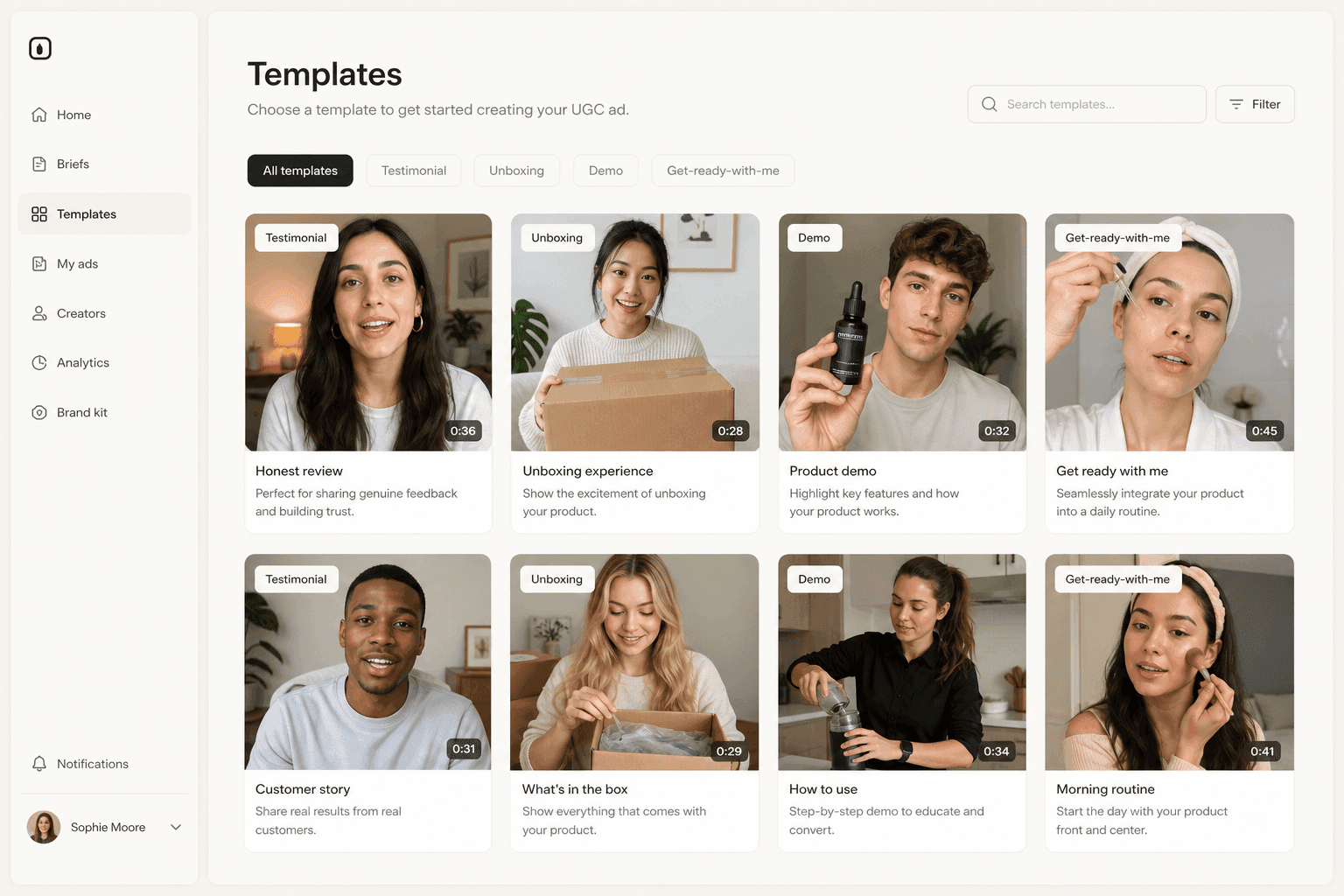
Novoads runs Kling v3 Pro, Google Veo 3.1 and Omni Flash behind one project, so the model is a setting you change per shot rather than a subscription you commit to.
One project, the engine chosen per shot
Novoads is an AI UGC video-ad generator: upload a product image or write a script, pick an AI actor or a video model, and get an ad-ready clip in 9:16, 1:1 or 16:9. The three models in this post sit in the same video picker as Seedance 2.5, Seedance 2.0 and Seedance 2.0 Mini, and all of them spend the same monthly credits. That makes the split route practical: start a project in Novoads, draft the hooks on Kling v3 Pro or Omni Flash, and re-render the winners on Veo 3.1 from the same credit balance.
What it costs to start
Novoads starts at $49/month (Starter, 50 credits per month). All plans are published on /pricing. On Starter, those credits cover five Veo 3.1 clips, eleven eight-second Omni Flash clips or sixteen five-second Kling v3 Pro clips in a month. Pro, at $79/month for 100 credits, covers ten, twenty-three and thirty-three.
Pay per second to find the hook, pay for the finish once
From text, blind voters call Kling and Veo a tie; from a packshot, they lean Veo. That turns the choice into a question about stage. While you are still looking for the hook, every second should be the cheapest of the three that renders cleanly, which means Kling v3 Pro or Omni Flash. Once a hook has earned real media spend, a flat ten credits for a Veo 3.1 finish from your packshot is the easy part of the budget.
Frequently Asked Questions
Is Kling or Veo better for video ads?
Neither wins outright. In Artificial Analysis blind votes fetched September 17, 2026, Kling 3.0 Pro (1095) and Veo 3.1 (1088) tie on text to video, while voters prefer Veo 3.1 (1082) over Kling 3.0 Pro (1055) when the clip starts from an image. Kling runs longer in one take (3 to 15 seconds) and costs less per second; Veo gives you a fixed 4, 6 or 8 second clip. For a product ad animated from a packshot, Veo has the voting edge; for testing many hooks or a take longer than eight seconds, Kling is the practical pick.
How much does Kling cost compared with Veo per second?
On the public APIs, fal lists Kling 3.0 Pro at $0.112 per second with audio off and $0.168 with audio on, and Google lists Veo 3.1 at $0.40 per second at 720p and 1080p, with sound included. That makes full Veo 3.1 about 2.4 times Kling with audio. Google's cheaper tiers change the math: Veo 3.1 Fast is $0.10 per second at 720p and Veo 3.1 Lite is $0.05. In Novoads, an eight-second Kling v3 Pro clip is 4.2 credits and a Veo 3.1 clip is a flat 10 credits.
Can Kling or Veo make clips longer than eight seconds?
Kling 3.0 generates 3 to 15 seconds in one take, and Novoads offers that full range for Kling v3 Pro. Veo 3.1 generates 4, 6 or 8 second clips; on Google's API you can extend a Veo-generated clip by 7 seconds up to 20 times, for up to 148 seconds of video, at 720p only. Extension is not part of the Novoads generator today, where Veo 3.1 renders 4, 6 or 8 seconds.
Do Kling and Veo generate audio?
Yes, both generate native audio. On fal, Kling 3.0 Pro's audio is a switch that changes the per-second price, with a separate voice control mode. Google marks Veo 3.1's audio as always on and notes that Veo sometimes blocks a video because of issues with the audio, with no charge for a video that fails. On language, fal's Kling page lists Chinese and English as native, while Kling's own 3.0 guide lists Japanese, Korean and Spanish too; Google says English is fully supported for Veo and other languages have not been evaluated.
Does Google still recommend Veo 3.1 for scene extension?
Google's Gemini API video guide, last updated June 30, 2026, names Gemini Omni Flash as the default video model and points to Veo 3.1 for scene extension and last-frame control. That guidance predates Google's August 27, 2026 release of gemini-omni-1.1-flash, which added video extension and first and last frame interpolation to Omni Flash. Both Google models now extend clips and take first and last frames; they differ in step size, total length and resolution.
Can I use Kling, Veo and Omni Flash in Novoads?
Yes. Kling v3 Pro, Google Veo 3.1 and Omni Flash are all in the Novoads video picker, next to Seedance 2.5, Seedance 2.0 and Seedance 2.0 Mini, and all of them draw on the same monthly credits. Novoads starts at $49/month (Starter, 50 credits per month), which covers five Veo 3.1 clips, eleven eight-second Omni Flash clips or sixteen five-second Kling v3 Pro clips. All plans are published on the pricing page.
Key Takeaways
- Kling v3 Pro, Google Veo 3.1 and Omni Flash all run inside Novoads on the same credits. Kling costs 4.2 credits for eight seconds, Veo 3.1 costs a flat 10 credits for a 4, 6 or 8 second clip, and Omni Flash costs 4.2 credits for eight seconds.
- On the public APIs, fal lists Kling 3.0 Pro at $0.168 per second with audio on and Google lists Veo 3.1 at $0.40 per second, so full Veo costs about 2.4 times Kling per second. Veo 3.1 Fast ($0.10 at 720p) and Lite ($0.05 at 720p) reverse that gap.
- In Artificial Analysis blind votes fetched September 17, 2026, Kling 3.0 Pro and Veo 3.1 tie on text to video (1095 vs 1088, overlapping ranges), while Veo leads Kling on image to video (1082 vs 1055). Gemini Omni Flash scores above both on both boards.
- Extension is no longer a Veo-only reason to choose: Veo 3.1 extends its own clips 7 seconds at a time to 148 seconds at 720p, and Google's August 27, 2026 Omni Flash GA release added extension to 40 seconds plus first and last frame control.
- Test wide on a per-second engine, then re-render the few hooks that earned it on the model voters prefer from a still. Kling for length and volume, Veo for a finished eight-second shot from a product image.