Veo vs Nano Banana for Ad Creative: One Makes the Frame, One Moves It
Veo is Google's video model and Nano Banana is Google's image model family, so the comparison has a category error inside it. Google's own docs file them apart, sell one by the second and the other by the image, and ship the code that chains them. Here is which one an ad needs, and when it needs both, as of September 2026.

Mauricio Valdivia
·Updated ·12 min

Only one of them makes video
A performance marketer has a Monday launch and two browser tabs open. One says Veo. One says Nano Banana. Both are Google, both are new, and the search box got the obvious question: which one should make the ad?
Google answers it on its own documentation, and the answer is that the question has a category error inside it. On the Nano Banana image generation page, last updated September 17, 2026, Veo appears in a short list with a single line of description: "Google's video generation model." The last section on that page sends the reader somewhere else entirely: "Check out the Veo guide to learn how to generate videos with the Gemini API."
So the two are not competing for the same job. One makes frames. The other makes seconds of footage with sound. For an ad you usually want both, in that order, and Google's own Veo documentation ships the code that chains them.
One disclosure before the numbers. Novoads offers Google Veo 3.1 and Nano Banana Pro in its own picker, so we have a stake in the answer. Every Google figure below comes from a Google page, with the date that page carries.
The quick answer, in one table
Read this by the job you have, not by which name is trending.
| Veo 3.1 | The Nano Banana models | |
|---|---|---|
| Output | Video with audio | Still images |
| Length per call | 4, 6 or 8 seconds | One frame |
| Resolutions | 720p, 1080p, 4K | 0.5K to 4K, by model |
| Google's unit | Per second of video | Per image |
| Standard rate, September 16, 2026 | $0.40/sec at 1080p | $0.134 per 2K Pro image |
| Gemini API ids | Three preview ids | Four named models |
Use a Nano Banana model when the deliverable is a frame:
- A product still, a catalogue shot or a thumbnail
- A headline or price badge that has to render legibly inside the image
- A static placement that will never move
- The opening frame of a clip you are about to generate
Use Veo 3.1 when the ad needs motion and sound in the same render:
- A hand picking the product up, or a demo beat with a result
- A spoken line that has to land with the picture
- Anything where the sound is carrying the message
If you want a video model and Veo is not the one, that is a different question with its own answer: our guide to the best Veo 3 alternatives ranks video models against each other and never brings an image model into the comparison.
What Google's docs file each one as
The image page points at the video guide
The clearest evidence is structural. Google's Nano Banana image generation page has a section for other modes, introduced with the line "Although Nano Banana image generation models are recommended for most use cases", and Veo sits inside it with its one-line job description as the video generation model. Then the page's final section points readers at the Veo guide to learn how to generate videos.
A page about image generation does not close by teaching you video unless the two are meant to be used in sequence.
"Nano Banana" is four models, not one
The second thing the docs settle is that the name on the tab is not a model. As of September 17, 2026, Google writes that Nano Banana refers to four distinct models available in the Gemini API, and the pricing page gives each its own row and its own id:
- Nano Banana 2 Lite is
gemini-3.1-flash-lite-image, the efficiency rung, which Google's docs say "only supports 1K resolution." - Nano Banana 2 is
gemini-3.1-flash-image, the newer generalist, which Google credits with "Excelling at multiple reference image processing and consistency." - Nano Banana Pro is
gemini-3-pro-image, the premium rung. - The original Nano Banana is
gemini-2.5-flash-image, the one that made the name famous and the one with a shutdown date.
This is why a bare sentence like "Nano Banana costs X" is never true. It is four prices, four capability sets and, from October, three surviving models.
Veo is not the only video model on that menu
One more correction the docs make, and it cuts against the headline everyone writes. The Veo guide link on the Nano Banana page resolves to Google's video generation hub, last updated June 30, 2026, which opens by saying the Gemini API offers two models for generating video, Gemini Omni Flash and Veo, and tells readers to "Use Gemini Omni Flash as your default model for video generation", reserving Veo 3.1 for specific capabilities.
Google DeepMind's own Veo page still calls Veo 3.1 "Our leading video generation model, designed to empower filmmakers and storytellers". Both things are true at once, and the practical read is that the video slot in your pipeline has more than one occupant. We cover the other one in our Gemini Omni Flash breakdown.

What Veo 3.1 puts out, and what a second costs
Four, six or eight seconds, with audio always on
Google's Veo guide, last updated September 17, 2026, defines the model in one sentence: "Veo 3.1 is a model for generating 8-second videos (720p, 1080p, or 4k) with natively generated audio." The duration parameter accepts 4, 6 or 8 seconds, and Veo 3.1 "lets you create landscape ( 16:9 , the default setting) or portrait ( 9:16 ) videos", which is the pair of shapes a paid social buyer actually ships.
Audio is not an option you switch off to save money. It is generated with the video, which means there is no cheaper silent tier to fall back on when the ad only needs a visual.
The eight-second rule decides your resolution
The detail that catches people out is a constraint on the duration field. Google writes that it "must be 8 when using extension, reference images or with 1080p and 4k resolutions". Read backwards, that is a budgeting rule. Four things force a shot to eight seconds:
- 1080p output, which is the floor for most paid placements
- 4K output
- Reference images, the feature that keeps your product consistent
- Extension, if you are continuing a clip you already made
Any shot that needs one of those is an 8-second shot, whatever the storyboard wanted. There is no 4-second 1080p clip with a reference image at half the price, because that cell does not exist.
Still a preview id on the Gemini API
Veo 3.1 reached the Gemini API under three preview model ids: veo-3.1-generate-preview, veo-3.1-fast-generate-preview and veo-3.1-lite-generate-preview. Google shut them down on October 22, 2026, and points developers to Gemini Omni Flash or the GA models on its Agent Platform.
Google's pricing page, last updated September 16, 2026, added one piece of good news for anyone running volume: "You will only be charged if your video is successfully generated."
What a Nano Banana model puts out, and what an image costs
Frames, priced by the pixel count
On Google's Gemini API pricing page, last updated September 16, 2026, each model in the family carries its own per-image equivalence on the Standard paid tier:
- Nano Banana Pro (
gemini-3-pro-image): an equivalent of $0.134 per 1K or 2K image, and $0.24 per 4K image - Nano Banana 2 (
gemini-3.1-flash-image): $0.045 per 0.5K image, $0.067 per 1K, $0.101 per 2K and $0.151 per 4K - Nano Banana 2 Lite (
gemini-3.1-flash-lite-image): $0.0336 per 1K resolution image, and 1K is the only resolution it does
Two things to note about those dollar figures. They are Google's own token arithmetic rather than a billed line item, because the invoice counts tokens and the page converts them for you. And the Lite figure really is $0.0336: on the same page, $0.034 per 1K belongs to Nano Banana 2's Batch tier. Two models and two tiers apart, one rounding apart on the page.
Which resolution an ad still actually needs is a separate decision with its own trade-offs, and we worked it through in our Nano Banana Pro guide for ad creative. What matters here is only that the unit is an image.
The plain name belongs to the model being retired
The pricing page carries a warning on the original Nano Banana: gemini-2.5-flash-image is "deprecated and will be shut down on March 15, 2027", with an instruction to migrate to Gemini 3.1 Flash Lite Image. Google's docs put it more plainly still: the "recommended migration path is to transition to Nano Banana 2 Lite".
Google moved that date from October 2, 2026. It applies to that one model id. Nano Banana 2, Nano Banana 2 Lite and Nano Banana Pro are separate models and are not in the notice: Google's deprecations page, last updated October 22, 2026, lists gemini-3-pro-image with "No shutdown date announced".
The practical consequence is a naming trap. Most people saying "Nano Banana" mean the model being retired, because that is the one that got famous. Any workflow, tutorial or vendor menu that offers you an unqualified "Nano Banana" is worth reading twice before the shutdown.
Pro is the premium rung, not the newest
The other common slip is treating Nano Banana Pro as the latest release. It is the premium tier. Nano Banana 2, from the Gemini 3.1 Flash Image line, is the newer generalist, and Google says it "balances speed with state-of-the-art 4K generation", so 4K is not something the Pro rung holds by itself.
Premium and newest are different axes, and on a menu that sorts by price they look identical.

Dollars per second against dollars per image
Two units, one pricing page
Here is the part the versus posts skip. On the same pricing page, last updated September 16, 2026, Veo 3.1 was sold by the second of video with audio, on the paid tier:
- Veo 3.1 Standard: $0.40 per second at 720p and 1080p, $0.60 at 4K
- Veo 3.1 Fast: $0.10 per second at 720p, $0.12 at 1080p, $0.30 at 4K
- Veo 3.1 Lite: $0.05 per second at 720p, $0.08 at 1080p
Every one of those is a price per second. Every Nano Banana figure above is a price per image. Setting "$0.40" beside "$0.134" and calling one three times the other compares a second to a picture, which is the same category error the whole comparison started with.
Google shut those Veo 3.1 previews down on the Gemini API on October 22, 2026, and Google Cloud's pricing page now lists the same figures per count, not per second.
One clip against one still, with the multiplication shown
To compare them you have to choose a clip length and say so. Here is ours, over Google's published Standard rates:
- One 8-second Veo 3.1 Standard clip at 1080p: $0.40 per second x 8 seconds = $3.20
- One Nano Banana Pro still at 2K: $0.134
- $3.20 divided by $0.134 = about 24 stills per clip
Change the assumption and the answer moves a long way. The same clip on Veo 3.1 Fast at 1080p is $0.12 x 8 = $0.96, or roughly 7 Pro stills. On Veo 3.1 Lite at 720p it is $0.05 x 8 = $0.40, roughly 3 Pro stills. Against Nano Banana 2 Lite at 1K, the $3.20 Standard clip is about 95 images.
That arithmetic is ours. It is not a rate Google publishes, and it stops being true the moment you assume a different clip length, tier or resolution. Anyone quoting you a flat "N times cheaper" without naming those three things is quoting a number they made up.
What the ratio does not price
A stills-per-clip ratio prices pixels, not outcomes. Three things it leaves out, each bigger than the ratio itself:
- Retries. The renders you throw away are where the real spread lives, and nothing in a rate card predicts them.
- Hours. The time between a product photo and a finished ad is the expensive input, and neither unit measures it.
- Substitutability. The outputs are not interchangeable. Twenty-four stills do not become a video, and one video does not fill a carousel.
The handoff Google documents
The still becomes the first frame
The Veo guide's image-to-video section is the whole argument in one code block. Google's text describes generating an image with Gemini 3.1 Flash Image, also called Nano Banana 2, "then using that image as the starting frame for generating a video with Veo 3.1."
This is not a community trick or a workaround somebody discovered. It is the documented example on the model's own page, written by the vendor that sells both models.
Three reference images, or a first and last pair
Google's Veo guide documents three ways to hand the model a frame you already approved:
- A starting image, the image-to-video recipe above, where the still becomes the clip's first frame
- Up to three reference images, since Veo 3.1 "now accepts up to 3 reference images" to guide the content of a generated video
- A first and last frame, which lets you "Generate a video by specifying the first and last frames" and interpolate between two stills you control
For ad creative that maps cleanly onto a real problem. The product has to look like the product in every shot, and the way to guarantee that is to fix the frames rather than describe the bottle again in prose and hope. Remember the duration rule: reference images and 1080p both force the clip to 8 seconds.
A worked example: one serum bottle, three shots
Say a skincare brand needs a three-shot hook for a Monday launch. Each shot starts as a Nano Banana Pro still at 2K, because the label has to be legible and consistent, and each still becomes the first frame of an 8-second Veo 3.1 Fast clip at 1080p.
Over Google's Standard rates of September 16, 2026, that is 3 stills at $0.134 = $0.402 of image, plus 3 clips at $0.12 per second x 8 seconds = $2.88 of video, for about $3.28 before any retries. Our arithmetic again, and the retries are the number that actually decides the month.
The order matters more than the total. The still is the cheap place to argue about the label, the crop and the price badge. Fixing any of that after you have already paid for eight seconds of motion means paying for the motion twice.
When one model is the whole answer
Plenty of ad work needs exactly one of these. A static placement, a catalogue image, a thumbnail, an in-image headline test: those are frames, and a video model is the wrong tool and the wrong unit for them. If you are shopping specifically for image models and want the field rather than Google's corner of it, we mapped it in the best Nano Banana alternatives, and the metered-versus-bundled buying question has its own post in Higgsfield vs Nano Banana.
The reverse case is a demo beat, a testimonial line or anything where sound carries the message. That is a video model, and the honest follow-up is whether it should be Veo at all: Google's own hub now sends the default elsewhere, and our Veo alternatives guide covers the video models worth testing against it. The general stills-or-motion judgment, in credits rather than in Google's units, is in Seedance vs Nano Banana.
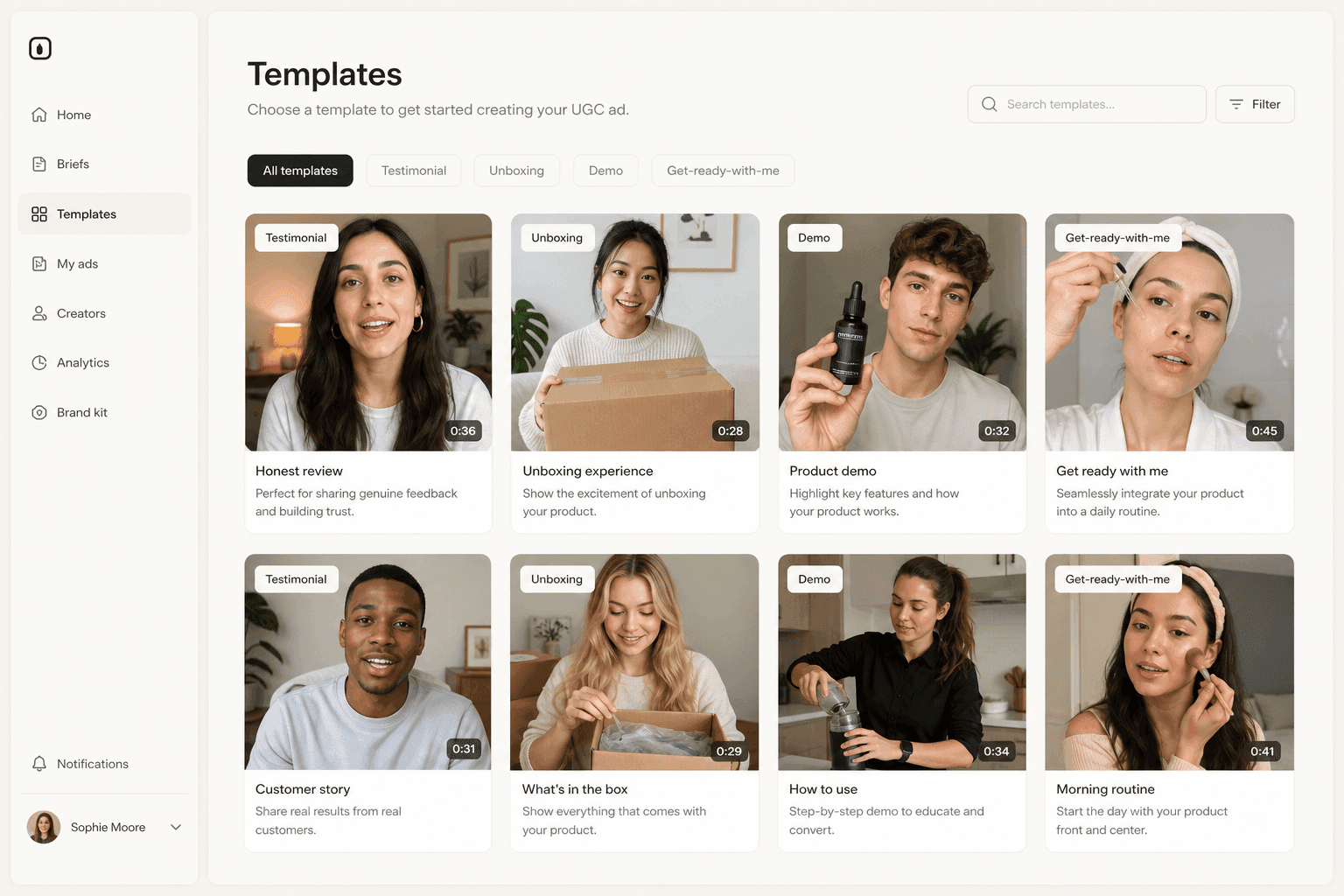
How Novoads solves the frame-then-motion handoff
Novoads runs both halves of that handoff in one project, on one credit balance, priced in credits rather than in Google's per-second and per-image rates:
- Google Veo 3.1, in the video picker, at a flat 72 credits per video at any duration and resolution it offers
- Nano Banana Pro, in the image picker, at 2 credits per 1K or 2K image and 4 credits at 4K
- The rest of the image bench on the same balance: GPT Image 2, GPT Image 2.5 Sunburst, GPT Image 2.5 Flare, Seedream 5 Lite and Seedream 5 Pro
Novoads does not sell Nano Banana 2 or Nano Banana 2 Lite.
The Veo route here takes a starting image, and a first-and-last-frame pair, which is the handoff the docs describe. It does not expose Veo's three-reference mode. So the working loop is the one above: make the frame, approve the frame, then spend the video credits on a frame you have already agreed on. You can start a project with a product photo and a script rather than an API key. Novoads starts at $15/month (Starter, 200 credits per month), and all plans are published on /pricing.
The frame is the decision. The motion is only delivery.
Every expensive mistake in this pipeline happens in the frame and gets paid for in the video. The label reads wrong, the crop is off, the badge sits over the pump: all cheap to fix at $0.134, all expensive to fix after eight seconds of audio has been rendered around them.
So stop asking which Google model wins. Ask which one is holding the decision, and buy the cheap unit first.
Frequently Asked Questions
Is Nano Banana better than Veo for ads?
The question compares two different modalities. Nano Banana is Google's image model family and produces still frames. Veo is Google's video model and produces clips with natively generated audio. Google's own Nano Banana image generation page, last updated September 17, 2026, lists Veo separately as "Google's video generation model" and closes by pointing readers to the Veo guide to generate video. For an ad, a Nano Banana model makes the frame (the product still, the headline in the image, the thumbnail) and Veo 3.1 moves it.
Which Nano Banana model do people mean?
Usually the one being retired. Google's docs say Nano Banana refers to four distinct models in the Gemini API: Nano Banana 2 Lite (gemini-3.1-flash-lite-image), Nano Banana 2 (gemini-3.1-flash-image), Nano Banana Pro (gemini-3-pro-image) and the original Nano Banana (gemini-2.5-flash-image). The plain name belongs to the original, which Google's pricing page marks as deprecated with a shutdown on March 15, 2027. Nano Banana Pro is the premium rung rather than the newest generation, and Nano Banana 2 is the newer generalist.
How much does a Veo 3.1 clip cost compared with a Nano Banana Pro image?
They were priced in different units on Google's Gemini API pricing page, last updated September 16, 2026. Veo 3.1 Standard with audio was $0.40 per second of video at 720p and 1080p, and $0.60 at 4K. Nano Banana Pro Standard output is an equivalent of $0.134 per 1K or 2K image and $0.24 per 4K image. To compare them you have to pick a clip length: at $0.40 per second, one 8-second Veo 3.1 Standard clip at 1080p is $3.20, which is about 24 Nano Banana Pro images at 2K. That multiplication is ours, not a rate Google publishes.
Can you use a Nano Banana image as the first frame of a Veo video?
Yes, and Google documents it. The Veo 3.1 guide, last updated September 17, 2026, carries an image-to-video section whose code generates an image with Gemini 3.1 Flash Image, also called Nano Banana 2, then uses that image as the starting frame for generating a video with Veo 3.1. Veo 3.1 also accepts up to three reference images to guide the content of a generated video, and can generate a video by specifying the first and last frames.
Is Veo 3.1 generally available on the Gemini API?
Not under that label. On the Gemini API, Veo 3.1 shipped under preview model ids until Google shut them down on October 22, 2026: veo-3.1-generate-preview, veo-3.1-fast-generate-preview and veo-3.1-lite-generate-preview. Google DeepMind's own model page calls Veo 3.1 "Our leading video generation model, designed to empower filmmakers and storytellers". Google's video generation hub, last updated June 30, 2026, also names a second video model and tells readers to use Gemini Omni Flash as the default, with Veo 3.1 for specific capabilities.
Can I use Veo 3.1 and Nano Banana Pro in Novoads?
Yes. Google Veo 3.1 is in the video picker at a flat 72 credits per video, and Nano Banana Pro is in the image picker at 2 credits per 1K or 2K image and 4 credits at 4K, on the same balance as GPT Image 2, GPT Image 2.5 Sunburst, GPT Image 2.5 Flare, Seedream 5 Lite, Seedream 5 Pro and the other video models. Novoads does not sell Nano Banana 2 or Nano Banana 2 Lite. Novoads starts at $15/month (Starter, 200 credits per month), and all plans are published on /pricing.
Key Takeaways
- These are different modalities, not rival generators. Google's Nano Banana image generation page, last updated September 17, 2026, lists Veo with one line of description, "Google's video generation model", and closes by sending the reader to the Veo guide to generate video.
- "Nano Banana" is a family name, not a model. Google's docs say it refers to four distinct models in the Gemini API: Nano Banana 2 Lite, Nano Banana 2, Nano Banana Pro and the original Nano Banana. Pro is the premium rung, not the newest generation.
- The original Nano Banana (gemini-2.5-flash-image) is deprecated and will be shut down on March 15, 2027, and Google recommends transitioning to Nano Banana 2 Lite. That notice applies to that one model, not to Nano Banana 2, 2 Lite or Pro.
- Google sold the two in different units on the same pricing page, last updated September 16, 2026: Veo 3.1 Standard at $0.40 per second of video with audio at 720p and 1080p, Nano Banana Pro at an equivalent of $0.134 per 1K or 2K image. Any ratio between a second and an image is arithmetic somebody did, not a published figure.
- The handoff is documented, not a workaround. Google's Veo guide ships an image-to-video recipe that generates a still with Nano Banana 2 and passes it as the starting frame to Veo 3.1. Novoads offers Google Veo 3.1 at a flat 72 credits per video and Nano Banana Pro at 2 credits per 1K or 2K image, on one balance, from $15/month (Starter, 200 credits per month).