Arcads AI Review: 1,000+ Actors, Three Talking-Actor Models, and the Limits Buyers Hit
An Arcads review built on Arcads' own pages: a 1,000+ actor library, three talking-actor models, the agent Mark, an MCP connector for Claude and batch Workflows, plus the output limits, credit rules and who the tool fits.

Mauricio Valdivia
·14 min
One script, ten faces, twenty clips: Arcads' own pitch
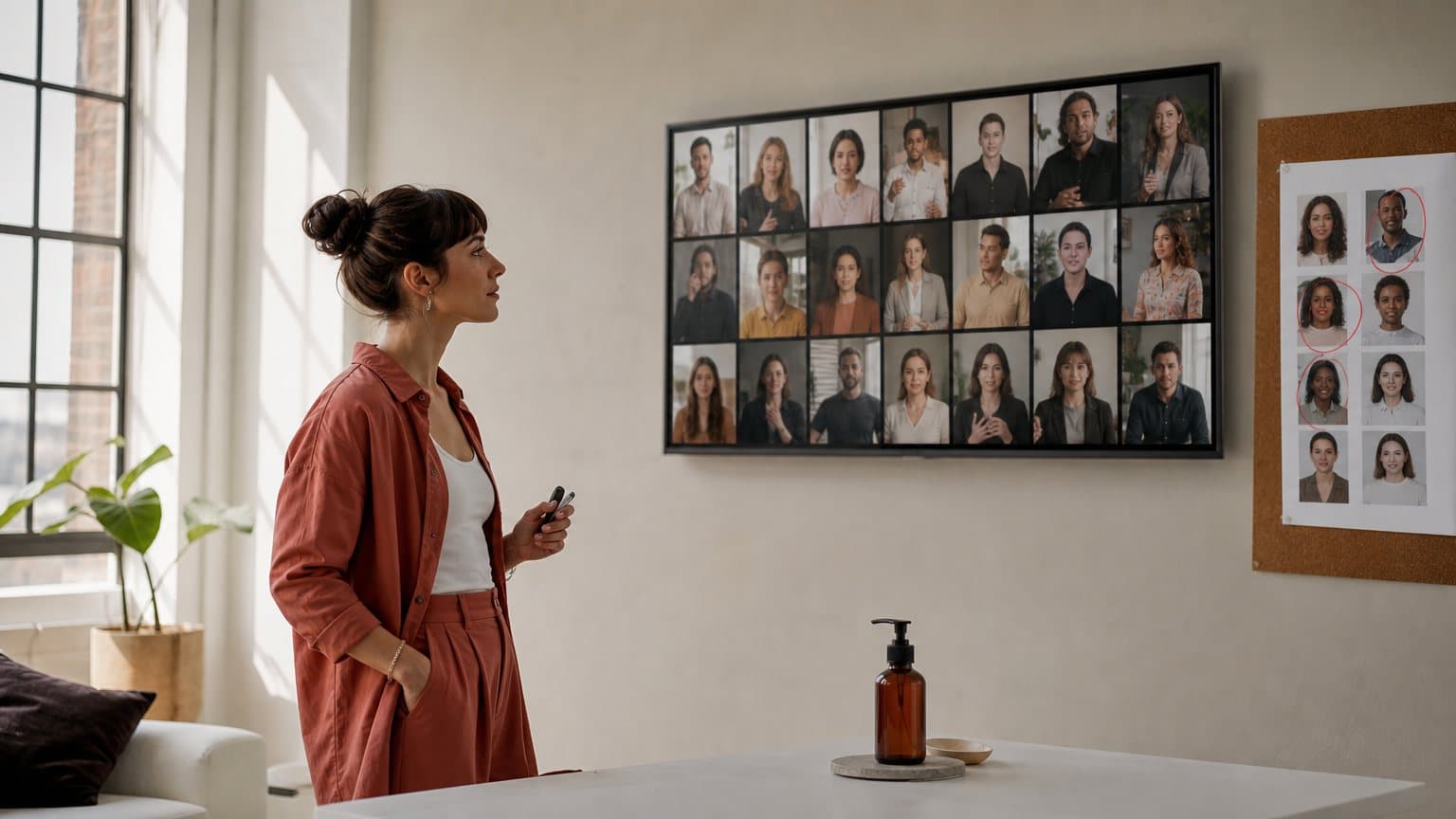
A skincare brand has one script that sold well last month. The media buyer wants it on ten new faces, in English and Spanish, before Friday. Arcads' help centre describes a workflow built for exactly that job: one script and one product image go in, and 20 clips of eight seconds each come out, ten in English and ten in Spanish.
That is Arcads describing its own template. We did not run it.
Arcads started as a tool for talking actors, AI people who read your script to camera, and it has grown into a full ad studio. Its platform guide, updated on September 9, 2026, says Arcads lets you generate product images, talking actor videos, B-roll clips and full ad campaigns. The help centre now also documents an agent called Mark, a connector that runs Arcads from inside Claude, and a canvas for batch Workflows.
Full disclosure: we build Novoads, an AI UGC ad tool that competes with Arcads for the same ad budgets. None of what follows comes from our own test renders. Every capability, limit and number below is taken from Arcads' public pages as we read them on September 18, 2026, and where Arcads is strong, this review says so. It walks through what a buyer actually evaluates: the actors, the models, the agent layer, Workflows, the output limits, the credits, and who the tool fits.
What Arcads is, and the ways you can drive it
Before the features, it helps to know how the product is laid out and where its own documentation lives, because both shape how you should test it.
A talking-actor tool that became a studio
The platform guide organises Arcads into standalone tools, image models, video models, talking-actor models, actors and voices, product features and presets, with Workflows on top. The tools list alone runs to more than 25 entries by our count, from captions and transcription to background removal, video translation, actor animation and an AI video editor you instruct in plain language.
The centre of gravity has not moved, though. The guide calls its talking-actor models "the core of Arcads' ad creation pipeline," and everything else feeds them: images become actors, B-roll wraps around them, and translation multiplies them.
Studio, Mark, the MCP and Workflows
A subscriber has four ways in. Arcads' own terms, in force since August 21, 2026, name three of them when they explain which generations still spend credits during a promotion ("Workflows, the Agent, the API or MCP"), and the homepage calls the main app Arcads Studio.
- Studio is the main app, where you pick an actor or a model and generate one asset at a time.
- Mark is the in-app AI agent, which you can give standing instructions.
- The MCP is a hosted connector that lets Claude generate ads through your Arcads account.
- Workflows is a node canvas that chains models and tools into a batch.
The API is a fifth route, but the terms say "The API is only accessible to the Client if he subscribes to a Customized offer," the plan Arcads draws up after a sales call.
Where the facts live
Arcads keeps its documentation on a help centre hosted by Intercom, and most articles carry a date. That matters, because the articles were written months apart and do not always agree, as the model section shows. The website is thinner: its navigation offers Features, Industries and a login or sign-up button, and www.arcads.ai/pricing returned a 404 when we checked on September 18, 2026. Plan changes happen on a paywall inside the app.

The actor library and custom actors
Arcads' homepage leads with its cast: "Use our library of 1,000+ Captivating AI Actors, or create your own AI Avatar." It is the headline number for a reason. For anyone who tests faces, a cast that size is a real strength.
1,000+ library actors, filtered for fit
The guide describes a library spanning "ages, ethnicities, styles, and settings," and Arcads' talking-actor how-to says you can filter by age, gender, type and situation. The feature that makes a big library pay off is Actor Replacement, which swaps the actor in an existing video while keeping the script, timing and background. Arcads pitches it as "Great for A/B testing the same creative with different faces." If your plan depends on one person staying on screen across a whole series instead, our guide to keeping one AI actor consistent across ad variations covers that side of the problem.
Your own actor from one headshot
Custom Actor lets you "Create your own AI actor from a single headshot image," saved to your account for reuse. The how-to, dated May 27, 2026, lists three routes depending on the model. On the Arcads 1.0 route, a new actor goes through a training step that Arcads says "usually takes 2-4 hours" before it appears under My Actors, and custom actors are private to your workspace. The idea itself, turning an AI avatar from a photo into a spokesperson, is common across tools. What is worth planning around here is the wait: pick the faces the day before the batch, not during it.
Cloning yourself is a Pro feature
Clone Yourself builds a digital twin "replicating both your face and your voice." Its article, dated May 4, 2026, sets the terms plainly: the feature is available "exclusively on the PRO plan." The reference video must be at least 2 minutes of continuous speech with the face fully visible, and the standard cost is 1,600 credits per video. The guide lists voice cloning as a Pro feature too.
Putting your product in an actor's hands
The homepage says you can make actors "hold your product, show your app, and wear your clothes," and the guide's Show Your Product feature places a product "held by an actor, displayed on a surface, or shown in a lifestyle context." The route is worth knowing before you script. Arcads' own how-to, dated January 6, 2026, says the library actors "are not yet holding your product," so you first generate an image of an actor holding it, uploading your product image as a reference, and then turn that image into a talking actor.
Three talking-actor models, and the engines for B-roll
Arcads 1.0, Audio-Driven and OmniHuman 1.5
Arcads runs three talking-actor models and gives each a job. None has a hard character limit; the script sizes below are Arcads' guidance from its model comparison article, dated July 2, 2026.
| Model | Input | Keep the script under | Arcads' pick for |
|---|---|---|---|
| Arcads 1.0 | A text script | 1,500 characters | Longer scripted videos |
| Audio-Driven | Your audio file | 600 characters | Better lip sync |
| OmniHuman 1.5 | A still image | 400 characters | Expressive videos |
The split is sensible. A 45-second product walkthrough and a punchy opening line are different jobs, and Arcads lets you pick the model per job rather than forcing one look on both. Audio-Driven is also the escape hatch when a voiceover already exists: the guide says its lip sync "is driven by a provided audio file rather than a text script."
Read the model notes by date
The model descriptions shift with each article's age, so test before you standardise. The September platform guide calls OmniHuman 1.5 "The most advanced Talking Actor model on Arcads," and says it "Produces highly realistic full-body motion, gestures, and facial expressions." The July comparison article says the same model's actor "remains static (no body or camera movement)" and that its look can be perceived as "slightly more AI-styled," while a March article on extending videos flags "the OmniHuman model's tendency for exaggerated movements."
The model may simply have improved between those dates. Either way, the practical move is the same:
- Put one real line through all three models before you choose a default.
- Judge lip sync on the phone, at the size your audience will see it.
- Note the date on any help article you plan around, and re-read it before a big batch.
The B-roll and image engines
For scenes that are not a face talking to camera, the guide lists video models that include Veo 3.1, Kling 3.0 Pro (with a 4K variant), Seedance 2.0, Grok Video and a stylised model called Happy Horse. On the image side it names GPT Image 2 as "Currently the default image model on Arcads," alongside newer and alternative models.
The roster moves faster than the guide. The homepage announces "Seedance 2.5 is live" and offers seven days of unlimited Seedance 2.5 generations in Arcads Studio to those who subscribe before the offer ends, under fair-use terms. The terms add a limit worth knowing: during a promotion like that, generations through Workflows, the Agent, the API or MCP still consume credits "in the ordinary way."
These are rented frontier engines, the same ones other ad tools license. Novoads runs Seedance 2.0, Kling v3 Pro and Google Veo 3.1 as well, so on B-roll realism the honest verdict is close to a tie, and the difference moves to what each tool charges and builds around the engine. We unpack that in where AI UGC realism actually comes from.

Mark and the MCP: Arcads inside an agent
Mark, the agent in the app
Mark is "the Arcads AI agent," and its most detailed public documentation is an article on Custom Instructions, dated September 2, 2026. Custom Instructions are a text field in Mark's settings where you describe how you want it to work, and Arcads says "Mark reads these instructions on every interaction." The suggested uses are practical:
- Set a tone, such as short and to the point.
- Fix defaults, such as a US audience or a 9:16 aspect ratio.
- Control when Mark acts, for example: "Always ask me for confirmation before generating a video."
That last tip is the one to copy. An agent that can spend credits on its own should ask first.
What the public pages do not show yet
The homepage invites you to "Build your own AI Agent for marketing," but beyond the Custom Instructions article we found little public detail on what Mark does step by step, and we have not used it. Two things are on the record: Mark lives inside the app, and the terms say generations made through the Agent spend credits from your plan. Judge the rest with your own brief during the trial.
The MCP connector for Claude
The Arcads MCP "lets you create AI-generated video ads directly from your MCP client (Claude Desktop, etc.)." The server is hosted at https://mcp.arcads.ai, and in Claude Desktop you add it as a custom connector. Its article, dated June 26, 2026, lists "An active subscription with remaining credits" as a prerequisite; without one, generation requests fail. Arcads also publishes a skills plugin with three commands: /spy-competitor-ads, /clone-hook and /clone-static-ad.
The connector's landing page is candid about scope. It says store research, campaign publishing and performance analysis "depend on the other tools and connectors you give Claude access to, such as Shopify and Meta." Arcads handles the generation; you wire the rest of the loop. For how this official connector differs from the community skill pack that shares Arcads' name, see our explainer on Arcads and Claude Code.
Workflows: one canvas, many clips
Nodes, templates and a shared canvas
A Workflow is a chain of nodes. You add inputs, models and tools, connect them, and run the whole thing at once, which Arcads sums up as "Build once. Generate at scale." The homepage pitches it as "one infinite canvas to create, test and scale ads faster as a team." Pre-built templates cover common jobs:
- Recreating one existing video with several different actors.
- Building a brand film from storyboard images, with a start and end frame per scene.
- Training a creator clone and scaling content from it.
- Turning "one winning ad into 20 UGC variations," in the guide's words.
Workflows are not new. The feature article is dated June 5, 2026, and a set of automation-first ideas in it is still marked coming soon.
The 20-clip template, in Arcads' words
The template behind this review's opening is called UGC Content Engine. Its inputs are a clean product image, a script with about 8 seconds of dialogue, and headshots of 10 characters, AI or real. The workflow "generates 2 talking-head videos per character," auto-translates the script and renders the Spanish versions, and delivers 20 clips of 8 seconds: ten in English, ten in Spanish. The platform guide compresses it to one line: "Take one script and generate videos across 10 actors in 2 languages (20 clips in one run)."
Two caveats before you plan around it. This is Arcads' description of an example template, not a benchmark and not a plan limit, and we have not run it. And every clip carries the same script, so the batch tests faces and languages, not angles. A real creative test usually needs both.
A worked example: what one run asks of a plan
Arcads prices talking actors at 800 credits per minute, per actor, and says "Length is always rounded up." On that rule, each 8-second clip bills as a full minute. Here is what one run of the template comes to on Arcads' published rates:
- If all 20 clips are talking-actor renders: 20 × 800 = 16,000 credits.
- If the Spanish ten go through Translate Video instead: 10 × 800 + 10 × 240 = 10,400 credits.
For scale, the help centre lists the Starter plan at 8,000 monthly credits and the Creator plan at 16,000. Either way, one run uses more than a Starter month, and in the first case it takes a full Creator month. That does not make the template poor value; twenty localised clips for a month of credits can be a good trade for a team that lives on face tests. It does mean the run should be priced before it is clicked, and Arcads says its support team is happy to help estimate credits before you generate.

Output limits to plan around
Per-clip caps on the video models
"Every AI video model has a maximum video length," says Arcads' article on extending videos, and its recap table, dated March 30, 2026, puts Veo 3.1 at 8 seconds and Kling 3.0 at 15 seconds per clip. The same article adds that "Exact limits may evolve over time" and points you to the model selector for current values. That is the right instruction, since an older January article gave Veo 3.1 a 10-second maximum. Longer scenes are built by extending a clip from a chosen frame, or by joining clips with the Stitch Videos tool.
Talking-actor length and script size
Talking actors run longer. Arcads' how-to says its talking-actor model "is perfect for videos up to 2 minutes," and the script guidance in the model table above is what keeps each model in its comfort zone. Past that, Arcads recommends generating further clips with the same model, actor and voice, then joining them.
Content rules and quality risk
Two limits sit outside the render itself.
- Prohibited categories. Arcads says its content rules "apply universally across all Arcads' plans, including Pro plans." They bar sexual products, including products "enhancing sexual performance, pleasure, or bodily appearance," and political campaigns and candidates, so some DTC and advocacy advertisers cannot use it at all.
- Quality is not a refund reason. Arcads may restore credits when a generation fails because of a platform issue, but its refund policy says poor output alone, such as "unsatisfying lip sync, unexpected accents, or results that don't match your creative vision," does not qualify.
In plain terms, a render you dislike is a render you paid for.
What Arcads costs, in credits
With no public pricing page to cite, this review does not quote dollar figures. What the help centre does publish is the credit logic:
- Trial. A 3-day trial, after which the saved card is charged for the Starter plan unless you cancel from Billing settings within the 72 hours (refund policy, updated September 16, 2026).
- Plans. Starter at 8,000 and Creator at 16,000 monthly credits, both resetting each cycle with no rollover and pausing usage at the monthly limit. Pro, Scale and Business roll unused credits over.
- Meter. Talking actors at 800 credits per minute, per actor, rounded up; video models priced per generation, for example Seedance 2.0 at 720p at 192 to 720 credits.
If the numbers matter to your decision, and they should, model one real month in credits before the trial ends. Our breakdown of what an Arcads month costs, plan by plan runs that math with the dollar figures we captured from the in-app paywall.
Who Arcads suits, and who should look elsewhere
Arcads is broad and capable, and most of its limits are the cost of that breadth.
The scorecard
| Area | What Arcads documents | Our read |
|---|---|---|
| Actor library | 1,000+ actors, custom actors | Strong |
| Face testing | Actor Replacement, Workflows | Strong |
| Talking-actor choice | Three models by script length | Strong |
| Localisation | Translation with matched lip sync | Strong |
| Batch production | Templates, 20 clips per run | Strong |
| Agent layer | Mark and MCP, thin docs | Mixed |
| Documentation | Dated, sometimes inconsistent | Mixed |
| Cloning yourself | Pro plan only | Mixed |
| Price visibility | No public pricing page | Weak |
| Credit terms | No rollover below Pro | Weak |
| Quality refunds | Quality alone not reimbursed | Weak |
Arcads suits you when
- You test many faces on scripts that already work and want to swap actors without rebuilding the ad.
- You sell in several markets: Arcads markets "Accurate translation in more than 30 languages," and its Translate Video tool matches lip sync to the new audio.
- A founder wants to be the face at scale and the team can justify the Pro plan for cloning.
- Your team already works in Claude and wants generation inside that conversation.
- You plan to run batches through Workflows and can budget credits for them.
Look elsewhere when
- You need to see a price before you hand over a card.
- Your volume is uneven, and a mid-month block on Starter or Creator would stall a launch.
- You sell sexual-wellness products or run political ads.
- You want credits back when a render is merely disappointing.
If you land in the second list, our roundup of Arcads alternatives for AI UGC ads compares seven tools on what a test month costs, and our Arcads vs Higgsfield breakdown covers the case where you would rather have the tool write and direct the ad for you.
How Novoads solves the published-price UGC ad
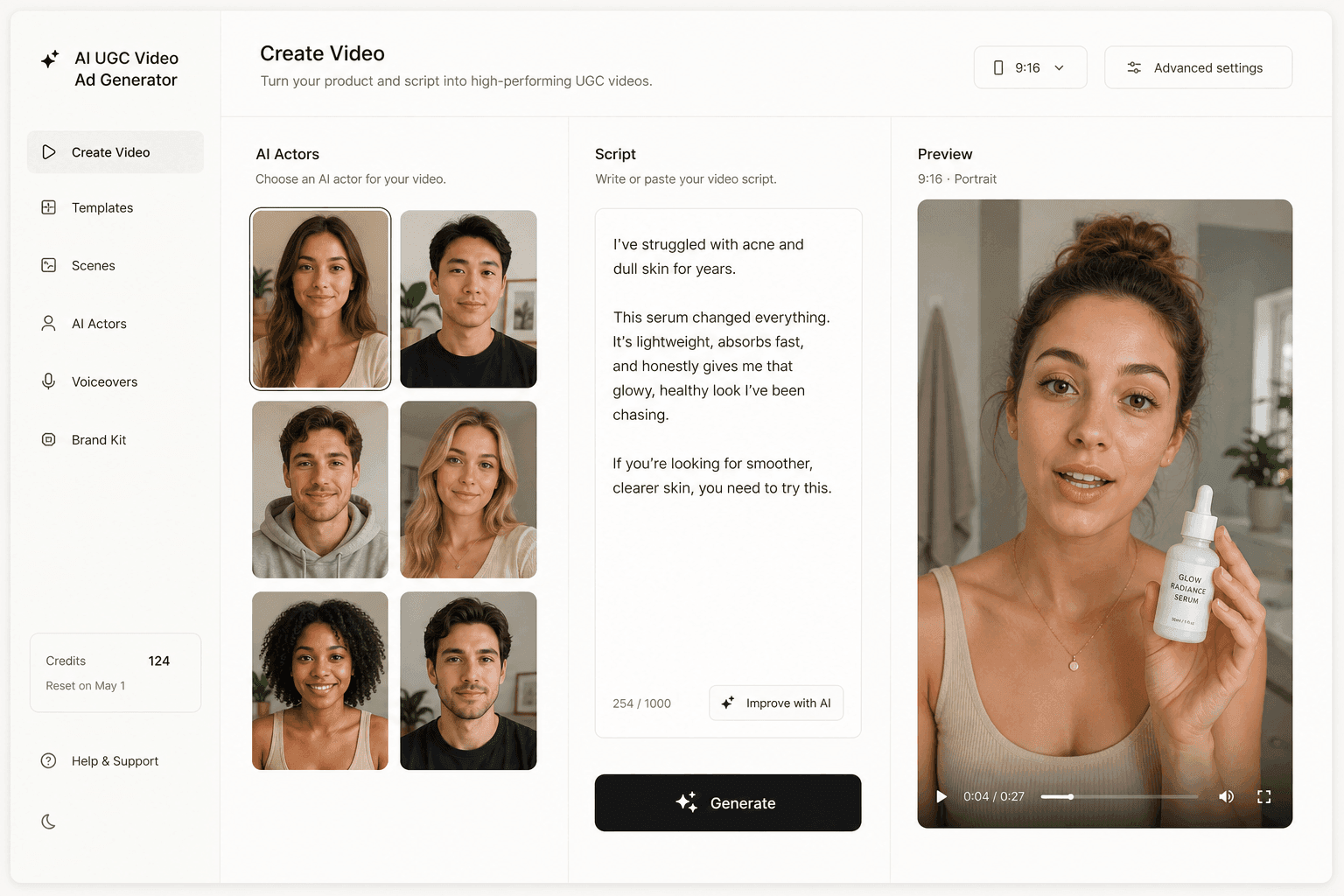
Novoads is built for teams that want the price on the page before the first render. You upload a product image, write or auto-generate a script, pick one of 100+ AI actors, and get a finished UGC video ad. Novoads starts at $49/month (Starter, 50 credits per month), and all plans are published on /pricing.
To show the product in an actor's hands, you either upload a photo of someone holding it to create a custom actor, or start from one of the product templates in Discover, which place your product in a template creator's hand. For video, Novoads runs Seedance 2.0, Seedance 2.0 Mini, Seedance 2.5, Kling v3 Pro, Google Veo 3.1 and Omni Flash, and a clip runs from about a dollar for a five-second Seedance 2.0 Mini clip to about $8 for an eight-second Seedance 2.5 clip, and about $26 for a full 30-second Seedance 2.5 take.
Where we concede: Arcads' actor library is roughly ten times the size of ours, and its toolset is broader. Our head-to-head of Novoads and Arcads covers that trade in detail. If a published price is what you need first, you can start making UGC ads in Novoads.
Arcads is a studio now, so buy it like one
Every strength in this review comes from breadth: a four-figure actor cast, three talking-actor models, rented frontier engines, an agent, a Claude connector and a canvas that turns one script into twenty clips. Every limit comes from the meter underneath: credits that reset below Pro, a block at the monthly limit, per-clip caps, and no refund for a render that merely disappoints. So evaluate it the way you would book a studio. Bring one real script to the trial, run it through all three talking-actor models and one Workflow, and write down the credits each step used. The twenty clips are the easy part. The meter is the review.
Frequently Asked Questions
Is Arcads good for UGC ads?
For teams that test many faces and languages, yes. Arcads markets a library of 1,000+ AI actors, lets you create a custom actor from a single headshot, and runs three talking-actor models (Arcads 1.0, Audio-Driven and OmniHuman 1.5) that you choose by script length and style. Actor Replacement swaps the face on an existing video while keeping the script, and Workflows batch one script across many actors and languages. It is a weaker fit if you need a public price before signing up, or credits back when a render simply disappoints, because Arcads' refund policy excludes output quality alone.
What is Mark on Arcads?
Mark is the Arcads AI agent inside the app. Its public help article, dated September 2, 2026, covers Custom Instructions: a text field where you set a tone, defaults such as a 9:16 aspect ratio, and rules like asking for confirmation before generating a video. Arcads says Mark reads these instructions on every interaction. Its terms say generations made through the Agent spend credits from your plan in the ordinary way.
Does Arcads work with Claude?
Yes, through the Arcads MCP. Its help article, dated June 26, 2026, says the server is hosted at https://mcp.arcads.ai and can be added to Claude Desktop as a custom connector. It needs an active subscription with remaining credits, or generation requests fail. Arcads also publishes a skills plugin with commands for analysing competitor ads, cloning a hook and recreating a static ad as a video. Research, publishing and performance analysis depend on the other connectors you give Claude, such as Shopify and Meta.
How long can an Arcads video be?
It depends on the model. Arcads' article on extending videos, dated March 30, 2026, lists per-clip maximums such as 8 seconds for Veo 3.1 and 15 seconds for Kling 3.0, and says exact limits may evolve, so check the model selector in the app. Talking actors run longer: Arcads calls its talking-actor model perfect for videos up to 2 minutes, and recommends keeping scripts under 1,500 characters for Arcads 1.0, 600 for Audio-Driven and 400 for OmniHuman 1.5. Longer videos are built by extending or stitching clips.
How much does Arcads cost?
Arcads has no public pricing page; plans are chosen on a paywall inside the app. Its help centre publishes the credit logic instead: a 3-day trial that charges the saved card for the Starter plan unless you cancel within 72 hours, 8,000 monthly credits on Starter and 16,000 on Creator with no rollover and a usage block at the limit, rollover on the Pro, Scale and Business plans, and talking actors at 800 credits per minute, per actor, rounded up.
Can Arcads actors hold my product?
Yes. Arcads' homepage says you can make actors hold your product, and its Show Your Product feature places a product in an actor's hands, on a surface or in a lifestyle scene. Its how-to article, dated January 6, 2026, explains the route: library actors are not yet holding your product, so you generate an image of an actor holding it, with your product photo as a reference image, and then turn that image into a talking actor.
Key Takeaways
- Arcads has grown from a talking-actor tool into a full ad studio: a 1,000+ actor library, custom actors from one headshot, three talking-actor models, rented video engines for B-roll, an agent called Mark, an MCP connector for Claude and batch Workflows.
- Its strongest fit is face and language testing at volume. Actor Replacement swaps the face on a finished video while keeping the script, and Arcads' own Workflow template turns one script into 20 eight-second clips across 10 actors in English and Spanish.
- Its help centre documents real limits: per-clip caps on the video models, script guidance of 400 to 1,500 characters depending on the talking-actor model, cloning yourself only on the Pro plan, and no credit reimbursement for output quality alone.
- Credits drive everything. Talking actors cost 800 credits per minute, per actor, rounded up, and Starter (8,000) and Creator (16,000) monthly credits reset without rollover, so one 20-clip Workflow run can use more than a Starter month.
- Arcads suits teams that test many faces and languages and can budget credits for batches. Buyers who need a public price first, or a guarantee on quality, should settle that before Arcads' 3-day trial converts to a paid plan.