How to Make an Amazon Product Video With AI: Three Surfaces, Two Spec Sheets
Amazon takes seller video in three different places and publishes two incompatible spec sheets for them. Here is what each surface accepts, what Amazon actually requires, and where AI generation fits.

Mauricio Valdivia
·11 min
A 15-second clip is an ad, not a listing video
You export a clean fifteen-second clip of your product, open Seller Central, and go to attach it to the ASIN. The file is fine. The slot is not. Amazon's published spec for a shoppable detail-page video is a length between 1 and 12 minutes, and fifteen seconds is not a short listing video, it is no listing video at all.
That exact same file is a legal Sponsored Brands ad. Amazon's ad spec sheet asks for between 6 and 45 seconds (20 secs or less highly recommended). One product, one export, two verdicts.
This is the part most guides skip. "Amazon product video" is not one artifact. It is three surfaces with three gatekeepers, and Amazon publishes two full spec sheets that contradict each other because they describe different placements. Produce for the wrong one and nothing dramatic happens, which is the problem: the video simply never appears.
What follows is the operator's version. What each surface accepts, in Amazon's own published words, where AI generation genuinely earns its place, and what to do when a video comes back rejected.
The three places a video can live on Amazon
Before any spec matters, you have to know which slot you are producing for. Sellers routinely conflate all three and then wonder why the requirements they read somewhere do not match the uploader in front of them.
The main image block
This is the shoppable video: it sits in the main media block on the product detail page, next to the images, above the fold. Amazon states that sellers associated with an enrolled brand or sellers who have been active three months or more can upload videos to the main image block on a product detail page. It is the most valuable slot because it is the only one a shopper sees without scrolling or clicking anything.
The product description
Further down the page, the description area is A+ content territory. Video there is not a standard A+ feature. Amazon's instruction is explicit: use premium A+ content to add video to a product description. Different tool, different eligibility, and as you will see, specs you cannot read without logging in.
The ad unit in search results
This one is a paid campaign, not a listing asset. Sponsored Brands video is available to registered sellers on Amazon. It runs in shopping results and on detail pages, and it plays automatically on mute. This is the only surface where you buy the placement instead of earning it.
| Surface | Where it appears | Gate |
|---|---|---|
| Shoppable video | Main image block | 3 months selling history |
| A+ video | Product description | Premium A+ content |
| Sponsored Brands video | Shopping results, detail pages | Registered seller, ad budget |
What Amazon publishes for listing video
The detail-page spec is the one sellers get wrong most often, partly because third-party blogs keep repeating a Brand Registry requirement that Amazon's own page contradicts.
The file specs
- Format: a file in .mov or .mp4 format.
- Resolution: up to 1080p, with the highest available quality recommended.
- File size: maximum 5 GB.
- Length: between 1 and 12 minutes.
- Thumbnail: system-generated or custom.
Read the length line twice. One minute is a floor, not a suggestion. Almost every short-form asset you already own for social is disqualified on duration alone, which is why a seller's existing TikTok Shop clips cannot simply be re-pointed at a listing.
Who is actually allowed to upload
Amazon's own FAQ is unambiguous, and it is more generous than most guides suggest: both brand registered and non-brand registered sellers with at least three months of selling history can add shoppable videos in the Amazon store. The real requirements are stated plainly on the same page: you'll need a professional selling account, at least three months of selling history, and live product listings to start uploading videos.
If you have been selling for four months without a brand, you qualify. Do not let a blog post talk you out of the highest-value slot on your own page.
The display rule nobody reads
Uploading is not appearing. Amazon adds a condition that has nothing to do with the video file: for a shoppable video to show in the main media block, the product must have fewer than six images. You can attach several assets, since you can add up to 4 shoppable videos to any ASIN, and videos typically appear within three days after approval.
That six-image rule is the single most common reason a "published" video is invisible, and it is a listing decision, not a video decision.
What Amazon publishes for Sponsored Brands video
The ad spec sheet is stricter, shorter, and much more precise. It is also the sheet an AI-generated clip can realistically hit.
The hard numbers
- Duration: between 6 and 45 seconds (20 secs or less highly recommended).
- Dimensions: 1280x720, 1920x1080, or 3840x2160px.
- File size: 500MB or less, in .MP4 or .MOV.
- Aspect ratio: 16:9 (square pixel) only.
- Encoding: H.264 or H.265, video bitrate minimum 1 Mbps (4 Mbps or higher recommended).
- Audio: minimum 96 kbps, sampled at minimum 44.1kHz.
Note the resolution floor. 1280x720 is the smallest accepted frame, which means a 720p render is compliant rather than marginal, but there is no headroom below it.
The aspect-ratio conflict Amazon has not reconciled
Two Amazon pages disagree, and you will meet both. The ad-specs sheet says 16:9 (square pixel) only. The getting-started guide says Sponsored Brands supports videos in both vertical (9:16) or horizontal (16:9) format.
The February 2024 announcement of vertical creatives settles it: vertical runs under the Drive page visits and Grow brand impression share goals with a Store landing page, and vertical video creatives is not available for "Product detail page" as landing page. So the honest rule is conditional. If your campaign lands on a product detail page, build 16:9. If it lands on your Store, vertical is on the table.
The content rules that fail creative
Technical compliance is not acceptance. Four rules do most of the failing:
- Language. Make sure your videos match the language of the marketplace they are being shown in.
- No bars. Avoid using videos with horizontal or vertical black, color, or blurred bars.
- Safe area. Avoid placing text and other important information in the lower right corner of the video, where the mute toggle sits.
- General audience. All content must be suitable for a general audience and must comply with all relevant laws and regulations.
And since by default, videos always start without audio, anything carried by voiceover alone is carried by nothing.
The letterboxing rule quietly kills the laziest workflow there is: exporting a 9:16 social asset into a 16:9 frame with bars on the sides. That is not a 16:9 video, and Amazon says so.
A+ video is the gated surface
The third surface deserves less of your attention than its billing suggests, and it is worth being precise about why.
What it requires
Video inside the product description runs through Premium A+ content. Baseline A+ eligibility is already narrower than listing video: to use A+ content, you need a professional selling account, and Amazon adds that A+ content videos appear in the product description section and require either brand registry enrollment or a professional selling account with generic products.
What is not published
Here is where an honest guide stops. The module-level video specs for Premium A+ live inside A+ Content Manager, behind a Seller Central login, and Seller Central help pages do not serve their content to a normal fetch at all. So there is no public Amazon page stating the frame size or duration limits for an A+ video module.
Any blog quoting exact Premium A+ video specs is quoting something it cannot show you. Build the asset to your listing-video spec, then confirm the numbers inside A+ Content Manager where Amazon actually publishes them.

Where AI generation fits, and where it does not
This is the section the format demands, and it needs a straight answer rather than a pitch. Generated video maps onto one of these three surfaces well and onto another one badly.
The ad surface is the natural fit
Text-to-video and image-to-video models produce clips measured in seconds. In Novoads, Seedance 2.0 generates from 4 to 15 seconds, Kling v3 Pro from 3 to 15, and 16:9 is the default aspect ratio, not an afterthought. Output tops out at 720p, which is exactly Amazon's 1280x720 floor.
Line that up against the ad spec and the fit is close to exact, with one trap. Amazon's minimum is 6 seconds, and the default clip length in most generators is shorter than that. A 5-second render is a perfect social asset and an invalid Sponsored Brands ad. Set duration deliberately.
A worked example. Amazon's own generator produces up to six 15-second ads. Matching that set with Seedance 2.0 Mini at 15 seconds costs 3.5 credits per clip, so 21 credits for six variants, each one a different script rather than six cuts of the same source footage.
The listing surface needs length you have to assemble
Here the fit breaks, and pretending otherwise would be dishonest. A one-minute floor is longer than any single generated clip, so a listing video is an edit, not an export: several generated scenes cut together, or a talking-actor segment long enough to carry a full demo. Novoads' talking actor runs on audio up to three minutes, which does clear the minute floor, but it produces a person speaking, not a product demonstration.
Which is the real distinction. A listing video answers "what is this and how does it work". A UGC ad answers "why should I care". Amazon nudges you toward the first on the page, telling sellers to avoid stock footage and suggesting a product video should be 30 to 90 seconds long. So split the job by which question you are answering:
- Film it yourself when the answer is mechanical: assembly, scale, texture, how the thing behaves in a hand. Your phone and the product beat any model here, and our guide to product video with AI is honest about the same split.
- Generate it when the answer is persuasive: an objection handled, a before-and-after framing, a specific buyer talking. A scripted AI testimonial tests ten angles for less than briefing ten UGC creators.
Amazon already ships its own generator, at no additional cost
Ignore this and the post is uninformed. Amazon's Video Generator quickly creates video ads from product images or videos and using product information found on Amazon product detail pages, and advertisers can create up to six 15-second professional video ads within minutes, with no production experience required and at no additional cost. It expanded past the US in November 2025.
Use it. It is the fastest way to get a compliant first creative into a campaign. Its ceiling is structural rather than technical: it derives from your existing listing assets, so six outputs are six treatments of the same photography and the same claim. The moment your question changes from "do I have an ad" to "which message wins", you need creative that did not come out of your own detail page, which is the argument for UGC-style ads sitting alongside it rather than instead of it.
The upload path, end to end
Specs are only half the job. Here is the sequence that avoids the two-week loop of uploading, waiting, and guessing.
Produce to the destination, not to the export button
Decide the slot before you generate anything.
- Building an ad? 16:9, 6 seconds or longer, under 500 MB, on-screen text away from the lower right, message legible on mute.
- Building a listing video? 1080p, over a minute, product visible in the first few seconds, no bars, no stock footage.
If you also need the still assets for the same listing, generating ecommerce product imagery in the same pass keeps the look consistent across the page.
Upload it
Amazon gives you two doors: you can upload videos using two tools in Seller Central: Upload and manage videos or the Image manager. Take the first from the Catalog menu. You will fill in a title, the ASINs the video should attach to, a video type from Amazon's list (product overview, unboxing, how-to, setup, troubleshooting, brand story), a brand association and video language, and a thumbnail. Amazon reviews the file against its community guidelines before it goes live.
When it does not appear
Work this list in order rather than re-uploading.
- Status published, video invisible. Count the images on the ASIN. Fewer than six, or it will not render in the main media block.
- Status rejected. In Upload and manage videos, select Manage to view the rejection reason. Fix that specific reason; a fresh upload of the same file fails the same way.
- Status pending past three days. Amazon notes that during holiday seasons, review times may reach seven business days, so seasonal timelines need slack built in.
- Ad creative refused. Re-check the four content rules before the technical ones. Marketplace language, no bars, safe area, general audience. Most refusals live there, not in the codec.
How Novoads fits an Amazon video workflow
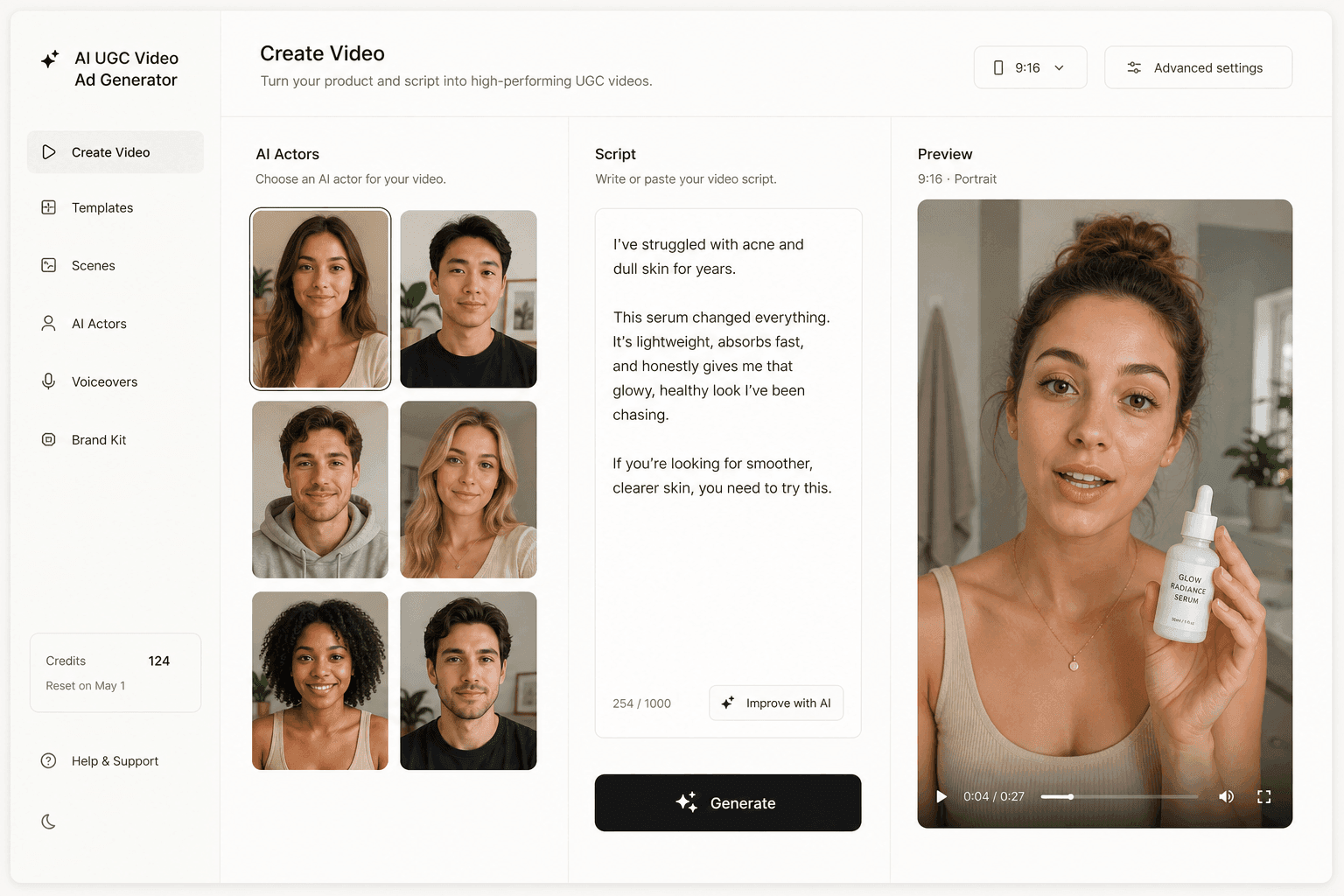
Novoads generates UGC-style video ads from a script and an AI actor, or from an uploaded product photo, at 16:9 as a first-class output. That makes it a Sponsored Brands creative tool and a source of scenes for a longer listing edit, not a replacement for the demo footage Amazon's page actually wants.
The economics are the reason to use it on the ad surface. Testing six scripted angles is a 21-credit decision at Seedance 2.0 Mini, and a product photo turned into an ad still is 0.3 credits, so the cost of being wrong about a message drops to roughly the cost of finding out. Full per-model rates are in the Seedance pricing breakdown, and the range of formats worth testing is easier to judge from real testimonial examples.
Try it from $49/month. Cancel anytime.
Produce for the slot, not for the export button
The mistake is not making a bad video. It is making one good video and assuming Amazon has one video-shaped hole to put it in. It has three, sized differently, gated differently, and documented in two places that do not agree.
Pick the slot first. Read the sheet that governs it. Then decide whether the asset is something you film, something you generate, or something you assemble from both. The seller who does that in the right order ships in an afternoon; the one who exports first spends a fortnight learning the specs from rejection notices.
Frequently Asked Questions
What are the Amazon product video requirements?
There is no single answer, because Amazon publishes two separate sheets. For a shoppable video on a product detail page, Amazon asks for .mov or .mp4, resolution up to 1080p with the highest available quality recommended, a maximum of 5 GB, and a length between 1 and 12 minutes. For a Sponsored Brands video ad, Amazon asks for .MP4 or .MOV at 1280x720, 1920x1080 or 3840x2160, 500MB or less, and a duration between 6 and 45 seconds with 20 seconds or less highly recommended. Meeting one set does not mean you meet the other.
Do I need Brand Registry to add a video to my Amazon listing?
Not for the main image block. Amazon's seller blog states that both brand registered and non-brand registered sellers with at least three months of selling history can add shoppable videos in the Amazon store, and that you need a professional selling account, at least three months of selling history, and live product listings. Video inside the product description is different: that runs through A+ content, which requires either Brand Registry enrollment or a professional selling account with generic products.
How long should an Amazon product video be?
It depends on the slot. A detail-page shoppable video has to be at least one minute, and Amazon's general guidance for a product video is 30 to 90 seconds. A Sponsored Brands video ad has to be at least 6 seconds and at most 45, with Amazon recommending 20 seconds or less on the spec sheet and 15 to 30 seconds in its getting-started guide. So the same asset almost never serves both slots without a re-edit.
Can a Sponsored Brands video be vertical?
Only for some campaign goals. Amazon's ad-specs page lists 16:9 square pixel as the only aspect ratio, while its getting-started guide says both 9:16 and 16:9 are supported. The February 2024 vertical-video announcement resolves the conflict: vertical creatives run under the Drive page visits and Grow brand impression share goals with a Store landing page, and vertical video creatives are not available for Product detail page as landing page. If your campaign points at a detail page, build 16:9.
Why is my Amazon product video not showing on the listing?
Check status first in Seller Central under Catalog, then Upload and manage videos. If the status is published but the video is invisible, the usual cause is the display rule: the product must have fewer than six images for a shoppable video to appear in the main media block. If the status is rejected, select Manage to view the rejection reason. Amazon also notes that videos typically appear within three days after approval, and that during holiday seasons review times may reach seven business days.
Should I just use Amazon's own free video tool?
For a first ad creative, often yes. Amazon's Video Generator builds ads from product images or videos plus product detail page information, and advertisers can create up to six 15-second video ads at no additional cost. Where it stops is where your creative strategy starts: it works from your existing listing assets, so every output inherits the same product photography and the same angle. A generated spokesperson reading a scripted objection is a different artifact, and it is the one you need once you are testing messages rather than formats.
Key Takeaways
- "Amazon product video" is three different artifacts: a shoppable video in the main image block, a video module inside Premium A+ content, and a Sponsored Brands video ad. They do not share a spec.
- The two published spec sheets are incompatible on purpose. A listing video runs 1 to 12 minutes at up to 5 GB; a Sponsored Brands video runs 6 to 45 seconds at 500 MB or less.
- Brand Registry is not the gate for listing video. Amazon states that brand registered and non-brand registered sellers with at least three months of selling history can add shoppable videos.
- Amazon's own two ad pages disagree on aspect ratio. The spec sheet says 16:9 square pixel only; the getting-started guide says 9:16 and 16:9. Vertical is scoped to Store landing pages, not product detail pages.
- AI generation maps cleanly onto the ad surface, where clips are seconds long, and poorly onto the listing surface, where the floor is a full minute.