Best VEED Alternatives for UGC and Faceless Ads: 7 Tools Compared for 2026
VEED is a browser editor with an AI model buffet bolted on. If you want to generate a finished UGC or faceless ad from a script instead of editing one, here are seven alternatives compared by what they make, what they cost to test, and how they fit ecommerce.

Mauricio Valdivia
·Updated ·11 min

VEED is an editor. The gap is generation.
A founder wants to know if AI UGC can move her new magnesium sleep drops. She opens VEED, and it is genuinely impressive: a clean browser timeline, one-click subtitles that snap perfectly to the audio, dubbing, and an AI Playground that will render clips with the same frontier models everyone is talking about. She has never had this much editing power in a browser tab.
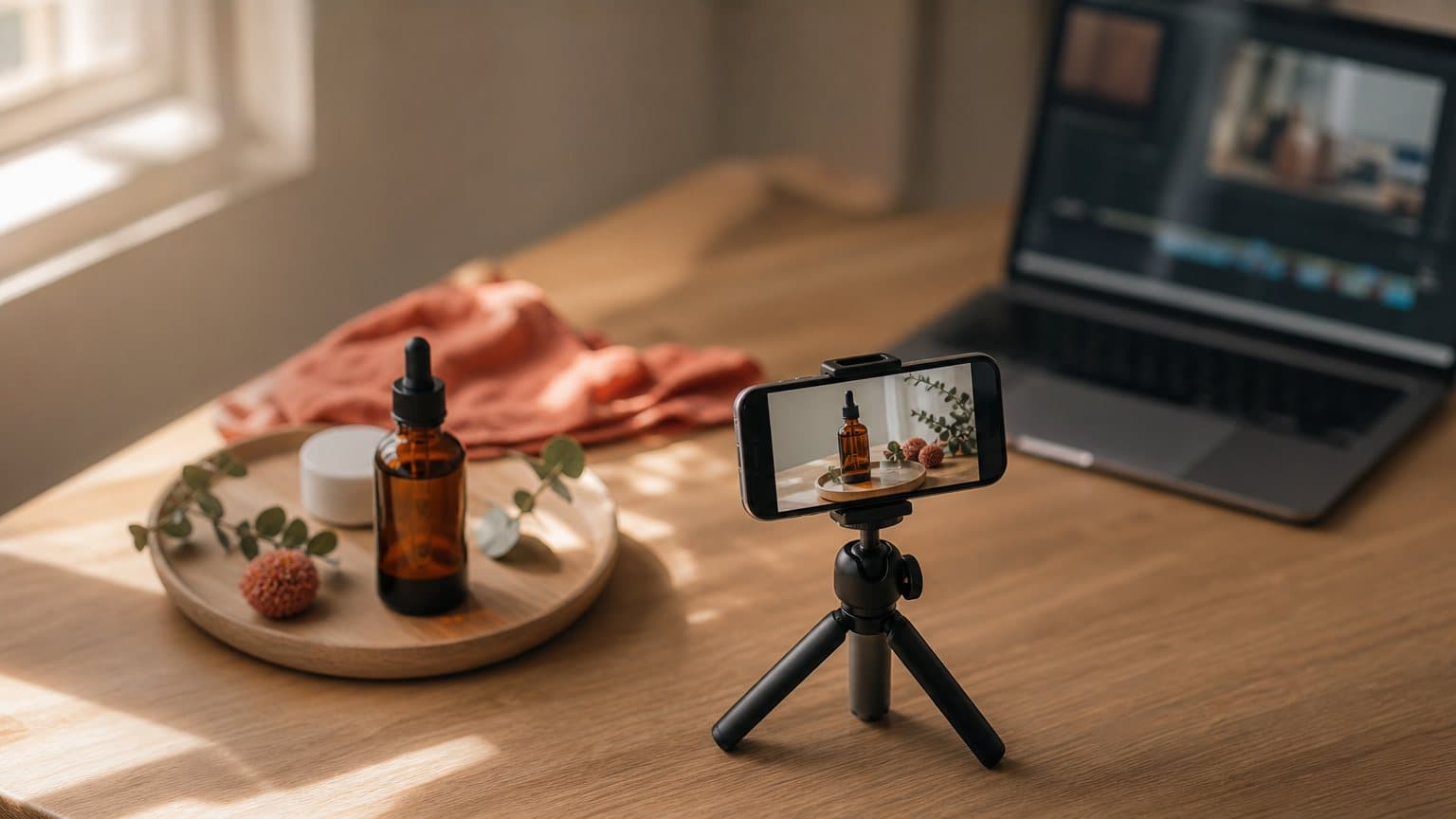
Then she looks at the timeline and it is empty. VEED can cut, caption, and dub. It cannot decide to be a woman in a kitchen holding the bottle and talking to camera like she is texting a friend. That video does not exist yet. Someone, or something, has to generate it first.
That is the whole story of this comparison. VEED is an editor-first platform, and a very good one. Its own site markets it as "AI video creation, made for social," built around editing, dubbing, and what it calls "the best subtitles on the internet." The question is rarely whether VEED is good. It is whether your job is to edit footage you have, or to generate a UGC ad you do not have yet from nothing but a script and a product.
Editor-first vs generator-first: the 7 best VEED alternatives in 2026
The axis that matters here is not price. It is editor-first vs generator-first: whether a tool assumes you already have footage to shape, or produces the finished ad from a script. VEED anchors the editor-first end, where a powerful timeline and the best subtitles on the internet are exactly what you want. UGC and faceless ads usually start from the other end, where you need the video generated before there is anything to edit. Every tool below leans generator-first, and most let you start for nothing or for a clearly listed price.
- Novoads is best for native-accent product UGC, with a custom actor made from a photo of someone holding your product. Start at $15/month (Starter, 200 credits).
- HeyGen is best for a polished spokesperson or avatar reading a script, with a free tier.
- Synthesia is best for corporate training and reach across 160+ languages.
- Arcads is best for benchmark talking-head realism.
- Creatify is best for paste-a-product-URL ecommerce volume, with a watermarked free plan.
- Captions is best for an AI actor plus a built-in editor in one app.
- InVideo is best for broad, general-purpose text-to-video.
Pick on the job before the price. If you need a handheld ad generated from a script, look at Novoads, Creatify, or Captions. If you want a polished presenter or a training video, HeyGen and Synthesia fit. Arcads sits closest to UGC realism for talking heads, and InVideo covers general text-to-video. Then start at the cheapest point that can actually make your kind of ad.
| Tool | Best for | How to start |
|---|---|---|
| Novoads | Native-accent product UGC | $15/mo (Starter) |
| HeyGen | Polished spokesperson or avatar | Free tier |
| Synthesia | Corporate training, 160+ languages | Free Basic plan |
| Arcads | Talking-head realism | Sign-up to view pricing |
| Creatify | Paste-a-URL ecommerce ads | Free plan |
| Captions | Actor plus built-in editor | Free tier |
| InVideo | General-purpose text-to-video | Free plan |
What VEED does well, and where it stops
Before ranking alternatives, be precise about what you are comparing against, because VEED does the editor job at a high level and the alternatives are not trying to beat it there.
The split underneath every tool on this list is the same. One half shapes footage you already have, the other half generates footage you do not:
| Task | Editor (VEED) | Generator (this list) |
|---|---|---|
| Trim, arrange, and clean existing footage | Yes, and fast in a browser tab | Not the point, often not offered |
| Best-in-class subtitles and captions | Yes, its signature strength | Basic captions at most |
| Dub or localize footage you filmed | Yes | Some, tied to the generated voice |
| Create a believable actor from nothing | No, there is no actor to place | Yes, this is the core job |
| Deliver a written script with clean lip-sync | No | Yes, ad after ad |
| Put your actual product in the actor's hands | No, it has no actor to hold it | Some: Novoads with a custom actor or a Discover product template, Arcads with a custom actor |
Timeline editing, subtitles, and dubbing
This is the core, and it is strong. VEED is a browser-based editor that trims, arranges, captions, and dubs without installing anything, and subtitles are its signature: it advertises "the best subtitles on the internet," which for social video is not a small thing. If you already have footage, whether a founder selfie clip, a screen recording, or a testimonial someone sent you, VEED cleans it up, captions it, and localizes it fast. For that job it is one of the most capable tools in a browser tab.
The AI Playground model buffet
VEED also added generation, but as a buffet rather than a single opinionated pipeline. Its pricing page lists frontier models you can call from inside the app, including "Sora 2 Pro" alongside VEO, Seedance, and Kling. That is genuinely useful if you want to generate a B-roll clip or a stylized shot and then edit it. It is closer to a creative sandbox than an ad factory: the models make clips, and you assemble the ad.
The blank-timeline problem for advertisers
Here is where a UGC or faceless advertiser hits the wall. The hard part of a UGC ad is not the cut, it is generating a believable person who delivers your script and, ideally, holds your product. A model buffet gives you raw clips; it does not give you a consistent actor reading a 30-second hook with clean lip-sync and a native accent, ad after ad. You are left at a blank timeline deciding what to make and stitching pieces together. A generator-first tool starts where the editor stops: you give it a script and a product, and it returns a finished ad. That is the gap the rest of this list fills.
Who should stay on VEED, and who should switch
The question is not which tool is better, it is which half of the job is yours:
- Stay on VEED if you already shoot founder selfies, film testimonials, or record screen walkthroughs, and the work left is trimming, captioning, and dubbing. No generator beats it there.
- Stay on VEED if localization is the goal and the source footage already exists, since its subtitles and dubbing are the reason people pay for it.
- Switch to a generator if you open the app with a product and a script but no footage, because an editor cannot manufacture the actor, the delivery, or the product-in-hand shot you still need.
- Run both if you generate the ad in a UGC tool and then bring the file back into VEED for a final caption pass, which is how a lot of teams actually work.
If two or more of the switch lines describe your week, the timeline is not your bottleneck. Generation is.
Novoads: a finished product ad from a script
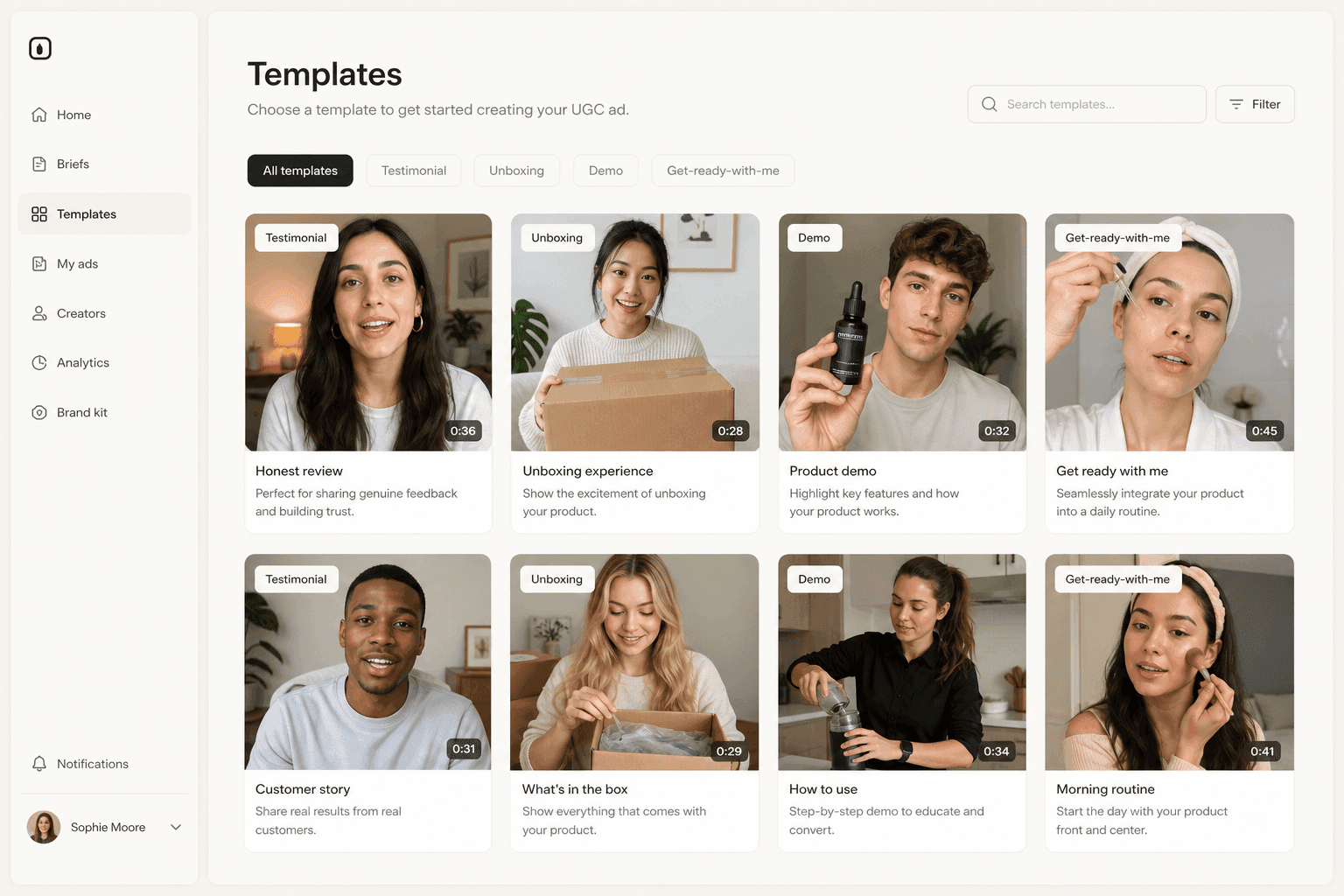
Novoads is a global AI UGC video-ad generator, and it sits at the opposite corner from VEED. Where VEED hands you a timeline, Novoads hands you the ad.
What it does differently
Where VEED hands you a timeline, Novoads hands you the whole pipeline, and the loop is short:
- Input: upload a product image and write, or auto-generate, a script.
- Cast: pick from 100+ AI actors to deliver the script with voice, lip-sync, and captions. A stock actor's hands are empty, so to have the actor hold your actual product on camera, create a custom actor from a photo of someone holding it (Create Actor > Upload).
- Engine: it runs multiple frontier models under the hood, including Seedance, Kling, and Veo, so you are not locked to a single rendering engine.
- Reach: it ships ads in 30+ languages with real regional accents rather than one flat text-to-speech voice.
- Output: a downloadable vertical or horizontal file, ready for any ad platform, back in about four minutes.
What you need before you generate
The loop only works if the inputs are ready, and they are far lighter than a shoot:
- A product image on a clean background, the same asset you would drop on a product page.
- One clear angle per ad, since a generator rewards testing many hooks rather than polishing a single script.
- An actor whose accent matches your buyer, because a native regional voice is what makes UGC read as a real customer instead of a brand.
- The aspect ratio your placement needs, vertical for Reels and TikTok, horizontal for in-feed and YouTube.
With those four in hand, ten variations cost you ten hooks and a few dollars, not ten shoots.
Where it fits
This is the tool for the exact job VEED cannot start: product-led ecommerce UGC where the demo is the ad. If your buyer responds to a person who looks like them holding the thing and talking like a customer, this is the shape of video you want, and you can generate ten angles as fast as you can write ten hooks. It is a weaker fit if your job is purely to edit and caption footage you already filmed, which is where VEED stays the better pick, or if you want a studio-clean corporate presenter, which is a HeyGen or Synthesia job.
How to start
You can start with Novoads at $15/month (Starter, 200 credits per month), so validating whether generated product UGC works for you costs one month of the entry plan, and you can cancel anytime. Plus is $49/month for 1,000 credits once a test turns into a weekly habit. A generated clip runs from about 25 cents for a five-second Seedance 2.0 Mini clip to about $4 for an eight-second Google Veo 3.1 clip, and about $10 for a full 30-second Seedance 2.5 take, which is the point of testing at volume: the cheap failures are how you find the winner. For the full economics against hiring a person, our video ad production cost breakdown runs the math.
Arcads, HeyGen, and Synthesia: actors, avatars, and training
These three are all generator-first, but they aim at different ads. Grouping them makes the fit obvious.
Arcads for talking-head realism
Arcads is the realism benchmark for AI talking heads. It advertises a "library of 1,000+ Captivating AI Actors," lets you "create your own AI Avatar," localizes into "more than 30 languages," and runs multiple frontier models, naming "Sora 2 Pro" among them. Its actors can also hold and present a physical product through a custom-actor workflow, so it "hold your product" claim is real for ecommerce. The trade-off is cost posture: Arcads does not publish a public self-serve price, so you create an account to see plans, which reads as a premium, commit-first tool rather than a cheap first test.
HeyGen for a polished spokesperson
HeyGen is built around AI avatars: a synthetic presenter reading a script with steady delivery and clean lip-sync, the kind of talking head that fronts a product page or a brand channel, with a free tier and paid plans. It is excellent when the brand should be the one talking, on purpose. It is a weaker fit for handheld UGC, because a studio-grade avatar reads as the brand, not as a customer who just tried the product. Our HeyGen alternatives piece goes deeper on where that line falls.
Synthesia for corporate training and reach
Synthesia is the training-and-explainer tool. It runs avatars across "160+" languages and voices, with a free Basic plan and a Starter tier listed at "$29 per month," and it is studio-clean by design. That polish is exactly right for onboarding, compliance, and internal video, and exactly wrong for a scrappy paid-social ad meant to look unhired. Pick it when the job is a clear, corporate presenter at scale, not a kitchen-counter testimonial.

Creatify, Captions, and InVideo: volume, all-in-one, and general text-to-video
The last three round out the spread from ecommerce volume to a general-purpose text-to-video workhorse.
Creatify for paste-a-URL volume
Creatify's signature move is "URL to Video": paste a product URL and it generates video ads, and it can "Batch create a dozen variations at once." Pricing is clear and low to start, with a watermarked free plan and paid tiers listed just under $40 and at "$99" a month. It is the natural pick when you have a live product page and want many quick variations without writing every script from scratch. Our Creatify alternatives comparison covers where that URL-first approach helps and where it thins out.
Captions for actor plus built-in editor
Captions is interesting precisely because it does not force the editor-or-generator choice. It pairs AI creators with a built-in "video editor" in one app, with a free tier and an entry web plan at "$24.99" a month. If you want to generate an actor and then trim and caption the result without leaving the tool, that all-in-one loop is the draw. It is the closest thing on this list to VEED's own generate-and-edit pitch, just weighted more toward the actor.
InVideo for general text-to-video
InVideo is the broad, general-purpose option: a text-to-video and AI ad platform that bundles frontier models, naming "Veo 3.1" among them, on credit-based paid tiers with a free plan to start. It is not a UGC-actor specialist, so it is less pointed than Novoads or Creatify for handheld product ads, but it is a flexible workhorse when your output mix is wide: explainers, promos, social clips, and the occasional ad from one tool.
How to choose without wasting a month
The most expensive mistake is not overpaying by ten dollars. It is spending three weeks in the wrong kind of tool, which no plan tier fixes.
Decide edit or generate first
Answer one question before you compare features. Do you already have footage that needs cutting, captioning, and dubbing, or do you need the video generated from a script? If it is the first, VEED is a strong default and you may not need an alternative at all. If it is the second, an editor will fight you, and you want a generator-first tool from this list. Almost every regret in this category comes from buying an editor for a generation job, or the reverse.
Then pick the cheapest tool that can make your ad
Once you know the shape, price is easy, because every option here publishes what a real ad costs before you commit:
- a watermarked free plan,
- a free tier,
- or a listed monthly tier, from the $15 Novoads charges for Starter up to the $99 Creatify lists at the top of its range.
Do not pay for the biggest plan to find out if the format works. Make one honest ad on the cheapest option that can make your shape, run it, and let the result decide the plan.
A worked example
Say you sell a $34 magnesium sleep drop and want to test five hooks this week. In VEED, you would still need five source clips before you could edit anything, so the timeline is a dead end until footage exists. In a generator, you write five hooks, upload a photo of someone holding the bottle to create a custom actor, give it a warm, believable voice, and generate five handheld ads, each with the actor holding the bottle, in an afternoon. In Novoads a custom actor renders at the talking-actor rate, 200 credits per started minute of video, about $9.80 for a clip up to a minute long (the Seedance clip prices above are the separate route for generated video clips), so each of those five tests costs about $9.80, less than a single hour of a freelance creator, and you learn which angle survives contact with the feed. That difference, footage-first versus script-first, is the entire reason to reach past an editor for this job. If you are weighing AI against a person for it, our AI vs UGC creators piece breaks down when each wins.

Generation is the new bottleneck
Editing stopped being the hard part a while ago. Tools like VEED made cutting, captioning, and dubbing something you can do in a browser tab in minutes, and they are excellent at it. The scarce thing now is the raw material: a believable person delivering your script, holding your product, in a language your buyer actually speaks. Whoever generates that fastest and cheapest gets to test the most angles, and testing the most angles is how paid social is won.
So the honest way to choose a VEED alternative is not to hunt for a better editor. It is to decide whether your bottleneck is shaping footage you have or generating footage you do not, and to buy the tool built for that half. When the answer is product UGC generated from a script, in a real regional accent, with your product on camera, that is the job Novoads was built to do, and one month of the $15 Starter plan is what it costs to find out.
Frequently Asked Questions
What is the best VEED alternative?
It depends on whether you want to edit or to generate, and on the ad you need. For product-led ecommerce UGC where an actor holds and presents your product (in Novoads, a custom actor made from a photo of someone holding it) and speaks with a real regional accent, Novoads is the closest fit. For a polished spokesperson or avatar, HeyGen. For corporate training across 160+ languages, Synthesia. For benchmark talking-head realism, Arcads. For paste-a-product-URL volume, Creatify. For an AI actor plus a built-in editor in one app, Captions. For broad general-purpose text-to-video, InVideo. VEED itself stays strong when the job is editing, captioning, or dubbing footage you already have.
Is VEED good for UGC ads?
VEED is very good at the editing half of the job. It is a browser-based editor known for excellent subtitles, dubbing, and an AI Playground that lets you generate clips with frontier models. The catch for UGC and faceless ads is that most of the work is not editing, it is generating a believable person delivering a script from nothing. An editor gives you a timeline and tools; a UGC generator hands you a finished handheld-looking ad. Many teams keep VEED for polish and add a generator for the actor and the ad itself.
What is the difference between an editor like VEED and a UGC generator?
An editor assumes you already have footage and helps you cut, caption, dub, and arrange it. A UGC generator assumes you have nothing but a product and a script, and produces the talking video from that: an AI actor, a voice, lip-sync, and captions, often with your product on camera. VEED sits on the editor side and adds a model buffet for clips. Novoads, Creatify, HeyGen, and the others on this list sit on the generator side, each producing a specific shape of finished ad.
Which VEED alternatives have a free plan or a cheap trial?
Most of them. Creatify has a watermarked free plan. HeyGen and Captions have free tiers, and Synthesia has a free Basic plan. Synthesia's Starter is listed at $29 per month, Captions' entry web tier at $24.99 a month, and Creatify's paid plans just under $40 and at $99 a month. Novoads has no free tier and no trial: it starts at $15 a month (Starter, 200 credits), the lowest listed monthly price here. That spread means you can usually validate whether AI UGC works for your product on a free tier before committing.
Can VEED alternatives show my product in the creator's hands?
Some can, and for ecommerce that matters as much as polish. Novoads is built around product-in-hand UGC through two routes: a custom actor made from a photo of someone holding your product (Create Actor > Upload), or a Discover product template, which swaps your uploaded product image into the creator's hand; a stock library actor's hands are empty. Arcads actors can also hold and present a physical product through a custom-actor workflow. Creatify builds ads from a product URL. If the demo is the ad, prioritize that product-on-camera capability, not just editing features.
Do AI UGC and faceless ads actually perform?
User-generated content is the format shoppers trust, because a real-seeming person reads as more credible than a brand talking about itself. Faceless ads work on the same logic with voice, text, and product footage instead of a face. AI reproduces both from a script in minutes for a few dollars, which is what makes testing many angles affordable. The tool you pick decides how handheld the result looks and whether you can put your product on camera.
Key Takeaways
- VEED is an editor-first platform: a browser timeline, the best-in-class subtitles it is known for, and an AI Playground that bundles frontier generation models. It is excellent when the job is to edit, caption, or dub footage you already have.
- The gap opens when you have no footage. A UGC or faceless ad has to be generated from a script, and an editor still leaves you at a blank timeline deciding what to make. That is a different tool than a generator.
- Match the job before the price. Novoads, Creatify, HeyGen, Synthesia, Arcads, Captions, and InVideo each generate a finished ad from text, but they aim at different ads: product UGC, spokesperson video, corporate training, or general text-to-video.
- Most alternatives let you test for almost nothing: a watermarked free plan, a free tier, or a listed rival entry tier from $25 a month, and Novoads' own Starter plan is $15 a month, so you can validate the format on your own product before committing.
- For product-led UGC where the creator holds your product on camera (through a custom actor made from a photo of someone holding it) and speaks in a real regional accent, Novoads is the closest fit, and you can start at $15/month (Starter, 200 credits per month).