ChatGPT Ads Turns On Automatic Advanced Matching for Existing Web Pixels on August 17
On August 17, 2026 OpenAI switches automatic advanced matching on for ChatGPT Ads web pixels that are already installed. Here is what the pixel starts reading, where the opt-out lives, and why the multi-product carousel now in testing changes what your catalog has to feed.

Mauricio Valdivia
·11 min

August 17 changes a pixel nobody is going to touch
A DTC brand drops the ChatGPT Ads pixel into its site header in June, confirms that purchases show up in Ads Manager, and never opens that tab again. On August 17, 2026, that pixel starts reading the email field on the checkout form. No deploy, no snippet change, no ticket in anyone's sprint.
That is automatic advanced matching, and OpenAI's own API reference puts the date in writing: "Also on August 17, OpenAI will enable automatic advanced matching for all existing Web pixels created through the Ads API, unless it was explicitly disabled or the ad account opted out." New pixels are already there. Existing ones get moved for you.
The change arrived the way platform defaults usually do. OpenAI distributed a product-update email to ChatGPT Ads advertisers during the week beginning August 3, 2026, Barry Schwartz published its contents on August 5, and the trade press wrote it up over the days that followed. It is worth being precise about that, because the interesting part is not an announcement. It is a calendar date attached to code that is already running on your site. Advertising inside ChatGPT is young enough that most of its defaults are still being set, and this is the first one that reaches backwards into installations advertisers already made.
What automatic advanced matching actually reads
The form fields the pixel starts watching
OpenAI's pixel documentation is unusually plain about the mechanism. Automatic advanced matching "improves website conversion measurement by helping match more conversions to your ads when a click identifier is unavailable." When it is enabled, "the OpenAI Pixel automatically detects supported customer information entered into website forms. The Pixel normalizes and securely hashes this information in the browser using SHA-256 before including it with conversion events. Raw customer information is not sent to OpenAI through automatic advanced matching."
Read that in the order it happens. Someone types into a form. The pixel notices. It lowercases and trims, hashes locally, and ships the hash alongside the conversion event. The hash travels; the plaintext does not.
Then read the sentence that makes this a deadline rather than a feature note: "You do not need to manually pass customer information or make any changes to your Pixel implementation." No code change is required, which is exactly why nobody will notice. The thing that changes is a server-side flag on a data source, and the snippet in your header simply starts doing more.
The click reference that goes missing
It helps to know what breaks first, because that is what automatic advanced matching is patching.
When someone clicks a ChatGPT ad, OpenAI appends a click reference called oppref to the destination. In OpenAI's help documentation, that identifier "is appended to the end of the landing page URL in the following format," and the pixel captures it into a first-party cookie so later events can be tied back to the click. That is the clean path: click identifier in, conversion matched, done.
The click identifier is also the fragile part. Redirect chains strip query parameters. Consent tooling delays the pixel. Someone bounces, comes back through a bookmark two days later, and buys. Automatic advanced matching is the fallback for that population, which is why OpenAI describes it as helping when a click identifier is unavailable rather than as a general-purpose upgrade. If your funnel already preserves oppref cleanly end to end, the incremental match rate you gain is smaller than the privacy surface you take on.
The scope line that keeps getting dropped
A lot of the coverage says "all pixels." OpenAI's API reference says something narrower: "Automatic advanced matching is available only for web pixels."
That single sentence resolves most of the confusion. App installs and in-app events run through the server-side Conversions API, a separate integration with its own event schema and its own opt-out semantics.
August 17 is your date if:
- You run the OpenAI Pixel on a website.
- Any page in that funnel has a form a customer types into.
- Your pixels were provisioned through the Ads API and nobody set the flag by hand.
August 17 is not your date if:
- Your ChatGPT Ads conversions are app installs or in-app events.
- Everything you send comes from the server-side Conversions API.
- You already passed
automatic_advanced_matching_enabled: falseexplicitly.
The two dates, and the single field behind them
Before August 17 and after
The whole change lives in one boolean on the create-pixel endpoint, and OpenAI documents both sides of the line: "Beginning August 17, 2026, new Web pixels created through the Ads API have automatic advanced matching enabled when this field is omitted. Pass false explicitly to disable it. Before August 17, the field defaults to false."
| Before August 17, 2026 | From August 17, 2026 | |
|---|---|---|
| Field omitted on a new pixel | Off | On |
| Existing pixel, untouched | Off | On |
| Field set to false | Off | Off |
| Ad account opted out | Off | Off |
The row that matters is the second one. A default that only applies going forward is a product decision. A default that reaches back onto installed pixels is a migration, and migrations have deadlines.
Where the switch lives
OpenAI's Ads Manager keeps automatic advanced matching under Tools, then Conversions, then Data Source. That is where the help article pointed advertisers when the feature was still opt-in, and it is where the August update points them to leave. The advertiser-facing instruction is to go "through the tools menu, then conversions, then data source, then edit pixel. No action is required to accept the change."
- Open Tools.
- Go to Conversions.
- Pick the Data Source for the pixel in question.
- Choose Edit pixel and turn automatic advanced matching off.
That last clause of OpenAI's instruction is the entire design. Opt-out with a fixed calendar date is how platforms move an installed base without renegotiating a single account, and it works because inaction is a valid vote.
What "the ad account opted out" covers
OpenAI's note carves out two exemptions: a pixel where the feature "was explicitly disabled," and one where "the ad account opted out." Those are different levers, and the second is the one to reach for if you manage several pixels across a brand portfolio. Set it once at the account and you are not chasing individual data sources on the sixteenth.
On the API side, the same decision is a field: automatic_advanced_matching_enabled, which OpenAI documents as "Set to true to enable automatic advanced matching or false to disable it." Explicit beats omitted from here on, in both directions. If your pixels are provisioned by a script, the script should be stating its intent rather than inheriting a default that just moved.
A pre-deadline review that fits in one sitting
Step 1: inventory the forms, not the pixels
Start from the pages, because that is where the data is. Walk the funnel and write down every field a customer types into while the pixel is loaded:
- Checkout. The email and address fields on the order form.
- Account creation. Signup, and any guest-to-account upgrade step.
- Newsletter and popup capture. Including the exit-intent modal nobody owns.
- Lead and quote forms. B2B pricing requests, wholesale applications, demo bookings.
- Support and returns. Contact forms often collect more than checkout does.
Automatic advanced matching acts on supported customer information entered into website forms, so your exposure is exactly as wide as that list and not one page wider. Most brands are surprised twice here: once at how few forms there really are, and once at the one nobody remembered, usually a legacy landing page still receiving traffic.
Step 2: confirm the consent gate is real
The pixel ships a consent control, and it is not decorative. You can call oaiq("consent", false) before initialization, because "the Pixel initializes consent to true by default unless you set it to false or the Pixel finds a stored denial." Flip it off and "the Pixel doesn't send measurement-event pings" at all.
So the honest question is not whether OpenAI hashes the data. It does, and it says the raw values do not leave the browser. The question is whether your consent banner actually gates the pixel, or whether it gates a tag manager that loads the pixel anyway. That answer is the same on every ad platform you run, and August 17 is a decent excuse to go find it.
Step 3: write down today's numbers before they move
Attribution changes make history unreadable. Match-rate improvements arrive as extra conversions on the same spend, which looks identical to a campaign that got better. Before the sixteenth, export the last 30 days and keep three columns:
- Conversions. The reported total, per campaign.
- Spend. Over the same window, no rounding.
- Cost per conversion. Spend divided by conversions, calculated by you.
Then compare after. If your reported cost per acquisition drops on the eighteenth while your revenue does not, you have measured a measurement change, not a media improvement. That distinction is the whole discipline of creative analytics, and it is easiest to keep straight when you wrote the baseline down first.
The multi-product carousel, and what it asks of your catalog
What OpenAI told advertisers
The other half of the August update is a format, not a setting. OpenAI "said it has started testing a carousel format for product feed ads that shows multiple products from an advertiser in a single unit."
Treat that carefully. It is a test, it is absent from OpenAI's public product-feed documentation, and the confirmation reached advertisers by email rather than through a public announcement. What is solid is the sequence: the email "confirms in OpenAI's own words what commerce specialists had already observed in the wild." The unit was spotted running before OpenAI described it.
The example that circulated with the update is the useful part for planning. It "shows a fictional retailer, Harbor Home, with three furniture items in one placement." Three products, one impression, one visual language.
What a product-feed ad serves today
Here is the change in one contrast. OpenAI's product-feed documentation describes the current model like this: "Instead of creating a separate ad for every item, you connect the feed to a campaign and let OpenAI select an eligible product when the ad serves."
One impression, one product, chosen by the platform. Your creative obligation is a clean catalog: titles, prices, availability, and one image per SKU that survives being cropped into an ad template. That is a data problem with a known shape, and most merchants already solved it for shopping feeds elsewhere.
Alongside the carousel test, OpenAI's docs now state that "oCPC is in open beta for both standard and product-feed campaigns," which brings catalog campaigns inside the conversions objective. The mechanics of that bidding model are their own subject, and we covered them in ChatGPT Ads conversion bidding.
Why several products in one unit is a different job
A carousel is not the same ad with more slots. It is one composition that a person reads left to right, and it fails in ways a single-product ad cannot.
- Lighting drift. Three SKUs photographed on three different days read as three different brands sitting next to each other.
- Scale confusion. A 30ml serum and a 500ml refill shot at the same frame size teach the wrong thing about the product line.
- Angle mismatch. One product face-on, one at three-quarters, one flat-lay, and the row stops looking like a set.
- Background inconsistency. Pure white next to warm gray next to a lifestyle scene is the fastest way to look like a marketplace listing rather than a brand.
None of that is exotic. It is the ordinary cost of a photo shoot, multiplied by however many products the unit shows, and then multiplied again by the number of variations you want to test. Anyone who has priced how many ad creatives a testing program really needs recognizes the shape of the bill.
The rest of the August update, in one pass
Three more measurement routes
The same email widened the measurement stack in three places:
- Triple Whale. "Connect ChatGPT Ads in Triple Whale to measure performance alongside other channels."
- Sonar Optimize. Now "available for ChatGPT Ads, helping brands send stronger conversion signals back to OpenAI."
- Hightouch. "Hightouch now supports sending conversion events to ChatGPT Ads for measurement and optimization."
The pattern is worth naming. Every one of those additions makes it easier to send more signal into OpenAI, which is the same direction of travel as flipping automatic advanced matching on by default. The platform is optimizing for signal volume, and the advertiser's job is deciding how much of that it wants to supply.
Diagnostics that name the dropped field
Advertisers also get better failure messages. Ads Manager now shows additional pixel validation details, "including why events were dropped before being sent, the affected field, the error type, and a recommended fix."
That is a small feature with an outsized effect on the review above. Silent event loss is what makes conversion tracking feel unknowable; a panel that names the field is what turns it back into an ordinary bug.
Brazil and Mexico
Finally, the map expands. In the same update, "In the coming week, OpenAI will launch ChatGPT Ads in Brazil and Mexico," which opens the format to two of the largest ecommerce markets in Latin America. For brands there, the August 17 default and the carousel test stop being other people's news and become first-week decisions.
How Novoads solves the carousel's creative-supply problem
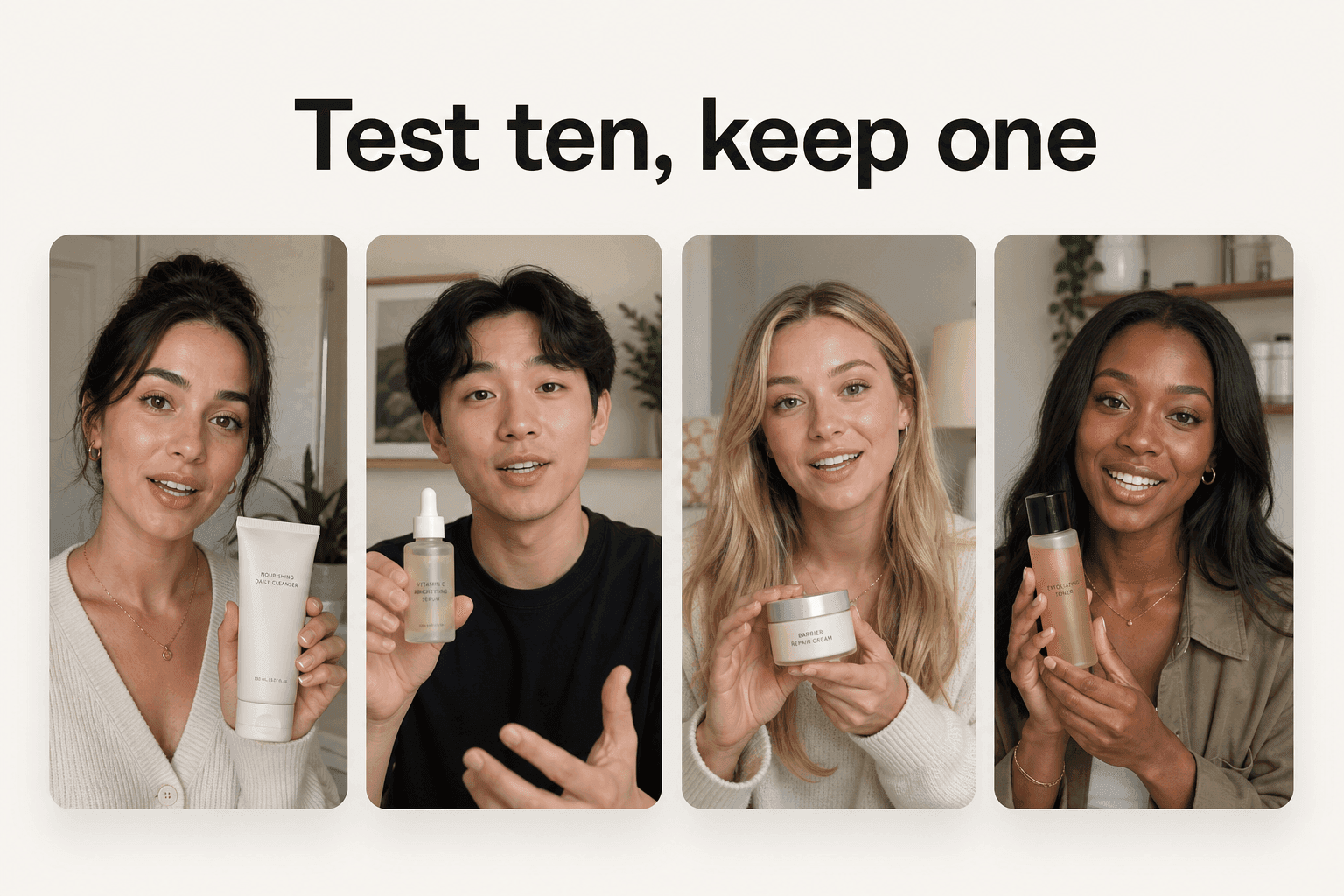
The carousel does not need better ads. It needs more of them, consistent with each other, on demand.
That is a production problem, and it is the one Novoads is built for. You upload a product photo and generate ad-ready stills and video from it, so a five-product row is five renders from the same brief rather than five slots on a shoot day. Product-to-Ad runs on GPT Image 2 at a flat 0.3 credits per image, so a five-product set is 1.5 credits and a second version of the same set in a different background is another 1.5. The arithmetic that used to gate a carousel test stops being the reason you skip it.
The video side matters for the same reason. Seedance 2.5 and Seedance 2.0 both run inside Novoads, and the prompt controls that Seedance 2.5 turned into model features are exactly the ones that keep a set of clips from drifting apart. Consistency across a set is the thing a carousel punishes hardest. If you are still deciding which image engine to standardize on, our read on where xAI's newest image model lands against GPT Image 2 covers what is actually available to a pipeline today. And when the unit needs motion rather than stills, the same product photo is the input to a finished product video.
You can try it on your own catalog for $49/month. Cancel anytime.
Measurement went automatic. Creative did not.
August 17 is a checkbox with a deadline, and the correct amount of time to spend on it is one sitting: list the forms, verify the consent gate, export the baseline, then decide. Ten minutes of reading beats a quarter of unexplained conversion lift.
The carousel is the part that will still matter in six months. Platforms keep automating the parts of advertising that can be automated from their side of the wire, and measurement is entirely on their side. Creative is not. Every format that shows more products at once quietly raises the number of images a brand has to be able to produce, and that number is the one thing no platform default will ever fill in for you.
Frequently Asked Questions
What is automatic advanced matching in ChatGPT Ads?
It is a pixel behavior that helps attribute website conversions when the click identifier is missing. OpenAI's documentation describes it as improving website conversion measurement by helping match more conversions to your ads when a click identifier is unavailable. When it is on, the pixel detects supported customer information entered into website forms, normalizes it, and hashes it in the browser with SHA-256 before including it with conversion events.
What exactly happens on August 17, 2026?
Two things, per OpenAI's Ads API reference. New web pixels created through the Ads API have automatic advanced matching enabled when the field is omitted, where before August 17 that field defaults to false. And OpenAI will enable automatic advanced matching for all existing web pixels created through the Ads API, unless it was explicitly disabled or the ad account opted out.
Does raw customer data get sent to OpenAI?
OpenAI's pixel documentation states that raw customer information is not sent to OpenAI through automatic advanced matching. The pixel normalizes and securely hashes the information in the browser using SHA-256 before including it with conversion events. That is the vendor's description of the mechanism, and it is the description your privacy review should be reading, not a summary of it.
How do I opt out before August 17?
OpenAI's advertiser update points advertisers to the Tools menu, then Conversions, then Data Source, then Edit pixel, and says no action is required to accept the change. On the API side, the create-pixel endpoint takes an automatic_advanced_matching_enabled boolean that you can set to false explicitly. OpenAI's own note also says the flip skips pixels where the feature was explicitly disabled or the ad account opted out.
Does this affect app conversions too?
No. OpenAI's API reference states that automatic advanced matching is available only for web pixels. App events run through the server-side Conversions API, which is a separate integration with its own fields. Coverage that says all pixels is broader than what OpenAI documents.
What is the multi-product carousel format?
OpenAI told advertisers it has started testing a carousel format for product feed ads that shows multiple products from an advertiser in a single unit. It is a test, it is not in OpenAI's public product-feed documentation, and reporting notes the email confirmed in OpenAI's own words what commerce specialists had already observed in the wild. Today a product-feed campaign lets OpenAI select one eligible product when the ad serves.
Key Takeaways
- August 17, 2026 is the date to act on. OpenAI's Ads API reference states that on that day it will enable automatic advanced matching for all existing web pixels created through the Ads API, unless it was explicitly disabled or the ad account opted out.
- Nothing on your site changes. OpenAI's pixel documentation says you do not need to pass customer information manually or make any changes to your pixel implementation, which is precisely why an untouched pixel can start behaving differently.
- The scope is narrower than most write-ups suggest. OpenAI's API reference says automatic advanced matching is available only for web pixels, so app-side events routed through the Conversions API are a separate path.
- The opt-out is a menu, not a ticket. OpenAI's advertiser update points to Tools, then Conversions, then Data Source, then Edit pixel, and states that no action is required to accept the change.
- The multi-product carousel is the creative story. A product-feed ad today serves one selected product per impression; a unit showing several at once needs several product shots that read as one shoot.


![OpenAI Announces Ads in ChatGPT: Everything You Need to Know [2026]](/_next/image?url=%2Fblog%2Fchatgpt-anuncios.jpg&w=3840&q=75)