How to Make AI Video Look Real: Camera, Light, Skin and Sound Fixes
AI video reads fake for reasons you can name and fix. Six prompt fields decide it: camera position, framing, lens, light, texture and sound. Here is the checklist, written against Google's own Veo 3.1 prompt guide and the engines that render the clip.

Mauricio Valdivia
·Updated ·14 min
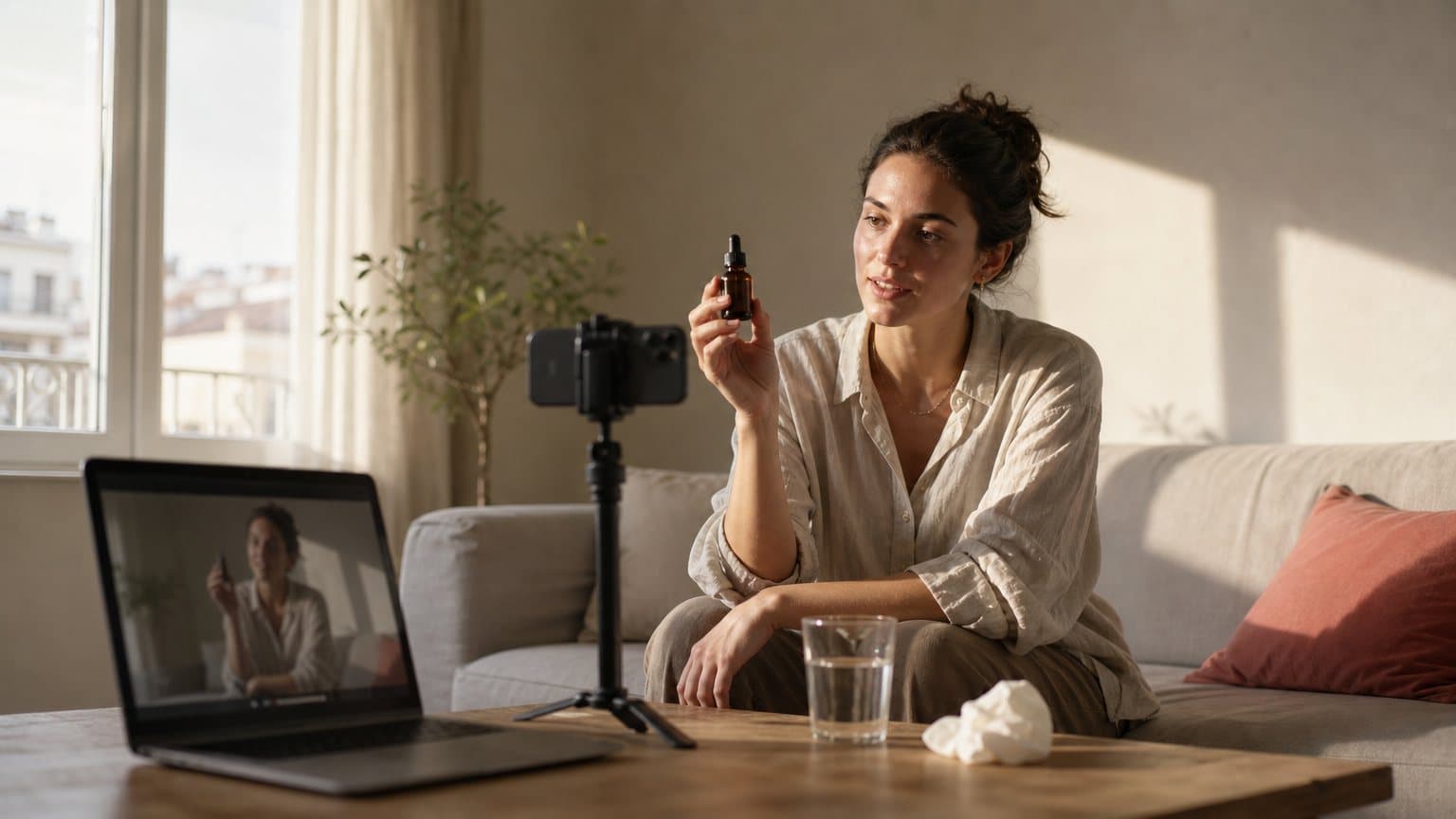
The six fields most AI ad prompts leave blank
A founder in Valparaíso renders a vertical ad for a magnesium spray on a Tuesday night. The actor is beautiful. The light is even. The bottle is sharp. The clip is unusable, because the three people she sends it to all say the same thing within a second: that's AI.
Nothing in her prompt was wrong. Things were missing.
The camera had no position. The frame had no lens. The light came from nowhere in particular. The skin had no pores, the shirt had no creases, and the whole thing played in silence. A generator fills every blank you leave it, and it fills them with the safest average it has ever seen. So the question is not which model looks most real. It is which fields you left empty: camera position and motion, framing, lens and focus, light, texture, and sound. Those six are the checklist below, in the order they break. The exception is an ad that never claims to be footage: a deliberately toy-sized scene, like a miniature world built around the product, is judged on craft rather than on whether anyone believes a camera was there.
Google's prompt guide for Veo 3.1, published in the Gemini API docs, is unusually useful here because it does not talk about realism at all. It just splits a video prompt into named elements, and marks four of them optional: camera positioning and motion, composition, focus and lens effects, and ambiance. Optional is the trap. Those four are where realism lives. The same fields exist, under different names, in every engine worth routing to, which is why this checklist survives a model swap and a model comparison does not. If you want the argument for why the engines themselves are close to a tie, where AI UGC realism actually comes from makes it with prices. This post is the other half: what to do once you have picked one.
The tells, named
Before the fixes, the failure modes. Ask five people why a clip felt fake and you will get "I don't know, it just did." Translated, the four verdicts you actually hear mean this:
- "It looks like a stock video" usually means the camera never moved.
- "It looks too clean" is two faults at once: light with no source, and a face and a room with no wear on them.
- "Something is off with the voice" means the room is missing from the audio.
- "I cannot put my finger on it" means all of them are firing together, which is why nobody names any one of them.
The camera that never moved
Real footage breathes. A phone held at arm's length drifts a few degrees, corrects, and drifts again. A tripod shot has a tiny settle at the start. Generated clips default to a camera nailed to a wall, and once you notice it you cannot stop noticing it, because nobody in the history of user-generated content has ever filmed themselves from a locked tripod at exactly chest height with no movement at all.
The light that came from nowhere
The default AI look is soft, even, sourceless illumination with no hard shadow anywhere in frame. Real rooms do not work like that. There is a window on one side, a lamp behind, a hot spot on a cheek, a shadow under the jaw. Even light is the single fastest way to say "this was rendered", and it is also the easiest to fix, because light is a prompt field.
The face that never had a bad day
Flawless skin, symmetrical features, an unwrinkled shirt, a counter with nothing on it. Every one of those is a small absence of reality, and they stack. A viewer cannot name any of them individually, which is exactly why the feeling is unshakeable.
The second of silence
A clip that opens with no room tone, or one whose voice sits in a dead studio while the picture shows a kitchen, breaks the illusion before the first word lands. Sound is half the footage and most prompts spend zero words on it.
Camera: position, framing and lens are three separate decisions
Most people write one camera instruction: "cinematic". Veo's prompt basics split the camera into three fields, and they are three because they do three different jobs:
- Position and motion decides where the viewer is standing and whether they move.
- Composition decides how much of the subject is in frame.
- Focus and lens effects decides what a physical piece of glass would have done to that frame.
Position and motion
The guide describes this element as controlling the camera's location and movement using terms like aerial view, eye-level, top-down shot, dolly shot and worms eye. fal's Seedance prompting guide makes the same point in the vocabulary of a shoot: dolly, pan, tilt, crane, push-in, rack focus and locked-off all read cleanly to the model, where "epic cinematic camera" can go a hundred directions.
For a UGC ad you want the boring end of both lists:
- Eye-level, because that is where a phone sits when somebody holds it up to talk.
- Handheld, at arm's length, so the frame drifts and corrects the way an arm does.
- A slow push-in if the clip needs energy, rather than a move that no phone could make.
- Locked-off only when the shot is meant to look like a tripod, which for a creator ad is almost never.
Write the move you would ask a camera operator for, not the feeling you want the audience to have. Our deeper breakdown of that vocabulary lives in the camera movement prompts for ads guide.
Framing
Composition is its own element in the guide: how the shot is framed, with terms such as wide shot, close-up, single-shot and two-shot. If you leave framing blank you tend to get a medium-wide shot of someone standing in a room, which is what a stock video looks like and not what a phone video looks like. Pick on purpose:
- Use a chest-up single for the talking part of the ad, with the product entering frame from the bottom.
- Use a close-up for the moment the product does something: the cap coming off, the drop landing.
- Use a wide shot only to establish a place, and only if you have the seconds to spare.
- Use a two-shot when the ad has a second person in it, which is rarer in paid social than people assume.
Lens and focus
The third field is focus and lens effects, and the guide names five terms worth memorising. This is the field people skip and the one that carries the most realism per word, because depth of field is a physical fact about a camera and its absence is a physical impossibility.
- Shallow focus puts the room out of focus behind the face. The single most useful term on this page.
- Deep focus keeps everything sharp, which is what a phone in bright daylight actually does.
- Soft focus takes the digital edge off skin without erasing its texture.
- Macro lens is how the product beat gets its detail: the drop, the powder, the weave.
- Wide-angle lens is the selfie-arm look, with the mild distortion a viewer reads as "filmed on a phone".
The guide's own before-and-after makes the case. The thin version of its example prompt just asks for a man on a phone. The detailed version adds that the shallow depth of field focuses on his furrowed brow and the black rotary phone, blurring the background into a sea of neon colors and indistinct shadows. Same scene, same model. One of them looks shot.
Light: ambiance is a prompt field, not a grade you add later
Veo's fourth optional element is ambiance, described as how the color and light contribute to the scene, with examples like blue tones, night and warm tones. Elsewhere the guide puts it plainly: color palettes and lighting influence the mood, and suggests terms like muted orange warm tones, natural light, sunrise or cool blue tones.
Name the source, not the mood
"Beautiful lighting" is not a lighting instruction. "Late afternoon window light from camera left, the far side of her face falling into shadow" is. A named source forces the model to place a shadow, and a shadow is the thing an even render never has. Sources worth keeping in a swipe file, because each produces a different and recognisable look:
- A single window at 4pm, with the far side of the face falling off into shadow.
- One overhead kitchen bulb, which puts a shadow under the brow and the nose.
- A ring light that is visibly a ring light, with the circular catchlight in the eyes.
- A phone screen lighting a face in a dark room, cold and from below.
- An overcast sky through an open doorway, flat but directional, the opposite of flat and sourceless.
Match the light to where the ad will be watched
An ad that will run between two phone videos should look like it was lit by whatever was in the room. An ad that will run before a product page can afford a rim light and a black background. The mistake is the middle: a lightly polished look that belongs to neither, which reads as a brand trying to fake a bedroom.
Let the light be slightly wrong
Ask for a blown highlight on one cheek. Ask for the shadow of the window frame across the wall. Ask for the colour of a cheap warm bulb mixing badly with daylight. Every one of those is a flaw a real camera produces and a default render removes.
Skin, texture and the imperfection budget
Realism at the surface level is mostly about putting back what the default strips out.
Make the face the subject
The guide's tip for faces is direct: specify facial details as a focus of the photo, for instance by using the word portrait in the prompt. A face mentioned in passing gets rendered in passing. A face named as the subject gets the model's attention budget, which is where pores, stray hairs and the asymmetry of a real smile come from.
Give the surfaces something to do
Texture is not just skin. It is the fabric weave on a sweatshirt, the condensation sliding down a can, the fingerprint on a phone screen, the scuff on a countertop. Name two or three and the frame stops feeling vacuum-sealed. This matters most for the product itself: a bottle with a slightly uneven label catching light reads as a bottle, and a bottle with a perfect label reads as a 3D asset.
Spend the imperfection budget deliberately
Pick three flaws per clip and write them in. Three is enough to break the uncanny read and few enough that the ad still looks professional. The reliable ones:
- On the person: a few flyaway hairs, a crease across the shoulder, a slightly uneven smile.
- On the set: a used mug, a cable that nobody coiled, a cushion that has been sat on.
- On the camera: one blown highlight, a soft frame at the start, a small drift in the hold.
fal's Seedance guide shows the cost of skipping this with a pair of prompts for the same shot. The vague one, stacked with words like stunning, 8k and masterpiece, came back as what its author called the blandest reading it could find: a stock dancer under flat, even light. The specific version named the dress, the spin, the heel strikes and the single hard spotlight, and the model spent its effort rendering that scene instead of inventing one.
Motion: one action per clip, and let it be slightly wrong
Motion is where a still-thinking prompt falls apart, because a video model animates verbs and ignores adjectives.
Verbs animate, adjectives do not
fal's guide is blunt about it: motion is what the model animates, so spend your words on verbs. "A stunning dancer" gives it nothing; "a dancer dropping into a low spin, the skirt flaring, then snapping upright" gives it a path to follow. The same swap works on ad footage:
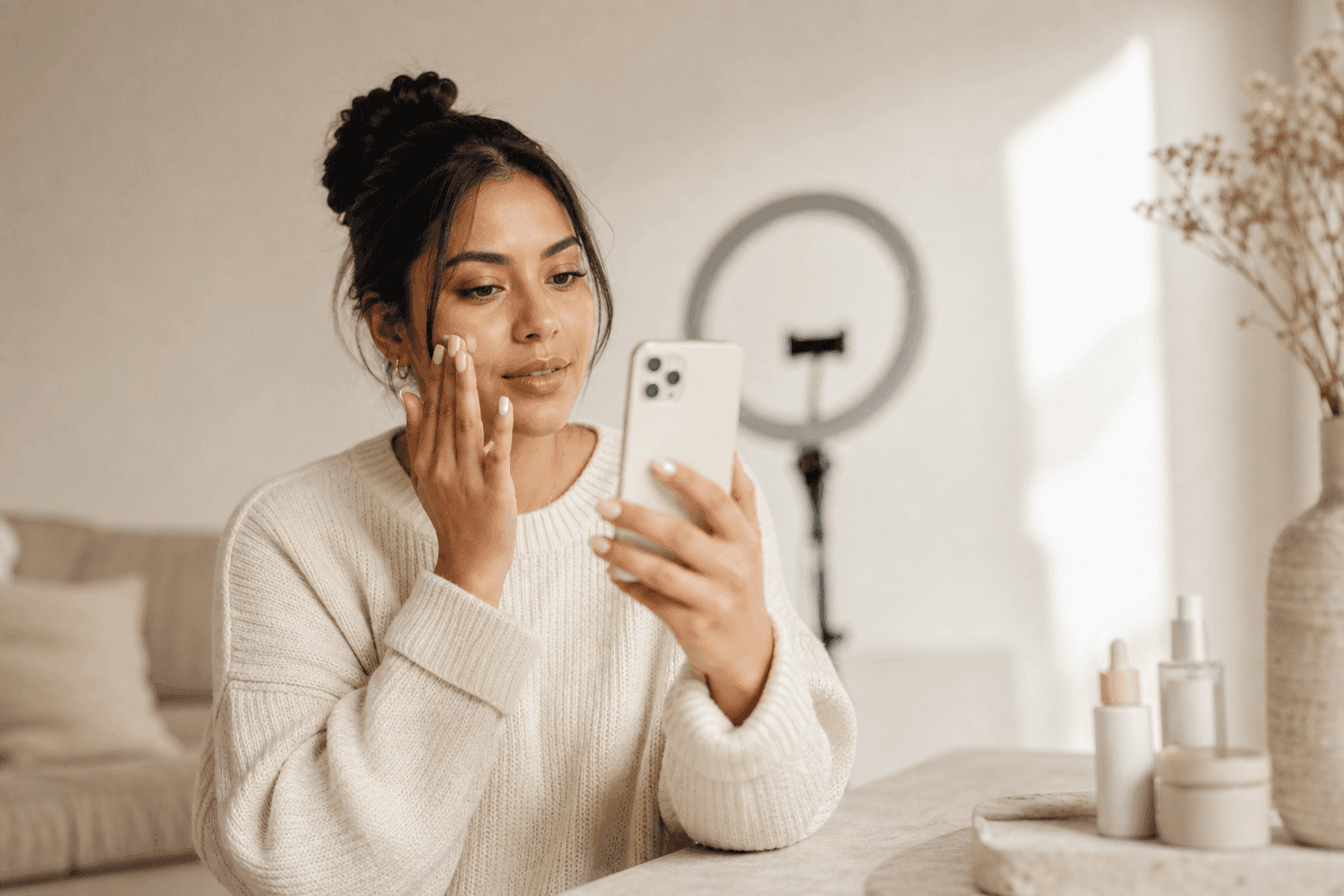
- Not "a woman with a serum, happy", but "she twists the cap off, tips the bottle once against her fingertip, then looks back up at the camera".
- Not "a refreshing drink", but "she pops the tab, the spray lifts off the opening, she tilts the can toward the lens".
- Not "an energetic gym scene", but "he racks the bar, the plates settle, he turns and picks up the shaker".
Physics needs a consequence
The guide's second habit is to give the physics something to resolve toward: leaves scattering on each impact, a mug sliding and tipping. In an ad, that is the drop landing, the pump resisting slightly, the cap rolling off the counter. A consequence is a thing the model can get right or wrong, and getting it right is what makes a shot feel filmed.
Length is a realism decision
The published clip lengths are a hint about craft, not just a spec. Novoads runs all three of these engines side by side, so a four-second insert and a fifteen-second take are both one click away:
| Engine | Clip length its own docs describe | What that length is good for |
|---|---|---|
| Veo 3.1 | 8, 6 or 4 seconds | One line, one action |
| Seedance 2.0 | 4 to 15 seconds, or auto | A short scene with a cut inside it |
| Omni Flash | 3 to 10 seconds at 24 fps | Inserts and quick beats |
Each of those lengths comes from the maker's own page: Google's Veo 3.1 docs, fal's Seedance prompting guide, and Google's Omni Flash model page, all read in September 2026; Novoads' Omni Flash picker starts at four seconds. Read together, they say the same thing: one beat per clip. A take that has to carry the unbox, the application and the verdict in eight seconds will drift somewhere in the middle, and drift is the most expensive tell on this list, because it is the one you cannot fix in the edit.
Sound: the field most prompts leave empty
This is the fastest quality gain available, and the one almost nobody claims, because sound feels like a post-production job. On current models it is a prompt field.
Dialogue goes inside the quotes, direction stays outside
Google's guide says you can provide Veo with cues for sound effects, ambient noise, and dialogue, and that the model captures the nuance of these cues to generate a synchronized soundtrack. For speech it is specific: use quotes for specific speech. fal's Seedance guide says the same from the other side, that any spoken line in double quotes gets lip-synced, voiced and timed to the cut.
Here is the part the docs do not say, and the reason a first take comes back ruined. Put only the words you want heard inside the quotation marks. Tone notes, pauses, emphasis and camera directions belong in the sentences around the quoted line, never inside it. A model that reads a direction as dialogue will perform it, and an actor who says "enthusiastic tone, pause here, hold up the bottle" out loud is a wasted render. The same habit protects pronunciation notes: a line telling the model how to say a brand name is a direction, so it goes outside the quotes or it becomes part of the script.
Keep the lines short as well. fal's guide splits a speech into a couple of shorter lines and lets the cuts carry it, because long monologues drift out of sync. Two clipped lines across a cut beat one long line that loses sync halfway through. The same limit turns into a hard ceiling when the voice is recorded first and a model has to match a mouth to it: fal's H3 Max lip-sync endpoint clips the audio at fifteen seconds, so a longer read becomes two takes with a seam to hide.
Sound effects and room tone are separate cues
The guide treats them as two different jobs: for sound effects, explicitly describe sounds, and for ambient noise, describe the environment's soundscape. So a sound brief for an ad has three lines, not one:
- Dialogue: the words in quotes, short, with the direction outside them.
- Sound effects: the pump click, the foil tearing, the cap landing on the counter.
- Ambient noise: the fridge hum, traffic through a window, the flat nothing of a small carpeted room.
A voice recorded in a studio playing over a kitchen is a mismatch the ear catches even when the eye does not.
Call for silence on purpose
fal's guide warns that an open prompt tends to come back scored like a car advert, and that a prompt which stays quiet about sound rarely comes back quiet. If you want no music, write no music. Kling 3, the family Novoads runs as Kling v3 Pro, is described on fal as offering native audio, multi-shot storyboarding, and real-world physics via a fast serverless API, so the same instruction has somewhere to land whichever of these engines renders the take.
One more practical note from Google's own limitations section: for Veo, English is fully supported, but other languages have not been evaluated, so they may work but results can vary. If the ad is in Spanish or Portuguese, that is worth knowing before you blame the script.
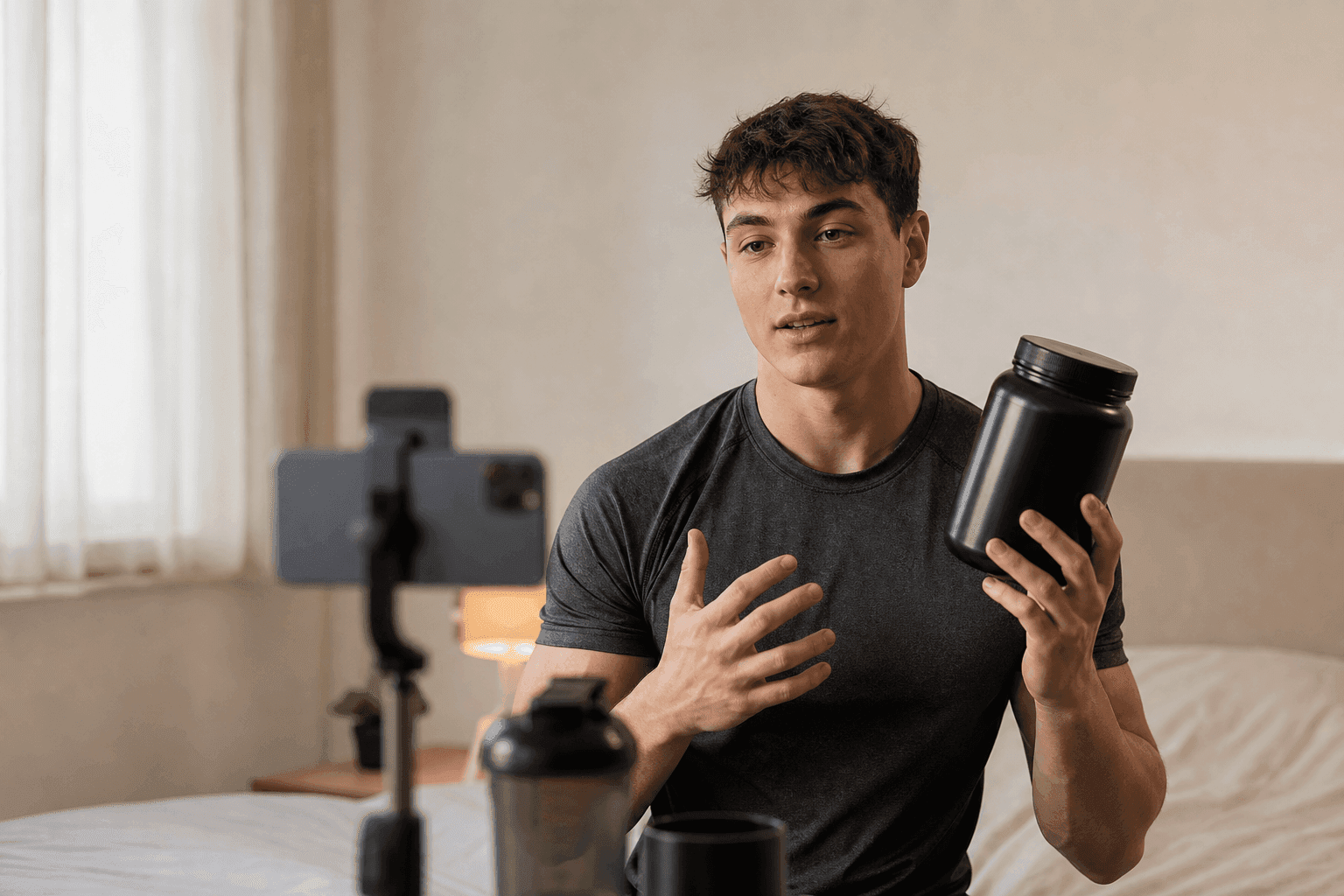
The same face and the same product, clip after clip
A single realistic clip is a demo. An ad account needs ten of them that look like the same person filmed on the same afternoon, and that is a different problem. Three tools solve it, in rising order of control:
- Reference images hold a face, a character or a product steady across prompts.
- First and last frame decides where the shot starts and where it has to land.
- A real packshot is what keeps the label on the product from being invented.
Reference images beat longer descriptions
Veo 3.1 now accepts up to 3 reference images to guide the content of the generated video, and Google's docs say to provide images of a person, character or product to preserve the subject's appearance in the output video. That is the mechanism. Describing the same woman in words across five prompts produces five cousins; pointing at the same three images produces one person. The same logic runs through our guide to keeping one AI actor consistent across ad variations.
First and last frame, when the shot has to land somewhere
Veo 3.1 also generates a video by specifying the first and last frames, which is the cleanest way to guarantee that a clip ends on the packshot you want to cut to. It is also a realism tool: if the last frame is a real photograph of the real product, the model has to arrive there rather than inventing its own version on the way.
What a reference image cannot fix
Label text. A model that has only ever seen a generated storyboard panel of your product will copy that panel's invented wording, misspellings included, and no amount of prompting about "accurate label" corrects it. The fix is upstream: give the model a real packshot as the reference, shot or supplied by you, and let the type come from the photograph instead of from the model's imagination. For a batch, our prompt guide for Seedance 2.5 covers how the reference slots are addressed.
The edit: cuts, captions and the platform pass
Two clips of the same quality can land differently depending on what happens after the render. Three things decide it:
- The cut, which either hides the seam between two takes or advertises it.
- The captions, which most of the audience reads instead of listening.
- The delivery pass, which is aspect ratio, platform disclosure and the file you actually upload.
Cut on the action
Write the cuts rather than hoping for them. fal's guide says to spell out cut to between shots, and that the model honors a shot list far more reliably than it invents one. Cutting mid-gesture, the way a creator trims their own footage, hides the seam between two takes better than a cut on a still face, where the jump in head position is visible.
Captions that read native
Burned-in captions are not decoration on a social ad; they are how most of it is watched. Three rules keep them from looking like a template:
- Match the platform's own caption style, not a preset with a heavy outline and a drop shadow.
- Keep each line to a few words, so the eye reads it in one movement and returns to the face.
- Time them to the spoken line, not to a fixed interval, because a caption that leads the voice is the second-loudest tell after silence.
Time them against the audio track itself, line by line, rather than against a grid.
Deliver vertical, and label the ad
Veo 3.1 lets you pick between landscape 16:9 and portrait 9:16, so generate in the shape the ad will run in rather than cropping a widescreen frame and losing a third of the composition. The video ad specs by platform reference has the rest of the delivery details. Two more things belong in this pass: check what the platform requires in terms of AI disclosure, and know that videos created by Veo are watermarked using SynthID, Google's tool for watermarking and identifying AI-generated content.
A worked example: one skincare ad, prompt by prompt
The thin version, which is what most people write:
A woman talks about a serum, cinematic, high quality.
The filled-in version, with every field from this post in it:
A woman in her late twenties sits on a low sofa beside a window in late afternoon light, holding a small amber glass bottle. Eye-level single, chest-up, slightly handheld as if the phone is propped on a stack of books. Shallow focus on her face, the room falling soft behind her. Warm natural window light from camera left, the far side of her jaw in shadow, one highlight blowing out slightly on her cheek. A few flyaway hairs, a crease across the shoulder of her linen shirt, a used mug on the table beside her. She twists the cap off, tips the bottle once against her fingertip, then looks back at the camera and says: "I gave it three weeks before I said anything." Cut to a two-second macro insert of the drop spreading on her fingertip, then back to her face. Audio: her voice close and casual, low room tone, a fridge humming somewhere off camera, no music.
Everything in the second version is a decision the model no longer makes for you:
- Camera: eye-level, slightly handheld, propped rather than held.
- Framing: a chest-up single, with a macro insert for the product beat.
- Lens: shallow focus on the face, the room falling soft behind her.
- Light: window light from camera left, named direction, one blown highlight.
- Texture: flyaway hairs and a creased shoulder on her, a used mug on the set, a blown highlight from the camera.
- Sound: the line in quotes, the direction outside it, room tone and a fridge, no music.
How to know it worked
Five checks, in the order they catch things:
- Play it with the sound off. Does the camera ever move?
- Play it with the picture off. Is the room in the audio, or only the voice?
- Freeze on the face. Pores, stray hair, an asymmetric expression?
- Freeze on the product. Read the label out loud. Is it your wording?
- Watch it once at full speed, on a phone, between two real creator videos. That is the only test that matters.
If a clip fails one of the first four, re-render that field rather than rewriting the whole prompt. Realism failures are local, and so are their fixes.
How Novoads solves the blank-field problem
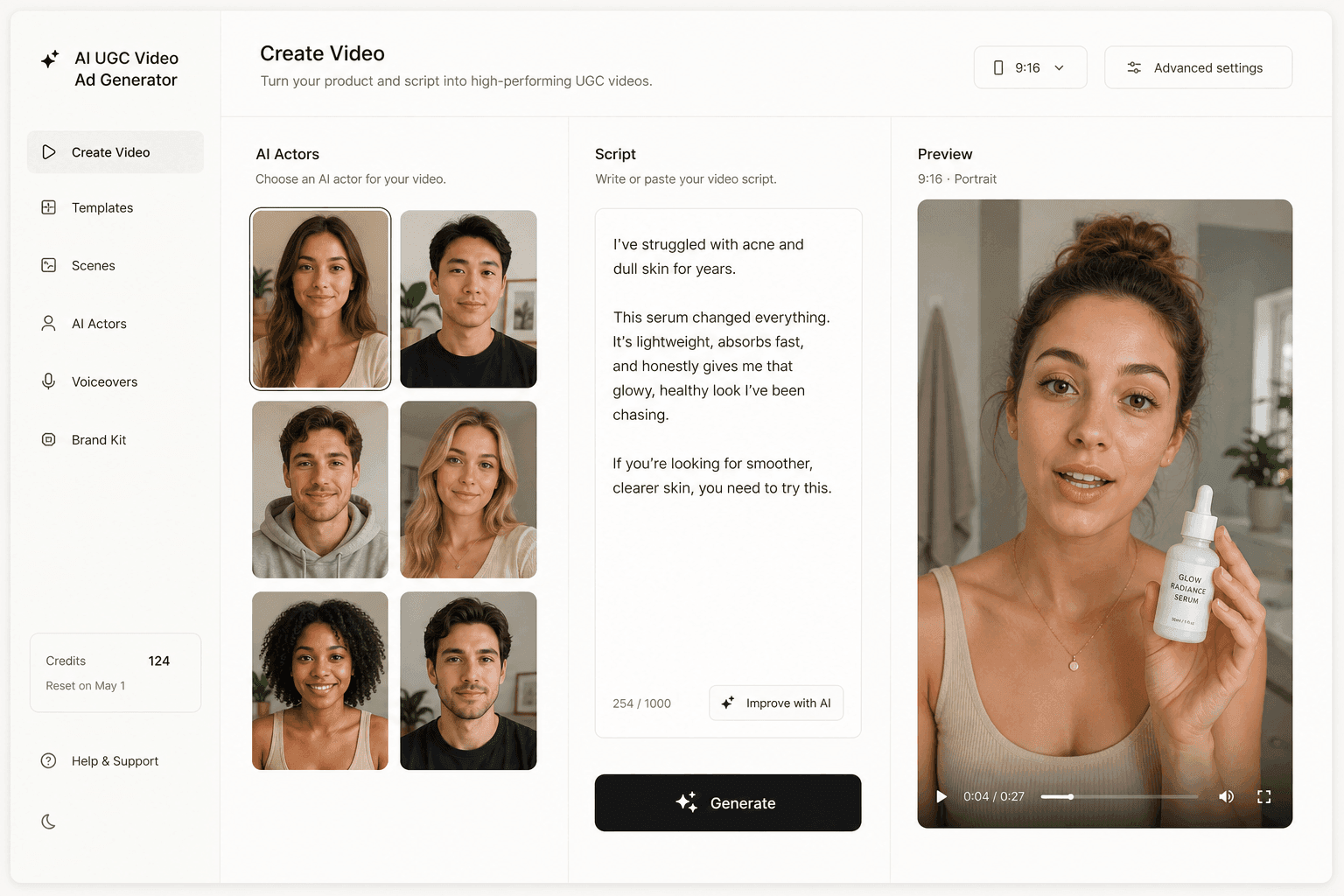
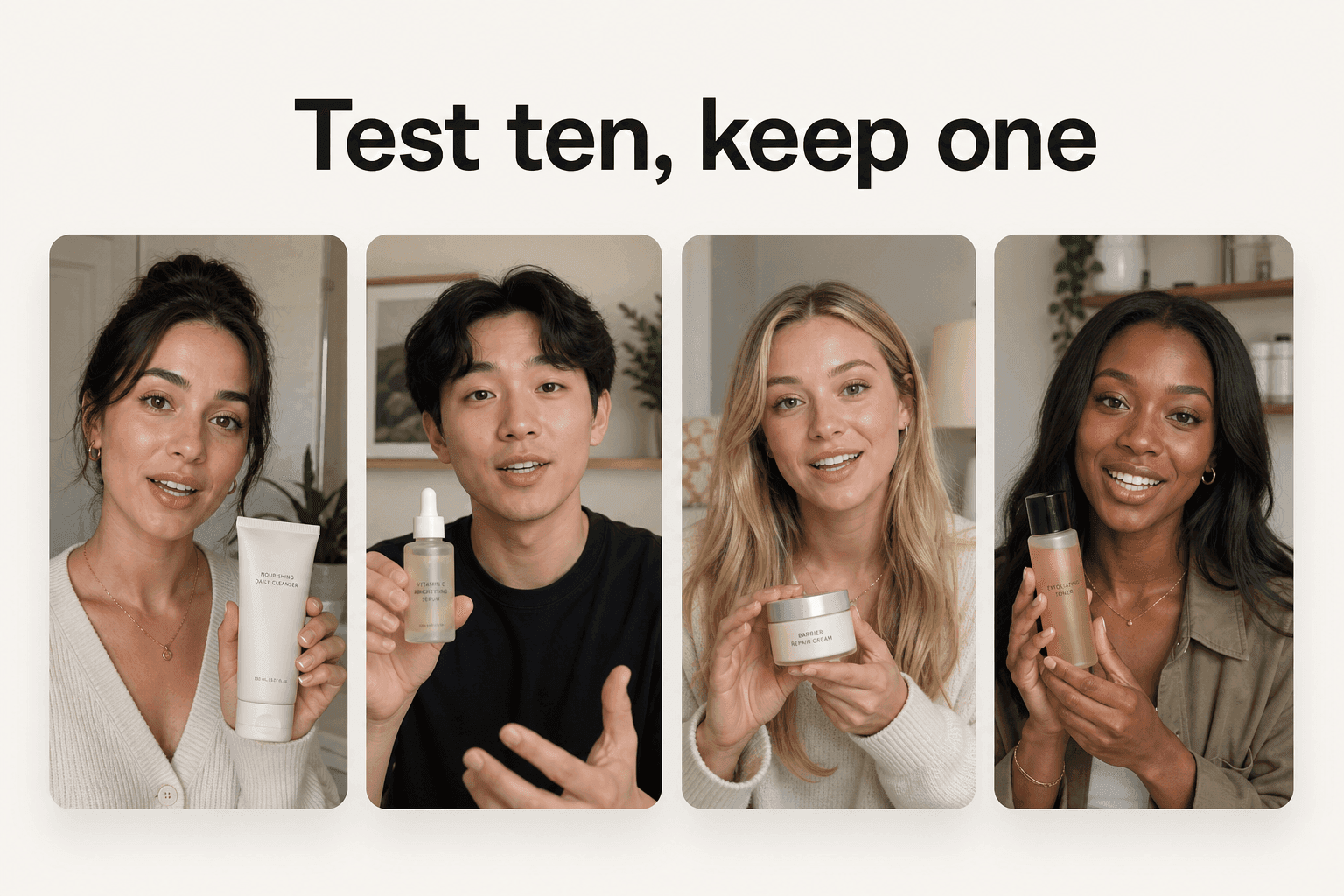
The checklist above is model-agnostic on purpose, but it still has to be filled in somewhere. In Novoads you write or generate the script, pick an AI actor, and route the render to Google Veo 3.1, Seedance 2.5, Seedance 2.0, Seedance 2.0 Mini, Kling v3 Pro or Omni Flash, so the camera, light, texture and sound fields you just learned to write go into one prompt box instead of six different vendor consoles. There is also a talking-actor route when the ad is one person delivering a script straight to camera, which is most of paid social.
If the ad needs the product in someone's hands, name the route before you write the prompt: a custom actor built from an uploaded photo of a person holding the product, or one of the Discover product templates, which places your uploaded product into a template creator's hand. A stock talking actor from the library has empty hands, and a script about your bottle rendered against empty hands is the most avoidable realism failure on this page. You can try the whole loop in Novoads on a single product photo.
The economics matter for a checklist like this, because the checklist implies re-renders. Novoads starts at $15/month (Starter, 200 credits per month). Plus is $49/month (1,000 credits), and Ultra starts at $129/month (3,000 credits) for more volume. All plans are published on /pricing. A clip runs from about 25 cents for a five-second Seedance 2.0 Mini clip to about $4 for an eight-second Google Veo 3.1 clip, and about $10 for a full 30-second Seedance 2.5 take. Which means the second and third attempt at the light are affordable, and the fourth attempt is where most of these fixes actually land. If you are still deciding what a spokesperson ad should look like before you prompt one, an AI avatar from a photo covers that route end to end.
Realism is a production habit, not a model
Every fix on this page is something a director would have decided before anyone pressed record: where the camera is, what lens it wears, where the light comes from, what the room sounds like, and what small thing is allowed to be wrong. The models already do the rendering. What they cannot do is want anything, and a prompt that wants nothing specific gets the average of everything.
So stop upgrading the engine and start filling the fields. The next clip you write, name all six before you press generate, and watch which one you had been leaving blank all along.
Frequently Asked Questions
Why does my AI video look fake?
Usually because the prompt left the realism fields blank. A generator fills every blank you leave, and its default is an even, sourceless studio look with a locked camera and no sound. Google's Veo 3.1 prompt guide treats camera positioning and motion, composition, focus and lens effects, and ambiance as separate prompt elements, all of them optional. Write them and the clip stops averaging. The other half is texture: flawless skin, an unwrinkled shirt and a spotless counter read as a render, because real footage is full of small wrongness.
How do I make an AI actor's skin look real?
Two moves. First, make the face the subject of the shot rather than a detail in it. Google's Veo prompt guide suggests specifying facial details as a focus of the photo, for example by using the word portrait in the prompt. Second, spend an imperfection budget: a few flyaway hairs, a shirt with a crease, a countertop with a used mug on it, light that blows out slightly on one cheek. Ask for flawless and you get plastic.
Should I write dialogue in quotes?
Yes, and only the dialogue. Google's Veo 3.1 guide says to use quotes for specific speech, and fal's Seedance prompting guide says any spoken line in double quotes gets lip-synced, voiced and timed to the cut. The trap is what else ends up inside the quotation marks. Keep tone notes, pauses and camera directions in the sentences around the quoted line, because a model that reads a direction as dialogue will say it out loud, and you will hear your own prompt in the ad.
How long should an AI ad clip be?
As long as one beat, not one story. Veo 3.1 generates 8, 6 or 4 second videos, fal's Seedance guide pins a Seedance 2.0 take anywhere from 4 to 15 seconds, and Google's Omni Flash model page lists 3 to 10 second output at 24 fps. Those lengths are a hint about craft, not just a spec: a clip that tries to carry three actions in eight seconds drifts, and drift is the tell. One action per take, then cut.
How do I keep the same face across several clips?
Use reference images rather than a longer description. Veo 3.1 accepts up to three reference images of a single person, character or product and preserves the subject's appearance in the output video, and it can also generate a video from a specified first and last frame. Describing the same person in words across five prompts gives you five cousins. For a batch of ad variations, lock the subject with images and vary only the script and the shot.
Which models does Novoads run for this?
Novoads runs Google Veo 3.1, Seedance 2.5, Seedance 2.0, Seedance 2.0 Mini, Kling v3 Pro and Omni Flash, plus a talking-actor route for a spokesperson ad. To show the customer's own product in someone's hands, the routes are a custom actor built from an uploaded photo of a person holding it, or one of the Discover product templates, which places an uploaded product into a template creator's hand. Novoads starts at $15/month (Starter, 200 credits per month). Plus is $49/month (1,000 credits), and Ultra starts at $129/month (3,000 credits) for more volume. All plans are published on /pricing.
Key Takeaways
- Realism is a set of prompt fields, not a model upgrade. Google's Veo 3.1 prompt guide in the Gemini API docs lists camera positioning and motion, composition, focus and lens effects, and ambiance as separate optional elements. Leaving them blank hands those decisions to the model, and the model picks the blandest average it knows.
- Sound is the field most prompts leave empty and the one a viewer clocks first. The same guide says you can give Veo cues for sound effects, ambient noise and dialogue, and to use quotes for specific speech. fal's Seedance prompting guide says the same thing from the other side: a prompt that stays quiet about sound rarely comes back quiet.
- Only the words you want heard belong inside the quotes. Stage directions go in the sentences around them, because a model that reads your direction as a line will perform it, and that is a re-render.
- Consistency across a batch is a feature, not a prompt trick. Veo 3.1 accepts up to three reference images of a person, character or product and preserves the subject's appearance in the output video.
- Novoads runs Google Veo 3.1, Seedance 2.5, Seedance 2.0, Seedance 2.0 Mini, Kling v3 Pro and Omni Flash, and starts at $15/month (Starter, 200 credits per month). Plus is $49/month (1,000 credits), and Ultra starts at $129/month (3,000 credits) for more volume. A clip runs from about 25 cents for a five-second Seedance 2.0 Mini clip to about $4 for an eight-second Google Veo 3.1 clip, and about $10 for a full 30-second Seedance 2.5 take.