Types of Social Media Advertising: What Every Ad Format Is For on 7 Networks
The main types of social media advertising, sorted by the job each ad format does on Facebook, Instagram, TikTok, YouTube, LinkedIn, Pinterest and Snapchat, and how to pick one for your next campaign.

Mauricio Valdivia
·14 min

One product video, seven networks, too many format boxes
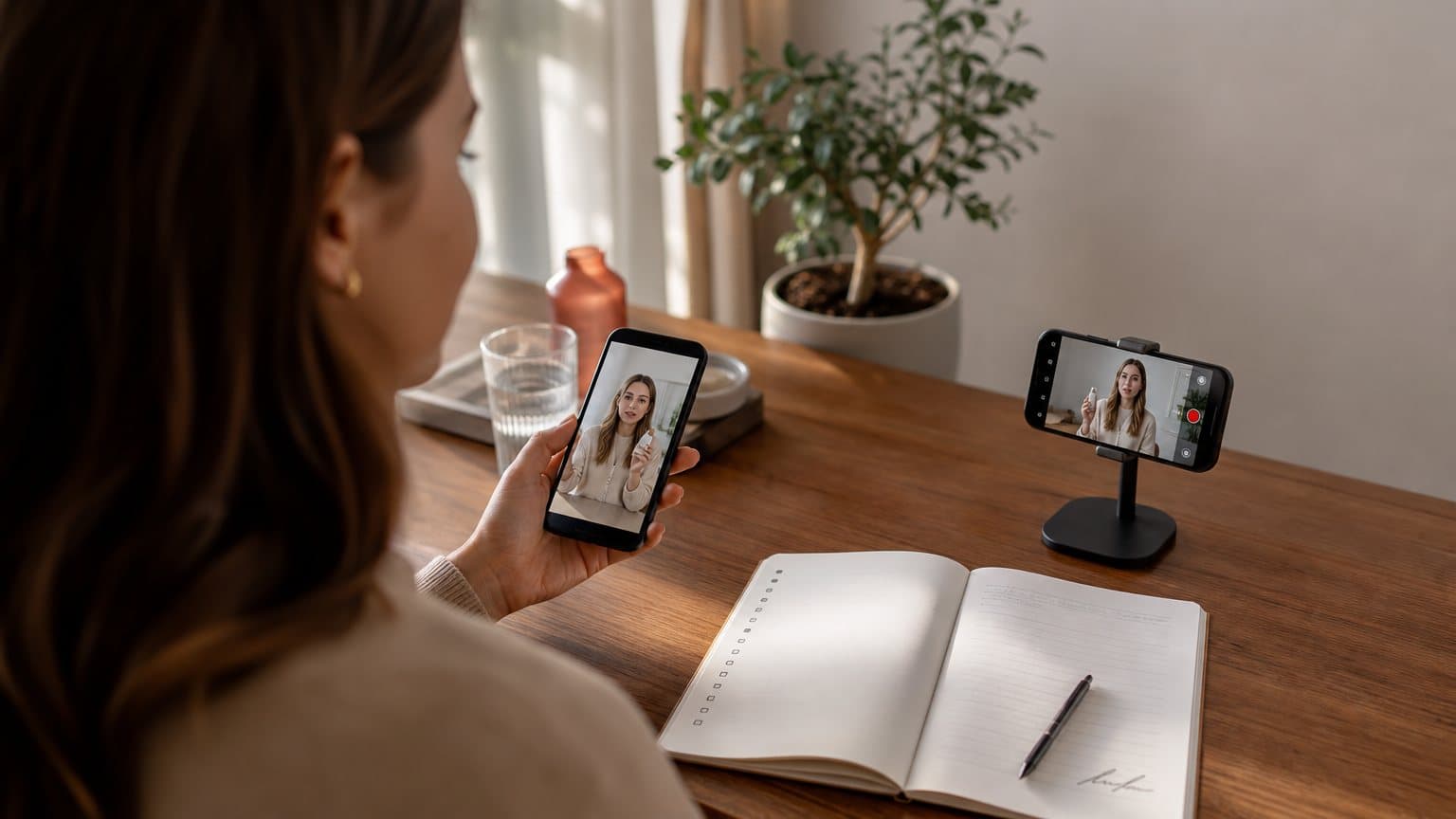
A founder who sells a vitamin C serum films a 30-second testimonial on a Friday. On Monday she opens Meta Ads Manager, then TikTok Ads Manager, then Google Ads. Somewhere in each setup, a box asks which ad format she wants.
She stalls right there.
The types of social media advertising make more sense when you sort them by the job each format does, not by the network that sells it. Single image and video ads get a product seen in the scroll. Carousels and collections show more than one thing at once. Creator formats, such as TikTok Spark Ads and Meta partnership ads, borrow a real person's voice. Messaging and lead formats start a conversation. And a few premium slots, like the YouTube Masthead, are booked by reservation to own one big moment.
The networks' own lists show why the choice feels crowded. Meta's ad formats page names eight formats, from photo ads to playables. Google Ads Help lists six video formats for YouTube. LinkedIn's ads guide runs "from single image and video ads to lead gen forms and document ads," and keeps going. This guide sorts all of them by job, then walks through Facebook and Instagram, TikTok, YouTube, LinkedIn, Pinterest and Snapchat one network at a time, and ends with a way to pick. It is a format guide, not a spec sheet: pixel sizes, aspect ratios and length limits live in our video ad specs by platform guide.
The types of social media advertising, sorted by the job they do
Every network sells the same five jobs under different names. Once you know the job, a new format name stops being a new decision.
| Job | Format family | Examples |
|---|---|---|
| Get seen in the scroll | Single image or video | Feed video, TikTok in-feed, Stories |
| Show more than one thing | Multi-card and shoppable | Carousel, collection, shopping ads |
| Borrow a trusted voice | Creator-run ads | Spark Ads, partnership ads |
| Start a conversation | Messaging and lead forms | Messenger ads, lead gen forms |
| Own a big moment | Reserved premium slots | YouTube Masthead, TikTok TopView |
Get seen in the scroll: single image and video ads
This is the family most campaigns start with: one image or one video, with copy and a button, shown in a feed, a Stories tray or a vertical video stream. Meta describes photo ads as "a clean, simple format to feature engaging imagery and copy," and Snapchat's formats page calls its single image or video ad "the format most recommended for new advertisers."
The job is interruption. Someone is scrolling past posts from friends, and your ad has to earn the next second. That makes the opening frame and the first line of copy the whole game, which is why a person talking to camera about a product fits this family so well. We break that style down in UGC-style ads.
Show more than one thing: carousel, collection and shopping ads
Some messages don't fit in one frame. A skincare line with five products, a service with three steps, a before and an after. Meta's carousel ads "let you showcase up to ten images or videos in a single ad, each with its own link," and its collection ads "let people discover, browse and buy what you offer." Pinterest, LinkedIn and Snapchat each sell their own version of the idea, and TikTok covers the shopping side with Shop Ads.
Pick this family when the viewer needs to compare, browse or follow a sequence. Skip it when you have one hero product and one reason to buy, because a second card only dilutes a single message.
Borrow a trusted voice: creator and employee ads
These formats run your ad from a person's account instead of only your brand page. TikTok's Spark Ads use organic TikTok posts, including posts made by other creators with their authorization. Meta's partnership ads run "with the creator's handle." LinkedIn's Thought Leader Ads sponsor posts from executives, experts and employees.
The job is credibility. The same words land differently when they come from a face the viewer already follows. The catch is permission: the creator or employee has to authorize the post, so this family runs on relationships as much as on budget. Our guide to creator partnership ads covers how Meta, TikTok and YouTube handle that handshake.
Start a conversation: messaging and lead formats
When a sale needs a question answered first, the ad's job is to open a conversation or collect contact details without a slow detour:
- Meta says its Messenger ads "help people start conversations with your business."
- LinkedIn's lead gen forms fill in contact details from the member's profile.
- Snapchat's Sponsored Snaps send a Snap straight to the Chat tab, where people can reply.
This family suits services, B2B offers and considered purchases. It rarely suits an impulse product that sells best with one tap to checkout.
Own a big moment: reserved premium slots
A handful of formats are not bought like everyday ads. Google Ads Help says Masthead ads "are only available on a reservation basis through a Google sales representative." TikTok's help center says TopView "is currently only available to qualified customers," directs advertisers to a sales representative, and lets select customers book it directly in TikTok Ads Manager.
These are launch-day tools for brands that need a huge audience fast. For most small advertisers, the honest move is to ignore this row until the other four are working.
Facebook and Instagram ad formats
Facebook and Instagram share one ad system. Meta says its formats put a business "front and center on Facebook, Instagram, Messenger and Audience Network," so both apps draw on one list of formats, though not every format runs in every placement. What changes between them is the placement.
Format versus placement: the split Meta's tools make
A format is the container: a photo, a video, a carousel. A placement is where that container shows up. Meta's Ads Guide makes the split visible. You look at one format, such as video, then choose a placement from a list that includes Facebook Feed, Facebook Reels, Instagram Feed, Instagram Stories and Instagram Reels, and the guide shows which objectives are available there.
That changes how you plan. You don't build an Instagram ad and a separate Facebook ad. You build one creative in one format, then decide which placements it should serve. Our guide on how to make Instagram ads walks through that setup in Ads Manager.
The eight formats on Meta's list
Meta's ad formats page lists eight, each with a different job:
- Photo: a single image with copy, the simplest way to say one thing.
- Video: anything from short feed ads "you watch on the go, to longer videos you watch on the couch."
- Stories: a full-screen, edge-to-edge experience built for mobile.
- Messenger: ads that open a conversation with your business.
- Carousel: up to ten images or videos, each with its own link.
- Slideshow: "video-like ads made of motion, sound and text," lighter than full video.
- Collection: a product experience people can browse and buy from.
- Playables: an interactive preview of an app before someone downloads it.
On top of almost any of these, Meta lets you add an Instant Experience, formerly known as Canvas: a full-screen, fast-loading destination designed for mobile.
Lead ads and partnership ads
Two more Meta ad types are worth knowing beyond that list. Lead ads let you "create intent across Facebook, Instagram, WhatsApp and more," and Meta's lead ads page mentions both instant forms and website forms for collecting the details. Partnership ads run your campaign through a creator's handle and can serve across placements "such as Feed, Stories or Reels."
Meta's own data puts the effect of partnership ads at a 19% lower cost per acquisition when they are added to business-as-usual campaigns. That is Meta's figure about its own product, not an independent test, so treat it as a reason to run your own comparison rather than a promise. What that comparison needs in budget is worked out in our guide to how much Meta ads cost.
TikTok ad formats
TikTok's menu is shorter, and most of it is built around vertical video. The real decisions are whose account the ad runs from and how you buy it.
In-feed ads: Spark and Non-Spark
The everyday TikTok ad is the in-feed ad. TikTok's help center, last updated June 2026, describes two kinds of in-feed auction ads, Spark and Non-Spark. A Non-Spark ad is a video you upload to TikTok Ads Manager, and it carries the profile you set there, or a default picture if you leave it blank. A Spark Ad runs an existing TikTok post and shows that post's account profile.
The difference sounds technical, but it decides how the ad looks in the feed. A Non-Spark ad reads as the brand talking. A Spark Ad reads as a post from a real account. The full setup, from account to first campaign, is in our TikTok ads guide.
Spark Ads: boosting a real post
TikTok describes Spark Ads as "a native ad format that allows you to leverage organic TikTok posts and their features in your advertising." You can publish ads using your own account's posts or organic posts made by other creators, with their authorization. The views, comments, shares, likes and follows gained while the ad runs are attributed to the original organic post, so the social proof stays on the post after the campaign ends.
Spark Ads also cover nearly the whole funnel. TikTok lists reach, traffic, video views, community interaction, app promotion, conversions, lead generation and sales among the auction objectives they support. Authorization codes and setup are covered in our Spark Ads guide.
TopView and Shop Ads
TopView is TikTok's takeover format. Its help article, last updated August 2026, describes TopView as "a video ad that is shown to users upon opening TikTok," starting with a 3-second takeover before it turns into a regular in-feed video with the usual icons. It is sold differently from in-feed ads, through a sales representative for qualified customers, and TopView can run both Spark and Non-Spark creative.
Shop Ads are the commerce family. If you run a TikTok Shop, TikTok lets you create them with the Sales objective in three shapes:
- Video shopping ads: shopping options added to your TikTok videos.
- LIVE shopping ads: shopping options added to your LIVE videos.
- Product shopping ads: ads built from the images and details on your product page.
YouTube ad formats in Google Ads
YouTube ads are bought in Google Ads, and Google Ads Help's "About video ad formats" page is the clearest list. As of September 2026 it says the available formats include skippable in-stream, non-skippable in-stream, in-feed video, bumper, Masthead and YouTube Shorts ads. The word "include" matters, because Google does not present the list as closed. The page carries no update date, and its newest dated note is the October 2025 rename of the "Views" metric to "TrueView views." One rule applies across the board: the video ad content has to be hosted on YouTube.
In-stream ads: skippable and non-skippable
In-stream ads play before, during or after other videos. The skippable version gives viewers the option to skip after 5 seconds. With cost-per-view bidding, Google charges when a viewer watches 30 seconds, or the whole ad if it is shorter, or interacts with it, whichever comes first. Google's comparison table sums up the job plainly: "Users can skip so you can understand attention."
The non-skippable version is 60 seconds or shorter, and viewers can't skip it. It uses Target CPM bidding, so you pay for impressions whether or not anyone wanted to keep watching. Use it when the full message has to play, not when you want to learn which message people choose to watch.
Bumper and Shorts ads
Bumper ads "are non-skippable video ads lasting between 5 and 6 seconds." Google's advice is to use them "when you want to reach viewers broadly with a short, memorable message," and they are bought on impressions too. Treat a bumper as a reminder, not an argument.
YouTube Shorts ads run inside the vertical Shorts experience. YouTube's own help center describes ads on Shorts as "immediately swipeable video or image ads that appear between Shorts in the Shorts Feed," so a clean product image can compete there alongside a vertical clip.
In-feed video and Masthead ads
In-feed video ads work like a recommendation. The ad is a thumbnail from your video with some text, shown in YouTube search results, alongside related videos and on the mobile homepage, and it invites people to click to watch. You are charged when someone clicks to watch, or, in a Video view campaign, when the ad autoplays for at least 10 seconds. That makes in-feed the format for a video people choose to open, such as a product demo or a longer review.
The Masthead sits at the top of the YouTube Home feed. Google suggests it when you want to drive awareness for a new product or reach "a massive audience in a short period of time, for example, a sales event." It is reservation-only through a Google sales representative and is bought on cost per thousand impressions or cost per hour, so it is not a self-serve option like the other five.
LinkedIn ad formats
LinkedIn's ads guide organizes its formats by where they appear:
- Sponsored Content: ads in the LinkedIn feed.
- Sponsored Messaging: ads in the LinkedIn inbox.
- Dynamic Ads: ads "automatically personalized" to each viewer.
- Text Ads: ads that run to the right of the feed.
- Lead gen forms: pre-filled forms that attach to your ads.
The call-to-action buttons on its video ads, such as Request Demo, Register and Attend, tell you who the network is built for.
Sponsored Content: the feed formats
Sponsored Content covers the formats that run in the LinkedIn feed:
- Single image ads: "a clear message, a strong visual, and a single call to action."
- Video ads: built to raise brand awareness, explain complex ideas or show products in action.
- Carousel ads: 2 to 10 cards to highlight several products, walk through a process or share a sequence of insights.
- Document ads: a preview of an ebook, guide or whitepaper right in the feed, with no landing page required.
- Event ads: a promoted event with a built-in registration button.
Thought Leader Ads: sponsoring a person
Thought Leader Ads "promote content from executives, subject matter experts, or employees directly in the LinkedIn feed." LinkedIn's case for them is short: "by sponsoring posts from individuals instead of just company pages, you can humanize your message and boost credibility across the buyer journey."
This is LinkedIn's version of the borrowed-voice job. For a B2B company, a founder's post with a real point of view can say what a company page can't.
Message ads, Conversation ads and lead gen forms
LinkedIn's inbox formats and forms do the conversation job:
- Message ads "send a direct, one-to-one message to a targeted prospect's LinkedIn inbox."
- Conversation ads "let prospects explore content paths tailored to their interests within a single, interactive message," with multiple calls to action in one message.
- Lead gen forms "capture leads instantly using pre-filled data from LinkedIn profiles," which removes the need to leave the feed or type contact details by hand.
Pinterest ad formats
Pinterest describes its range as running "from a static image to a multi-image collection or video." One detail sets it apart: most of its formats can be used in paid campaigns or to generate organic impressions, so an ad and a regular Pin are close cousins.
Standard image, standard video and max width video
- Standard image ads: a single image, nothing more.
- Standard width video ads: a video the same size as a regular Pin.
- Max width video ads: a video that expands across the whole feed on mobile. These are the exception to the organic rule: Pinterest says they are "only available as a paid format."
For video, Pinterest recommends 6 to 15 seconds. That is short enough that the product has to appear in the first frames, not after a slow brand intro.
Carousel, shopping, collections and Idea ads
- Carousel ads: multiple images to swipe through, 2 to 5 of them for campaigns outside the sales objective, and dynamic carousels pull cards from your product groups.
- Shopping ads: one image or video at a time that lets people buy the products they find.
- Collections ads: one main image above three smaller images in mobile feeds, a catalog in a single unit.
- Idea ads: multiple videos, images, lists and custom text in a single Pin, and you can promote an organic Pin as one.
Snapchat ad formats
Snapchat keeps the shape simple: "Generally speaking, Snapchat Ads use a vertical 9x16 format." Its FAQ also gives beginners a direct answer: "If you're just starting out, we recommend a single image or video ad." For a full walkthrough, see how to run Snapchat ads.
Single image or video, Story and Collection ads
- Single image or video ads can show up in the Stories and Spotlight placements. Snapchat lists them as best for increasing awareness, getting more visitors to your website and remarketing.
- Story Ads let people "tap through a series of images or videos you curate," which Snapchat recommends for educating viewers about a product or promoting special offers.
- Collection ads "make it easy for customers to browse and buy your products," the same show-a-range job carousels do elsewhere.
Sponsored Snaps, Commercials and AR Lenses
- Sponsored Snaps are Snapchat's conversation format. They send a Snap directly to your audience in the Chat tab, recipients can reply, and brands can switch on an auto-response. Snapchat recommends keeping them under 10 seconds.
- Commercials are the reach format, and they show up within Snap's curated content. Standard Commercials are non-skippable ads of 3 to 6 seconds, while Extended Play Commercials run 7 to 180 seconds and only the first 6 seconds can't be skipped.
- AR Lenses and Filters let people use your brand as an interactive effect through the camera, and Snapchat calls them a Snap-exclusive format.
How to choose a social media ad format
Most small brands need two of the five jobs, not all five. Choose the job first, then the network, then the format name that network uses.
Match the format to the job
- Use a single image or video when you have one product and one message.
- Use a carousel or collection when the buyer needs to compare products or follow steps.
- Use a creator format when a real person has made content that works and will authorize it.
- Use a lead or messaging format when the sale needs a question answered first.
- Use a reserved slot only for a launch that must reach a huge audience in a short window, and budget for a sales conversation.
Build from the creative you can keep making
A format is only as strong as the supply of creative behind it. A carousel refreshed once a quarter will usually lose to a plain video you can re-cut every week, because audiences tire of the same ad and every account needs new variants to test. Plan how many variants you can produce before you plan the format mix. Our guide to ad creative testing shows how to read which variant actually won.
Worked example: one serum, one shoot, eight assets
Take the serum founder from the top of this post. Instead of producing a separate ad for every network, she plans one shoot around the two jobs she needs first, getting seen and showing the range, and cuts it like this:
- A 30-second testimonial. It runs as a feed video on Facebook, Instagram and LinkedIn, as a TikTok in-feed ad, and as a skippable in-stream ad on YouTube. Under cost-per-view bidding, YouTube charges when a viewer watches 30 seconds or interacts, so this cut is billed only when someone watches to the end or engages.
- A 15-second cut. It sits inside Pinterest's recommended 6 to 15 seconds and gives Reels and Stories a tighter version.
- A 6-second opener. YouTube bumpers run 5 to 6 seconds and Snapchat's Standard Commercials run 3 to 6, so one strong opening covers both. It also becomes the first 5 seconds of the skippable ad, the part viewers see before the skip option appears.
- Five product stills for one carousel. Five cards fit every carousel limit above: Pinterest takes 2 to 5 images outside the sales objective, LinkedIn takes 2 to 10 cards, and Meta takes up to ten.
That is three videos and five stills, eight assets that give her the first two jobs on all seven networks. Aspect ratios and file limits still differ, so check each placement in the specs guide linked at the top of this post before exporting. The creator and conversation jobs need a different input, a creator's permission or a form, and no amount of re-cutting replaces that.
How Novoads solves the one-shoot, many-formats problem
Novoads is an AI UGC video ad generator: upload a product image or write a script, pick an AI actor, and get an ad-ready video without a camera or a creator's calendar. That turns the worked example above from a shoot into a set of renders. Novoads outputs vertical, square and horizontal video (9:16, 1:1 and 16:9), so the same script can become the vertical cut for Reels, TikTok and Stories and the horizontal one for YouTube.
The stills come from the same place. Product-to-Ad turns an uploaded product photo into an ad image for 0.3 credits, so five carousel cards cost 1.5 credits. Video runs from about a dollar for a five-second Seedance 2.0 Mini clip to about $8 for an eight-second Seedance 2.5 clip, and about $26 for a full 30-second Seedance 2.5 take.
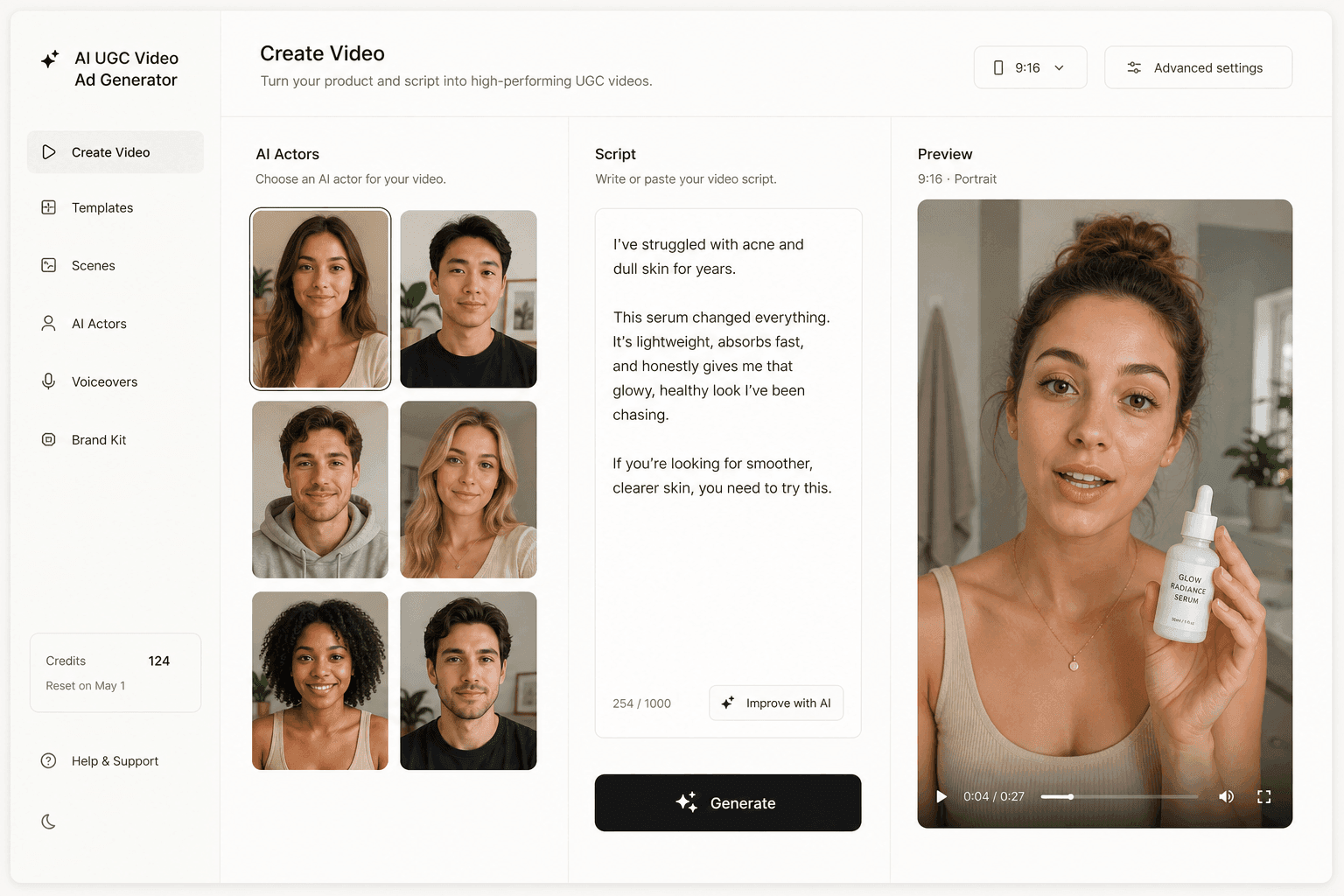
Novoads starts at $49/month (Starter, 50 credits per month). All plans are published on /pricing, and you can start making your cuts in Novoads.
Pick the job, and the network follows
The long format lists on every network look like seven separate problems. They are the same five jobs in different clothes. Decide what the ad has to do, whether that is getting seen, showing a range, borrowing a voice, starting a conversation or owning a moment, and the format name on each network becomes a lookup instead of a strategy.
A format is a job description for your creative. Write the job first.
Frequently Asked Questions
What are the main types of social media advertising?
Sorted by the job they do, there are five: single image and video ads that get seen in the scroll; carousel, collection and shopping ads that show more than one thing; creator formats such as TikTok Spark Ads, Meta partnership ads and LinkedIn Thought Leader Ads that borrow a trusted voice; messaging and lead formats such as Messenger ads, LinkedIn lead gen forms and Snapchat Sponsored Snaps that start a conversation; and reserved premium slots such as the YouTube Masthead and TikTok TopView that own a big moment.
What is the difference between an ad format and a placement?
The format is the container, such as a photo, a video or a carousel. The placement is where it appears. Meta's Ads Guide shows the split: you pick a format like video, then choose placements from a list that includes Facebook Feed, Facebook Reels, Instagram Feed, Instagram Stories and Instagram Reels. One creative in one format can serve several placements.
Which social media ad format should a small brand start with?
A single image or video ad in the feed. It does the most basic job, getting seen, and it needs the least setup. Snapchat's own FAQ gives the same advice for its platform: if you are just starting out, it recommends a single image or video ad. Add a carousel once you have several products to show, and a creator format once a real creator's post is available to run.
Can any advertiser buy a YouTube Masthead or a TikTok TopView ad?
Not in the everyday self-serve way. Google Ads Help says Masthead ads are only available on a reservation basis through a Google sales representative. TikTok's help center says TopView is currently only available to qualified customers and points advertisers to a sales representative, though select customers can book it directly in TikTok Ads Manager.
What is the difference between TikTok Spark Ads and Meta partnership ads?
Both run an ad from a real person's account rather than only from the brand. TikTok Spark Ads boost organic TikTok posts, either your own or another creator's with their authorization, and the engagement the ad earns is attributed to the original post. Meta partnership ads run your campaign with a creator's handle once the partnership is in place, across placements such as Feed, Stories or Reels.
Do I need different creative for every social media ad format?
Not a different shoot. A short set of cuts covers most formats: a 30-second video for feed and skippable in-stream ads, a 15-second cut for tighter placements, a 6-second opener that works as a YouTube bumper or a Snapchat Standard Commercial, and five stills for a carousel. Aspect ratios and file limits still differ by placement, so check each network's specs before exporting.
Key Takeaways
- The types of social media advertising sort into five jobs: get seen in the scroll, show more than one thing, borrow a trusted voice, start a conversation, and own a big moment. Every network sells the same jobs under different format names.
- Facebook and Instagram share one format list (photo, video, Stories, Messenger, carousel, slideshow, collection, playables). The placement, such as Instagram Reels or Facebook Feed, decides where a format shows.
- As of September 2026, Google Ads Help lists six YouTube video formats: skippable in-stream, non-skippable in-stream, in-feed, bumper, Masthead and YouTube Shorts ads. Masthead is reservation-only through a Google sales representative, and TikTok's TopView is likewise limited to qualified customers.
- Creator formats run your ad from a person's account: TikTok Spark Ads use organic posts with the creator's authorization, Meta partnership ads run with the creator's handle, and LinkedIn Thought Leader Ads sponsor posts from executives and employees.
- One shoot can feed most formats: a 30-second cut, a 15-second cut, a 6-second opener and five stills cover the feed, in-stream, bumper and carousel formats behind the first two jobs on all seven networks, with sizes checked per placement.