Creator Partnership Ads: How Meta, TikTok and YouTube Run Ads From a Creator's Handle
A partnership ad runs from a real creator's account with your brand attached as a second identity in the header. Here is how the format works on Meta, TikTok and YouTube, what each platform locks, and what to test before you buy one.

Mauricio Valdivia
·11 min
The one ad format you cannot generate
A performance marketer books a creator, gets a clean vertical video back, uploads it to Ads Manager, and the ad underperforms the same footage running from the creator's own handle. Nothing about the video changed. The account above it did.
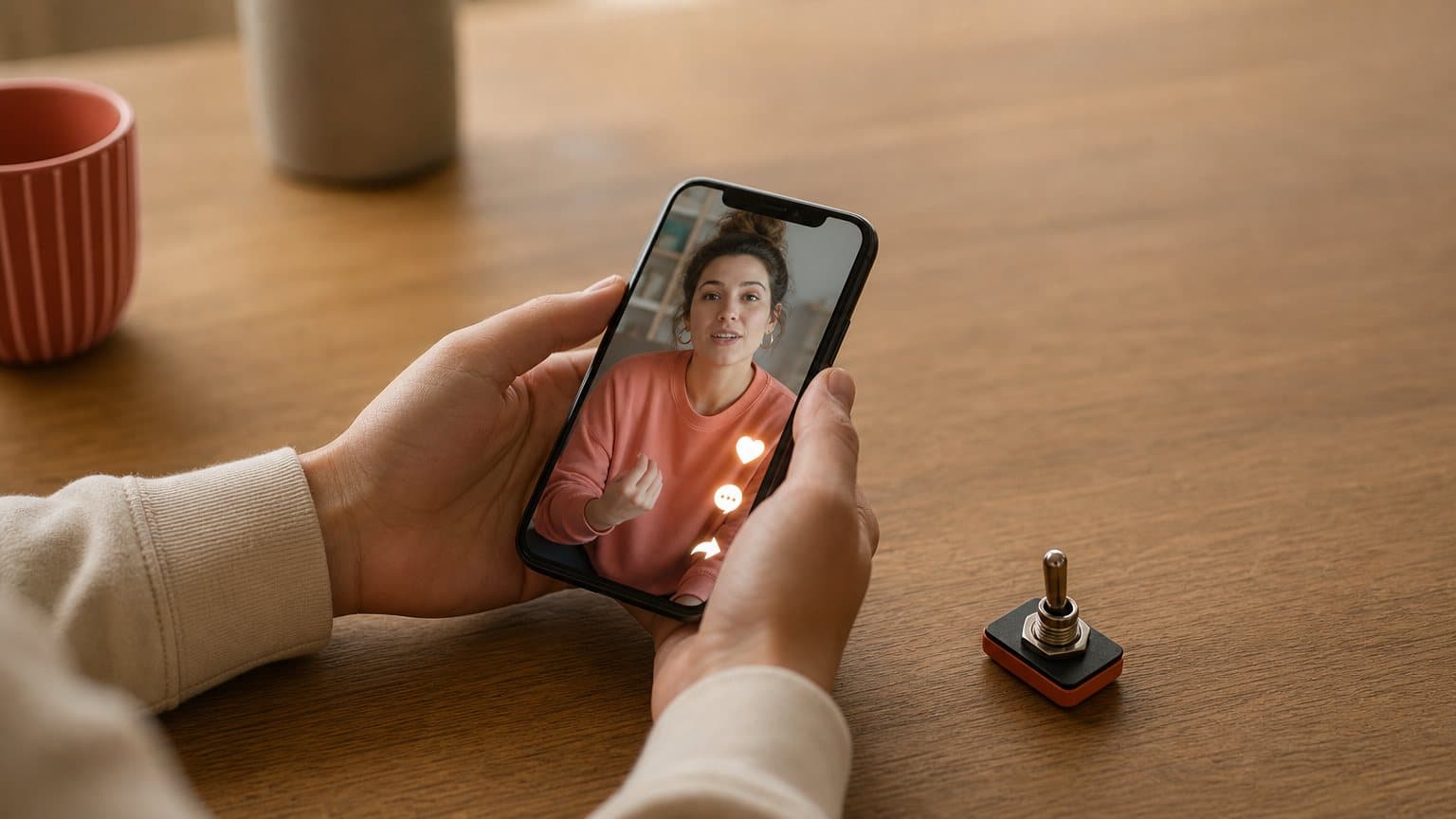
That gap is the entire product. Meta, TikTok and YouTube each sell a paid format where the ad is delivered from a real creator's account, with your brand attached as a second identity, and YouTube now puts more than 3 million creators inside the Partner Program within reach of that buy. The video is the same video. The identity is what you are paying for.
Which is also why this is the one paid format an AI-generated actor cannot enter. Not because the render is not good enough, but because there is no account behind it to grant permission, no channel to serve from, and nobody to sign the rights agreement the platform makes you produce. This piece explains how the three formats actually work, what each one takes away from you in exchange, and where synthetic UGC-style ads genuinely belong in a plan that includes real creator partnerships.
What a partnership ad actually buys you
The identity is the product
Strip the marketing language away and a partnership ad is a permission object. TikTok makes this the most literal: its documentation states that to create a Spark Ad "you must select a TikTok account as your identity for your Spark Ad." The identity is a required field. The creative is downstream of it.
Meta describes the same shape from the brand side. Once your creator partnership is in place, you can run partnership ads with the creator's handle. Google describes it from the delivery side: with creator partnerships boost, "your ads will be shown from the creator's YouTube channel, adding authenticity to your message."
Two names in the header, not one
The common shorthand, that the ad runs from the creator "instead of" the brand, is wrong and it will cost you if you plan around it. These formats are co-branded. Meta maintains an entire help article titled "About displaying accounts in partnership ads header," and the plural is doing real work: in Meta's setup flow the advertiser picks the second identity to display as an additional account in the ad's header. Your brand is attached, not erased.
On YouTube the same logic applies. The ad serves from the creator's channel, and Google's separate co-branded format exists to give you "a visually engaging experience showcasing your collaboration with the creator." Nobody is pretending the brand is not there. The point is whose voice is first.
Where the engagement lands
The mechanic that people underrate is attribution of engagement. TikTok states that Spark Ads use posts from organic accounts "to ensure that all views, comments, shares, likes, and follows gained from boosting the video during the promotion are attributed to your organic posts." Paid spend deposits social proof onto a post that keeps living after the campaign ends.
That is a real transfer of value, and it is worth understanding before you negotiate. In a Spark Ad, part of what your media budget builds is the creator's account.

Meta: partnership ads and the permission hub
What the format is
Meta's version, formerly branded content ads, is the oldest of the three and the most placement-flexible. Meta states that partnership ads "can be seamlessly integrated into campaigns across placements (such as feed, stories or reels) and optimized for objectives, including awareness and sales." So this is not a novelty unit bolted onto one surface. It is your normal buy with a different name on it.
The permission architecture
Permission is its own product surface here. Meta runs a partnership ads hub that, in its words, "has all your permissioning needs in one place, streamlining the partnership ads process," and it documents a code-based path in an article titled "How to create a partnership ad code to share with advertising partners." The creator generates access. You redeem it.
There are two practical consequences most briefs miss:
- The permission is granted by an account, so it survives or dies with that account, not with your contract.
- Chasing a code per post is the slow path. Account-level permission is what makes a partnership scalable across many posts.
What the label does and does not change
Partnership ads live next to Meta's paid partnership labelling, documented in its article "About labels on paid partnership posts." The label is not a tax on performance. It is the switch that makes a creator post buyable as media in the first place, which is the mechanic we break down in our guide to branded content examples. Miss it at publish time and your best asset is a post you can admire, not an ad you can scale.
TikTok: Spark Ads and the authorization code
The creator holds the key
TikTok's format lets you "publish ads using organic posts made by other creators (with their authorization)," and that authorization is a literal string. The creator opens the video in the app, taps the three dots, taps the ad settings icon, and taps Generate to retrieve the post code. Then they send it to you.
There is no way to shortcut this from the advertiser side, which is the whole point. If you want the setup detail, including how long the codes last and how to revoke them, our TikTok Spark Ads guide walks the full flow.
What gets locked when you spark a post
This is where advertisers get surprised. TikTok states that the ad's "display name and text will reflect the chosen organic post and cannot be edited during the ad creation process on TikTok Ads Manager." Your caption is the creator's caption. Your name in the feed is the creator's name.
If your usual optimization loop is rewriting ad copy against the same video, that loop does not exist here. Copy testing on this format means asking a person to re-post.
The limits worth planning around
Three constraints are worth putting in the brief before anyone films:
- Sparked videos are capped at 10 minutes.
- You can batch authorize up to 20 video codes at a time, so a large creator roster is an operations job, not a click.
- A private video "will become public once it is used in a campaign, and the video privacy status cannot be changed during promotion."
That last one has bitten teams who staged content privately and planned to keep it that way.
YouTube: creator partnerships boost, and the hub that is not it
Ads served from the creator's channel
YouTube renamed the format at NewFronts this year: advertisers "can use creator partnerships boost (formerly known as partnership ads)," which turns creator content into ad assets on Shorts and in-stream. The creator side of the plumbing is the reverse of TikTok's, and it runs in three moves:
- The creator adds you as a brand partner in YouTube Studio.
- They link the sponsored video to your Google Ads account.
- The link lands in your account already accepted, so there is nothing to approve.
The co-branded format is campaign-type limited
Here is the detail that quietly breaks media plans. Running organic creator videos in campaigns is available across campaign types, but the co-branded partnership ad format is not. Google's own feature availability table marks it this way:
- Supported: Demand Gen (in-feed and Shorts), Video reach, Video view, and App campaigns on iOS only.
- Not supported: Video action and Performance Max, both marked "no" in the same row.
If your YouTube spend lives in Performance Max, the co-branded unit is not available to you today, whatever the pitch deck said.
The hub is a different product
Two products share a name and they are not interchangeable. YouTube Creator Partnerships is the discovery and management hub inside Google Ads: Overview, Creator Search, List Management and Analytics. Creator partnerships boost is the ad format. Google's help page for the hub states that starting in June 2026, its core features "are available in all locations where the YouTube Partner Program is active," and that "minimum spend requirements and Large Customer Sales or Google Customer Solutions customer assignment will no longer be applicable." For agencies and mid-market advertisers, that eligibility change is the actual news: creator discovery stopped being a feature you had to spend your way into.
Read the rest of the page before you plan around it, though. The same document scopes that access to "General Creator Search, Overview, and Lists," still lists a bounded set of advertiser markets "and growing," and describes the hub as "in open beta and may not have finished reviewing videos for your brand yet." Available is not the same as finished.
The common requirement: a real account has to act
Three mechanisms, one dependency
Line the three up and the differences look like product decisions. The dependency underneath is identical.
| Dimension | Meta | TikTok | YouTube |
|---|---|---|---|
| Format name | Partnership ads | Spark Ads | Creator partnerships boost |
| Runs from | Creator's handle | Creator's account | Creator's channel |
| How permission arrives | Partnership ad code | Authorization code | Link set in YouTube Studio |
| Locked to the original | Creator handle and label | Display name and caption | Rights agreed off-platform |
| Where it runs | Feed, stories, reels | Auction and reach buys | Co-branded: Demand Gen, reach, view, App |
Every row in "how permission arrives" is an action taken by someone who is not you, in an app you do not control, on their schedule.
Rights do not arrive with the footage
Google says the quiet part in its own documentation: "you're responsible for securing sufficient rights to use the video as an ad. This may require you to have a separate agreement with the creator or other rights holders." The platform hands you distribution. It does not hand you permission to use a person's likeness, voice or music in paid media.
This is why a partnership ad is a legal object as much as a media one. Three clauses decide whether the ad is still runnable in ninety days:
- The usage window, and what happens to live ads when it closes.
- Whitelisting terms, which say whether you may run it from the creator's handle at all.
- Music and third-party rights, which travel separately from the footage.
Why a generated actor cannot enter this lane
Put it together and the exclusion is structural, not aesthetic. A partnership ad needs three things a render cannot produce:
- An eligible account to publish from and be seen as.
- A person to generate the code, or set the link, at their own keyboard.
- A rights holder who can sign a usage agreement.
A generated actor supplies none of those, and no amount of realism changes it. Novoads cannot run a partnership ad, and neither can any other synthetic-actor tool, because the format is not asking about the pixels.
Treating AI UGC as a cheaper substitute for a creator partnership is a category error. It is a substitute for the part of the process that never needed a human in the first place: finding out which angle is worth buying.
What to run before you buy a partnership
Decide what you are actually buying
If you do not have a creator to partner with yet, the cheapest way in is usually sending product with no strings attached, which is how most brands end up with a handle worth running ads from in the first place.
A partnership costs you in three currencies at once:
- Cash, the creator fee and the usage rights on top of it.
- Calendar, because every revision re-enters someone else's week.
- Control, since the caption, the handle and often the engagement are theirs.
You are buying a real person's credibility, and on TikTok you are also depositing your paid engagement into their account. That is a reasonable trade when the angle is already proven. It is an expensive way to discover that your hook was wrong.
The failure mode is common enough to name. Teams brief a creator on the angle they like best, run it, get a mediocre result, and conclude that creator marketing does not work for them. What actually happened is that they paid partnership prices to run a single untested script.
The pre-partnership test slate
Here is the arithmetic that changes the order of operations. Say you have eight candidate angles for one product:
- A problem-first open.
- A price comparison.
- An unboxing.
- A before-and-after.
- A skeptic's review.
- A routine clip.
- A founder explainer.
- A head-to-head against the category leader.
Briefing eight angles to creators means eight approval loops. Rendering them synthetically means eight files. On the cheaper engines a five-second clip lands near $2, and across engines and lengths a video runs from about a dollar for a five-second Seedance 2.0 Mini clip to about $8 for an eight-second Seedance 2.5 clip, and about $26 for a full 30-second Seedance 2.5 take, so the whole slate is a low-double-digit spend that resolves the same afternoon. You run them from your own account, read the metric ladder rather than the vanity numbers, and find out which two angles are worth a real person's face.
Then you spend the partnership budget on those two. Same budget, different order.
Which instrument for which job
- Use a partnership ad when the claim needs credibility you cannot manufacture, when the creator's own audience is part of the buy, when the format is a launch moment, or when you want engagement to accumulate on a real account.
- Use synthetic UGC when you are still hunting the hook, when you need the same script in several languages, when you need eight variants of one angle by Friday, or when the ad has to ship before anyone replies to your brief.
Neither is a discount version of the other. One is a trust instrument, the other is a search instrument, and a good creative operations process runs them in sequence rather than choosing sides.
How Novoads solves the pre-partnership testing problem
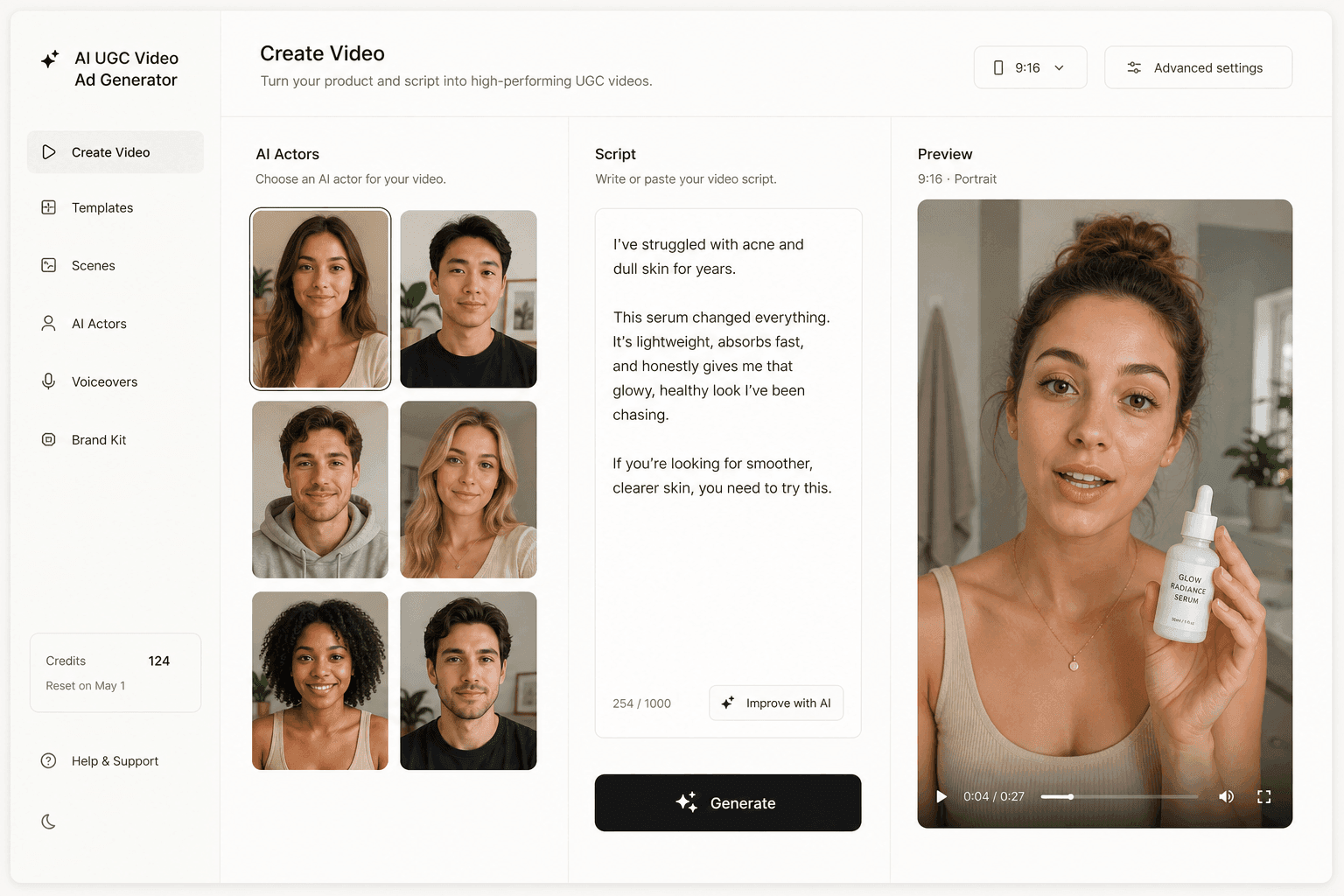
Novoads is built for the search half of that sequence. You upload a product image or write (or auto-generate) a script, pick an AI actor, and get an ad-ready vertical video from your own account, with voices across 31 languages when the same angle has to run in more than one market.
Nothing in that flow touches a partnership. There is no code to request, no partner tag to coordinate and no usage window to renew, because the ad is yours from the start. What you get is the ability to answer "which angle wins" before you spend a creator's fee finding out, which is exactly the question that makes the difference between a partnership that pays back and one that becomes a case study in why you stopped. You still own the ad-policy and AI-disclosure obligations any advertiser carries, and our AI ad disclosure breakdown covers those rulebooks platform by platform. You can try it from $49/month before deciding whether it belongs in front of your next creator brief.
Borrowed trust is the one thing you cannot render
Every other input to a modern video ad has been commoditized. Footage, voice, lip-sync, captions, translation, variant count: all of it is now a rendering cost measured in dollars. What has not been commoditized is a real account with real people who chose to follow it, and the partnership formats on Meta, TikTok and YouTube exist to sell exactly that scarcity, one permission at a time.
So treat a creator's handle like the expensive input it is. Test everything you can from your own account, and spend the partnership on the angle you already know deserves a face. If you want to understand who you are hiring when you do, start with what a UGC creator actually is and what the role does and does not include.
Frequently Asked Questions
What is a creator partnership ad?
It is a paid ad served from a real creator's own account rather than only from a brand page, with the brand attached as a second identity. Meta calls it a partnership ad, TikTok calls it a Spark Ad, and YouTube calls it creator partnerships boost. In every case the brand pays for delivery and targeting while the creator's handle carries the ad's identity.
Does a partnership ad replace the brand's own page in the ad?
No. It is co-branded. Meta documents a dedicated help article on which accounts appear in a partnership ad header, and the advertiser picks the second identity shown alongside the creator. On YouTube, the boost format serves the ad from the creator's channel while the co-branded format shows the collaboration between both parties. The creator's handle leads; the brand is attached, not hidden.
How does a creator authorize a brand to run their post as an ad?
On TikTok, the creator opens the video in the app, taps the three dots, taps the ad settings icon and taps Generate to produce a post code they send you. On Meta, the creator shares a partnership ad code from their account. On YouTube, the creator adds the brand as a partner in YouTube Studio and links the sponsored video to the brand's Google Ads account, which arrives in the advertiser's account as an accepted link.
Which YouTube campaign types support the co-branded partnership ad format?
Per Google's own feature availability table, the co-branded partnership ad format runs in Demand Gen (in-feed and Shorts), Video reach, Video view and App campaigns on iOS only. It is marked unavailable for Video action and Performance Max. The broader ability to run organic creator videos in campaigns is available across all campaign types, so do not confuse the two rows.
Is YouTube Creator Partnerships the same thing as creator partnerships boost?
No, and it matters when you go looking for the feature. YouTube Creator Partnerships is the discovery and management hub in Google Ads (Overview, Creator Search, List Management, Analytics). Creator partnerships boost is the ad format that serves an ad from the creator's channel. They are two different products on two different Google Ads Help pages, and Google describes the hub as being in open beta.
Can you run a partnership ad with an AI-generated creator?
No. The format is defined by whose account publishes the post, so it requires a real, eligible account with real permissions and a real rights agreement. AI-generated UGC is a different instrument: it produces ads from your own account, which is why teams use it to find the winning angle first and then spend partnership budget on the one or two angles that already proved out.
Key Takeaways
- A partnership ad is an identity permission, not a creative format: the ad is served from a real creator's account, with the brand attached as a second identity in the ad header.
- All three platforms require an act by the creator before the ad can exist: a partnership ad code on Meta, an authorization code generated in the TikTok app, or a brand-partner link the creator sets in YouTube Studio.
- Each platform charges you in control. TikTok locks the display name and caption to the original post, and Google states plainly that securing the rights to run the video as an ad is your job, not the platform's.
- YouTube's co-branded partnership ad format is campaign-type limited: it runs in Demand Gen, Video reach, Video view and App (iOS only), and Google's own availability table marks it unavailable for Video action and Performance Max.
- No AI-generated actor can enter this lane, because the format is defined by whose account is speaking. Synthetic UGC belongs to the stage before the partnership: finding the angle you are willing to pay a real creator to deliver.