AI Video Prompts for Ads: What Six Models' Own Guides Say
The prompt guides for Seedance 2.5 and 2.0, Veo 3.1, Omni Flash, Kling 3.0 and Wan 3.0, side by side, and how each one wants you to write dialogue, timing, text and negatives.

Mauricio Valdivia
·11 min
Where the makers' prompt guides stop agreeing
We gave Wan 3.0 a line to say and wrote it the way Alibaba's prompt guide asks, with a speaking verb, a colon and the words in quotation marks. The clip said it back word for word. Kling's guide writes a line as the speaker's name with the delivery in parentheses, then a colon and the words. Google's Veo page puts speech in quotation marks, but a Google Cloud page for the same model says to leave them out so the words don't get drawn on screen.
Timing splits the guides too. ByteDance's Seedance 2.5 guide says Seedance 2.0 doesn't respond to timestamps, only to shot numbers. That's a harder line than ByteDance's own 2.0 guide takes.
We could open four of Google's top five results for "ai video prompt", and none of them puts the makers' own rules side by side. So we did that for six video models you can use in Novoads. We read each maker's guide on November 6, 2026, from Spain, and put a clip we'd already made next to the rules it touches. We didn't test any rule for this post, and each clip is a single take, so none of them tells you how often a rule works.
Dialogue, timing, text and negatives, model by model
As of November 6, 2026, the guides give much the same advice about the picture, and they part ways once a prompt has to carry spoken words, timing, text on screen or things to avoid. Where one maker's pages disagree, the cell names the page behind each rule.
| Model | Dialogue | Timing and shots | Text on screen | What to leave out |
|---|---|---|---|---|
| Seedance 2.5 | Character's line (emotion): content | Whole-second timestamps or "Shot N", either one | Spell a word it keeps getting wrong letter by letter | Positive wording where possible, and negatives for subtitles and audio, such as "no BGM" |
| Seedance 2.0 | {Hello, world} in braces, or says: "..." in its examples | Shot 1, Shot 2, Shot 3 in story order, and precise timing "is unstable" | "keep it subtitle-free", and landscape gets fewer subtitles | Constraint words such as "do not generate a logo" |
| Omni Flash | A colon and no quotation marks (Google Cloud), and "No dialogue" for silence | Several shots unless you ask for one, timed in plain words or [0-5s] | Say what any visible text should read | Negatives written into the prompt, such as "No embellishments" |
| Kling 3.0 | Mom (softly, in a surprised tone): ... | [Shot 1: Wide shot] labels | The exact words, placement, surface and camera distance | Don't set the tone again for a subject whose voice is already bound |
| Veo 3.1 | Quotation marks (AI Studio), or a colon and none (Google Cloud) | One focused moment per short clip (Google Cloud) | No quotation marks around speech, so it isn't rendered as text (Google Cloud) | From an image, prompt the motion and skip what the image already shows (Google Cloud) |
| Wan 3.0 | she whispers: "content" | Shot N with start and end seconds, 2 to 5 seconds each | "no subtitles or watermarks" in the negative list | Only what shouldn't appear, with nothing repeated from the prompt |
What the guides ask for first
They agree on the shot. Kling's prompt guide says a useful prompt "usually defines the subject, action, setting, camera language, lighting, and atmosphere in plain, readable language." Google's Veo page lists subject, action and style first, and its Omni page asks for scene description, camera movement, lighting and mood. ByteDance's 2.0 guide describes each shot as who, where, doing what and how the camera moves. Alibaba's Wan 3.0 guide says one sentence is enough for a video, though the more complete and precise the description, the closer the result comes to what you expect.
So write the shot first, then the parts in the table the way your model's guide writes them. Our camera movement guide goes through the words for each camera move, and our guide to making AI video look real covers light, skin and sound.
What ByteDance's guides say about Seedance 2.5 and 2.0
ByteDance publishes its Seedance 2.5 and 2.0 prompt guides on BytePlus, which calls itself "the AI-native enterprise partner from" ByteDance. The 2.5 guide was last updated on October 16, 2026, and the 2.0 guide on September 28.
Seedance 2.5 takes timestamps or shot numbers
The 2.5 guide lets you split a clip with timestamps or "Shot N" and give each segment its own visuals, camera movement, action, dialogue and sound. Its timestamps run in whole seconds, and its other rules suit an ad prompt well.
- When lines need different performances, write "Character's line (emotion): content."
- Don't hang tone, expression or action notes on single words. The guide warns, "These descriptions can trigger subtitle generation."
- Where you can, describe what you want. The guide says you can use negatives for subtitles and audio, such as "no subtitles" and "no BGM."
- If music turns up anyway, repeat the audio constraint at both the beginning and the end of the prompt.
- If the model keeps misspelling a word on screen, split the word into letters and ask for them one at a time.
The line about Seedance 2.0 and timestamps
The 2.5 guide's writing advice ends with a list of differences from Seedance 2.0, and the first item is the strongest thing either guide says about timing. It reads, "Seedance 2.0 does not respond to timestamps and only responds to shot numbers, while Seedance 2.5 supports integer-second timestamps." That's the 2.5 guide's own word on the older model, and we haven't measured it. It didn't arrive with the October 16 update, either. The guide already carried it in the version first published on September 28.
The 2.0 guide puts it more softly. It asks for Shot 1, Shot 2 and Shot 3 in the order events happen, without strict limits on each segment's length. It also says the model's support for precise timing "is unstable" and that forcing a duration "may lead to abnormal generation results." But its template for adding an element to a video still keeps a slot for a time, At [Timestamp/Timing] and [Spatial Location] of [Video N], add [Description of intended element]. We haven't tested timestamps on Seedance 2.0, so we can't say which page is closer to how it behaves. Numbered shots with no fixed lengths fit both pages, so that's where we'd start a 2.0 prompt.
Dialogue and subtitles on Seedance 2.0
The 2.0 guide gives two ways to write a line. Its table of symbols uses braces, as in {Hello, world}, and its examples put quotation marks after "says", as in she says: "We can definitely do it!". To prevent unwanted subtitles, it lists constraint words such as "keep it subtitle-free," and it says that, if your business allows, you can render in landscape, where subtitles turn up significantly less often than in portrait, and crop to portrait later. Our Seedance 2.0 prompt guide has ad prompts for the older model, and our Seedance 2.5 guide rewrites one skincare ad prompt twice.
Our Seedance 2.5 clip below came from a one-line description, so it can't show you whether the structure works.
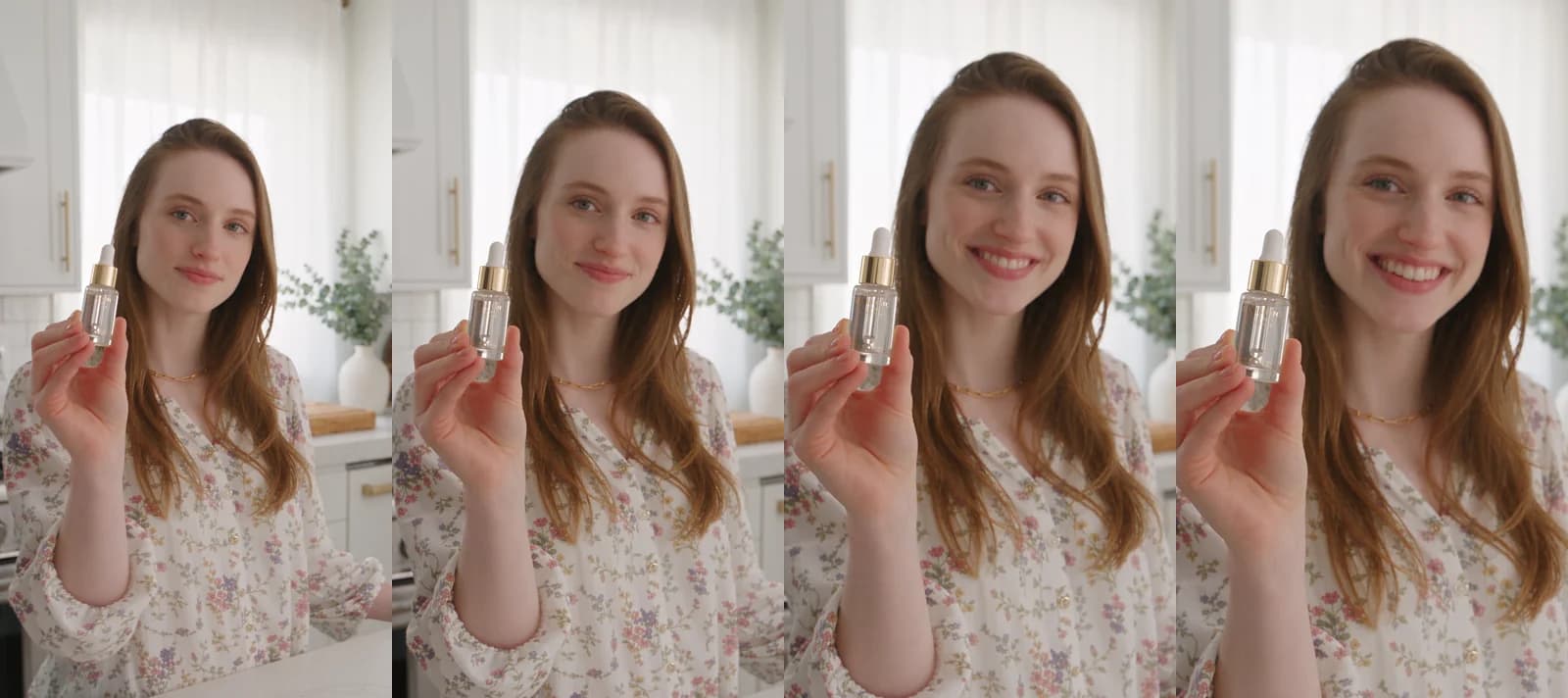 Seedance 2.5 in Novoads from a one-line prompt about a woman showing a serum bottle · 5 seconds, 9:16, 1080p · 60 credits · ready in 8 min 38 s · 2026-09-21
What Google's pages say about Veo 3.1 and Omni Flash
We read three of Google's pages on Veo 3.1 and Omni Flash on November 6, 2026. AI Studio has one for each model, and a best-practices page on Google Cloud covers both and says it was last updated the same day. The Omni page is written for Gemini Omni 1.2 Flash, but Omni Flash in Novoads is the 1.1 model, so we've used its writing advice and none of its numbers.
Omni Flash cuts between shots unless you ask for one
Omni's page says the model "will try to create a video with a few different shots" by default, so you have to ask for a single take, with words like "In a single continuous shot" or "No scene cuts." Its other rules are short.
- Time events in plain words or with a timecode such as
[0-5s]. You don't need any precise syntax. - Write negatives into the prompt itself, such as "No dialogue," "No embellishments" or "No extra sound effects."
- The model adds an audio track on its own, so say what you want to hear, music included.
The Cloud page adds a rule for both models that pulls the other way. For a short video, it says, dedicate each prompt to "a single, focused moment," because chaining several events "often leads to muddled or incomplete videos." So for a short Omni Flash clip with several beats, the Cloud page would have you make separate clips, while the Omni page would have you time them in one.
Two Google pages give two rules on quotation marks
Veo's AI Studio page says, "Use quotes for specific speech." Its examples put each line in quotation marks after the speaker, as in Man: (Hand on his hunting knife) "That's no ordinary bear." Google Cloud's best-practices page, written for Gemini Omni and Veo videos, says the opposite. It wants a colon after the speaker's action and no quotation marks, so the spoken words don't turn up on screen. Its recommended line is A woman says: My name is Clara. We haven't tested either rule. If a stray caption would ruin the take, the Cloud page's form is the one written for that problem.
In Novoads, Google Veo 3.1 costs a flat 72 credits a clip at any length or resolution it offers. For more prompts on that model, see our Veo 3.1 prompts post. For Omni Flash on its own, see our Gemini Omni Flash post.
What one prompt put on the label
Omni's page says, "If there will be naturally occurring text in your video, even in background elements, it can help to define what it should say." Our four-model strip shows why. On September 28 we sent one prompt that named no label text to four models in Novoads. It asked for nothing more than A glass skincare bottle on a marble counter, slow push-in, soft morning light, and each take is a 4-second vertical clip.
Both Omni Flash takes put invented words on the bottle, LUZUBÓLIA at 720p and LALUR at 4K. Google Veo 3.1 left its label blank, and Seedance 2.0 Mini (which isn't one of the six here) spelled HYDRATE right but garbled the small print. We didn't rerun it with the label's words written out, so these single takes show the problem the rule is for, but they can't show that the rule fixes it.
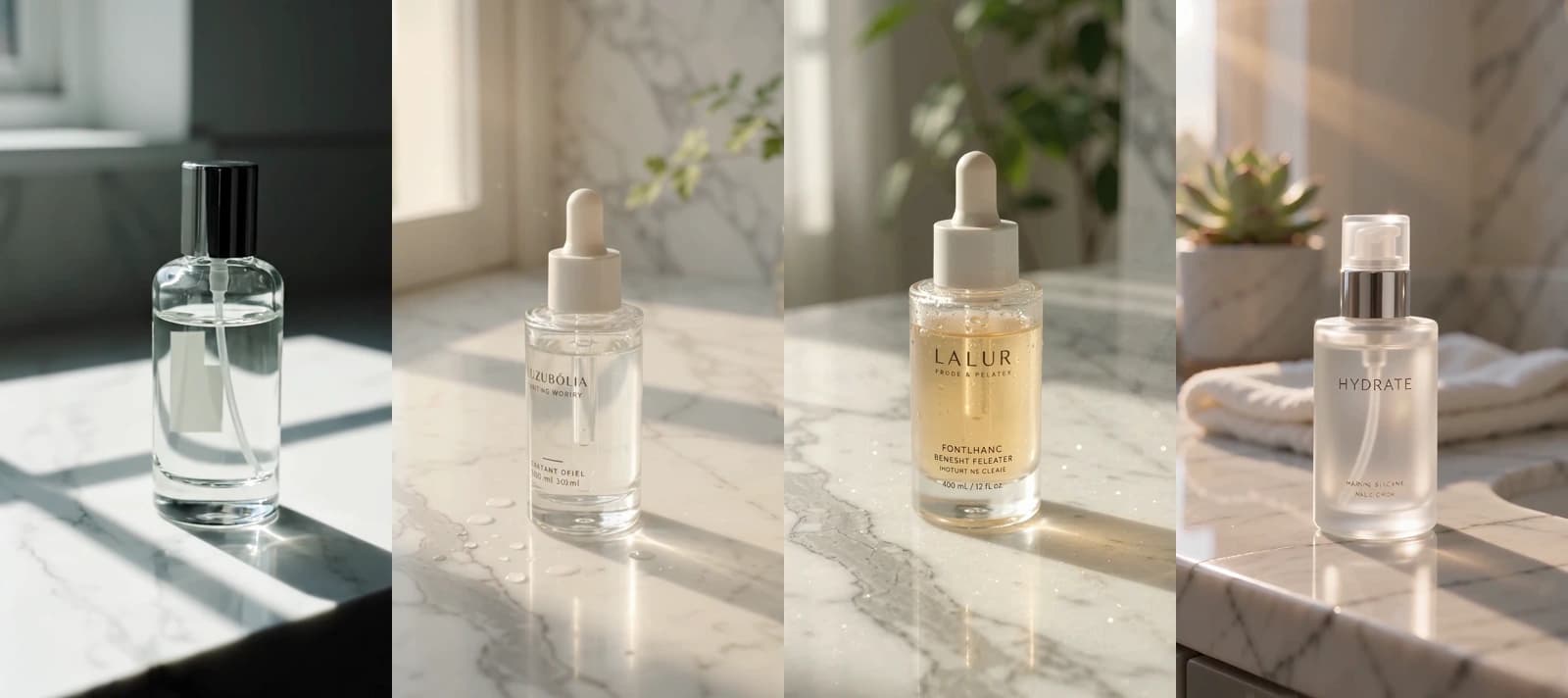 One prompt, four takes in Novoads, 2026-09-28, left to right · Google Veo 3.1 at 720p, 72 credits, 77 s · Omni Flash at 720p, 12 credits, 4 min 12 s · Omni Flash at 4K through the REST API, 36 credits, 3 min 26 s · Seedance 2.0 Mini at 720p, 4 credits, 84 s · each 4 seconds, 9:16
Kling's guides put the speaker's name and tone first
We read two of Kling's own pages. The prompt guide on its blog is from August 7, 2026, and the Kling 3.0 user guide is from February. In Novoads, Kling 3.0 is listed as Kling v3 Pro.
Names, tones and shot labels
The blog says to "use clear speaker labels in dialogue prompts so the scene stays readable" and to keep "the speaker's name, line, and delivery close together in the prompt," and the user guide's example reads Mom (softly, in a surprised tone): Wow, I didn't expect this plot at all. For several shots, the blog labels each one with its framing, as in [Shot 1: Wide shot]. For text on a label, a sign or a caption, it asks for "the exact words, placement, surface, and camera distance," with the text kept short when readability matters.
Languages and a voice that's already set
The user guide says Kling 3.0 supports dialogue in five languages (Chinese, English, Japanese, Korean and Spanish) and translates a line in any other language into English. Our Kling 3.0 clip is in English. We haven't tested the other four in Novoads, so we can't vouch for them. If a subject already has a voice tone bound to it, the guide says it's "not recommended to set the tone again in the prompt."
Our Kling 3.0 take came from a one-line prompt sent through the REST API, and the clip said "This changed my mornings" word for word. We kept only a summary of that prompt, so we can't show you whether it used the speaker-label form.
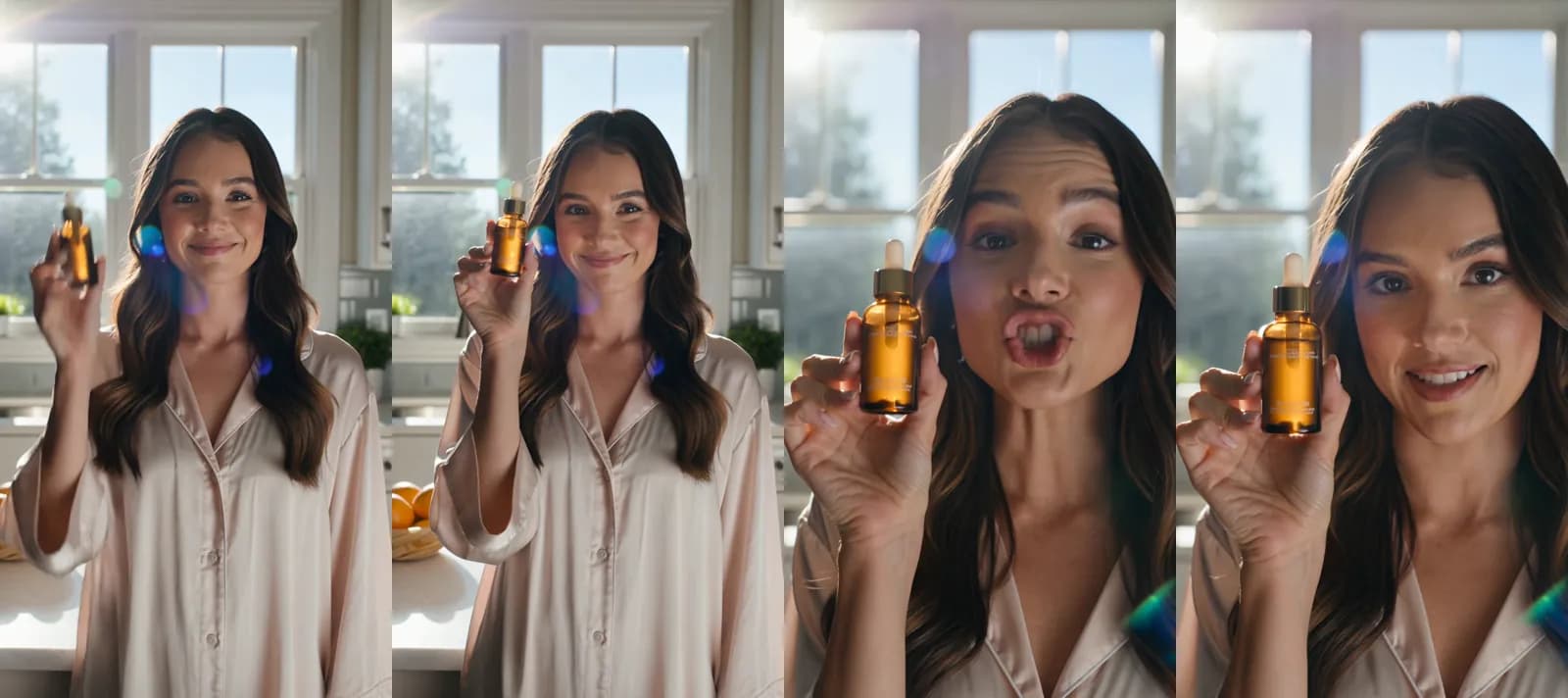 Kling 3.0 (Kling v3 Pro in Novoads) through the REST API from a one-line prompt · 5 seconds, 9:16, 1080p · 10 credits · 29 min 44 s from request to file · 2026-09-30
Alibaba's Wan 3.0 guide spells out every part
Alibaba's Wan 3.0 prompt guide, last updated October 16, 2026, gives a formula with a slot for each part of a prompt and tells you to skip the slots you don't need.
The formula, slot by slot
- Reference files go in as Image N, Video N or Audio N, numbered in upload order, or "the wrong material will be cited."
- Each shot gets its start and end time right after its number, at 2 to 5 seconds a segment with no gaps or overlaps.
- A one-take clip starts with
Generate single shotorOne continuous shoton the first line. - Dialogue is "character + speaking verb + colon + quoted content," as in
she whispers: "content". For silence, writeNo dialogue. Otherwise the model decides for itself whether anyone talks. - As long as the action, material and weather are clearly described, the model fills in matching sound effects.
No BGMkeeps music out, andLip syncat the end asks for lip sync. - The negative list holds only things that shouldn't appear, without padding or repeats.
Our Wan 3.0 prompt, word for word
We sent the prompt behind the strip below through our MCP connector on October 31. It puts a speaking verb and a colon before the quoted line, and its first sentence asks for one continuous shot in words close to the guide's own.
Vertical 9:16 UGC selfie video, one continuous handheld shot filmed on a phone at arm's length, no cuts. A woman in her late twenties with shoulder-length dark hair stands in a bright kitchen in morning daylight. She holds a plain, unlabeled amber glass dropper bottle up beside her face, tilts it toward the camera, then smiles and says in a warm, natural American English voice: "Three weeks with this serum and my skin finally stopped looking tired." Soft room tone, a kettle humming faintly in the background. Natural skin texture, slight phone sway, realistic lighting, no text on screen, no logos.
The clip came back as one shot, with no text or logo in the frames below, and its line matched the script word for word. It took 3 minutes 10 seconds and cost 14 credits. That's one take, so it shows the form working once and says nothing about how often it does. Our Wan 3.0 post covers the model itself and what you get with it in Novoads.
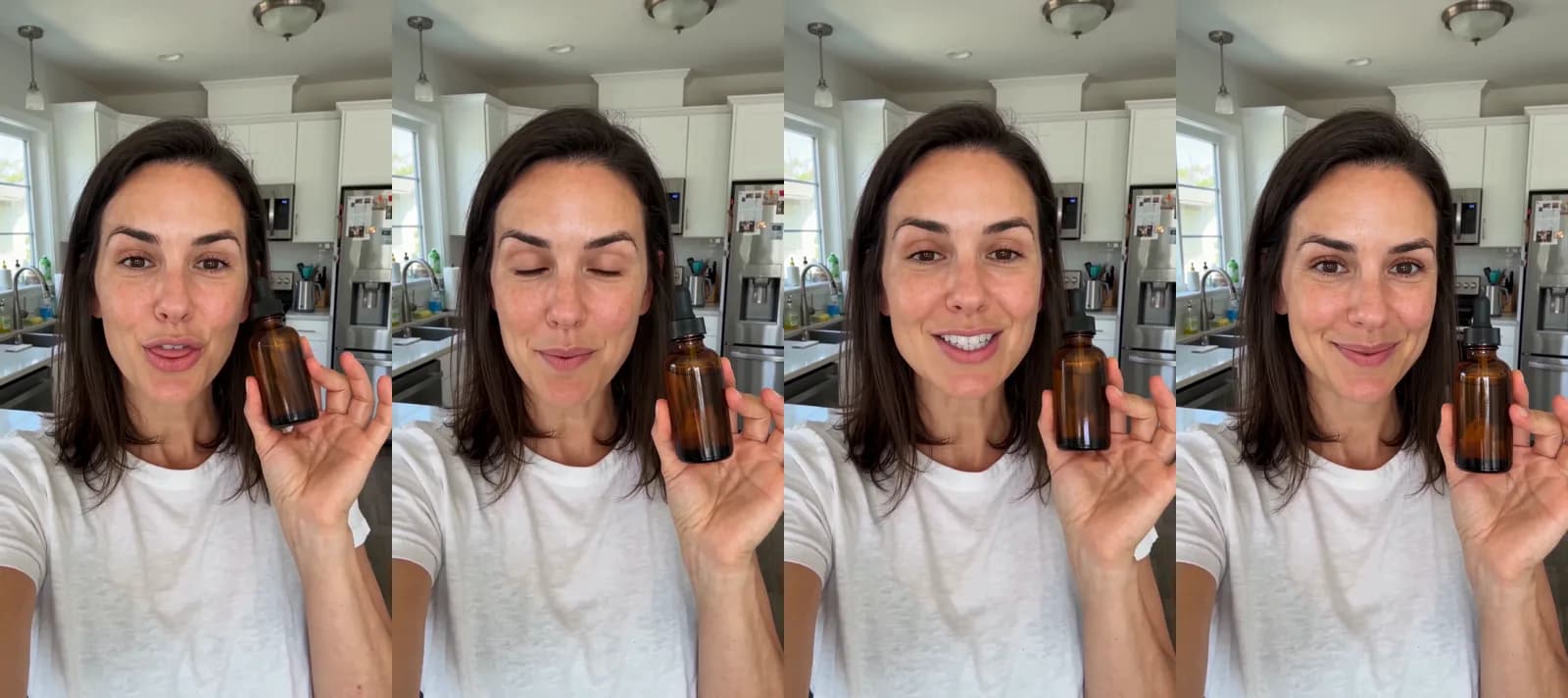 Wan 3.0 in Novoads through the MCP connector, from the prompt above · frames at 1, 3, 5 and 7 seconds · 8 seconds, 9:16, 720p, sound on · 14 credits · 3 min 10 s · 2026-10-31
What a clip like these costs on each model in Novoads
Novoads prices clips in credits, and what a credit costs depends on your plan (prices as of November 6, 2026). Starter is $15 a month for 200 credits. That works out to $0.075 a credit. Plus is $49 a month for 1,000 credits. On Plus, a credit costs $0.049. Ultra starts at $129 a month for 3,000 credits. All three plans are on the pricing page.
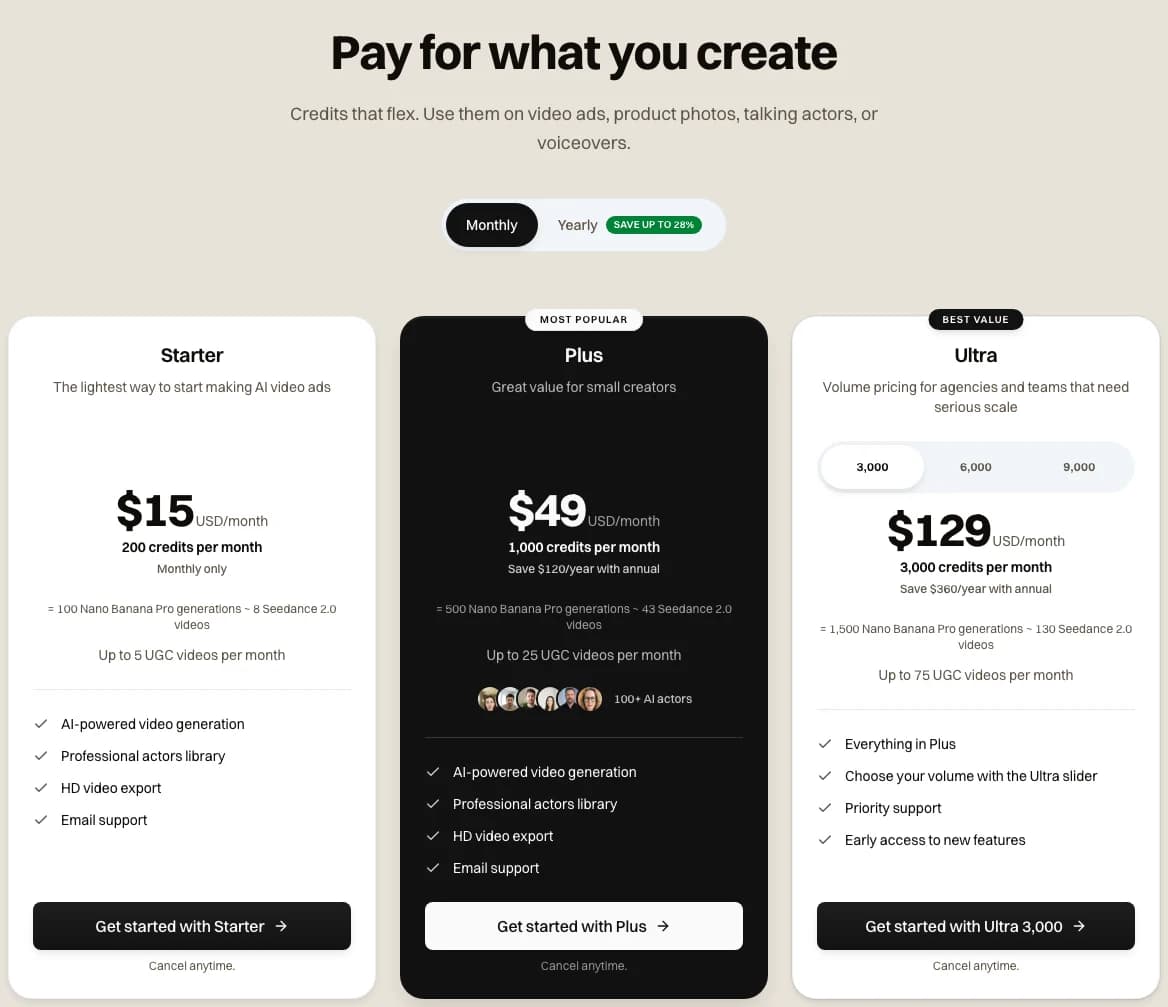 Novoads pricing on monthly billing, as the page stood on 2026-11-06 (Starter, Plus and Ultra)
An 8-second vertical clip costs a different number of credits on each model. We've priced it at 720p wherever the resolution changes the price.
| Model, 8-second clip | Credits | On Plus (credits × $0.049) | On Starter (credits × $0.075) |
|---|---|---|---|
| Wan 3.0, 720p | 14 | about 69 cents | $1.05 |
| Kling 3.0 (priced by length) | 16 | about 78 cents | $1.20 |
| Omni Flash, 720p | 24 | $1.18 | $1.80 |
| Seedance 2.0, 720p | 36 | $1.76 | $2.70 |
| Seedance 2.5, 720p | 56 | $2.74 | $4.20 |
| Google Veo 3.1, 720p or 1080p | 72 | $3.53 | $5.40 |
Wan 3.0's 14 credits come to about 69 cents on Plus. On Starter, that's $1.05. Google Veo 3.1 costs its flat 72 credits whatever you pick, which is $3.53 on Plus. A month of Plus buys 71 Wan 3.0 clips like this, or 13 from Veo. Starter covers 14 Wan 3.0 clips, or 2 from Veo. If you're making UGC-style ads, our page on AI UGC video ads covers making them with AI actors in Novoads.
Try one ad on two models
Write the prompt in each model's own form, run both in Novoads on your plan's credits, and keep the take that works.
See AI UGC video adsWhich guide to start from
- For one selfie take with one spoken line, Wan 3.0 costs the least of the six here, and we've seen its dialogue form work in a take of our own.
- If the ad needs timed beats, the Seedance 2.5 and Wan 3.0 guides both write timestamps into the prompt. On Seedance 2.0, you'd number the shots instead.
- If a label's words have to be right, write them out the way Kling's and Omni's guides ask. Our one prompt that left them out came back with two invented labels.
Frequently Asked Questions
How do you write a good AI video prompt?
Describe the shot first (who's in it, what they do, where it happens, how the camera moves and how it's lit). Kling's prompt guide lists those same parts, and Google's Veo page and the guides from ByteDance and Alibaba ask for close variations on them. Then write the dialogue, the timing, any words that should appear on screen and the things to leave out, each in the form your model's own guide asks for, because those are the parts that change from one model to the next.
Key Takeaways
- The prompt guides for Seedance 2.5 and 2.0, Veo 3.1, Omni Flash, Kling 3.0 and Wan 3.0 agree that you should describe the picture first (who's in it, what happens, where, and how the camera moves). They part ways on how to write dialogue, timing, on-screen text and negatives.
- ByteDance's Seedance 2.5 guide says Seedance 2.0 doesn't respond to timestamps, only to shot numbers. That's the 2.5 guide's own word, and we haven't measured it. The 2.0 guide itself only calls precise timing unstable.
- Google's own pages disagree on quotation marks. Veo's AI Studio page puts speech in quotes, but Google Cloud's best-practices page says to use a colon and leave the quotation marks out so the words don't get rendered as text.
- Kling's guides put the speaker's name and tone before the line. Alibaba's Wan 3.0 guide wants a speaking verb, a colon and the words in quotes, and our one Wan 3.0 take written that way said its line word for word.
- We priced an 8-second clip at 720p on each model in Novoads. Wan 3.0 comes out cheapest, at about 69 cents on Plus. Google Veo 3.1 costs the most, a flat 72 credits, or $3.53 on Plus.
Sources
- •BytePlus: Seedance 2.5 prompt guide
- •BytePlus: Seedance 2.0 prompt guide
- •Google AI Studio: Generate videos with Veo
- •Google AI Studio: Generate and edit videos with Gemini Omni Flash
- •Google Cloud: Best practices for generating videos
- •Kling AI: Kling AI prompt guide
- •Kling AI: Kling VIDEO 3.0 model user guide
- •Alibaba Cloud: Wan3.0 prompt guide