Hex Codes in AI Image Generators: What 5 Makers Document for Exact Brand Colors
Only some AI image makers document hex-code input, and their own pages disagree on how exact it is, so the brand colors that must match belong on a layer you add after generation.

Mauricio Valdivia
·Updated ·11 min
A hex code is a request, not a guarantee
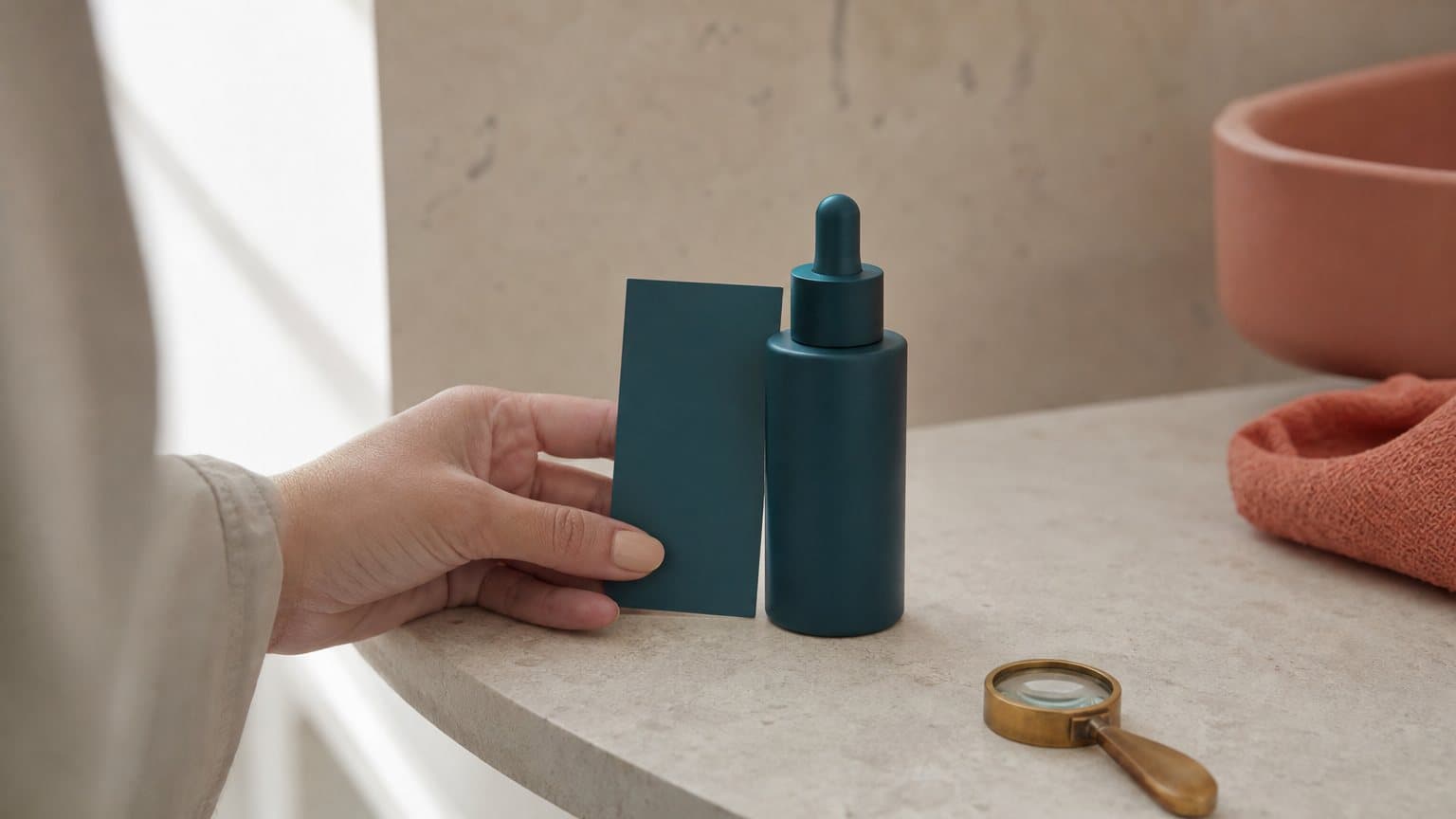
Picture a growth marketer at a skincare brand typing #0F766E into an image prompt, because that deep teal is the brand's button color. The ad comes back looking polished. The button looks teal. Then the designer puts an eyedropper on it, and the number that comes back is not the brand's.
Whether that hex code did anything depends on the model, and the makers' own documentation does not agree on what it does. Ideogram's JSON prompting guide lets you pass up to 16 hex colors for a whole image and up to 5 per element, under a heading it calls "Exact color control". The same company's help page describes its Color Palette setting as "best used as a creative direction tool rather than for precise color matching." Both pages are Ideogram's own.
This guide reads what five model makers publish about color control, from ByteDance's Seedream 5.0 Pro and Black Forest Labs' FLUX.2 to Ideogram, OpenAI's GPT Image and Google's Nano Banana Pro, and turns it into a workflow that keeps brand colors exact in the final ad whichever model you use. The short version: use the hex code to steer, and put the pixels that must match on a layer you control.
What a hex code can and cannot tell an image model
Why the prompt is a weak channel for color
A hex code in a prompt is seven characters sitting among dozens of words about light, mood, material and framing. An image model renders a scene, and a surface in a lit scene is rarely one flat value. A teal bottle in window light has a bright side, a midtone and a shadow side, so even a model that reads the code perfectly has to reconcile it with the lighting you also asked for.
That is why "exact" means two different things in an ad. For a flat graphic element, like a button, a price badge or a text band, one value is the whole point. For a product photographed in a scene, the brand color is a family of shades that reads as the brand, not a single number. Separate those two jobs before you write a single prompt, because they need different tools.
Three kinds of color control the makers document
Read the makers' own pages side by side and color control falls into three groups:
- Hex inside an instruction. ByteDance shows hex codes inside Seedream 5.0 Pro edit prompts, and Black Forest Labs says FLUX.2 takes brand colors as hex codes.
- A palette parameter. Ideogram exposes a structured color palette that accepts hex values in its app, its API and its 4.0 JSON captions.
- References and plain language. OpenAI's GPT Image guide and Google's Nano Banana guides do not document hex input. They document reference images, descriptive color language and targeted edits.
Here is the maker-by-maker view, as of September 21, 2026:
| Model | Maker's color lever | Hex input documented | Maker's own framing | In Novoads |
|---|---|---|---|---|
| Seedream 5.0 Pro | Hex or swatch in edits | In edits | "control colors" | Yes |
| FLUX.2 | Hex codes in the prompt | Yes | "no approximation" | No |
| Ideogram (app, 3.0 API, 4.0 JSON) | Palette parameter | Yes | "Exact color control" (JSON guide), "creative direction tool" (app help page) | No |
| GPT Image 2 and 2.5 | Edit constraints | Not in the guide | Composite pixel-identical regions | Yes |
| Nano Banana Pro | Up to 14 reference images | Not in the guides | Edits can add artifacts | Yes |
The rest of this guide takes each group in turn, then builds the workflow that works on all five.
Seedream 5.0 Pro and FLUX.2 take hex codes as instructions
Seedream 5.0 Pro: hex codes inside an edit
ByteDance Seed's announcement of Seedream 5.0 Pro, dated July 8, 2026, says "the model can control colors by accepting Hex color codes or directly referencing an external color swatch, while simultaneously replacing the object's material." The sentence sits in the part of the post about local editing: point selection, lasso selection, color editing and material replacement.
The examples show what that means in practice. One prompt reads "Using the material from Image 1 and the color swatch from Image 2, modify the sofa in Image 3." Another asks the model to "change the pumpkins to an alternating pattern of dark green (#3E4A2E) and turmeric yellow (#DB973E)".
Both examples recolor something that already exists in an image. I read that as a correction tool rather than a text-to-image promise: generate first, then recolor the one region that drifted. That is still a useful step, and the pumpkin prompt also shows a prompt shape worth copying, a plain color name followed by its hex code in parentheses.
Seedream 5 Pro is one of the image models in Novoads, next to Nano Banana Pro and GPT Image. Our Seedream 5.0 Pro breakdown covers its text rendering and layer separation.
FLUX.2: the most confident claim on a maker's page
Black Forest Labs' FLUX.2 page, under a heading it calls "Exact Color Matching", says you can "Specify brand colors via hex codes with no approximation." The same page lists "brand-accurate color matching" among FLUX.2's marketing and advertising uses.
That is the most confident color claim on any of the maker pages this guide cites, and it is the maker's claim about its own model. Test it on your own palette before you build a pipeline around it. FLUX.2 does not run in Novoads; our Midjourney alternatives roundup covers where it fits for ad statics.
Ideogram: a hex palette parameter with its own caveat
What the palette parameter accepts
Ideogram gives you three ways to hand it colors:
- In the app. Ideogram's help page says the Color Palette setting is "Available to all users" with presets, and that "Users with a Plus Plan or higher can create their own custom color palette", where you "Enter up to five colors in your palette" with a color picker or by typing hexadecimal RGB values.
- In the API. The Ideogram 3.0 generate endpoint takes a
color_palettegiven either as a preset name "or explicitly via hexadecimal representations of the color with optional weights (members)". - In 4.0 JSON captions. The caption schema takes a
color_paletteof up to 16 hex entries for the image and up to 5 per element, and describes them as "Hex color codes that steer the image's dominant colors."
Ideogram's JSON guide also recommends writing JSON rather than plain language for "Design work, posters, branded graphics" and for a specific color palette. Our Ideogram V4.0q write-up covers the model's text rendering. Ideogram does not run in Novoads.
The caveat on Ideogram's own help page
The same help page is candid about what the palette does. It says the setting is "best used as a creative direction tool rather than for precise color matching", and that "When combined with descriptive color terms in your prompt, Color Palette produces more consistent and visually cohesive results."
I read the two Ideogram pages as describing different things. "Exact color control" on the JSON page is about how precisely you specify colors: six uppercase hex digits per entry, per element. "Steer" in the schema and "creative direction" on the help page describe what the model then does with them. Either way, Ideogram does not promise you a pixel value, and I would not build a brand workflow that assumes one.
Two palette tips worth using on any model
Ideogram's JSON guide has two palette tips that travel well. It says to "Include background colors in the palette if you want to control the overall tone", and to include contrast pairs, "both highlight and shadow colors", for more controlled lighting.
Both tips work in a plain prompt on any model, because they hand the model the shadow and background versions of your brand color instead of one flat value it then has to light by guesswork.
GPT Image and Nano Banana Pro: references and edits, not hex
What OpenAI's prompting guide documents
OpenAI's Image prompting guide covers GPT Image 2.5, 2, 1.5 and 1. On the page as fetched on September 21, 2026, it does not document hex-code input. What it documents instead is edit discipline: "For edits, say “change only X” and list the details to preserve". It warns that "Repeated edits can still change details you intended to preserve."
Then it gives the sentence every brand team should keep in view: "If a region must remain pixel-identical, composite the approved edit into the original image instead of relying on prompting alone."
Coming from the model's maker, that is the clearest endorsement of the workflow below. When pixels must match, the maker points you to compositing, not to a better prompt. Novoads offers GPT Image 2 and both GPT Image 2.5 variants; our GPT Image 2.5 guide explains the difference between Flare and Sunburst.
What Google's Nano Banana guides document
Google's prompting pages for Nano Banana (the blog.google tips post from November 20, 2025, the Google DeepMind prompt guide, the Google Cloud guide dated March 6, 2026, and the Gemini API docs) do not document hex-code input in the versions fetched on September 21, 2026. They document references and edits:
- References. Google's tips post says Nano Banana Pro can "input up to 14 images into a composition (varies by surface)", and asks you to "clearly define the role of each" uploaded image.
- Edits. The Google Cloud guide's editing tip is "Be explicit about what to keep exactly the same."
- Color in words. The Gemini API docs' text-in-image template reads "The design should be [style description], with a [color scheme]."
The same tips post is candid about limits: "Advanced editing tasks like blending or lighting changes can sometimes produce unnatural artifacts." Nano Banana Pro is in Novoads, and our Nano Banana Pro guide covers it for text-heavy statics.
Undocumented is not the same as ignored
None of this means GPT Image or Nano Banana Pro disregard a hex code in a prompt. It means their makers' guides make no promise about what happens when you type one. Treat it like any undocumented behavior: test it on your own palette, keep the results, and retest when the model version changes.
The workflow: five steps to exact brand colors on any model
Step 1: Split the ad into exact zones and steered zones
Before you prompt, mark which parts of the ad must hold your hex value to the pixel and which only need to read as on-brand.
- Exact zones: the logo, the CTA button, the price or offer badge, text bands, and any flat panel in a brand color.
- Steered zones: the product in the scene, props, wardrobe, the set and the light.
Only exact zones need a guaranteed value. Everything else needs to look right to a person scrolling, which is a job the model can do.
Step 2: Write the color name and the hex code together
Give the model both a word it understands and the precise value, in the shape ByteDance's own example uses. Describe the shadow side too, and leave room for the zones you will composite later:
A vertical 9:16 ad photo of a matte deep teal (#0F766E) serum bottle on a cream (#FFF7ED) linen backdrop, one warm coral (#F97360) flower beside it, soft window light from the left. Keep the bottle deep teal (#0F766E) on both the lit side and the shadow side. Leave the bottom fifth of the frame empty for a text band.
Write every code as six uppercase digits. Ideogram's schema requires it, and one palette string that works everywhere saves a class of silly errors.
Step 3: Add a swatch plate as a reference image
Make a flat image of your palette: blocks of each brand color and nothing else. Attach it as a reference and say what it is for, following Google's advice to define the role of each image: "Image 2 is the color reference for the bottle and the flower." ByteDance's own sofa example passes color in as a swatch image too.
This is the same logic as locking one reference still to keep an AI actor consistent across variations, or holding one look with a style reference across product ads: give the model a picture of the target instead of a description of it. You can run the same prompt and swatch plate through Seedream 5 Pro, Nano Banana Pro and GPT Image 2.5 in Novoads, then keep whichever holds your palette best.
Step 4: Fix drift with a targeted edit, one region at a time
When the product color drifts, do not regenerate the whole image and hope. Edit one region with one instruction and a preserve list (some models, such as Qwen-Image-2.1, also take the region as a circle or a mask):
- Name the region and the color: "Change only the bottle's color to deep teal (#0F766E)."
- List what stays: "Keep the label, the lighting, the background and the framing exactly the same."
- Recheck after every pass, because OpenAI's guide warns that repeated edits can change details you meant to preserve.
On Seedream 5.0 Pro this is the documented use of a hex code, so it is the model to reach for when a steered zone needs a nudge toward your value.
Step 5: Composite the exact zones, then sample the pixels
This is OpenAI's advice applied to brand color: the regions that must be pixel-identical are composited, not prompted.
- Place: put the logo, the CTA button, the badge and the text band on top of the generated image as flat layers from your brand file, in your design tool.
- Export: save a PNG for the check, so you sample the file you will actually ship.
- Sample: put an eyedropper on five points in each exact zone.
How you know it worked: every sample on a composited zone reads your hex value exactly. If the values wander across a zone that should be one flat color, that zone was generated, not placed.
Worked example: twelve variants for a serum brand
Take a serum brand with three brand colors, testing 12 ad variants in one creative test. Each ad has 4 exact zones: logo, CTA button, price badge and text band.
The exact-zone math: exact placements = variants × exact zones per ad.
- Generated end to end: 12 × 4 = 48 places where a brand color can drift, and 48 zones to eyedrop and possibly edit.
- Composited from one template: 4 zones you design once and reuse twelve times, while the model only has to get the steered zones close.
- The check: five samples per exact zone on the template is 20 samples, done once. After that, each variant only needs a look at its steered zones against the swatch plate.
Mistakes that quietly shift a brand color
Lowercase or three-digit hex codes
Ideogram's JSON schema says palette entries "Must be uppercase #RRGGBB", and its tips rule out short and lowercase forms. ByteDance's own Seedream example writes its codes the same way, so the safe habit is the strictest one: six uppercase digits, everywhere, every time.
A palette and a character reference at once on Ideogram
Ideogram's help page says "The Color Palette option is hidden when a Character Reference is active." A palette you set earlier is "temporarily disabled and automatically restored once the Character Reference is removed." If you add a character reference to a branded generation, check which palette, if any, is still steering it.
Re-editing the whole frame to fix one color
"Make the colors match the brand" applied to the full image invites changes everywhere, including in the parts you already approved. Edit one region, list what stays the same, and recheck, which is the discipline both OpenAI's and Google's guides describe.
Judging color by eye on a phone
Screen brightness and display settings change how a color looks; the eyedropper does not. Approve brand color on sampled values, then look at the ad on a phone for everything else.
Where Novoads fits in a brand-color workflow
What you can do in Novoads
Novoads is an AI UGC video ad generator, and its image side covers steps 2 and 3 of the workflow in one place:
- One model picker: Seedream 5 Pro, Nano Banana Pro, GPT Image 2, both GPT Image 2.5 variants and Seedream 5 Lite.
- Reference images next to the prompt, so the name plus hex and the swatch plate travel together, and you can rerun on another model if one holds your palette better. For a step 4 fix, attach the image to correct as the reference and name the one change.
- Product-to-Ad turns an uploaded product image into an ad creative.
- Video models can turn a product image into a video ad once a still holds your palette.
Plans are listed on the pricing page.
What you still do in a design tool
Novoads has no brand-color, palette or hex setting today. The hex codes go in your prompt text, and the exact zones (logo, button, badge, text band) get composited in your design tool, as step 5 describes. That split, the same one behind choosing between an AI ad generator and Canva, is deliberate in this workflow anyway, because it is the only step where the color is placed rather than requested.
Steer with the hex, place the pixels yourself
The makers disagree about how exact a hex code is, from "no approximation" to "creative direction tool", and the prompting guides OpenAI and Google publish for the other two do not document hex input. You do not need them to agree. A hex code tells a model what you want; a composited layer is the only place a brand color is guaranteed to be what you want.
Use the model for what it is good at, the scene, the light and the product in context, and keep the pixels that carry your brand for yourself.
Frequently Asked Questions
Can AI image generators follow hex color codes?
Some makers document it and some do not. ByteDance shows hex codes inside Seedream 5.0 Pro edit prompts, Black Forest Labs says FLUX.2 takes brand colors as hex codes, and Ideogram accepts hex values in a color palette parameter, although Ideogram's own help page calls that palette a creative direction tool rather than a precise color match. OpenAI's GPT Image guide and Google's Nano Banana guides do not document hex input. Treat a hex code as a steer and check the result with an eyedropper.
Does Seedream 5.0 Pro accept hex codes?
ByteDance's announcement of July 8, 2026 says the model can control colors by accepting hex color codes or by referencing an external color swatch. Its examples are edits: recoloring a sofa from a swatch image, and repainting pumpkins in two named hex colors. Use it to correct the color of a region after generation rather than expecting an exact match from a text prompt alone. Seedream 5 Pro is one of the image models in Novoads.
Is Ideogram's color palette exact?
Ideogram's own help page says the Color Palette setting is best used as a creative direction tool rather than for precise color matching. Its 4.0 JSON captions take up to 16 uppercase hex colors per image and up to 5 per element, and the schema describes them as codes that steer the image's dominant colors. Custom palettes in the Ideogram app need a Plus Plan or higher, as of September 2026.
Do GPT Image and Nano Banana Pro support hex codes?
Their makers' prompting guides do not document hex-code input, which is not the same as saying the models ignore a code. OpenAI's guide documents targeted edits and tells you to composite a region that must stay pixel-identical. Google's guides document reference images, up to 14 for Nano Banana Pro depending on where you use it.
How do I get exact brand colors in an AI-generated ad?
Split the ad into zones that must be exact (logo, button, badge, text band) and zones that only need to look on-brand. Prompt with the color name plus the hex code, attach a flat swatch image as a reference, fix drift with a one-region edit, then composite the exact zones as flat layers and sample the exported file with an eyedropper.
Does Novoads have a brand color or hex code setting?
Not today. Novoads' image generator runs Seedream 5 Pro, Nano Banana Pro, GPT Image 2 and GPT Image 2.5, and takes reference images next to the prompt, so you write the hex codes into the prompt and attach a swatch plate. The exact logo and button colors are then composited in your design tool.
Key Takeaways
- A hex code in a prompt is a steer, not a guarantee. Of the five makers this guide read, three document hex input, and their pages disagree on how exact it is.
- Black Forest Labs says FLUX.2 takes brand colors as hex codes with no approximation, while Ideogram's own help page calls its color palette a creative direction tool rather than a precise color match.
- ByteDance's hex example for Seedream 5.0 Pro is an edit: it recolors a region of an existing image from a hex code or a swatch image.
- OpenAI's GPT Image guide and Google's Nano Banana guides document reference images and targeted edits, not hex input, and OpenAI tells you to composite any region that must stay pixel-identical.
- The reliable workflow is name plus hex in the prompt, a swatch plate as a reference image, one-region edits for drift, and flat composited layers for the logo, button, badge and text band, checked with an eyedropper.