How to Make a YouTube Ad That Survives the 5-Second Skip, Format by Format
To make a YouTube ad, pick the format before you write the script, because each one skips differently: skippable in-stream ads can be skipped after 5 seconds, bumpers run 5 to 6 seconds, non-skippable ads stop at 30 seconds in the auction, and Shorts ads can be swiped away at once. Here is the length, script, frame and launch plan for each.

Mauricio Valdivia
·12 min
YouTube promises you five seconds. Shorts promises none.
A skincare founder uploads her best brand film to YouTube, 45 polished seconds, and points a Google Ads campaign at it. It runs as a skippable in-stream ad. Her product name arrives at second 12. By then, most of the people she paid to reach have pressed skip.
The film was fine. It was cut for the wrong format. Google Ads Help states the rule she ran into in one line: on a skippable in-stream ad, "After 5 seconds, the viewer has an option to skip the ad." On a YouTube Shorts ad there is no grace period at all: "Users can immediately skip the ad by swiping up or down."
So making a YouTube ad is five decisions, taken in order. Pick the format, because the format sets the skip rule. Set the length from that rule. Script the first five seconds as if nothing after them will be seen. Cut a horizontal and a vertical version for the placements you buy. Then upload the video to YouTube and build a Video campaign in Google Ads around it. This guide walks each step with Google's own numbers, plus one worked script that turns a single shoot into five cuts.
Pick the YouTube ad format before you write the script
Google Ads lists six video ad formats: skippable in-stream, non-skippable in-stream, in-feed, bumper, Masthead and YouTube Shorts ads. Masthead is the odd one out. Google says Masthead ads "are only available on a reservation basis through a Google sales representative," so for most advertisers the real choice is among the other five. Each format hands the viewer a different amount of control, and that control is what the script has to work around.
| Format | Skip rule | Length (Google) | Where it runs | You pay for |
|---|---|---|---|---|
| Skippable in-stream | Skip button after 5 seconds | No max length, under 3 minutes recommended | YouTube watch pages, Google video partner sites and apps | A view on CPV, an impression on CPM |
| Non-skippable in-stream | No skip | "60 seconds or shorter" in the article, "15-60 seconds" in the table | YouTube videos, Google video partner sites and apps | Impressions (Target CPM) |
| Bumper | No skip | Between 5 and 6 seconds | YouTube videos, Google video partner sites and apps | Impressions (Target CPM) |
| In-feed | The viewer clicks to play | No max length | YouTube Search, Watch Next and the mobile Home feed | A click to watch, or 10 seconds of autoplay |
| Shorts | Swipe up or down, from frame one | Under 60 seconds recommended | Between organic Shorts, on phones, desktop, tablets and TVs | Impression, view or engagement |
| Masthead | Autoplays without sound | Up to 30 seconds of autoplay on desktop | The top of the YouTube Home feed | CPM or CPH, reservation only |
Skippable in-stream: five seconds, then the viewer decides
Skippable in-stream ads "appear on YouTube watch pages and across websites and apps running on Google video partners." After five seconds a skip button appears. Google's own one-line description of the format is candid: "Users can skip so you can understand attention." A skip is a signal, not only a loss.
How you pay shapes how you cut it:
- CPV bidding. Google says "you pay when a viewer watches 30 seconds of your video, or the entire duration of the video if it's shorter than 30 seconds, or interacts with your video, whichever comes first." Someone who skips at second six saw your opening and was never billed as a view.
- Target CPM, Target CPA and Maximize conversions. You pay per impression instead, so every skipper comes out of the budget.
Non-skippable in-stream and bumpers: attention you pay for
Non-skippable in-stream ads take the button away. In Google's words, "Viewers don't have the option to skip the ad." Bumpers are the short version of the same deal: "Bumper ads are non-skippable video ads lasting between 5 and 6 seconds." Both use Target CPM bidding, so you pay for impressions. You are buying the whole message, which is a good reason to keep the message small.
In-feed and Shorts: a thumbnail click or a swipe
In-feed video ads interrupt nothing. They "consist of a thumbnail image from your video with some text" and sit in YouTube search results, beside related videos and on the mobile home feed. Nobody sees the video until they click, so the thumbnail and headline do the job the first five seconds do elsewhere.
Shorts ads are the opposite. Google says they "have a similar user experience as organic Shorts videos" and that they "will be rendered and show up randomly between organic Shorts videos." That similarity cuts both ways. They blend in, and the viewer can swipe past them from the first frame.
Set the length from the skip rule, not from the story
Length is where most YouTube ads go wrong, partly because Google publishes numbers for the same format on different pages, and they look like they disagree. They mostly do not. Each one answers a different question.
Skippable ads: no ceiling, but a reason to stay short
There is no hard limit here. Google's video ad policy says "While there's no limit on skippable in-stream ads, videos that are less than 3 minutes long typically perform better."
The billing rule draws a more useful line at 30 seconds:
- Under 30 seconds. On CPV bidding the ad is billed as a view only when someone watches to the end or interacts, so every billed view heard your close.
- Over 30 seconds. The view is billed at second 30, whether or not the viewer ever reaches the call to action.
Our rule for direct-response work: cut the skippable master at 15 to 30 seconds, long enough for a demo and short enough that the people you pay for see the ask.
Non-skippable ads: four Google numbers, and what each one governs
This is the length that confuses people, because Google states it four times and never in the same words. Reading them side by side is more useful than picking one and calling it the rule:
| Where Google states it | The words on the page | What that number governs |
|---|---|---|
| Formats article, prose | "Non-skippable in-stream ads are 60 seconds or shorter" | The format in general |
| Formats article, comparison table | "15-60 seconds (depending on the campaign subtype)" | Max video length per subtype |
| Video ad requirements policy | Not allowed: "Non-skippable in-stream ads that are longer than 30 seconds in the auction and 60 seconds in reservation campaigns" | What gets disapproved |
| Video reach campaigns guide | "15-second ads, 30-second ads (shown primarily on connected TVs)" | The lengths the subtype offers you |
The policy row is the one that stalls a launch: a self-serve advertiser bidding in the auction has a 30-second ceiling, and the 60 seconds belongs to reservation buys. Inside the auction, the Video reach campaign guide adds best-practice lengths of 7 to 15 seconds for the 15-second ad and 16 to 30 for the 30-second one, plus a constraint on shape: "30-second video assets must be horizontal." Cut a 15-second version for phones and desktops, and a horizontal 30-second version only if you want the TV screen. Our guide to Video Reach and Video View campaigns covers when each subtype earns its budget.
Bumpers and Shorts: one idea, or one vertical loop
The formats table lists bumper length as 6 seconds with a 5-second minimum. Six seconds holds one idea: a product, one benefit and a name. Google pitches the format for when "you want to reach viewers broadly with a short, memorable message," and describes it as a "Quick message that can't be skipped to raise awareness or reinforce other ads." That last clause is the practical use. A bumper works best as a reminder next to a longer ad, not as the whole campaign.
Shorts ads have a suggestion rather than a cap. Google's table recommends under 60 seconds. The billing rule is the better guide. A Shorts view is counted when a viewer "Watches 10 seconds or until the end of the video, whichever comes first," or clicks the CTA, like, comment or share buttons. So on Shorts, the first 10 seconds carry the load that 30 seconds carry in-stream.
Script the first five seconds as if they were the whole ad
Every format above shares one fact: the opening is the only part you can count on. On a skippable ad that is five seconds. On Shorts it is the first frame, and on in-feed it is a thumbnail. A bumper is all opening. So write the first five seconds as a complete ad, then treat everything after them as the extended version for people who chose to stay.
What has to land before the skip button appears
Google's ABCD guidelines for YouTube (Attention, Branding, Connection, Direction) are written for a whole ad. Applied to the only five seconds you are promised, the four principles read as four instructions:
| Principle | Google's guideline | What it means before second 5 |
|---|---|---|
| Attention | "Get to the heart of the story faster, and use engaging pacing and tight framing to draw viewers in." | Open inside the action, on a tight frame, never on an establishing shot |
| Branding | "Introduce your brand or product from the start and maintain that presence." | The name is shown and said within the first five seconds |
| Connection | "Feature people to help you tell a better product story and relate to your consumer." | A person using the product, not a pack shot on a plinth |
| Direction | "Reinforce your onscreen CTA with voice-over to ensure the next step is clear." | The ask is spoken as well as supered, in the button's own words |
In a five-second window, that means three beats, in this order:
- Seconds 0 to 2: the product, or a person using it, in tight framing. No logo sting and no establishing shot.
- Seconds 2 to 5: the problem or the promise, spoken, with the brand name said out loud.
- Second 5 onward: the proof, for the viewers who stayed.
The full ABCD pass, including how Google tunes it for awareness, consideration and action, sits in our piece on ad creative strategy. For the opening line itself, write several and test them: our guide to ad hook variations shows how to run ten openings on one video.
Say the brand name, don't only show the logo
Google's guidelines add that "Audio brand mentions enhance onscreen brand visuals’ performance." A logo in the corner is easy to miss on a phone. A person saying the name is not. There is a policy floor here too. Google's video ad requirements say "Videos must include a name or logo that clearly represents the advertiser, product, or service in the video." An ad that saves the brand for an end card risks both the skip and the review.
Put the call to action on screen and in the voice-over
Direction is the D in ABCD, and in Google Ads the call to action also lives outside the video as a button: "The call-to-action appears as a button on ads and sends people to the URL you used for the final URL." Write the spoken line to match the button's words, so the ear and the thumb get the same instruction.
A worked script: one sunscreen ad, five cuts
Take a direct-to-consumer brand selling a mineral sunscreen stick. The master is a 20-second skippable in-stream ad, shot horizontal, timed to the second the way a shot list built from the script lays an ad out before anything is filmed:
- 0:00 to 0:02. A creator holds the stick to camera, uncaps it and swipes it across the back of her hand. First line: "I stopped skipping sunscreen because of this."
- 0:02 to 0:05. She says the brand name and the promise: goes on clear, no white cast. The name also appears as a super.
- 0:05 to 0:15. The demo: over makeup, on a second skin tone, dropped into a gym bag.
- 0:15 to 0:20. The call to action, spoken and on screen, matching the button: "Shop the three-pack."
From that one script come the cut-downs:
- Bumper, 6 seconds, horizontal: lines 1 and 2 with a CTA super. Nothing else fits.
- Non-skippable, 15 seconds, horizontal: lines 1, 2 and 4 around a shorter demo.
- Shorts, 15 seconds, vertical: reframed to 9:16 with captions, the product in frame from the first frame, because the swipe has no timer.
- In-feed: the 20-second master behind a thumbnail of the stick in hand, with a headline that names the benefit.
The arithmetic is why the master runs 20 seconds and not 60. A viewer who skips at the first chance still sees 5 of 20 seconds, a quarter of the ad, and that quarter carries the name and the promise. The same five seconds would be a twelfth of a 60-second film. And under CPV bidding, a 20-second view is billed only if the viewer reaches the end or interacts, so every billed view heard "Shop the three-pack."
How you know the cut is right: pause the master at 0:05 and show it to someone who has never seen the brand. If they can name the product and the brand from the frame and the audio so far, it works.
Cut the frame for the placement: horizontal, vertical or square
One script does not mean one file. YouTube places horizontal and vertical video differently, and some placements refuse one or the other outright.
| Cut | Serves on | Google's rule to remember | Recommended size |
|---|---|---|---|
| 16:9 horizontal | Skippable in-stream and in-feed inventory, plus Shorts as a fallback | "Horizontal videos on Shorts will only be served if you don't have a vertical video in your ad group" | 1920 x 1080 px |
| 9:16 vertical | Shorts, where it covers three quarters of a phone screen | "Vertical videos won’t serve on in-feed inventory" | 1080 x 1920 px |
| 1:1 square | App, Demand Gen and Performance Max campaigns | "Square videos are still recommended for App, Demand Gen and Performance Max campaigns" | 1080 x 1080 px |
Horizontal still carries in-stream and in-feed
Google's Video reach guide says "Horizontal videos can serve across skippable in-stream and in-feed inventory." A campaign built only from vertical files can stall entirely: Google's vertical video guide warns that "Campaigns may not serve if they only have vertical videos." Keep a 16:9 master in every ad group. If the same file also has to run on other networks, our video ad specs by platform breakdown lines up all six spec sheets.
Vertical is the Shorts cut, and Google attaches numbers to it
On a phone held upright, Google says a 9:16 video "will cover 75% of the screen" in the YouTube app. It also publishes its own uplift figures, sourced to "Google internal data, Global 2024":
- "Adding a vertical video asset to a Demand Gen campaign leads to more than 35% increase in conversions on Shorts."
- Adding a vertical video to a landscape-only Video View ad group "increases VTR on Shorts by over 40%."
These are Google's numbers from its own data, with no method published, so read them as the platform's claim about its inventory, not a benchmark for your account.
Google can also make vertical versions of a horizontal video for you, a feature it turns on by default. Our breakdown of Google's 2026 creative standards covers what those automatic versions change and where to opt out. A machine crop is not a vertical script, though. When the Shorts cut matters, reframe it by hand so the product and the face stay in frame.
Keep the product inside the safe zone
Google warns that "Overlays, call-to-actions, and buttons may appear in different places depending on the format, campaign type, and screen." Its specs page offers transparent safe-zone templates for horizontal, vertical and square video. Lay the right one over each cut before you export. Shorts needs the most care, because on mobile a CTA overlay card can show headline text inside the card, on top of your footage.
Upload the video and launch the campaign
The creative is done. Two systems take over now: YouTube hosts the file and Google Ads serves it. The account-level setup, from billing to conversion tracking, is in our step-by-step Google Ads guide. Here is the part that is specific to video.
Host it on YouTube, public or unlisted
Google is explicit that "video ad content must be hosted on YouTube," even when the ad also runs on partner sites and apps. Upload each cut to your channel, then leave the file alone. Three rules from Google's own requirements, each one a disapproval waiting to happen:
- Set the visibility once. Google's YouTube ad requirements say to "Ensure video visibility is set to "Public" or "Unlisted"." Unlisted is the usual choice for ad-only cuts, since it keeps a 6-second bumper off your channel's video list.
- Never switch it to private, and never delete it. "Videos whose status is changed to “private” after submission are not allowed," and the same holds for a video deleted after submission.
- Never re-edit the file in place. "Videos that changed after the ad unit was created are not allowed." Google's own fix is to upload a new video, because "you must create a new ad with the updated URL."
Build the Video campaign around the cuts you made
- Choose the objective. Google lists "Sales , Leads , Website traffic , and YouTube reach, views, and engagements." The objective decides which subtypes, and so which formats, you can use.
- Choose the subtype that matches your cuts. Efficient reach uses bumper, skippable in-stream, in-feed and Shorts ads. Non-skippable reach is described as "Reach people using bumper and 15-second non-skippable in-stream ads." If your cuts are a master plus a Shorts version, a views or conversions subtype fits better than non-skippable reach.
- Set the bid strategy, budget and targeting. Location, language, devices and audiences come before the ads.
- Create the ads. "Search for a video that you’ve uploaded to YouTube, or enter the video URL from YouTube." Add the final URL, the call-to-action button and the headline. Google lets you build "multiple ads (up to 50)" in one campaign, so the master, the cut-downs and the vertical version can sit side by side from day one.
The review, and the disapprovals that stall a launch
Google says "Ads are typically approved within a day," and warns that "it may take a few days for your ads to start showing." When you fix a disapproved ad, "Saving changes automatically triggers a review that typically takes 24-48 hours." The disapprovals worth avoiding before you upload:
- A non-skippable cut over 30 seconds in an auction campaign.
- No brand name or logo anywhere in the video.
- A video set to private, deleted, or unavailable in a country you target. Google's rule: "Videos that are not available in a country that the ad targets are not allowed."
- Claims YouTube rejects. Google's examples include "Showing a misleading "before-and-after" image" and "Claiming a product is "100% effective"." Its advice is short: "Remove any guarantees of outcomes."
Make the YouTube ad with AI instead of a shoot
Five cuts from one script used to mean one shoot and a long edit. It doesn't have to now. You have three routes, and they are not equal.
What Google's own tools build for you
Google Ads can make a basic video itself: "You can create a video in the Asset library using our predefined templates, or select a video you’ve uploaded to YouTube." The templates take your logo, brand colors, images and text, and a voice-over tool narrates it: "You can add up to 5 voice-overs. Each voice-over message can have up to 150 characters." That is enough for a clean product bumper. It is not a person on camera talking about your product, and a bumper is where it belongs.
Generating the person and the product scene
The ABCD guidelines lean toward people for a reason. Under Connection, Google says "Feature people to help you tell a better product story and relate to your consumer." AI video tools now cover both halves of the sunscreen script above. An AI actor delivers the spoken lines from a written script, and a video model turns a product photo into the demo shots. The model is the easy part. The script and the cuts are still yours to get right, and everything in the sections above applies to an AI-made ad unchanged.
Label AI-made assets where the law asks for it
Google's specs pages now open with a notice: "AI regulations in the European Union, India, and New York require that ads with certain AI-generated or edited assets include disclosures and/or labels that inform consumers that the ads were made with AI." Google Ads has an AI label setting for this, with a caveat worth reading: "Use of the AI label setting in Google’s advertising products doesn't guarantee your compliance with specific regulations." Our explainer on AI ad label rules covers which rules apply where.
How Novoads solves the one-cut-per-placement problem
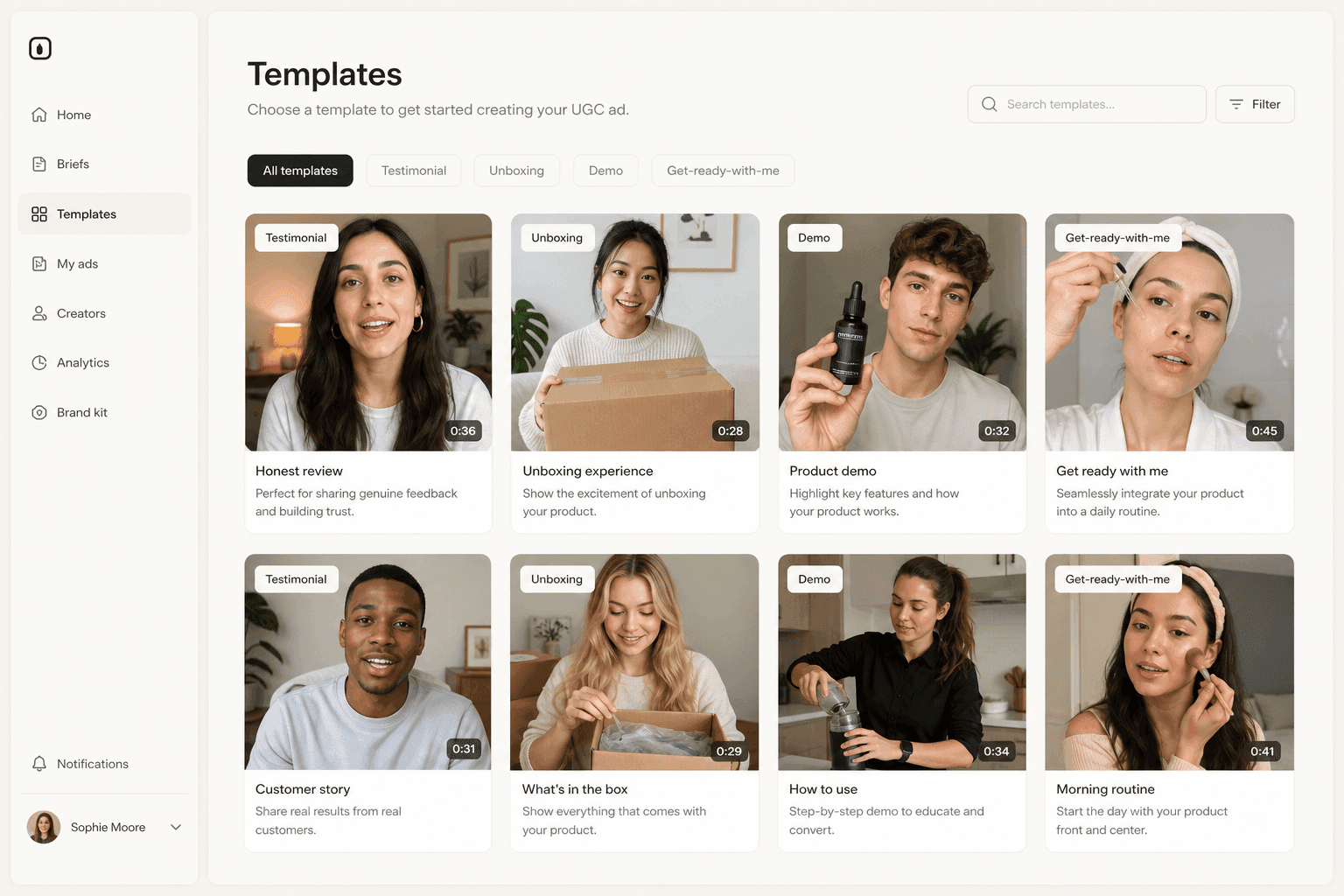
Novoads turns a script into a UGC-style video ad, and its video models render both 16:9 and 9:16, so the demo shots for the horizontal master and the Shorts cut can come from one script without a reshoot. The talking-actor render is vertical, so the spoken lines carry into a horizontal cut as an insert, not as the full frame.
From one script to the horizontal and vertical cuts
You write the script, or generate one, then choose a route per shot:
- The spoken lines. Pick a talking actor from a library of more than 100, and add AI voice and captions.
- The demo shots. Generate from a product image with Seedance 2.0, Seedance 2.0 Mini, Seedance 2.5, Kling v3 Pro, Google Veo 3.1 or Omni Flash, setting the ratio per cut: 16:9 for the in-stream and in-feed master, 9:16 for Shorts.
- The product in someone's hand. Library actors have empty hands, so when the sunscreen stick has to be on camera, create a custom actor from a photo of someone holding it (Create Actor, then Upload), or start from one of Discover's product templates, which puts your uploaded product into a template creator's hand for a 15-second Seedance 2.0 clip.
A five-second Seedance 2.0 Mini clip costs 1.5 credits, and five seconds sits inside the bumper window.
What it costs, and where it stops
Novoads starts at $49/month (Starter, 50 credits per month). All plans are published on /pricing, where a talking actor is listed at 10 credits per minute of video. Novoads hands you the files; the upload and the campaign stay in YouTube and Google Ads, exactly as described above. And if all you need is a logo-and-photo bumper, Google's Asset library templates already do that inside your ad account. When the ad needs a person, you can make it in Novoads.
A YouTube ad is a set of cuts, not a single file
The founder from the opening did not need a better film. She needed the same film in the shapes YouTube actually serves: a 20-second master that names the product before the button appears, a 6-second bumper, a 15-second non-skippable cut and a vertical version for a feed where the skip comes at frame one. Google publishes every rule needed to build those cuts. The skip button is not the enemy of a YouTube ad. It is the spec.
Frequently Asked Questions
How long should a YouTube ad be?
It depends on the format. Google says bumper ads last between 5 and 6 seconds. Non-skippable in-stream ads may not run longer than 30 seconds in the auction or 60 seconds in reservation campaigns. Skippable in-stream ads have no length limit, but Google says videos under 3 minutes typically perform better. For Shorts ads, Google recommends under 60 seconds. For a direct-response skippable ad, a 15 to 30 second cut keeps the call to action inside the part a paying viewer actually watches.
Can viewers skip YouTube Shorts ads?
Yes, at once. Google Ads Help says users can immediately skip a Shorts ad by swiping up or down, so there is no 5-second window as there is on a skippable in-stream ad. The product and the reason to watch have to be in the first frame. On CPV bidding, a Shorts view is counted when a viewer watches 10 seconds or to the end, whichever comes first, or clicks the CTA, like, comment or share buttons.
Do I need to upload my ad to YouTube before running it?
Yes. Google says video ad content must be hosted on YouTube, even though the ads can also appear on Google video partner sites and apps. Google's YouTube ad requirements ask that the video's visibility be set to Public or Unlisted. After you submit the ad, do not switch the video to private or delete it, and do not edit it on YouTube: a changed video needs a new ad with the updated URL.
Should a YouTube ad be vertical or horizontal?
Both, if you buy more than one placement. Google says horizontal videos serve on skippable in-stream and in-feed inventory, vertical videos will not serve on in-feed inventory, and horizontal videos run on Shorts only when the ad group has no vertical video. Google also says 30-second non-skippable assets must be horizontal. Keep a 16:9 master and add a 9:16 cut for Shorts. Google recommends 1920 x 1080 pixels for horizontal video and 1080 x 1920 for vertical.
How long does it take for a YouTube ad to be approved?
Google says ads are typically approved within a day, though it may take a few days for a new campaign's ads to start showing. When you edit a disapproved ad, saving the change triggers a new review that Google says typically takes 24 to 48 hours. Common reasons for disapproval include no brand name or logo in the video, a non-skippable ad over the length limit, and exaggerated claims such as a misleading before-and-after image.
Can I make a YouTube ad with AI?
Yes. Google Ads can build a template video in its Asset library from your logo, images and text, and add a voice-over. Tools such as Novoads generate a talking AI actor from a script, and product shots in 16:9 or 9:16 from a product photo, as files you then upload to YouTube. Novoads starts at $49/month (Starter, 50 credits per month). Google notes that rules in the European Union, India and New York require labels on some ads with AI-generated or edited assets, and it offers an AI label setting in Google Ads.
Key Takeaways
- Pick the format first. Google Ads Help says a skippable in-stream ad can be skipped after 5 seconds, a bumper is a non-skippable ad lasting between 5 and 6 seconds, and a Shorts ad can be skipped at once by swiping, so each placement needs its own cut.
- Google's non-skippable numbers only look contradictory. Its formats article says 60 seconds or shorter, its table says 15 to 60 seconds depending on the campaign subtype, and its video ad policy sets the ceiling at 30 seconds in the auction and 60 seconds in reservation campaigns.
- Write the first five seconds as a complete ad: product in tight framing, the promise, and the brand name said out loud. Google's ABCD guidelines tell advertisers to introduce the brand from the start and to back the on-screen CTA with voice-over.
- Keep a horizontal master in every ad group and add a vertical cut for Shorts. Google says vertical videos will not serve on in-feed inventory, horizontal videos serve on Shorts only when no vertical video is in the ad group, and 30-second non-skippable assets must be horizontal.
- Upload the video to YouTube as public or unlisted, never switch it to private after submission, and expect approval typically within a day. Novoads generates the AI actor's lines and generates the product shots in 16:9 or 9:16 from one script, starting at $49/month (Starter, 50 credits per month).