Video Ad Storyboard: How to Turn a 30-Second Script Into a Shot List
A video ad storyboard splits the script into beats, gives each beat one shot and draws each shot as a frame inside the placement's safe zone, before anyone films or generates. Here is the four-step method, a 30-second worked example and how to render each shot with AI.

Mauricio Valdivia
·14 min
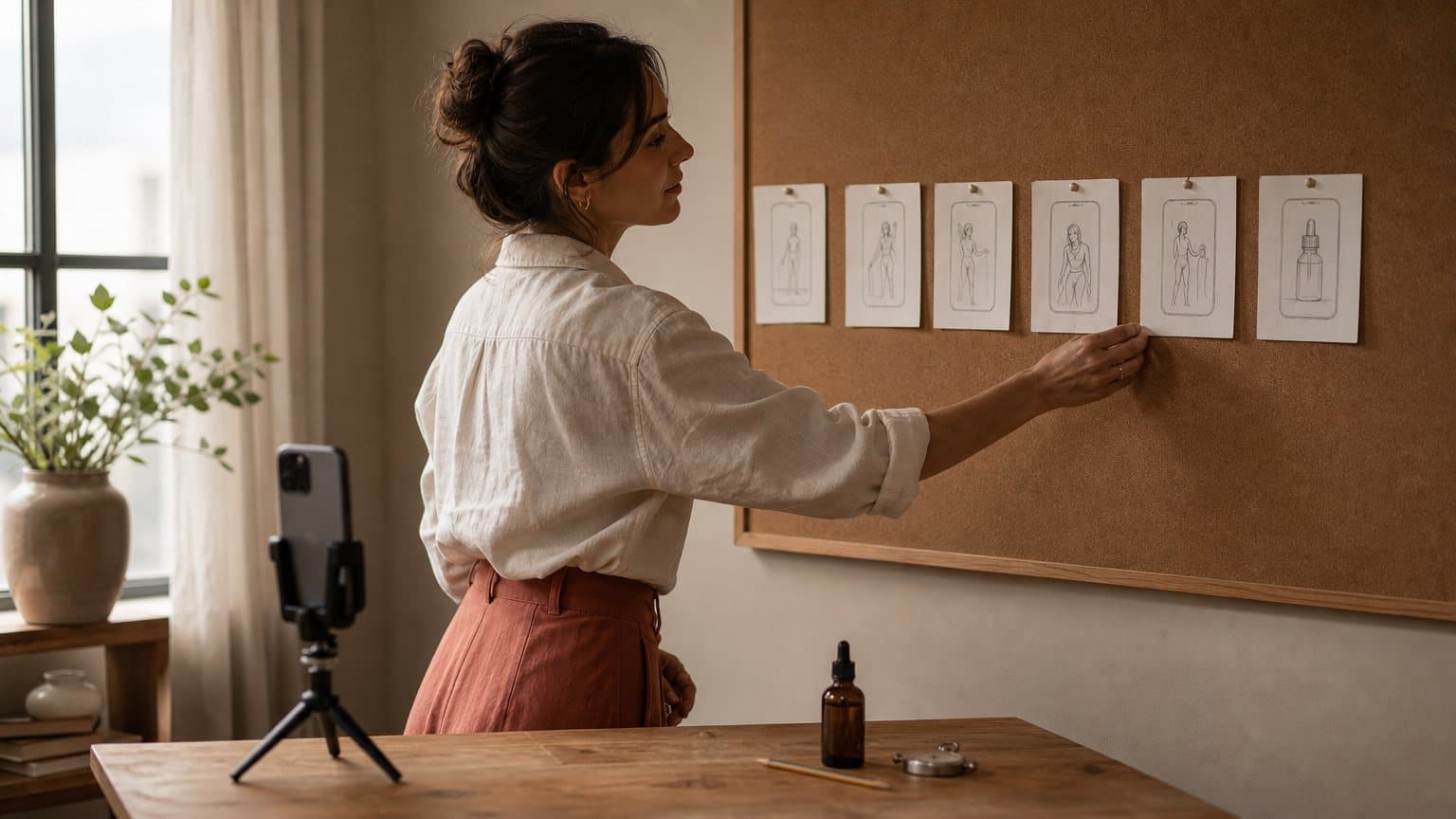
Scripts say what to say. Storyboards say what to show.
A skincare brand emails a 60-word script to a creator on Monday. The video comes back on Thursday. The serum's label faces the wall in the one shot that names it. The discount code sits right where the ad caption lands. The first three seconds are a slow pan across a bathroom shelf.
Nothing in the script was wrong. It never said where anything goes.
A video ad storyboard is the missing step. It splits the script into beats, gives each beat one shot, and draws each shot as a single frame with its framing, action, spoken line and on-screen text, before anyone films or generates a second of footage. It also has to know where the ad will run. TikTok's auction in-feed ad specifications, updated June 2026, say the safe zone size is determined by the dimension, the ad caption length and any additional formats used. Same frame, longer caption, different safe area.
This guide walks the four steps from script to storyboard: beats, shots, frames inside the safe zone, and generating each shot with AI. Then it runs all four on a 30-second ad, shot by shot, and counts what the renders cost.
What a video ad storyboard contains
A storyboard is not a mood board and not a script with pictures pasted in. It is a sequence of decisions, one per shot, written down in a fixed format so nobody has to make them again on shoot day.
Beats, shots and frames are three different units
Most vague storyboards come from mixing up three words:
- A beat is one job the ad has to do: stop the scroll, name the problem, show the product, prove it works, ask for the click.
- A shot is one continuous piece of footage between two cuts. A beat usually gets one shot, and a fast hook sometimes gets two.
- A frame is the drawing, photo or generated still that shows what a shot looks like at its key moment.
"Show the benefits" is a beat. "Macro of two drops spreading on the back of a hand" is a shot. The frame is the picture of that shot, with the hand, the drops and the bottle where they will actually be.
The six fields every frame carries
Give every frame the same six fields, in the same order, so a creator, an editor or a video model can read it without asking a question:
- Shot number and time code, for example 0:06 to 0:10
- Framing: wide, medium, close-up, insert or macro
- Action: what visibly moves or changes during the shot
- Spoken line: the exact words heard, on camera or as voiceover
- On-screen text: the overlay, written word for word
- Sound and transition: music cue, sound effect, hard cut or match cut
A frame with an empty field is a decision someone else will make for you. On a shoot it is the creator. With AI it is the model, which fills every gap with whatever is most typical, and typical is rarely your product.
Storyboard or shot list: which one you need
A shot list is the storyboard without the pictures: the same six fields in a table. They answer different questions, and most ads need a bit of both.
Use a shot list alone when:
- the ad is one person talking to camera with a few inserts
- the creator has shot for you before and already knows the look
- every shot will be generated from a text prompt, where the prompt is the description
Draw full storyboard frames when:
- the product has to sit in a specific position: label to camera, cap off, in hand
- text overlays and the product share the same frame
- a client, a creator and an editor all need to agree before money is spent
- each frame will become the starting image for an AI render
In practice the shot list is the working document and frames get drawn for the four or five shots where placement decides whether the ad works.
Step 1: Split the script into beats by the second
A storyboard is measured in seconds, not paragraphs. Before any shot gets designed, the script has to be timed and cut into beats, each with one job and a start and end time.
Start from TikTok's hook, body and close
TikTok's Creative Codes guide recommends a three-part structure: a hook, a body and a close. Its help-centre article on creative best practices for performance ads (last updated June 2025) puts numbers on the front of that structure. It says to prioritize the hook in the first 6 seconds, and to introduce the content proposition in the first 3 seconds for better recall and awareness. Its formula for the whole ad is short: have a hook, highlight your unique selling points, and end with a clear call-to-action.
In a storyboard that becomes two fixed marks. The first cut falls at or before 0:03, and the hook beat is over by 0:06 at the latest. Everything else fits between that and the close. What goes inside that first beat, the frame and the line, comes from a separate craft: our twelve ad hook formulas cover how to write it.
If you plan to test several openings on the same ad, hook variations on a frozen body is the method, and the storyboard is what keeps the body frozen while the first seconds change.
Time the script before you cut it
Length is a creative decision, not a technical one. TikTok's spec allows Non-Spark in-feed videos of up to 10 minutes, so no rule will stop a script that runs long. Read it aloud at the pace the actor will really use, with a stopwatch, and mark the second each sentence ends. Two problems usually show up:
- the script runs long, because nobody timed it when it was typed
- one sentence carries two jobs, like "it sinks in fast and it's twenty percent off today", and has to be split across two beats
Cut words until the read fits the target length with a second of air at the end. A storyboard cannot fix a script that is four seconds too long. It only makes the problem visible before it costs a shoot or a render.
Give every beat one job
Write each beat as one line with a time range, then check the list against three rules:
- the product is on screen before the halfway point
- no beat does two jobs
- the close asks for one action, not two
The first rule has TikTok's own research behind it. Its Creative Codes guide says ads showing the product on screen drive a 65% increase in brand affinity and a 25% uplift in recall, and credits the figure to a 2021 US SMB study conducted by Lumen. That is TikTok's study of TikTok ads, and it measures affinity and recall rather than sales. It is still a good reason to put the product in the body instead of saving it for the end card.
Step 2: Turn each beat into a shot
A beat says what the ad needs to do. A shot says what the camera sees while it does it. This step turns each line of the beat map into framing, action and length.
Choose the framing for what the beat has to prove
Framing follows the beat's job, not taste. A working default for product ads:
- Stop the scroll: close-up on a face, because people read eyes before anything else in the frame
- Name the problem: medium shot, wide enough to show the context the problem lives in
- Show the product: insert shot with the label turned to camera
- Prove it works: macro on the mechanism, the texture, the pour or the fit
- Social proof: close-up, where expression carries the claim
- Call to action: medium shot with the product in frame and empty space left for text
When a shot needs movement on top of its framing, such as a push-in or an orbit, camera movement prompts for ads covers the vocabulary a video model responds to.
Write the action as something a camera can see
"She loves the texture" cannot be filmed. "She rubs two drops between her fingers and holds her hand up to the window" can. Write every action as a verb a camera can record: pick up, turn, pour, press, spread, point.
A quick test catches most weak lines. If the action field needs the word "feels", "loves" or "realizes", the shot is not designed yet. This matters twice as much when a model renders the shot, because a video model follows the action line literally and invents whatever the line leaves out.
Cut faster at the top
TikTok's Creative Codes guide says faster scene changes typically draw viewers in early. In a storyboard that becomes a length rule:
- the first two or three shots are the shortest on the board, two to three seconds each
- body shots can breathe at four to five seconds once the viewer has stayed
- the close gets enough time to read the call to action twice
A 30-second ad at that rhythm lands at six to eight shots. Fewer usually means a static opening. More usually means the body is rushing through claims nobody has time to read. The same thirty seconds gets re-timed when the board travels to YouTube, where a skip button lands at second five and our guide to making a YouTube ad sets the beats around it.
Step 3: Draw every frame inside the safe zone
On a phone, the app's interface sits on top of the ad. Anything drawn under it (a face, a label, a discount code) is there in the file and missing on the screen. This step is where most storyboards drawn from memory go wrong.
The safe zone moves with the caption
TikTok does not publish one fixed box. Its in-feed specs say the safe zone size is determined by the dimension (vertical, horizontal or square), the ad caption length and any additional formats used, and the page offers downloadable safe zone files: a standard version, an Arabic right-to-left version, and separate files for ads that use anchors. As TikTok puts it, if you use anchors in the video ads, download the safe zone files with the anchor.
So the storyboard needs two facts before any text or product gets placed: which placement, and how long the caption will be. Download the file that matches and use it as the overlay for every frame. Then keep three things inside it:
- the face, in every talking shot
- the product label, in every shot that shows it
- every word of on-screen text
A frame that is safe under a one-line caption can be covered under a long one. Draw for the caption you will actually run.
Draw at 9:16 first, then mark the crops
For Non-Spark in-feed ads, TikTok lists vertical 9:16, at least 540 by 960 pixels, as the recommended dimension, with horizontal 16:9 and square 1:1 as the alternatives. Its best-practice basics repeat vertical 9:16 and add shooting at least 720P resolution and keeping content inside the UI safe zone. Spark Ads work differently: they run an existing organic post, so the caption is taken from that post and TikTok displays a maximum of 4 lines, emojis included.
Draw the board at 9:16. If the same ad will also run square or horizontal somewhere else, mark on each frame what a crop removes. A label near the top of a vertical frame is the first thing a square crop cuts. Video ad specs by platform lists each network's ratios if the cut has to travel.
Budget the overlay words by reading speed
TikTok recommends displaying 5 to 10 words per second when using on-screen text. Turn that into a budget for every frame:
- a three-second shot holds 15 to 30 words of overlay at the very most
- a hook overlay has to be read while the viewer is still deciding, so write it far below that ceiling
- the call-to-action overlay stays on screen long enough to be read in full
Write the overlay word for word inside the frame. "Discount callout" is not overlay copy. "20% off your first order" is.
Step 4: Generate the shots with AI, one frame at a time
Once the board exists, generating footage is a matter of feeding it to a model in pieces it can handle. The piece size is not your choice. Each model renders a fixed range of clip lengths per generation.
The clip ceiling decides how many generations you need
The video models Novoads offers cover a wide range of clip lengths, per each maker's own documentation:
- Google Veo 3.1: Google's Gemini API docs (updated 2026-09-17) list clips of 4, 6 or 8 seconds, and require 8 when you use reference images, video extension, or 1080p and 4K.
- Kling v3 Pro: Kling's VIDEO 3.0 guide says the model generates up to 15 seconds of continuous video, with a flexible duration from 3 to 15 seconds.
- Seedance 2.0: ByteDance's launch post of February 12, 2026 says it supports 15-second multi-shot audio-video output.
- Seedance 2.5: ByteDance's July 31, 2026 announcement says it can generate 30-second audio-video clips in a single pass.
For a 30-second storyboard that means at least four Veo 3.1 generations, at least two on Kling v3 Pro or Seedance 2.0, and one on Seedance 2.5. Count the generations before you write a single prompt, because the count decides both the budget and how many seams the finished ad will have.
One render per shot, or one long take
The same board can be rendered two ways.
Render one shot per generation when:
- the product or its label must look exactly right in specific shots
- different shots need different starting images, such as a packshot, a face and a pair of hands
- you expect to re-roll one or two shots and keep the rest
Render the board as one multi-shot take when:
- continuity matters more than any single shot: same person, same light, same room
- the shots are short and joined by simple cuts
- the model can take the shot list inside its prompt. Kling's own app has a Custom Multi-Shot mode that lets you control the content and duration of each shot, and ByteDance says that within 30 seconds Seedance 2.5 can organize multiple logically connected shots.
The storyboard does not change between the two. Only the way you feed it to the model does. For the continuity side of the trade-off, keeping one AI actor consistent across ad variations covers what a per-shot plan has to lock down.
Feed the model frames, not only words
A storyboard frame can become a model input directly. Google documents Veo 3.1 generating a video from a specified first and last frame, and using up to three reference images to guide the content. ByteDance says Seedance 2.0 can even directly reference text-based storyboards. So the frame for your product shot is not only a picture for a meeting. It can be the start image the render grows from.
That is where the rules for reference uploads start to matter. How reference-to-video binds each uploaded image explains the tagging that decides which image drives which part of the shot.

A 30-second storyboard, worked shot by shot
The product is a vitamin C face serum in a 30 ml amber dropper bottle, sold online by a small skincare brand. The placement is a TikTok Non-Spark in-feed ad at 9:16 with a one-line ad caption. The goal is a first purchase with a discount code.
The script, timed
Read aloud at a relaxed creator pace, the script runs about 27 seconds, which leaves time for the end card. The time codes mark where each line starts:
- 0:00 "I stopped buying three serums."
- 0:03 "My shelf looked like this, and my skin still looked tired."
- 0:06 "This is the one I kept."
- 0:10 "Two drops. It sinks in before my coffee's ready, and there's nothing sticky under sunscreen."
- 0:15 "Every morning, before SPF."
- 0:20 "Three weeks in, it's the one step I never skip."
- 0:25 "Link's below. Your first order is twenty percent off."
Seven lines, seven beats: hook, problem, product, demo, routine, proof, call to action. The product appears at 0:06, well before the halfway mark, and the hook cut lands at 0:03.
The shot list
| Shot | Time | Framing | Action | On-screen text |
|---|---|---|---|---|
| 1 | 0:00-0:03 | Close-up | Dropper raised to lens | 3 serums. Now 1. |
| 2 | 0:03-0:06 | Medium | Sweeps bottles into basket | None |
| 3 | 0:06-0:10 | Insert | Bottle in hand, label out | The one I kept |
| 4 | 0:10-0:15 | Macro | Two drops spread on hand | 2 drops |
| 5 | 0:15-0:20 | Medium | Applies at mirror, morning | Every morning |
| 6 | 0:20-0:25 | Close-up | Smiles, talks to camera | 3 weeks in |
| 7 | 0:25-0:30 | Medium | Points at bottle on counter | 20% off first order |
Shot lengths run 3, 3, 4, 5, 5, 5 and 5 seconds: short at the top, steadier in the body. Every overlay stays under the reading budget from Step 3, and shots 3 and 7 are the two frames where the safe zone file matters most, because they carry the label and the code.
The generation plan
Each shot gets a route before it gets a prompt:
- Talking shots (1 and 6): an AI actor delivers the line. Shot 1 puts the bottle in the actor's hand, so its starting image has to contain the hand and the bottle: a real photo of someone holding it, not a prompt that describes one.
- Label shots (3 and 7): one render per shot, each started from a real photo of the bottle, because these are the frames a customer will read.
- Demo and scene shots (2, 4 and 5): one render per shot from a generated still, with the bottle either out of frame or too small for its text to matter.
What one pass over the board costs
The board also makes the bill countable before anything is spent. Before the final routes above, it pays to render one draft pass of all seven shots and check it against the board for timing and framing. Here is one full pass over the same 30 seconds, rendered three ways in Novoads:
- seven five-second Seedance 2.0 Mini clips, one per shot and trimmed to length, at 1.5 credits each: 10.5 credits
- four Veo 3.1 clips at a flat 10 credits each: 40 credits
- one 30-second Seedance 2.5 take: 37.6 credits
These are not the same output. The Mini clips are a per-shot draft you can hold up against each frame, and the Seedance 2.5 take is one continuous render with continuity built in. The number that matters is what a mistake costs. On the per-shot plan, a bad label in shot 3 is 1.5 credits to re-roll, and the other six shots stay as they are. On Starter's 50 monthly credits, that is room for four full per-shot passes of this board, or one attempt at the long take. The talking-actor shots in the final plan are billed separately.
How to tell the storyboard is ready
Before anything gets rendered or shot, the board should pass every line of this list:
- all six fields are filled in on every frame
- the time codes add up to the ad length, with the first cut by 0:03
- the product is on screen before the halfway point
- every overlay is written word for word and fits 5 to 10 words per second
- the safe zone file for the placement and caption length sits over every frame with a face, a label or text
- every shot fits the clip range of the model that will render it
Keep the product label legible from frame to finished ad
The label is the one element of a product ad that has to be exactly right. A slightly different hand or kitchen goes unnoticed. A misspelled brand name does not. The storyboard is where label errors are cheapest to catch, and also where AI workflows most often create them.
Why a storyboard strip garbles the label
The fastest way to get a storyboard out of an image model is to ask for the whole board at once: six or eight panels in one image. It is also the fastest way to lose the label. Each panel gets a fraction of the pixels, the lettering on the pack ends up a few pixels tall, and the model draws something shaped like text instead of the words on your packaging.
Then the video model does exactly what it was asked. It treats the frame as the truth and animates it, misspelling included. The error was made at the storyboard stage and only discovered at the render.
Separate panels, and a real packshot for every label shot
Two habits keep the wording intact:
- Generate label shots as separate panels. One frame per image, at full resolution, so the lettering is large enough to survive.
- Start every label shot from a real packshot. A photo of the actual product carries the actual words. A generated storyboard can only guess them.
Use generated frames for layout, light and mood, and real product photos for anything a customer will read.
Check the words twice: at the frame and at the render
Compare every frame that shows the label against the physical pack before it becomes a start image: brand name, product name, size and every claim printed on it. Then check the rendered clip the same way, pausing on the frames where the label faces the camera.
An error found at the frame costs one image. Found after the render, it costs the render and the frame. For the rest of the product-video workflow, from the first photo to a finished clip, how to make product videos with AI walks the whole route.
How Novoads solves the storyboard-to-render gap
Novoads turns a storyboard's shots into ad-ready video: each shot can start from an uploaded product image, run on the video model its clip length calls for, and export at 9:16, 1:1 or 16:9 as a file for any ad platform.
- Video models for every clip length. Novoads offers Seedance 2.0, Seedance 2.0 Mini, Seedance 2.5, Kling v3 Pro, Google Veo 3.1 and Omni Flash, so the same board can be rendered per shot or as one long take on one account.
- Frames from your product photo. Product-to-Ad turns an uploaded product image (JPEG, PNG or WebP, up to 20 MB) into an ad image with GPT Image 2 for 0.3 credits. Scene stills can come from Novoads' other image models, such as Nano Banana Pro and Seedream 5 Pro.
- Talking shots with the product in hand. An AI actor delivers each line of the script. A stock actor from the library has empty hands, so for a talking shot that holds the product, upload a photo of someone holding it to create a custom actor (Create Actor, then Upload). The other route is a Discover product template, which puts your uploaded product into a template creator's hand and renders a 15-second Seedance 2.0 clip.
Novoads starts at $49/month (Starter, 50 credits per month), and all plans are published on /pricing. If your next ad already has a script and a board, render its shots in Novoads.
The cheapest render is the one you draw first
Every fix after the storyboard costs something real: a reshoot, a re-render, a new frame. On the board, moving a label, retiming a hook or lifting a discount code out from under the caption costs an eraser. Draw every shot, time it to the second, lay the safe zone over it, and only then pay for pixels.
Frequently Asked Questions
What is a video ad storyboard?
A video ad storyboard is the plan that sits between an ad script and the footage. It splits the script into beats (hook, problem, product, proof, call to action), gives each beat one shot, and draws each shot as a single frame with its time code, framing, action, spoken line, on-screen text and sound. Its job is to decide where everything goes, the product, the label and the text, before anyone films or generates.
How many shots should a 30-second ad have?
Most 30-second social ads land at six to eight shots. Keep the first two or three short, around three seconds each, because TikTok's Creative Codes guide says faster scene changes typically draw viewers in early and its help centre says to prioritize the hook in the first 6 seconds. Body shots can run four to five seconds once the viewer has stayed. The worked example in this guide uses seven shots of 3, 3, 4, 5, 5, 5 and 5 seconds.
What is the difference between a storyboard and a shot list?
A shot list is a table of shots with their timing, framing, action, line and on-screen text. A storyboard adds a picture of each shot. A shot list is enough for a creator talking to camera with a few inserts; a storyboard is worth drawing when the product has to sit in a specific position, when text and product share the frame, or when each frame will become the starting image for an AI render.
What aspect ratio and safe zone should a TikTok ad storyboard use?
Draw it at 9:16. TikTok's auction in-feed ad specifications (last updated June 2026) list vertical 9:16, at least 540 by 960 pixels, as the recommended dimension for Non-Spark Ads, with 16:9 and 1:1 as alternatives. TikTok does not publish one fixed safe zone: it says the safe zone size is determined by the dimension, the ad caption length and any additional formats used, and it offers downloadable safe zone files, with separate files for ads that use anchors.
Can AI generate a video ad from a storyboard?
Yes, shot by shot or as one multi-shot take, but the model's clip length decides how many generations you need. Google's Gemini API docs list Veo 3.1 clips of 4, 6 or 8 seconds, Kling's VIDEO 3.0 guide gives 3 to 15 seconds, ByteDance says Seedance 2.0 supports 15-second multi-shot output and Seedance 2.5 generates 30-second clips in a single pass. Novoads offers all four of those models, plus Seedance 2.0 Mini and Omni Flash, and starts at $49/month (Starter, 50 credits per month).
Why does the product label come out wrong in an AI storyboard?
Usually because the storyboard was generated as one image holding every panel. Each panel gets a fraction of the pixels, the lettering on the pack ends up tiny, and the image model draws something shaped like text instead of your actual wording. The video model then copies that frame faithfully. Generate label shots as separate full-size panels, and start every shot that shows the label from a real photo of the product.
Key Takeaways
- A video ad storyboard is the step between the script and the camera or the generator: the script split into beats, one shot per beat, and one frame per shot carrying its time code, framing, action, spoken line, on-screen text and sound.
- Time the script before you split it. TikTok's help centre says to prioritize the hook in the first 6 seconds and introduce the content proposition in the first 3, and its Creative Codes guide recommends a hook, body and close structure.
- Draw every frame for its placement. TikTok's in-feed ad specs (updated June 2026) recommend 9:16 for Non-Spark Ads and say the safe zone size is determined by the dimension, the ad caption length and any additional formats used, so download the matching safe zone file instead of guessing margins.
- The clip ceiling sets the number of renders. Google's docs list Veo 3.1 clips of 4, 6 or 8 seconds, Kling's VIDEO 3.0 runs 3 to 15 seconds, Seedance 2.0 supports 15-second multi-shot output and Seedance 2.5 renders 30 seconds in a single pass, so a 30-second board is four, two or one generation.
- Keep label shots out of storyboard strips. Generate them as separate panels and start every shot that shows the label from a real packshot, because a multi-panel sheet shrinks the lettering and the render copies whatever the image model invented.