
Google Ads Creative Standards in 2026: What Changed for Video Ads
Google Ads video creative standards shifted in 2026: multi-format is the default, Google AI auto-generates and edits video assets, and coverage across 16:9, 1:1, and 9:16 now shapes delivery. Here is what changed and how to keep control of your ads.

Mauricio Valdivia
·11 min
Google doesn't just serve your video ads. It rebuilds them
Upload one horizontal video to a Performance Max campaign and watch what Google does with it. It may flip it vertical for YouTube Shorts. It may cut a shorter version. Leave the video slot empty and it may assemble an ad you never made, from your images and headlines. None of that is a leak or a beta. It is written policy. Google's help center now documents an entire AI layer that generates, resizes, and re-edits video creative, and it changes what "creative standards" means in practice. The standards that matter in 2026 are less about one file passing specs and more about what you feed a system that rewrites the rest of the results page too. This post covers the specs that still gate delivery, the AI rebuild layer Google added, the rules for AI-generated creative, and the cheapest way to stay in control.
The baseline: what a compliant video ad still needs
Before anything AI, the boring floors still decide whether your ad runs at all. Three of them matter most for video, and two are widely missed.
Three orientations, up to fifteen videos
Google's Performance Max video guidance is explicit about coverage. You can add up to 15 videos per asset group, and the guidance recommends one of each orientation: horizontal 16:9, square 1:1, and vertical 9:16. The page also states the requirement that trips most advertisers: "At least one vertical video between 10-60 seconds for Shorts eligibility." No vertical file, no Shorts placement. The same page sets the file-level floor for every video asset:
- HD video, for optimal quality at every placement size
- MPG file formats (MPEG-2 or MPEG-4)
- at least one vertical video between 10 and 60 seconds, for Shorts eligibility
- no audio-only files: MP3, WAV, and PCM uploads are not accepted on YouTube
Demand Gen runs on a similar grid:
| Orientation | Ratio | Recommended HD size |
|---|---|---|
| Horizontal | 16:9 | 1920x1080 |
| Square | 1:1 | 1080x1080 |
| Vertical | 4:5 | 1080x1350 |
| Vertical | 9:16 | 1080x1920 (Shorts) |
Duration floors that quietly gate placements
Length is not just pacing. Four floors decide where a video is even allowed to appear:
- Demand Gen accepts videos from 5 seconds
- under 10 seconds, per Google's spec page, "Videos less than 10 seconds are ineligible to serve on YouTube In-stream"
- Performance Max guidance recommends 10 seconds or more per video
- Shorts eligibility wants a vertical cut between 10 and 60 seconds
A 6-second cutdown that performed on paid social simply never enters the biggest YouTube auction. If you cut one master file, cut it at 10 seconds minimum and trim variants up, not down.
The editorial bar that never moved
Underneath every new AI feature sits the same editorial policy: Google Ads "only allows ads, assets, and destinations that are clear, easy to interact with, and relevant to users." Image quality rules still ban assets that are "blurry, unclear, unrecognizable, or contain illegible text." That last clause matters more in 2026 than it ever did, because AI generation tools produce exactly those failure modes at scale:
- warped hands and faces in generated b-roll
- melted or misspelled logos and packaging
- gibberish caption text baked into the frame
The policy does not care that a machine made the mistake. If you are new to the platform's structure, start with the full Google Ads guide and treat this post as the video-creative layer on top.
What changed: Google AI now builds and edits video ads
The real 2026 shift is not a new spec sheet. It is that Google stopped waiting for your creative. Performance Max video automation, in Google's own words, "uses Google AI to automatically create different versions of your existing videos to improve campaign performance." That one sentence contains two distinct systems, and they behave differently.
Auto-generated videos when you leave the slot empty
The first system fills gaps, and Google documents two triggers:
- an empty video slot: "If you don't add a video to your Performance Max asset group, then one or more videos may be auto-generated from the assets in your asset group"
- a linked product feed: "a video may also be generated based on the Merchant Center text and images provided in your feed"
In plain terms: run PMax without a video and Google will probably build one, stitched from your product images and headlines. It looks like what it is, a slideshow with your logo on it, competing against advertisers who shipped real footage.
Video enhancements: flips, crops, and shorter cuts
The second system edits the videos you did upload. Documented enhancement types include:
- shorter cuts: enhancements "create shorter versions of your original video asset"
- orientation flips: "Google AI may also flip your uploaded videos to transform horizontal videos into square or vertical versions so they may serve on YouTube Shorts"
- quality screening: Google says it runs "multiple reviews to ensure that all enhanced videos meet high quality standards," checking for cropped text, lost focus, and cut-off disclaimers
Reviews or not, the output is a machine's guess at your framing. A product held at the edge of a 16:9 shot can end up half out of frame in the 9:16 flip.
The opt-out most advertisers never find
You are not forced into any of this. The enhancement layer has a per-campaign switch: "You can opt out of video enhancements from your campaign's settings." The path takes about thirty seconds:
- Open the campaign and go to Campaign settings.
- Select Asset optimization.
- Choose Video, then uncheck Enhancement.
Deciding whether to flip that switch is a judgment call, and it is easier as a pair of lists.
Leave enhancements on when: your footage is center-framed with generous margins, you have no on-screen legal text, and you would rather have an imperfect vertical cut than no Shorts presence at all.
Opt out when: your videos carry disclaimers or precise on-screen claims, your product sits near the frame edges, or brand review requires that every served variant was approved by a human.
Auto-generated videos have no checkbox; the opt-out is coverage. Keep an active, approved video in every orientation and there is no gap for the system to fill. That asymmetry is the quiet thesis of the whole 2026 standard: Google's defaults assume you under-supply creative, and every control it gives you is a variation on "supply more."
Multi-format became the default, not the best practice
For years, "make a square and vertical cut" was advice. In 2026 it is the buying model itself.
Video views campaigns are going multi-format only
Google's Video views documentation now says that "your Video views campaigns will only use multi-format video ads and a TrueView target CPV (cost-per-view) bid strategy." Not "can use." Only. One campaign pushes the same creative into in-stream, in-feed, and Shorts inventory, and Google's pitch for the consolidation is a number: "Multi-format video ads can help you get up to 40% more views for your budget." The mechanics of that buying change, and what it means for reach planning, are covered in our breakdown of video reach and view campaigns.
Demand Gen spreads one ad across five surfaces
The same consolidation runs through Demand Gen, which Google describes as built "to help you produce and serve visually-appealing, multi-format ads across YouTube, YouTube Shorts, Discover, Gmail, and Google video partners." One asset pool feeds all of it:
- YouTube, including In-stream and feeds
- YouTube Shorts, if you supplied a vertical cut
- Discover
- Gmail
- Google video partners
You do not pick one placement and craft for it. You hand over an asset pool and the system assembles the ad per surface, per user.
Why a single 16:9 file underperforms by design
Put those two changes together and the conclusion is structural. If the auction unit is multi-format, an advertiser with only a horizontal file is invisible on vertical inventory or, worse, is represented there by an automated flip. Google's own mobile guidance has said for years that "it's best to create a variety of different video creatives, including square and vertical videos" rather than relying on one master. In a multi-format-only world that stops being a tip. It is the difference between you deciding what runs on Shorts and a model deciding for you.
Ad Strength: the grade on your creative inputs
Google surfaces one number that summarizes everything above, and most advertisers misread it.
What the grade actually measures
Ad Strength, per Google, "shows you how well an ad follows our asset coverage best practices for optimal performance." Read that carefully: it grades coverage, not creativity. The ratings run from Incomplete to Excellent, and three kinds of additions move them:
- more headline and description variety, so the system can assemble different pitches
- more images, in more of the supported ratios
- more videos, in more orientations, especially the vertical slot
A brilliant single ad with one 16:9 video will grade worse than a mediocre concept uploaded in every format. The grade is telling you how much raw material the optimization system has, nothing more.
Reading it as a creative to-do list
That makes Ad Strength useful in exactly one way: as a checklist of what you have not supplied yet. Missing vertical video is the most common gap, and it is also the gap the system fills with auto-flips if you leave it open. Climbing from Good to Excellent is rarely about better copy. It is about handing the machine the missing orientations and durations so it optimizes across real assets instead of manufactured ones.
AI-generated creative: allowed, watermarked, reviewed like everything else
Here is the question behind half the 2026 policy searches: can you run ads whose video and images came out of a generative model? Yes. The standards did not carve out an exception in either direction.
One rulebook regardless of how the ad was made
Google's generated-images documentation settles it in one line: "generative AI content is held to the same set of content standards, reviews, and enforcement for any policy violations, including inappropriate content and misrepresentation." There is no separate approval track and no automatic penalty. An AI ad that is clear, honest, and well produced clears review like any other; an AI ad with melted text fails the same image-quality policy a bad photo would. Ordinary commercial ads need no AI label on Google, though the picture differs by platform and ad category, and the full labeling rules for AI-generated ads are worth ten minutes if you run political or cross-platform campaigns.
SynthID and the provenance layer
Google is also marking its own output. Per the same documentation, "All images generated by Google Ads include mechanisms that allow them to be identified as generated." Two mechanisms carry that identification:
- an open-standard markup that surfaces on tools like Google Image Search
- SynthID, an imperceptible watermark that survives screenshots, filters, and compression
Provenance metadata is becoming infrastructure across the industry, and the practical takeaway for advertisers is simple: assume anything a platform's tool generates for you is machine-traceable as such, forever. The image-specific side of this, prompt limits, reference-image rules, face and logo restrictions, retention windows, is its own topic, mapped in full in our guide to Google Ads rules for AI-generated images.
Your pre-flight check before publishing
The responsibility clause is the part to actually operationalize. Google tells advertisers to "review any generated or suggested assets to ensure that they're accurate, not misleading, and not in violation of any Google advertising policies or applicable laws before publishing them." Generated does not mean pre-approved. Before an AI asset ships, check three things:
- every on-screen claim is one you can substantiate, in writing, today
- every visual element (text, hands, logos, product labels) renders cleanly at the smallest placement size
- the product shown is the exact product sold, in the variant and packaging the landing page offers
Two minutes per asset, and it covers the two policies (misrepresentation and image quality) that catch most AI creative.

Feeding the machine: a creative system for the 2026 standards
Everything above compresses into one operational problem. Google's 2026 standards reward advertisers who supply many distinct, well-shot videos in three orientations, and quietly punish everyone else with auto-generated filler. Most teams should not let Google assemble their video ads. A stitched slideshow is a placeholder, not a strategy. The question is how to produce real coverage without a production budget.
The coverage math for one campaign
Take a modest but honest target for a single Performance Max asset group:
- 2 concepts: one problem-led, one product-led
- 2 hooks per concept: a different first three seconds on the same body
- 3 orientations per variant: 16:9, 1:1, and 9:16
That is 12 video assets. Filmed traditionally, that is a shoot day plus an editor, and you will hesitate to replace a single clip because each one cost real money. Generated with AI, the math inverts. In Novoads, a UGC-style clip costs from about a dollar for a five-second Seedance 2.0 Mini clip to about $8 for an eight-second Seedance 2.5 clip, and about $26 for a full 30-second Seedance 2.5 take. Hold every clip to the 10-second floor this article argues for, so it clears In-stream and Shorts, and a 10-second Seedance 2.0 or Kling clip lands near $3.45 each, putting the full 12-asset matrix around $41; Seedance 2.0 Mini halves both numbers. At that price, replacing a fatigued variant is a Tuesday task, not a budget request.
The pre-launch checklist for the new standards
Whatever tool produces the footage, run the finished asset group against this list before it spends money:
- One video in each orientation, uploaded by you, not auto-generated.
- A vertical cut between 10 and 60 seconds, so Shorts eligibility is covered.
- Nothing under 10 seconds if In-stream matters to the plan.
- The enhancement toggle set deliberately, on or off, per campaign.
- Every AI-generated asset reviewed against the accuracy and image-quality bar above.
- Ad Strength read once as a coverage checklist, then judged by conversions, not by the badge.
How Novoads solves the format-coverage problem
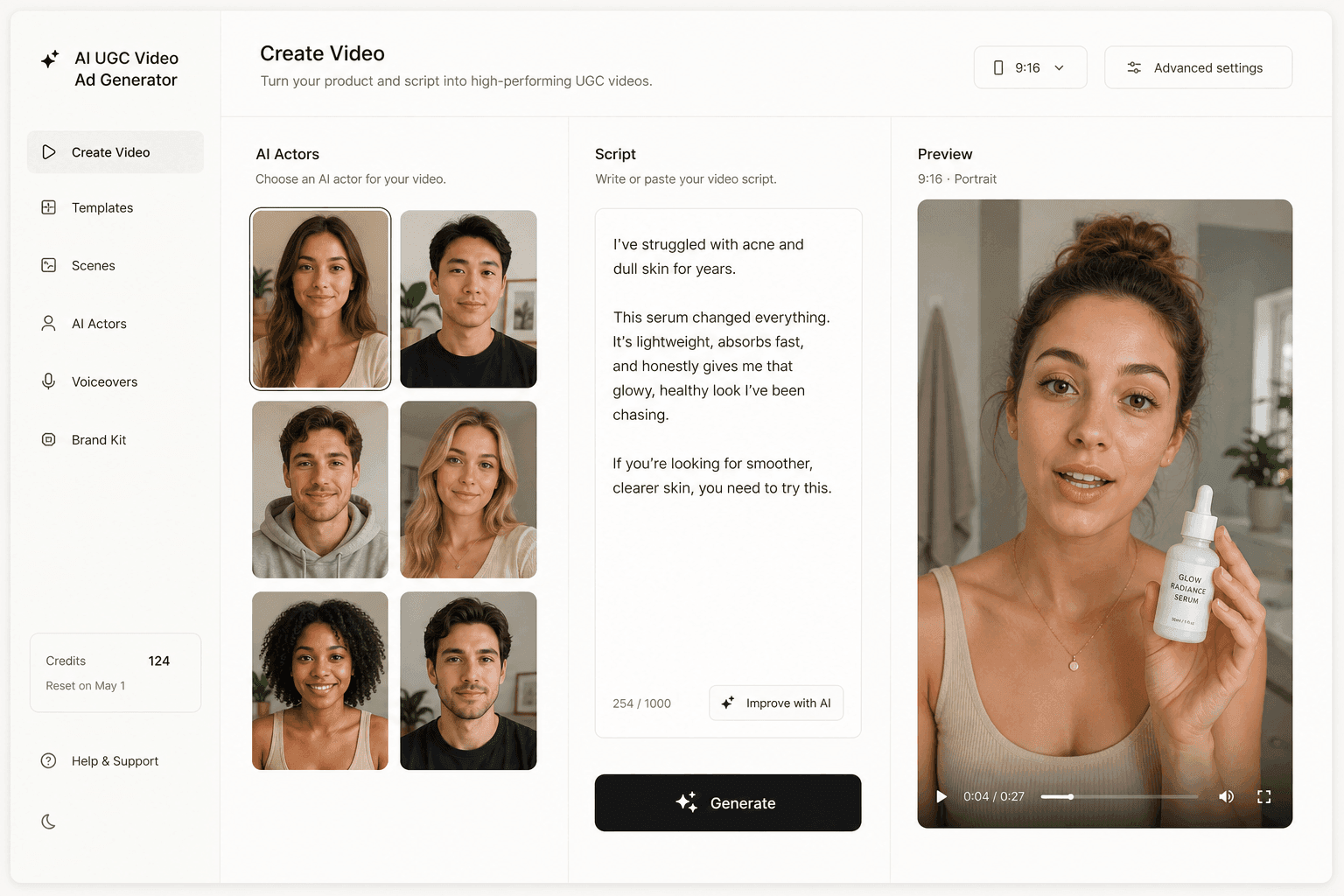
Novoads is a global AI UGC video-ad generator that makes native-local video ads in 30-plus languages with real regional accents. The flow maps directly onto the coverage problem:
- write or auto-generate a script for each concept and hook
- pick an AI actor, and get a natural-sounding UGC-style ad in minutes
- output vertical, square, and horizontal video (9:16, 1:1, and 16:9), one for each slot Google's guidance asks you to fill
The vertical slot in your asset group then carries an ad you actually approved instead of an automated flip. Start for $49/month, and you can cancel anytime.
The machine can assemble your ad. It can't invent your angle
Google's 2026 creative standards read like automation eating the ad, but look at what the machine actually does: it flips, trims, resizes, and stitches what you gave it. Every system in this post is a remix engine waiting for inputs. The angle, the hook, the believable person holding the product, those still have to come from you, and the advertiser who supplies twelve real options will beat the one who supplies one file and lets the model improvise the rest. Creative standards are also only one front this year: the same accounts are fighting invalid clicks and competitors bidding on their brand name. Win the input game first. Feed the system deliberately, opt out of what you cannot review, and let Google automate the one thing it is genuinely better at: deciding where each of your ads runs.
Frequently Asked Questions
What video formats does Google Ads expect in 2026?
Plan for three orientations: horizontal 16:9, square 1:1, and vertical 9:16 (Demand Gen also accepts 4:5). Google's Performance Max guidance recommends adding videos of each orientation, up to 15 per asset group, including at least one vertical video of 10 to 60 seconds so your ads are eligible for YouTube Shorts.
Will Google create a video ad for me if I do not upload one?
It may. Google's documentation states that if you do not add a video to your Performance Max asset group, one or more videos may be auto-generated from the assets in your asset group. For campaigns linked to Merchant Center, a video can also be generated from your feed's text and images. If you do not want auto-generated videos, upload your own video in every required orientation.
Can I stop Google from editing or flipping my video ads?
Yes. Video enhancements, which include flipped orientations and shorter cuts of your original video, can be disabled per campaign. In Google Ads, go to Campaign settings, select Asset optimization, choose Video, and uncheck Enhancement. Auto-generated videos are avoided differently: keep an active uploaded video in each orientation so the system has nothing to fill in.
Are AI-generated video ads allowed on Google Ads?
Yes. Google holds generative AI content to the same content standards, reviews, and enforcement as any other ad content. There is no blanket AI label for ordinary commercial ads, but you are responsible for reviewing generated assets so they are accurate, not misleading, and compliant before you publish them. Election ads carry separate synthetic-content disclosure rules.
How long should a Google Ads video be in 2026?
Respect the floors first: Demand Gen accepts videos from 5 seconds, but anything under 10 seconds is ineligible to serve on YouTube In-stream. Performance Max guidance recommends videos of 10 seconds or more, and a vertical video between 10 and 60 seconds for YouTube Shorts eligibility. Inside those limits, length is a creative decision, not a compliance one.
Does Ad Strength affect whether my video ads serve?
Ad Strength is a coverage diagnostic, not a policy gate. Google describes it as a measure of how well an ad follows its asset coverage best practices for optimal performance. A low rating will not get an ad disapproved, but it usually means the system has too few assets and formats to optimize with, which shows up as weaker delivery and higher costs.
Key Takeaways
- Multi-format is now the default for Google video advertising: Google's own documentation says Video views campaigns will only use multi-format video ads, which it says can bring up to 40% more views for your budget.
- If you do not add a video to a Performance Max asset group, Google may auto-generate one from your images and text, and Google AI may flip your horizontal video into square and vertical versions for YouTube Shorts.
- Full creative coverage in 2026 means three orientations (16:9, 1:1, 9:16) plus duration floors: a video under 10 seconds is ineligible to serve on YouTube In-stream.
- AI-generated creative is allowed and held to the same policies as everything else. Google watermarks its own generated images with SynthID and tells advertisers to review generated assets before publishing.
- You can opt out of video enhancements in campaign settings, but the durable fix is supplying enough distinct creative that Google's AI never has to invent your ad for you.