Church Ads: Invite Video Ideas, What Each Costs With AI, and What Google's $10,000 Grant Requires
The invite, holiday, plan-your-visit, kids-and-family and member-story ads churches run, how to make each one in Novoads from your own photos or with an AI presenter, what each costs on every plan, and the IRS step Google for Nonprofits asks of a US church before it can request Ad Grants.

Mauricio Valdivia
·11 min
When one volunteer runs the church's page on a Sunday afternoon
The last service let out at noon, and whoever posts for the church is still in the parking lot with a phone full of pictures (the front doors on Easter morning, the kids' room after the summer repaint, the coffee urns in the lobby before anyone got to them). Christmas Eve is a few Sundays off. The family that visited in September hasn't been back, and nobody's written the invite for the new sermon series yet.
Church ads are the short invitations a congregation pays to put in front of its own town. Think of the pastor asking people to come, the Christmas Eve service, what a first Sunday looks like and the kids' program. Most of them can start from the pictures already on that phone, and one works best with an AI presenter reading the answers a first-time guest wants.
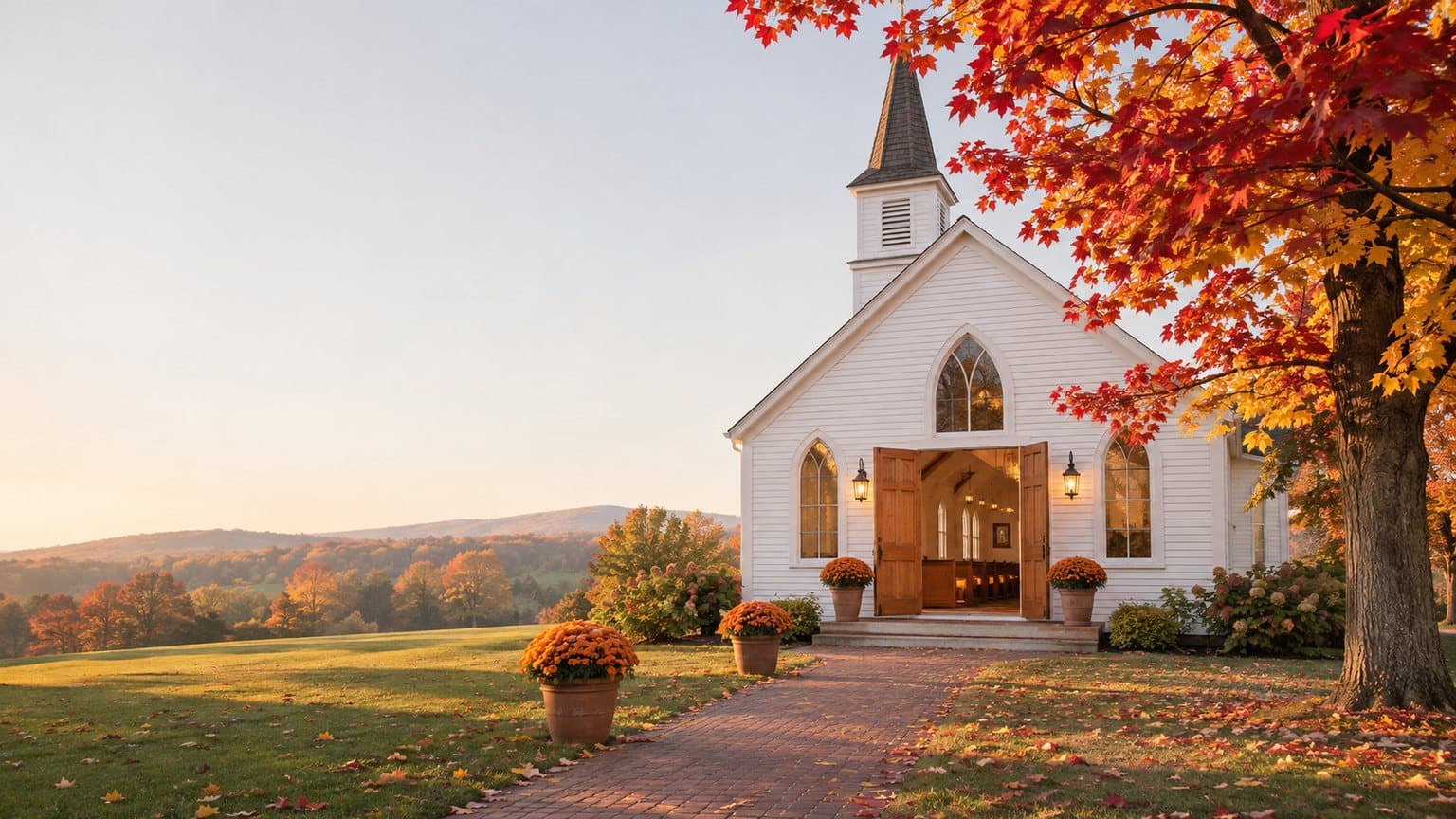
We had no church photo to start from, so we made one. It's a GPT Image 2.6 Sunburst picture of a small white wooden church on a fall morning, with its doors open and orange mums along a brick path, and it stands in for the one your volunteer would take. Then our own connector for Claude turned it into a 5-second Seedance 2.0 Mini clip that climbs the path toward the doors as a few maple leaves come down. The still and the clip used 6 credits between them, and each came out right on the first try.
The rest of this post comes from pages we read on November 16, 2026 (the top results for "church ads" and Google's own nonprofit help pages) and from the credit prices in our own app. We didn't run any ads, and we didn't take a church through Google's application.
The church ads worth making, and where AI belongs in each
The lists at the top of the search results run long, from a short video of the pastor to a reminder ad for people who've already visited the church's website. Five kinds of ad keep coming up across them, and each asks something different of AI. Whichever you make, we'd hold to one rule. A visitor who walks in on Sunday should find the building, the rooms and the people the ad showed.
The pastor's invite
Of the five, the pastor's invite sounds most like your church. It's your pastor, filmed for real on a phone, naming your town and asking people to come this Sunday. AI's part in it is small.
- AI can open the video with a 5-second clip made from a photo you took of the church, before the pastor starts talking.
- Never put an AI presenter in the pastor's place. People will meet the pastor at the door, and they should recognize the face from the ad.
Christmas Eve, Easter and a new sermon series
The top result's list groups Christmas, Easter, a special guest speaker and a new sermon series into one kind of ad, and we think it's the one a family that visited once is most likely to answer. Start from photos you've taken of the front doors or the sanctuary, and turn each one into a few seconds of video. The date and the service times go in the words you post with the clip, where nobody has to pause on a frame to read them.
This is the kind of photo we mean. It isn't a real church. We made it with GPT Image 2.6 so this post would have a photo to animate, the way you'd use the one on your phone.
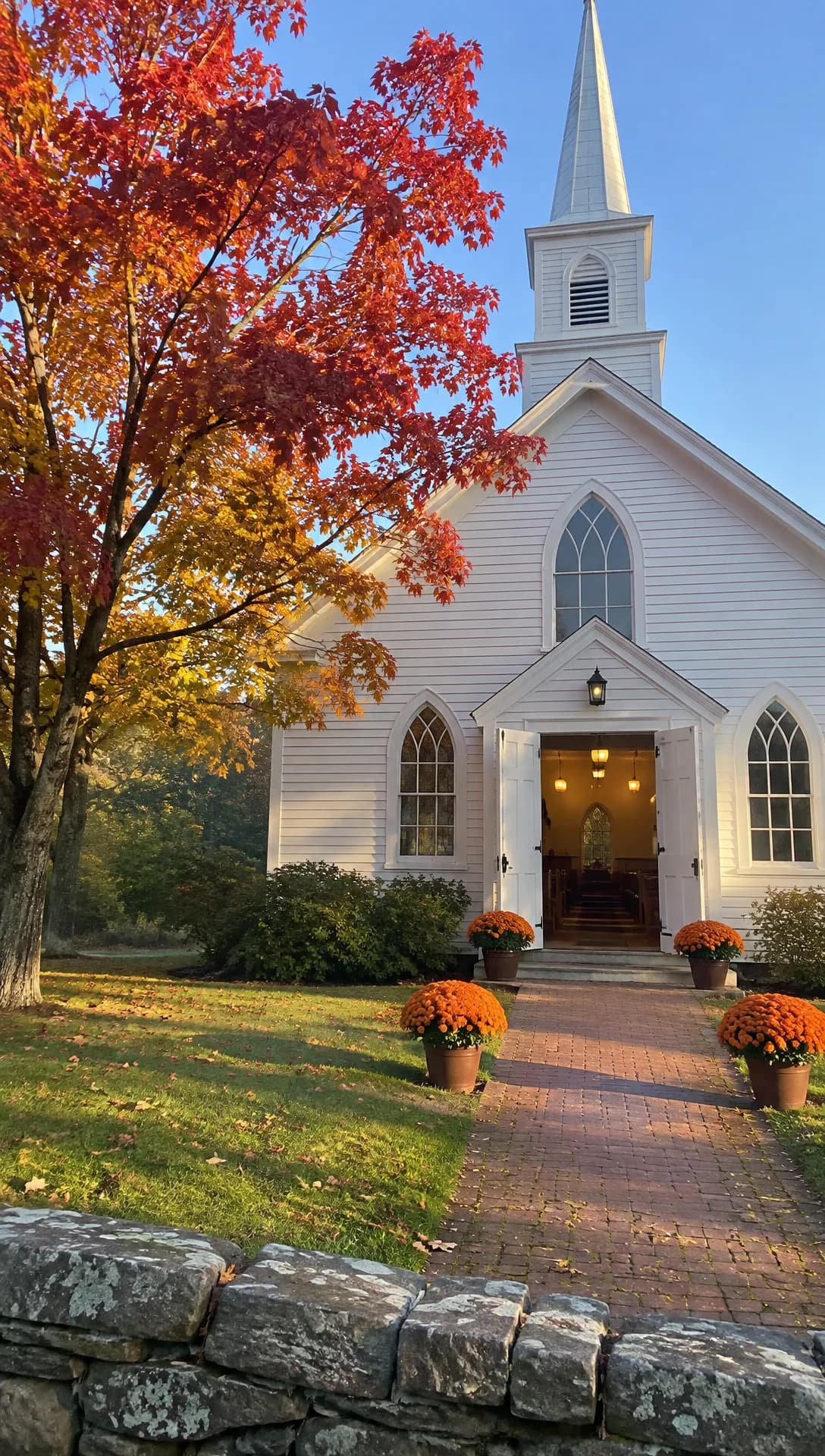 Made in Novoads with GPT Image 2.6 Sunburst · a small white church on a fall morning, made to stand in for your own photo · 1 credit · 2026-11-16
- AI can give your own photo of the sanctuary or front doors a gentle push-in of a few seconds and keep the light as it was.
- Leave out a candlelight crowd, a choir or a decorated sanctuary that isn't yours. If the ad shows garland on the pews, there should be garland on the pews.
Plan your visit, or what a first Sunday looks like
A first-time guest's questions are practical. Where do I park? Where do the kids go? Is there coffee? What do people wear? An ad that answers them and ends on the church's plan-a-visit form is the one place in this list where an AI presenter fits, because the presenter doesn't have to be anyone from your church.
- AI can give you a presenter who reads those answers in a warm voice, cut with short clips of your own lobby and kids' wing.
- Leave out a greeter team, a campus or a kids' wing that isn't yours. The presenter never says "I" or "our church" as if they belonged there, and never tells a story about finding faith there.
Kids and family
We think a family's first question about a new church is often where the kids go, so this ad shows the rooms. Photograph the rooms themselves (the check-in desk, the play area, the room for the little ones) and turn those photos into clips. Where the church also runs a preschool or child care center, the room tours and enrollment ads in our daycare post start from room photos too.
- AI can turn your own photo of a classroom or play area into a slow pass across the room.
- Leave out AI-made children standing in for your kids' ministry. The clip shows the room, and families meet the real program when they come.
Member stories
A member telling, in their own words, how they found the church is the ad AI should stay out of. Film the member on a phone, keep what they said, and post it.
- AI has next to nothing to add here.
- Never have an AI presenter tell a member's story or give a testimony of any kind.
Making them in Novoads, from your photos or with an AI presenter
Two building blocks cover the first four ads. One is a short clip made from your own photo, and the other is an AI presenter reading a script. For more on the first, see our guide to making a video from one photo. Our post on AI actors goes deeper on the second, and our AI ads guide covers the basics of both.
Turning your own photo into a clip
- Open the Video tab and use the sliders button to pick Kling 3.0.
- Put your church photo in the start-frame box, labeled "Drop a start frame or click to upload". Once it's in, the editor shows "The video starts on this picture."
- Describe the camera move in the prompt. Something like a slow push up the walk toward the open doors, morning light, no people.
- Press the round arrow button. You get back a 5-second video that starts on your photo, for 10 credits.
Omni Flash and Wan 3.0 start on your photo too, once you flip their switch from "Reference" to "Start / End Frames". Seedance 2.0 Mini is our cheapest 5-second clip, at 5 credits. In the editor, though, it treats the picture as @Image1, a reference your prompt points to, and the video won't open on that frame.
Our proof clip came another way, through the connector we built for Claude, which can start a Seedance 2.0 Mini clip on a picture. Across the four frames, the camera climbs the brick path, the stone wall falls away below, and a few leaves drift past the open doors.
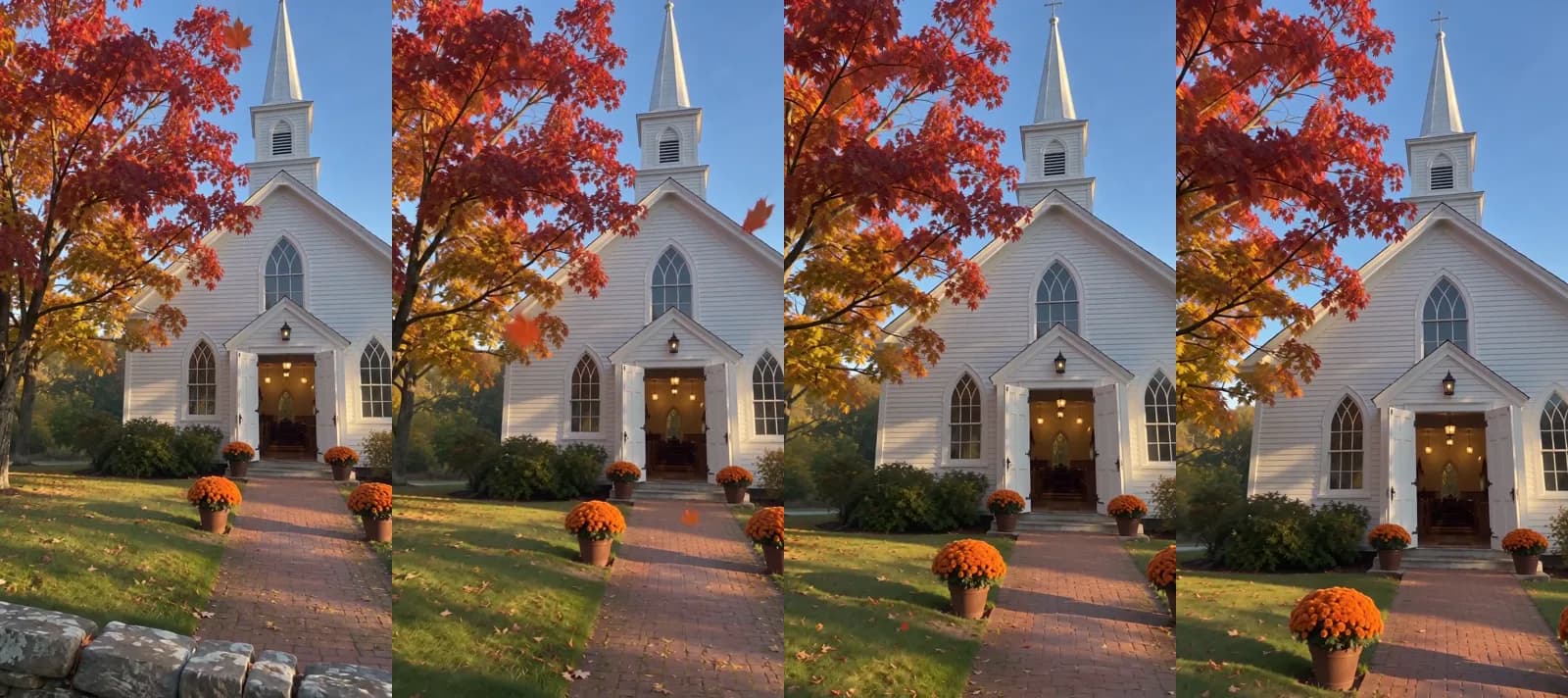 Made in Novoads with Seedance 2.0 Mini · the camera moves up the path toward the open doors as leaves fall, sound off · 5 credits · 2026-11-16
Before a clip goes anywhere, check it against the building itself. A model can change a detail, like a window or a door, and the people you're inviting will see the real one on Sunday.
An AI presenter for the plan-your-visit ad
- Open Talking Actors. Its empty screen lists three steps, "Write or pick a script", "Choose an actor" and "Press the arrow to generate".
- Write the answers a first-time guest wants, talking about the church rather than from inside it.
- Pick an actor, then press "Use this actor".
- On the price line, the "720p or 480p" switch sets the resolution. 720p is the default, at 200 credits for each minute or part of one. 480p is half that, at 100 credits.
- Press the arrow.
You get back one video of the presenter reading your words aloud, voiced and lip-synced, and anything up to a minute counts as one minute. A line like "If it's your first Sunday, park behind the building and bring the kids to the side door" works. A line like "I've been coming here for years" doesn't, because the presenter has never been there. For a Spanish-language service, write the script in Spanish, one of the 32 languages our voices speak.
Captions and the last step
Captions go on the finished video as a separate step. In the "Add captions" tool, the Karaoke look costs 0 credits. On a computer, the tool opens on a paid look, so pick Karaoke yourself before you run it.
Your presenter video and each church clip come back separately, so the last step is putting them in order. That step isn't in the prices below, and neither is anything you add after it.
What each church ad costs on Starter, Plus and Ultra
Prices as of November 16, 2026. Starter is $15 a month for 200 credits. That works out to 7.5 cents a credit. On Plus, a credit comes to 4.9 cents. On Ultra 3,000, it's 4.3 cents. We multiplied each row's credits by those rates and rounded to the nearest cent (half a cent rounds up).
| What you make | Model and setting | Credits | Starter | Plus | Ultra 3,000 |
|---|---|---|---|---|---|
| 5-second clip, photo as a reference | Seedance 2.0 Mini, 720p | 5 | about 38 cents | about 25 cents | about 22 cents |
| 5-second clip opening on your photo | Kling 3.0 | 10 | 75 cents | 49 cents | 43 cents |
| 5-second clip, Start / End Frames | Wan 3.0, 720p | 9 | about 68 cents | about 44 cents | about 39 cents |
| AI presenter, up to a minute | Talking actor, 480p | 100 | $7.50 | $4.90 | $4.30 |
| AI presenter, up to a minute | Talking actor, 720p | 200 | $15.00 | $9.80 | $8.60 |
The plan-your-visit ad, added up
The version we'd make is the presenter at 480p plus two Seedance 2.0 Mini clips of your lobby and kids' wing. That's 110 credits in all. It comes to $5.39 on Plus and $8.25 on Starter. On Ultra 3,000, it's $4.73. A Starter month covers that ad once, with 90 credits to spare. A Plus month covers it nine times.
If you make the two clips on Kling 3.0 instead, so each one opens on your photo in the editor, the total is 120 credits. That's $5.88 on Plus.
The other ads
- The pastor's invite needs one 5-second Kling 3.0 opening shot. That's 10 credits, or 49 cents on Plus.
- A Christmas Eve promo made from three Seedance 2.0 Mini clips is 15 credits. On Plus, that's about 74 cents.
- The kids and family ad uses two Kling 3.0 clips of your rooms, for 20 credits. On Plus, that's 98 cents.
- The member story uses no credits, because you film it yourself.
What these sums leave out
You'll still pay for a few things in credits, money or time.
- Re-takes, since you pay again for each one at the same price
- Putting the pieces in order
- Captions in any look other than Karaoke
- Music
- The ad spend itself
- The time someone spends checking each clip against the real building
Compared with a filmed promo
Ruah Creative House, a studio that films for churches, prices welcome and promotional videos at $1,000 to $5,000 in its cost guide. The guide is dated February 28, 2026. At the low end of that range, it says, you get a single-camera shoot with basic editing. That's a videographer filming your pastor, your people and your building. A few seconds animated from a photo is a smaller job, so read the two side by side for a sense of scale.
What Google's $10,000 grant asks of a US church first
Once the ad is made, showing it is a separate cost. The top result for "church ads" points churches to Google's grant, but none of the four results we opened says what Google asks of a church first. Google's pages aren't dated, so everything below is as we read them on November 16, 2026.
The account comes before the grant
Google's Ad Grants page offers "up to $10,000 USD per month in text-based ads on Google Search". Its getting-started steps list "Request a Google for Nonprofits account" first and the grant's activation request second. Google's activation help says the same thing and points an organization without that account to the Google for Nonprofits website first.
The IRS letter a church never had to ask for
Google's help page for US tax-exempt organizations opens with a point in a church's favor. Churches that meet the requirements of section 501(c)(3) are automatically considered tax exempt and "are not required to apply for and obtain recognition of tax-exempt status from the IRS". The very next sentence sets out Google's own rule. To be eligible for Google for Nonprofits, "organizations must obtain recognition of 501(c)(3) tax-exempt status from the IRS".
So US tax law doesn't make a church seek that recognition, but Google still requires it before you can get the account. The page covers US organizations only.
Google names one other way in. The same page says an organization with "charity status through group exemption provided by a parent organization" (a denomination, for example) may still be eligible. Google's page on group-exempt organizations says they must supply three things.
- Their own EIN
- Documents showing their group exemption number
- Documents showing they're affiliated with a central organization that has 501(c)(3) status
What the account doesn't promise
Having the account doesn't mean you'll get the grant, and Google's own pages name what still stands between the two.
- Google's eligibility page says "Each product needs to be activated separately".
- Its FAQ says the account doesn't mean you're "automatically approved for all product offers".
- The grant's first activation step asks for a secure HTTPS website that meets Google's website policy.
- Google's US eligibility guidelines say every organization must also be verified as a nonprofit by Google for Nonprofits' validation partner.
If the grant does come through, Google's account policy says an organization that mainly serves its own community should show its ads only in its town or local area, and it names "food banks and houses of worship" as examples.
The offer itself is text ads on Google Search. In Google's Ad Grants setup guide, a grantee can also pick Performance Max, with a note that those campaigns "may not be eligible to serve on all inventory". So we wouldn't build the video ads in this post around the grant. We'd pay for them out of the church's own ad budget and treat the grant as a separate Search project.
As we read it, a church with its own IRS letter already has that step behind it, and one under a denomination's group exemption may still be eligible. A church with neither has a step to take before the grant is even an option. This isn't legal or tax advice, so check your own church's case on Google's eligibility pages.
Where we'd start before Christmas Eve
We'd make three ads, in this order.
- The plan-your-visit ad. It's the one a family that visited once can act on, and the one place an AI presenter fits without standing in for anyone.
- A Christmas Eve promo made from two or three of your own photos.
- The pastor's invite, filmed on a phone the same week.
If the church wants a longer, TV-style spot later, our AI commercials post prices one out.
With Novoads, you can turn the photos already on your volunteer's phone into short clips and have an AI presenter read the script you'd hand a first-time guest. You pay for each plan from its first month. Starter is $15 a month for 200 credits. Plus is $49 a month for 1,000 credits, and the pricing page lists the rest.
Price your church's next invite
Starter, Plus and Ultra each list their credits and what they cost a month.
See plans and pricesStart with the plan-your-visit ad, so the family that visited in September has something to answer before Christmas Eve.
Frequently Asked Questions
Can a church get Google Ad Grants without its own 501(c)(3) letter from the IRS?
Not directly. According to Google's US help pages, as we read them on November 16, 2026, organizations must obtain IRS recognition of 501(c)(3) status to be eligible for Google for Nonprofits, the account you need before you can request Ad Grants. The page that sets that rule also notes that churches meeting the 501(c)(3) requirements aren't required to apply for that recognition, but Google doesn't waive the rule for them. A church with charity status through a parent organization's group exemption may still be eligible, and it'll need its own EIN and documents for the group exemption. Even then, Google activates each product separately. This isn't legal or tax advice, so check Google's eligibility pages for your church's case.
Key Takeaways
- The five church ads worth making are the pastor's invite, the Christmas Eve or Easter promo, a plan-your-visit ad, a kids and family ad, and a member's story.
- AI helps most with the middle three, by turning your own photos into short clips and giving you an AI presenter to answer a first-time guest's questions. Never let an AI presenter play your pastor, a member, a volunteer or a visitor.
- A plan-your-visit ad with an AI presenter at 480p and two short Seedance 2.0 Mini clips comes to 110 credits. As of November 16, 2026, that's $5.39 on Plus.
- Google's Ad Grants program offers up to $10,000 a month in text-based ads on Google Search, but you need a Google for Nonprofits account first. In the US, that account requires IRS recognition of 501(c)(3) status, even though Google's own page notes that churches aren't required to seek it.
- A church under a parent organization's group exemption may still be eligible. And the account is only a first step, because Google activates and reviews each product on its own.
Sources
- •Google for Nonprofits Help: Tax exempt organizations (United States)
- •Google for Nonprofits: Google Ad Grants
- •Google for Nonprofits Help: Group exempt, local chapter, and fiscally sponsored organizations (United States)
- •Google for Nonprofits Help: Eligibility guidelines (United States)
- •Google for Nonprofits Help: Account management policy
- •Google for Nonprofits: Program eligibility and activation
- •Google for Nonprofits: Frequently asked questions
- •Google for Nonprofits Help: Google Ad Grants activation
- •Google for Nonprofits Help: Create a campaign (Ad Grants setup guide)
- •Ruah Creative House: How Much Does Church Video Production Cost in 2026? (February 28, 2026)