Home Care Ads: Ideas for Agencies, What Each Costs With AI, and the Law on Medicare's Name
The ads home care and home health agencies run, from an in-home assessment offer to a caregiver spotlight, plus how to make each one in Novoads from your own photos, what a set of them costs and the federal rule on using Medicare's name in an ad.

Mauricio Valdivia
·11 min
Filling next week's assessment calendar without a stand-in caregiver in your ads
The call a home care ad is after usually comes from a daughter or a son, asking whether you cover their mother's town and how soon someone can come out for an assessment. MediVerticals' guide to home care marketing says the same thing about who decides ("the person choosing the agency is usually their adult son or daughter"), and it asks agencies for "Photos of actual caregivers, not stock models." That's the bind for an owner who'd like AI to make some of the ads. It can turn your photos into short clips and read your offer aloud, but it can't stand in for the people you employ or the families you've served. And one careless line about Medicare can put an ad on the wrong side of a federal rule that neither of the agency guides we opened mentions.
The two takes in this guide show AI presenters from our library. We made them at 720p for our talking-head video guide and our review of the Captions app, and we've reused them here so you can see what you get back from a talking actor. Both passed, and each came back with the voice and the lip-sync already in it. Neither presenter is a caregiver or works for an agency, and their scripts were about other products.
On November 19, 2026, we read the search results page for "home care ads", the two agency marketing guides among its top results, one marketing agency's price page, the rule's text in the 2024 edition of the U.S. Code on govinfo, medicare.gov's page on home health, and our own prices. We didn't make a home care ad for this guide. Nothing here is legal advice.
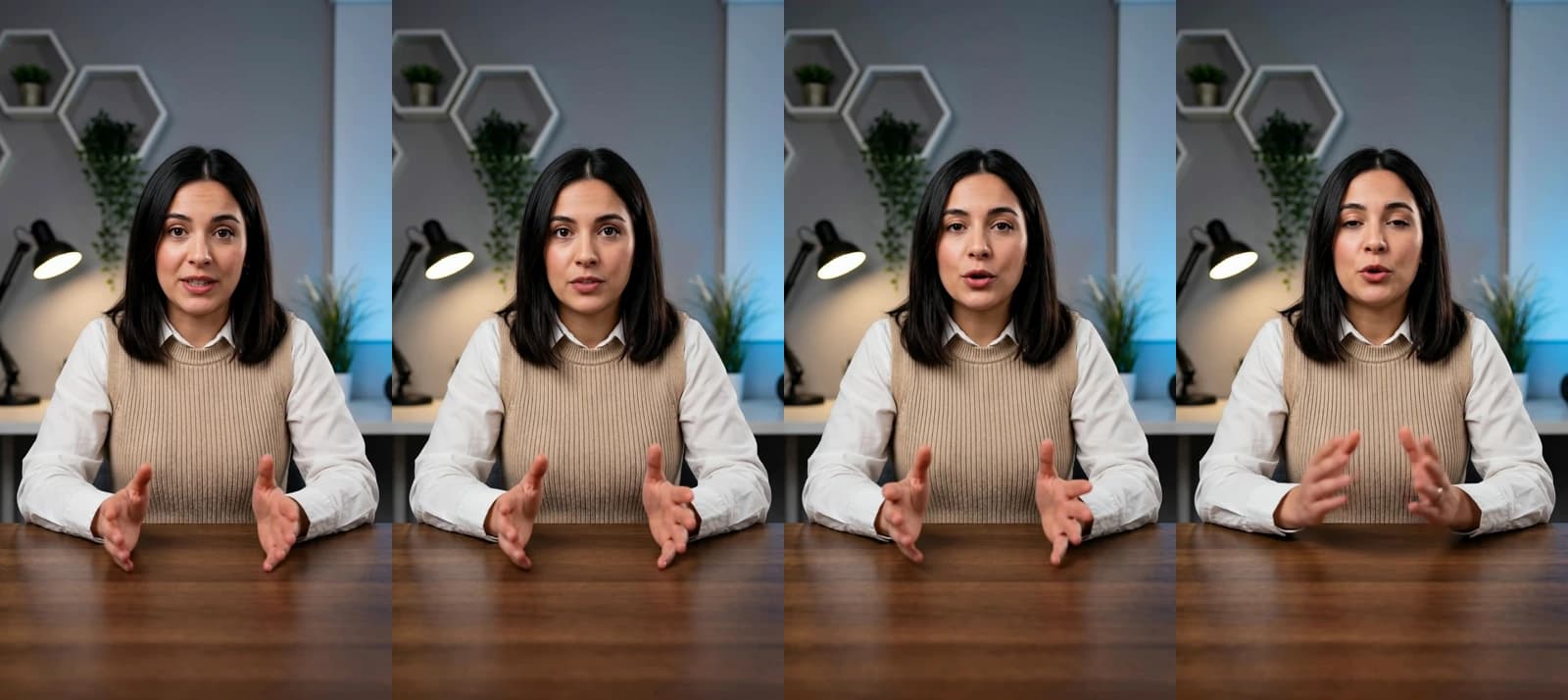 Made in Novoads with Talking actor · a library presenter at a desk reads a 22.6-second script written for our talking-head video guide, made through our connector at 720p · 200 credits for one started minute · 2026-10-05
Five kinds of home care ads, and what each has to keep real
Neither guide we opened puts a price on an ad or shows one being made with AI, but between them they cover what agencies run. MediVerticals' strategies include caregiver spotlights, safety tips, short reels and family testimonials. Face to Face Marketing's list leans on review platforms and pay-per-click ads.
An in-home assessment offer for the towns you serve
This is the ad that asks for the call. It says what you offer (an in-home assessment, hourly or live-in care, how soon you can start), lists the places you serve and links to a page that says the same thing. A talking AI presenter is a good fit, because the script changes from town to town and you can make a version for each one without booking a shoot. What the ad must not do is pass the presenter off as you, a nurse or anyone on your staff, or carry a Medicare or Medicaid logo or anything shaped like a Medicare card.
If you sell hourly or live-in care, watch what the ad lets a family assume about Medicare. Medicare.gov lists "24-hour-a-day care at your home" among the things Medicare doesn't pay for. It also lists "Custodial or personal care that helps you with daily living activities (like bathing, dressing, or using the bathroom), when this is the only care you need." So an ad for that kind of care shouldn't leave a family thinking Medicare will cover it.
A spotlight on one of your caregivers
Families want to see who'll come to the house, and a short spotlight on a real caregiver shows them. MediVerticals suggests "A caregiver spotlight that introduces a real face." What AI adds here is the motion and the finish. The photo you took of that caregiver, used with their OK, becomes a slow five-second clip, and you add a line of text with their name and how long they've been with you. We'd keep the camera move small, so the face stays theirs. The one thing this ad can't use is an AI presenter or a generated face introduced as one of your caregivers.
Tips for the adult children doing the research
Most families have never hired home care before, as MediVerticals' guide points out, so the son or daughter doing the research starts with questions. Short tips reach them early, on topics like the signs a parent may need help at home, how to make a bathroom safer, or what happens at a first visit. An AI presenter can read a batch of these in one sitting, and any tip under a minute is billed as one started minute. Introduce the presenter as a presenter, though. Dressing one up as a nurse or a care manager, or setting the tips in a generated home shown as a client's, makes a claim the ad can't back up.
A family's own review, in their words
A review is the one ad where the words have to come from someone else. MediVerticals advises asking for a review after a few good weeks of care, and getting written permission before you use anyone's name, face or story. When a family is happy to film, their phone video is the ad, posted as they made it. Where AI can help is a picture ad that sets one line from their written review over a photo you took of your office. Check that line word for word against what they wrote. Don't use an invented family, an AI son or daughter, or a quote nobody gave you.
A 15-second spot for streaming TV
Streaming TV is where a home care ad still looks like a commercial. Brazzell Marketing Agency, which sells healthcare advertising, offers "15-second, non-skippable commercials", and its page says they're streamed to the people most likely to become clients rather than broadcast. A spot that short has room for two or three clips from your photos of the team and the office, a line of voice-over and your phone number. Whatever the spot shows, don't pass off a senior, a living room or a care scene that AI generated as a real client's. For whole commercials made with AI, and what one costs, see our guide to AI commercials.
Ads for hiring caregivers are a different job, with their own audience rules on Meta. Our recruitment ads guide covers them.
How to make these ads in Novoads from your own photos
Three tools in Novoads cover the five ads, and each one starts from something you already have (a script, a photo or both).
A talking AI presenter for the offer and the tips
The presenter ad is the one you'll remake most (a version per town or per tip), so it's worth getting the steps down.
- Open Talking Actors and write your script in the box that reads "Write what the actor will say...". Keep the script in the third person and name the agency ("[your agency] sends a care manager to the house for the assessment"), so the presenter never claims to work there.
- Click "Add actors", choose a presenter in the "Select actors" window and confirm with "Add actors".
- On the price line, switch 720p to 480p. That cuts a started minute from 200 credits to 100.
- Press the round button with the arrow to send it. You get back the presenter speaking your script, with the voice and lip-sync included.
You add captions afterward, to the finished take. When you open captions, the look that's already selected is "TikTok, no box", one of six looks that cost 3 credits a started minute. The second take below is a different library presenter, also made at 720p through our connector. The cost table further down uses the 480p price.
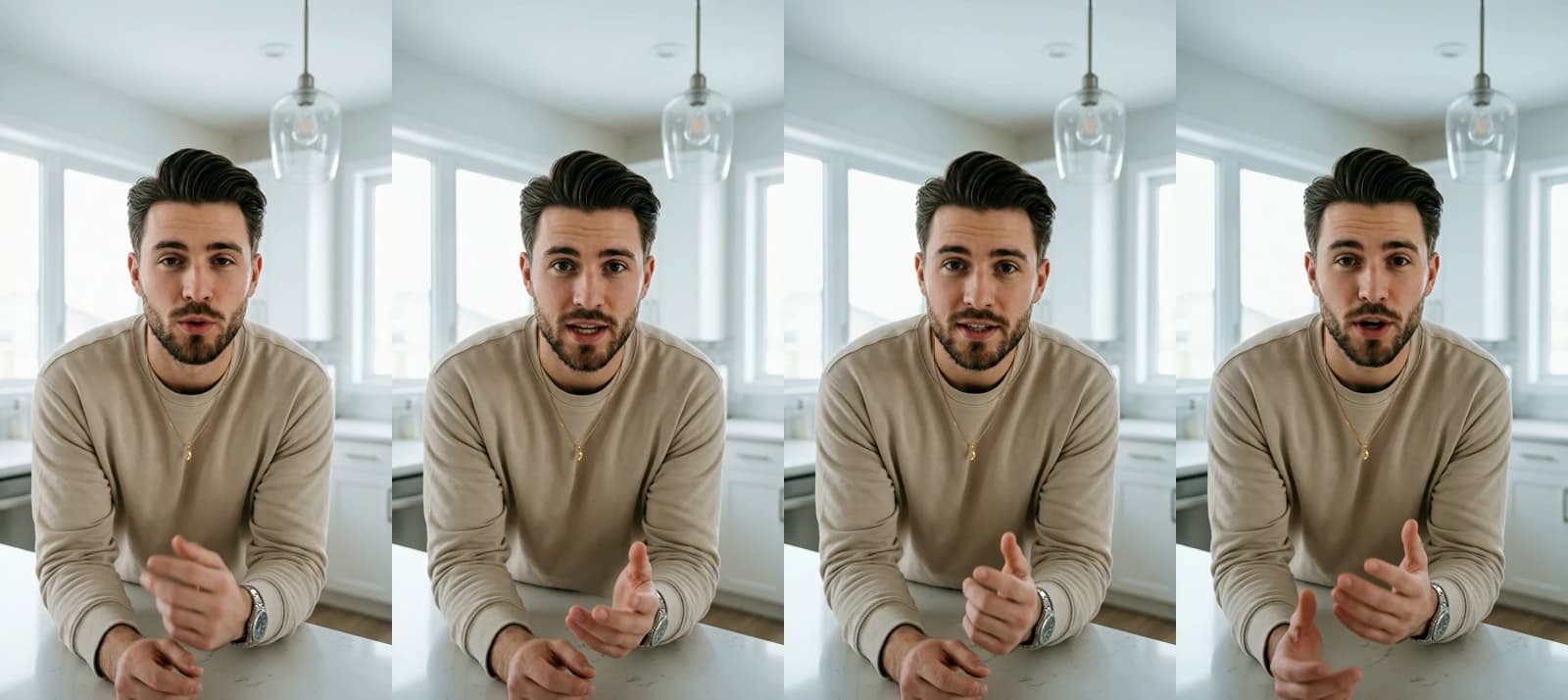 Made in Novoads with Talking actor · a second library presenter, leaning on a bright kitchen island, reads a 10-second script for our captions review, made through our connector at 720p · 200 credits · 2026-10-09
A clip that starts on your own photo
For the caregiver spotlight and the streaming spot, the clip has to open on a photo you took, so pick a model that uses your photo as the first frame.
- In the Video tool, open "Settings" and choose Kling 3.0 as the model. Its "Duration" starts at 5 seconds.
- Drop your photo where the editor reads "Drop a start frame or click to upload". The editor confirms it with "The video starts on this picture."
- Describe the move you want in the "Describe your video..." box, for example a slow move in on the caregiver or a pan along your front door.
- Send it with the arrow button. Five seconds on Kling 3.0 costs 10 credits.
Kling 4.0 can also start on your photo, and so can Wan 3.0 and Omni Flash once you pick "Start / End Frames" instead of "Reference". Seedance works differently in the editor. There, you can only point to your picture from the prompt, as @Image1, and the clip won't open on it.
| Other models that start on your photo | Credits at 720p | Worth knowing |
|---|---|---|
| Kling 4.0 | 18 for 5 seconds | 27 at 1080p, its default, and the sound is always on |
| Wan 3.0 | 9 for 5 seconds | pick "Start / End Frames" first |
| Omni Flash | 12 for 4 seconds | pick "Start / End Frames" first |
A picture ad from your office photo
For a feed post or a listing photo, the Image tool works from your picture too.
- Click "Reference" and upload a photo of your office or your front door (JPG, PNG or WebP).
- Describe the ad in the "Describe your image..." box.
- Open "Settings". The tool opens on Nano Banana Pro, so pick GPT Image 2 as the model and switch "Quality" from High to Medium, which cuts a picture from 4 credits to 1.
- Leave "Images" at three and send it. A run of three at Medium costs 3 credits.
GPT Image 2 doesn't make the 4:5 feed shape. Nano Banana Pro does, at 2 credits a picture at its default size.
If your prompt mentions Medicare, check what comes back for anything that looks like a card, a seal or a logo before the ad runs. And don't let a generated person in the picture pass for one of your staff or clients.
What one set of these ads costs, plan by plan
Prices as of November 19, 2026. The set we priced is the one we'd start with. It has one presenter ad reading the assessment offer and the towns, two clips from photos of the office and the front door, and three picture ads from the office photo.
| What you make | Model and setting | Credits |
|---|---|---|
| A presenter reads the assessment offer and the towns | Talking actor at 480p, one started minute | 100 |
| A clip from your office photo | Kling 3.0, 5 seconds | 10 |
| A clip from your front-door photo | Kling 3.0, 5 seconds | 10 |
| Three picture ads from the office photo | GPT Image 2 at Medium | 3 |
| The set | 123 |
| Plan | Per credit | The set costs | Sets a month's credits make |
|---|---|---|---|
| Starter, $15 a month for 200 credits | 7.5 cents | about $9.23 | 1, with 77 credits left |
| Plus, $49 a month for 1,000 credits | 4.9 cents | about $6.03 | 8, with 16 left |
| Ultra 3,000, $129 a month for 3,000 credits | 4.3 cents | about $5.29 | 24, with 48 left |
At 720p instead, the presenter ad costs 200 credits. That brings the set to 223, more than the 200 credits in a Starter month. The sum leaves out re-rolls, any voice-over, the step that joins the pieces into one ad, captions, music, the ad spend and your own time. Captions are the easiest to add back, at 3 credits a started minute. Our pricing page lists every plan with its credits, and we charge from the first month on every plan.
Brazzell Marketing Agency's Video Target Marketing page, which we read on November 19, 2026, lists "all-inclusive pricing starting around $200 per month" for its streaming TV campaigns. That price covers more than making the spot. The page says its fees "include consultation, commercial production, and the cost of displaying your ads", and that the service "renews automatically every 90 days." It's a different purchase from a set of ads you make and then pay to run yourself.
The Medicare rule the guides we opened leave out
Neither agency guide we opened mentions this rule. MediVerticals' guide even suggests running Google Ads on searches such as "Medicare-certified home care near [city]". The ad that shows up on a search like that is where this rule's wording matters most.
What section 1140 says
Section 1140 of the Social Security Act appears in the U.S. Code as 42 U.S.C. 1320b-10. We read it in the 2024 edition on govinfo. It opens with "No person may use, in connection with any item constituting an advertisement, solicitation, circular, book, pamphlet, or other communication (including any Internet or other electronic communication)". It goes on to name the words "Social Security", "Medicare" and "Medicaid", among others, along with the agencies' symbols and emblems, down to "a reasonable facsimile of the design of" the Medicare card.
What it bars is using them "in a manner which reasonably could be interpreted or construed as conveying, the false impression that such item is approved, endorsed, or authorized by the Social Security Administration, the Centers for Medicare & Medicaid Services, or the Department of Health and Human Services or that such person has some connection with, or authorization from" those agencies. It binds any person, and that includes a home care or home health agency. Its one carve-out is for a state or local government agency using words or letters that identify that agency. The section may be enforced through the inspector general of the Social Security Administration or of the Department of Health and Human Services, depending on the case.
Disclaimers and online views
Two parts of the section matter most for ads that run online. Whether an ad breaks the rule is decided "without regard to" any disclaimer of affiliation with the United States Government in it. So a line saying you aren't connected to any government agency doesn't fix an ad that otherwise gives the false impression. And for Internet or other electronic communications, "each dissemination, viewing, or accessing" of one that breaks the rule "shall represent a separate violation." The statute says a civil money penalty "may" be imposed for each violation, up to a cap, so a view counts as a violation without carrying an automatic fine.
How long it's been on the books
None of this is new. The section came in with Public Law 100-360 on July 1, 1988. Public Law 103-296 (August 15, 1994) added Medicaid, the Medicare card, the "reasonably could be interpreted" test and the paragraph on disclaimers. On November 2, 2015, Public Law 114-74 added the Internet wording and the provision that counts each view as a separate violation. The text we quote here is from the 2024 edition.
What it means for the ads above
This part is our reading of the rule, applied to the ads in this guide. It isn't legal advice. For a specific line in your ad, read the rule's text on govinfo and ask a lawyer who knows it.
- By our reading, a true line such as "we accept Medicaid" falls outside the rule, because it tells a family how they can pay and claims no approval from those agencies and no tie to them.
- Medicare.gov says Medicare home health comes from "a Medicare-certified home health agency", so if yours is one, saying so is a true line. If it isn't, the claim is false before any rule comes into play.
- The text describes the impression that one of those three agencies approves, endorses or authorizes you, or that you have some connection with them. An ad gets close to that with wording that calls you a partner of Medicare, or with a design that borrows the Medicare card's look or an agency's seal.
- The same sentence of the statute names "a play, motion picture, broadcast, telecast, or other production", so we'd hold a video ad, a streaming spot and anything an AI presenter says to the same standard as a flyer. And never dress the presenter like an official, or put them in a room made to look like a government office.
- A disclaimer doesn't change any of this, and online, each view of an ad that breaks the rule counts as a separate violation.
Who your ads may be shown to is a separate question, and each platform has its own rules on it. Our chiropractor ads guide covers Meta's health-condition audiences, and our therapist ads guide covers Google's rule on health audiences.
The first ad to make this week
If next week's assessment calendar has gaps, start with the offer ad. Write one script per town you serve, have an AI presenter read each one at 480p and cut in a five-second clip from a photo of your front door. Together, the two pieces of each version come to 110 credits. A Starter month covers one version, and a Plus month covers nine. Then add the caregiver spotlight from a photo you already have, with that caregiver's OK. You make the ads in Novoads and run them on the platforms where your families already look.
Make the assessment ad for your towns
Write the offer, pick a presenter and start a clip from your own photo of the front door.
See plans and creditsFrequently Asked Questions
What is home care in the USA?
In this guide, home care means help at home with daily living (like bathing, dressing and company), and home health means skilled care at home, such as the part-time or intermittent skilled nursing care medicare.gov describes. Medicare.gov says that for Medicare to cover home health, a Medicare-certified home health agency must provide it. The same page says Medicare doesn't pay for custodial or personal care, like help with bathing, dressing or using the bathroom, when that's the only care a person needs.
How do I advertise myself as a caregiver?
The short formats that work for an agency also work for an independent caregiver. Three that fit are a short clip made from a photo you took, short tips read by an AI presenter who's introduced as a presenter, and a family's review in their own words, used with their written OK. Section 1140 of the Social Security Act binds any person, so its rule on Medicare, Medicaid and Social Security words applies to your ads as well.
How much does it cost to make a home care ad with AI?
Prices are as of November 19, 2026. In Novoads, a talking AI presenter at 480p costs 100 credits for any take that runs a minute or less. A 5-second Kling 3.0 clip built on your photo as its first frame is 10 credits. A GPT Image 2 picture at Medium is 1 credit. The set this guide prices (one presenter ad, two clips and three pictures) comes to 123 credits. That's about $6.03 on Plus. Re-rolls, a voice-over, captions and what you pay to run the ad aren't included.
Can a home care ad mention Medicare or Medicaid?
As we read it, the rule isn't a ban on the words. Section 1140 of the Social Security Act bars using them, or a Medicare card look-alike, in a manner which reasonably could be interpreted or construed as conveying the false impression that the ad is approved, endorsed or authorized by the Social Security Administration, the Centers for Medicare & Medicaid Services or the Department of Health and Human Services, or that the advertiser has some connection with, or authorization from, them. A disclaimer of affiliation doesn't cure it. By our reading, a true line such as 'we accept Medicaid' falls outside it. This isn't legal advice. You can read the rule's own text on govinfo.
Key Takeaways
- The five kinds of home care ads in this guide are an in-home assessment offer for your service area, a spotlight on a real caregiver, tips for the adult children doing the research, a family's own review and a 15-second spot for streaming TV.
- In Novoads, a talking AI presenter can read your offer and your tips, and your own photos can start a clip or anchor a picture ad. The caregivers and families in your ads should be real ones, shown with their OK.
- The set this guide prices (one presenter ad, two clips from your photos and three picture ads) comes to 123 credits. That's about $6.03 on Plus, at prices as of November 19, 2026.
- Section 1140 of the Social Security Act bars using Medicare, Medicaid or Social Security words, or a Medicare card look-alike, in a way that could reasonably be read as conveying the false impression that the Social Security Administration, the Centers for Medicare & Medicaid Services or the Department of Health and Human Services approves, endorses or authorizes the ad, or that the advertiser has some connection with, or authorization from, them.
- A disclaimer of government affiliation doesn't cure such an ad, and each view of an online ad that breaks the rule counts as a separate violation. By our reading, a true line such as 'we accept Medicaid' falls outside it. None of this is legal advice.