Chiropractor Ads: New-Patient Video Ideas, and the Health-Condition Audiences Meta Flags
The five video ads chiropractic practices run on Facebook, how to make each one in Novoads from photos of your own rooms or with an AI presenter, what the credits come to on each plan, and the health-condition audiences Meta started flagging in September 2025.

Mauricio Valdivia
·12 min
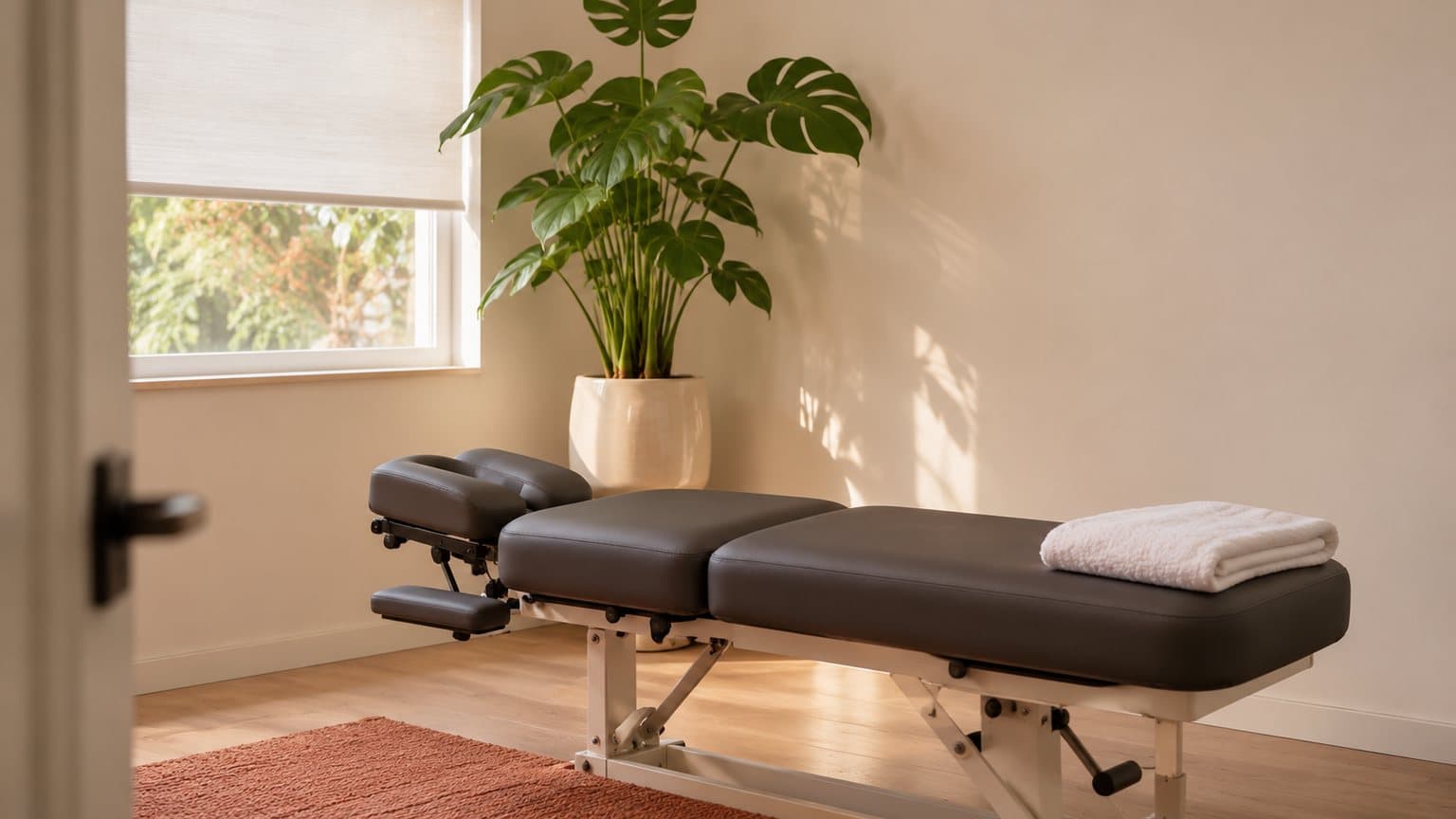
One stand-in photo of an adjustment table and five seconds of video, for 6 credits
If your Saturday mornings book out weeks ahead and your Tuesday afternoons don't, you already know which hours an ad has to fill. There's usually a second job as well, which is reaching the patient who stopped coming in six months ago and hasn't thought about booking since.
We made the room below with GPT Image 2.6 for this post, and it cost 1 credit. It's an invented room, a stand-in for the phone photo you'd take of your own adjusting room. Further down, we turn the same picture into five seconds of video for 5 more credits.
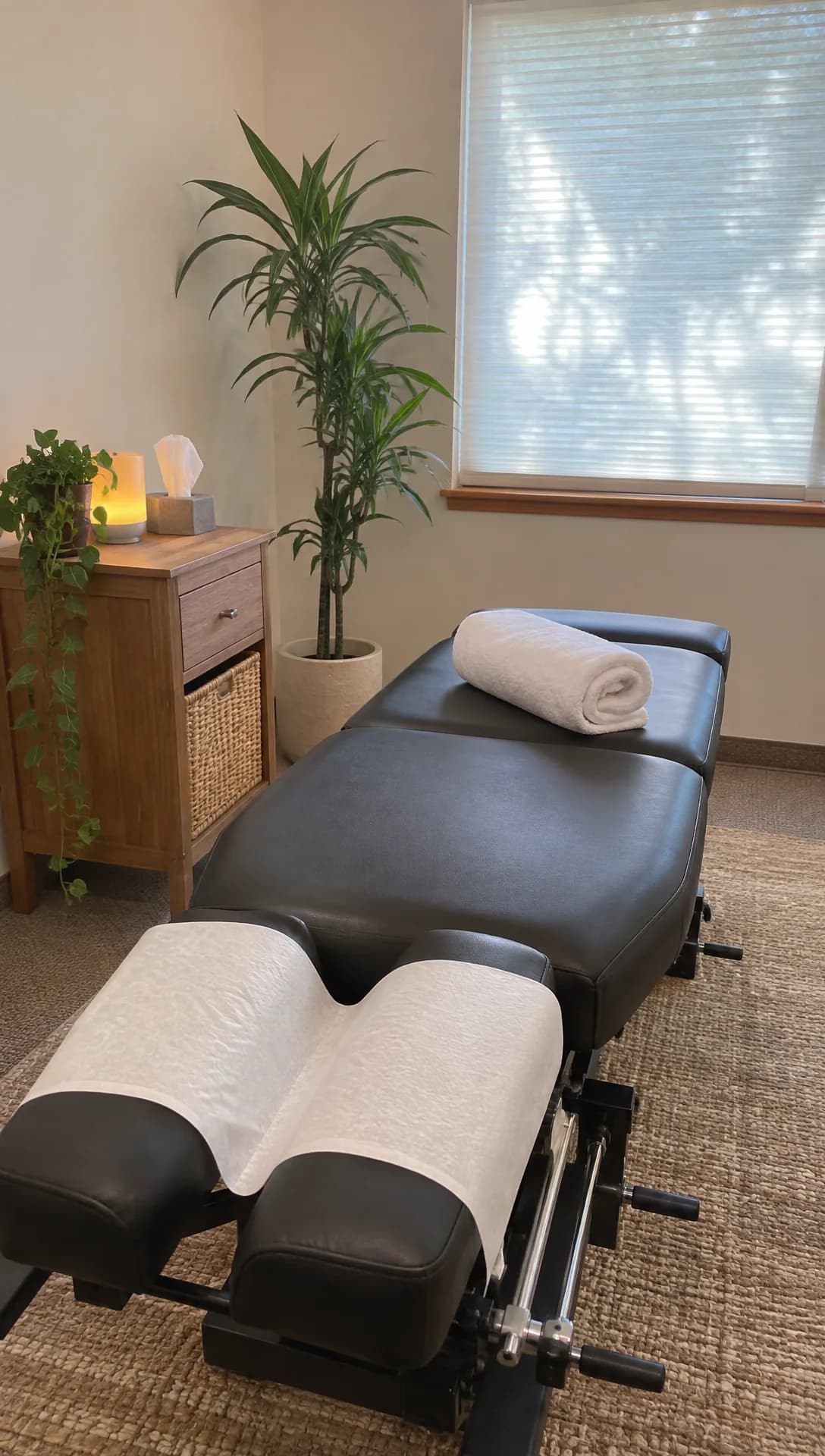 Made in Novoads with GPT Image 2.6 Sunburst · an empty adjusting room as a vertical phone photo, standing in for your own photo of your room · 1 credit · 2026-11-15
The guides on the first page of results for "chiropractor facebook ads" mostly agree on what to run, and two of the seven we opened also tell you to upload your patient list or build a lookalike audience from it. None of the seven mentions that on September 2, 2025, Meta began rolling out flags for audiences and custom conversions that suggest a specific health condition. None of them says what the video itself costs to make, either, or shows how to make it with AI.
We read those seven guides and five of Meta's developer pages on November 15, 2026, took every price from Novoads' own price list that same day, and made the still and its clip with our own Claude connector. We haven't run a chiropractic ad or built an audience in Meta's tools for this post.
The five video ads chiropractic practices run on Facebook
They turn up across the guides in roughly the order a new patient meets them. The offer comes first, then a reason to remember you, and then proof from someone who's already been on the table.
A priced first visit and a short form
This is the ad for those empty Tuesday afternoon slots. It names your first-visit price, says what the visit includes (the consultation, the exam, whether X-rays are part of it) and sends people to a lead form so the front desk can call them back. Software demos go to the same kind of form in our SaaS ads post, which reads Meta's guide to its higher intent setting. Dental practices run almost the same ad for their new-patient specials, and our guide to dental ads covers their version.
This one works well with an AI presenter. The script is short, and the price and the visit are the whole message. And since the talking actor is billed by the started minute, a 20-second read costs the same as a 60-second one.
Never cast the presenter as you, as one of your staff or as a patient. Write the script in the practice's voice ("Your first visit with us includes..."), let the ad say it's an AI presenter, and don't show an exam or an adjustment that didn't happen. Keep the offer about the visit itself (its price and what happens in it) and leave out any promise about what an adjustment will fix.
A habit tip people remember you for
The guides suggest short educational videos, and the easiest topics are the habits your patients already ask about between visits, like how they sit at a desk all day, how they lift a toddler or a bag of soil, or what they do after a long drive. The guides that lay out a funnel use these videos to collect the people who watched, so the next ad has someone to go to.
An AI presenter can read the tip, as long as it's introduced as an AI presenter. Never call it Dr. anyone, and don't have it promise that an adjustment cures a named condition or tell the person watching what's wrong with their back.
You, on your phone, between patients
The guides that talk about creative keep coming back to the doctor talking to the camera, and we agree with them. A new patient is booking time with you, so this is the one ad we'd always film for real. Put your phone on a shelf and spend a minute on what the first visit is like or why you became a chiropractor.
AI plays a small part here. It can turn a photo of your own reception area into a few seconds that open the video before you start talking. It must never stand in for you, invent a colleague, or show a room and equipment you don't have.
A patient's own story, for people who've already seen you
The guides that lay out a funnel put a patient testimonial in front of people who've already seen you, the ones who watched your first video or visited your site. This ad only works with a real patient who's agreed to be in it, speaking in their own words and their own voice.
Use AI only for the frame around them, like a few seconds of your waiting room before they speak or a clip of the front desk at the end. What AI makes for this ad must never be an AI actor playing a patient, a written review read out by a presenter as if it happened to them, or a before and after.
A look around the practice before the first visit
A first visit is easier to book when people have already seen the room. Photos you take of the front desk, the adjusting rooms and the way in from the parking lot can each become a short, slow pan across the space, with your own voice or a presenter walking people through them. Med spas use a tour like this to book consults, and our med spa ads post makes one from a clinic's room photos.
This ad must not show anything a new patient won't find when they walk in, whether that's a generated room, a table you don't own or a team member who doesn't work there. That's why our captions call the room in this post a stand-in for your own photo.
Making the presenter video and the room clips in Novoads
Two tabs in Novoads cover the five ads. Talking Actors is where you make the presenter, and Video is where you make clips from your photos. If you haven't made an ad with AI before, our guide to making AI ads walks through the general steps first.
The presenter video, step by step
- Open the Talking Actors tab. Its first screen lists the three steps, "Write or pick a script", "Choose an actor" and "Press the arrow to generate".
- Write the script in the practice's voice and keep it under a minute, since the talking actor is billed per started minute.
- Choose an actor from the library. It's an AI actor, and the ad should say so.
- Pick 480p or 720p on the resolution switch beside the price. The default is 720p, which costs twice as much.
- Press the round button with the up arrow.
You get back your script spoken by the presenter, with the voice and lip-sync included. Captions are a separate step in the Captions tab, which works on videos already in your project. There, the look called "Karaoke, yellow" is listed under Included at 0 credits, and the other looks cost credits for each started minute of video.
A clip from a photo of your room
- Open the Video tab and pick Kling 3.0 with the sliders button.
- Put your photo in the box labeled "Drop a start frame or click to upload", and the editor confirms it with "The video starts on this picture."
- Describe the move you want in the prompt, such as a slow push along the table toward the window, with no people in the room.
- Press the round button with the up arrow.
Five seconds of Kling 3.0 costs 10 credits. Ten seconds costs 20. Google Veo 3.1 also starts on your photo, and so do Omni Flash and Wan 3.0 once you pick "Start / End Frames" instead of "Reference". Seedance works differently in the editor. There, a photo can only be a reference, which you call up in your prompt as @Image1, and the clip won't open on it.
The same photo-to-clip steps work for anything you'd shoot on your phone, and our walkthrough from one product photo to a finished ad goes through them in more detail.
How we made the clip in this post
We didn't use the editor for the strip below. Our own Claude connector can start a Seedance 2.0 Mini clip from a start picture, so we gave it the stand-in still from the top of this post and asked for a slow move in along the table, with the sound off. We got it on the first take, a five-second clip at 720p. It cost 5 credits.
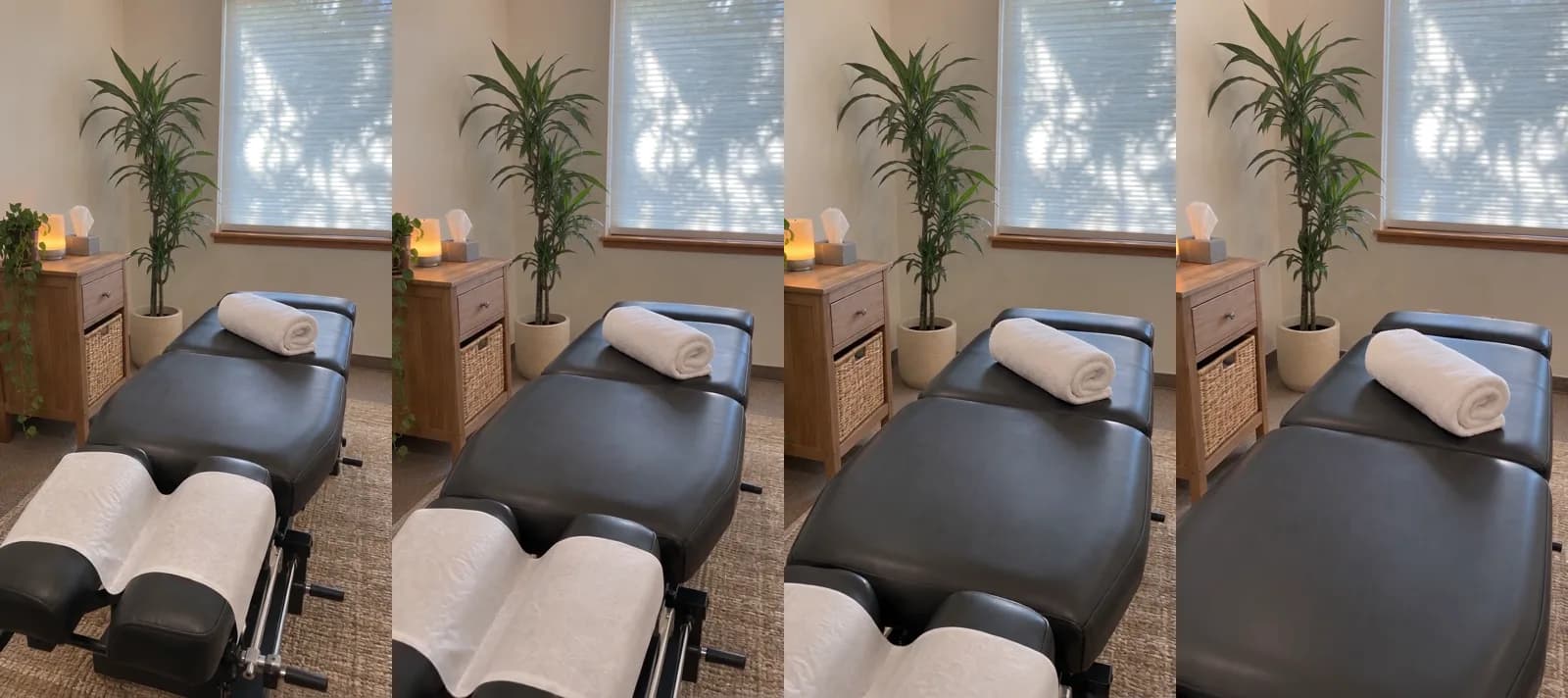 Made in Novoads with Seedance 2.0 Mini through our Claude connector · the stand-in still from the top of this post, with a slow move in along the table and the sound off · 5 credits · 2026-11-15
Across the four frames, the camera moves in along the table toward the rolled towel, the paper on the face rest slides out of the bottom of the shot, and the leaf shadows on the blind shift a little. No person, sign or text showed up in the clip. If you'd rather stay in the editor, you can ask Kling 3.0 for the same kind of move from your own photo, for 10 credits.
What each piece costs in credits and dollars
Prices as of November 15, 2026. We worked out the dollars ourselves by multiplying each row's credits by what a credit costs on that plan. You pay for Novoads from your first month on, and our pricing page lists each plan's monthly credits.
| What you make | Credits | Starter ($0.075 a credit) | Plus ($0.049 a credit) | Ultra 3,000 ($0.043 a credit) |
|---|---|---|---|---|
| AI presenter video, up to 60 seconds, 480p | 100 | $7.50 | $4.90 | $4.30 |
| AI presenter video, up to 60 seconds, 720p | 200 | $15.00 | $9.80 | $8.60 |
| Kling 3.0 clip from your photo, 5 seconds | 10 | 75 cents | 49 cents | 43 cents |
| Kling 3.0 clip from your photo, 10 seconds | 20 | $1.50 | 98 cents | 86 cents |
| Wan 3.0 clip on Start / End Frames, 5 seconds at 720p | 9 | about 68 cents | about 44 cents | about 39 cents |
| GPT Image 2.6 still at medium quality | 1 | about 8 cents | about 5 cents | about 4 cents |
| Seedance 2.0 Mini clip through our Claude connector, 5 seconds at 720p | 5 | about 38 cents | about 25 cents | about 22 cents |
| Captions in the Karaoke look, in the app | 0 | 0 | 0 | 0 |
One offer video and one room clip, added up
The first ad we'd make is the offer read by a presenter at 480p, which costs 100 credits. Open it on a five-second Kling 3.0 clip of your front desk for 10 more. That's 110 credits, or $8.25 on Starter. On Plus it comes to $5.39. Ultra 3,000 brings it down to $4.73.
A Starter month's 200 credits pay for one of these, with 90 left over. A Plus month pays for nine. An Ultra 3,000 month pays for 27.
What one creator marketplace charges for a health video
Insense, which runs a marketplace of UGC creators, lists health and wellness creators at $250 to $1,500 a video in its rate guide. The guide is dated September 14, 2026, and the reason it gives for that range is that "legal disclaimers and credibility requirements push rates up".
That price buys a real person filmed on camera, which an AI presenter isn't, so the two numbers measure different things. For a chiropractor, the person worth filming is you, and that costs your time rather than a creator's fee.
What the credits don't cover
- What you pay Meta to show the ads, since Novoads only makes the video and you run the campaign yourself.
- Putting the presenter, the room clips and your own footage together into one video. The prices above are for the separate pieces.
- Your own time on camera, for the doctor's video and the patient's story.
- A second take of anything in the table, which costs the same credits again.
A longer, more polished spot is a different job, and our post on AI commercials prices out a full one.
The health-condition audiences Meta started flagging in September 2025
This is the part the seven guides leave out, and it affects the audiences two of them tell you to build. Meta's audience guide and its reference pages aren't dated, so we're going by how they read on November 15, 2026.
What Meta's developer pages say
Meta's guide to customer file custom audiences (the ones you build by uploading a customer list) opens with a warning. It reads, "Beginning September 2, 2025, we will start to roll out more proactive restrictions on custom audiences that may suggest information not permitted under our terms."
Its example is any custom audience or lookalike audience "suggesting specific health conditions", and the two conditions it names are arthritis and diabetes. The guide says such an audience "will be flagged and prevented from being used to run ad campaigns." For a campaign that's already running on one, the same guide advises that "you should edit or pause it and choose a different audience to avoid performance and delivery issues."
Meta's Conversion Tracking page has the same warning for custom conversions, flagging "any custom conversion suggesting specific health conditions". Custom conversions are built on your website's addresses (the page says they "rely on complete or partial URLs"), so in our reading, a page address can carry a condition into one.
What a flag looks at
Meta's reference for custom audiences lists the fields it flags as "either name, description or rule". So as Meta's pages read today, a patient list isn't flagged for being a patient list. Meta flags what an audience suggests through its name, its description or its rule.
Two more lines in that reference matter if you already have audiences.
- A lookalike built on a flagged seed audience has to wait until that seed is fixed. Meta's reference says you'll need to resolve the issue with the audience the lookalike is built on.
- In the reference's words, trying to edit a flagged lookalike or customer file audience "will result in an error".
Meta's examples stop at arthritis and diabetes. We'd expect an audience called "Sciatica patients", or a custom conversion that counts visits to a /sciatica-consult page, to be read the same way, but that's our reading of the rule, not Meta's words.
If you think a flag is wrong, Meta's pages say you can ask for a review. For an audience, Meta writes "You can also request a review in Audience Manager", and for a custom conversion, it points to Ads Manager or the custom conversions page in Events Manager.
Running campaigns, and the change on January 6, 2026
At first, Meta didn't switch running campaigns off. The change came in three steps, and Meta's pages date each one.
- September 2, 2025. The rollout begins. Meta's Ad Set reference still opens with its warning, which says "Creation and editing of ad sets that contain flagged custom audiences and custom conversions will not be blocked, but campaign delivery and performance may be impacted unless the flags are resolved."
- October 8, 2025. Version 24.0 of Meta's Marketing API comes out. Its changelog says creating and updating campaigns that use flagged custom conversions or audiences will fail, and that "Creating and updating lookalike audiences using flagged seed audiences will fail."
- January 6, 2026. Each of those changelog lines has the same note, "Will apply to all versions January 6, 2026."
Further down the same page, Meta's Ad Set reference says that trying to create or modify an ad set that holds a flagged audience, lookalike or custom conversion "will fail with an error."
Who the flags apply to, and what they change in your five ads
The flags apply to anyone who builds custom audiences, lookalikes or custom conversions in Meta's tools, whatever they sell. They're about who sees an ad rather than what the video says.
None of the five ads above needs a health-condition audience. Our reading is that a practice should build its follow-up audiences from what people did, such as watching most of the posture tip or opening the lead form, and name them after that action. Keep conditions out of audience names, descriptions and rules, and out of the page addresses your custom conversions count.
If you still want to use a patient list, as two of the guides suggest, read Meta's own pages first. This post isn't legal advice, and Meta is the one that decides what gets flagged.
A first week of chiropractic ads, in the order we'd make them
- The offer, because it's the ad that fills those open afternoons. It's the 110-credit pair above.
- The habit tip, which costs the same presenter minute as the offer and gives you a group of people who watched it.
- Your own video, filmed once the tip has an audience to show it to.
- The patient's story, saved for the people who've seen both.
- The walkthrough, in any week you've taken new photos of the rooms.
Our page on AI actor ads shows the presenters you'd choose from for the offer and the tip.
Put your first-visit offer on video
An AI presenter reading your offer, opened by five seconds made from a photo of your adjusting room, comes to 110 credits. Novoads is paid from the first month.
See the AI presentersFrequently Asked Questions
What's the simplest way to advertise a chiropractic practice on Facebook?
Start with one ad that names your first-visit price and sends people to a short form. Then add a habit tip and show the people who watched it a patient's own story. An AI presenter can read the offer and the tip as long as the ad says it's an AI presenter, and photos of your own rooms can become short clips. Build your follow-up audiences from what people did, like watching the tip, rather than from a health condition.
Can a chiropractic practice still upload its patient list to Meta?
Going by Meta's developer pages, a list isn't flagged for being a patient list. Starting September 2, 2025, Meta flags any custom audience or lookalike that suggests a specific health condition, and its examples are arthritis and diabetes. Its reference lists the fields it flags as an audience's name, description or rule. Creating or updating a lookalike from a flagged seed audience fails too. We'd expect a list named for back pain or sciatica to be flagged as well, but that's our reading, not Meta's words, so read Meta's own pages before you upload one. None of this is legal advice.
Did Meta pause chiropractors' running campaigns when the flags started?
No. When the rollout began, Meta's Ad Set reference said that creating and editing ad sets with flagged audiences or custom conversions wouldn't be blocked, though delivery and performance could suffer until the flags were resolved. Meta's audience guide told advertisers to edit or pause a campaign like that. The hard stop came with version 24.0 of the Marketing API, dated October 8, 2025. In that version, creating or updating a campaign that uses a flagged audience or custom conversion fails. Meta set January 6, 2026 as the date that change reaches every version of the API.
How much does one chiropractic video ad cost to make with AI?
In Novoads, an AI presenter reading your offer at 480p costs 100 credits for anything up to a minute. A five-second Kling 3.0 clip made from a photo of your room adds 10. Together that's 110 credits, or $8.25 on Starter. On Plus it's $5.39, and Ultra 3,000 brings it to $4.73. Those prices are as of November 15, 2026, and they cover making the ad. Showing it on Facebook is a separate cost that you pay Meta.
Can an AI presenter play the chiropractor in an ad?
We wouldn't do it. A presenter from our library is an AI actor, so write the script in the practice's voice, let the ad say it's an AI presenter, and never call it Dr. anyone or show it as someone on staff or a patient. When an ad needs the doctor, film the real one.
Key Takeaways
- The five kinds of video ads that chiropractic practices run on Facebook are a priced first visit, a short habit tip, the doctor on camera, a patient's own story for people who've already seen you, and a look around the clinic.
- An AI presenter can read the offer and the tip as long as the ad is upfront that it's an AI presenter and never passes it off as the chiropractor, someone on staff or a patient. The doctor's video and the patient's story get filmed for real.
- An AI presenter reading your offer, opened by five seconds of video made from a photo of your front desk, comes to 110 credits. That's $5.39 on Plus at November 15, 2026 prices.
- On September 2, 2025, Meta began rolling out flags on any custom audience, lookalike or custom conversion that suggests a specific health condition. Its examples are arthritis and diabetes.
- Meta didn't switch off running campaigns when the flags started. From January 6, 2026, every version of Meta's Marketing API refuses to create or update a campaign that uses a flagged audience or custom conversion.
Sources
- •Meta for Developers: Customer File Custom Audiences (Marketing API guide)
- •Meta for Developers: Custom Audience (Marketing API reference)
- •Meta for Developers: Ad Set (Marketing API reference)
- •Meta for Developers: Marketing API Version 24.0 changelog (October 8, 2025)
- •Meta for Developers: Conversion Tracking (Meta Pixel)
- •Insense: UGC Creator Rates Explained (September 14, 2026)