Med Spa Ads: Ideas That Book Consults, and Google's Rule on 'Botox' Keywords
Four kinds of med spa ads that fill a consult book, how to make each one with AI (from photos of your own rooms or with an AI presenter), what every piece costs in credits, and what Google's policy for US campaigns says about Botox as a keyword.

Mauricio Valdivia
·Updated ·11 min
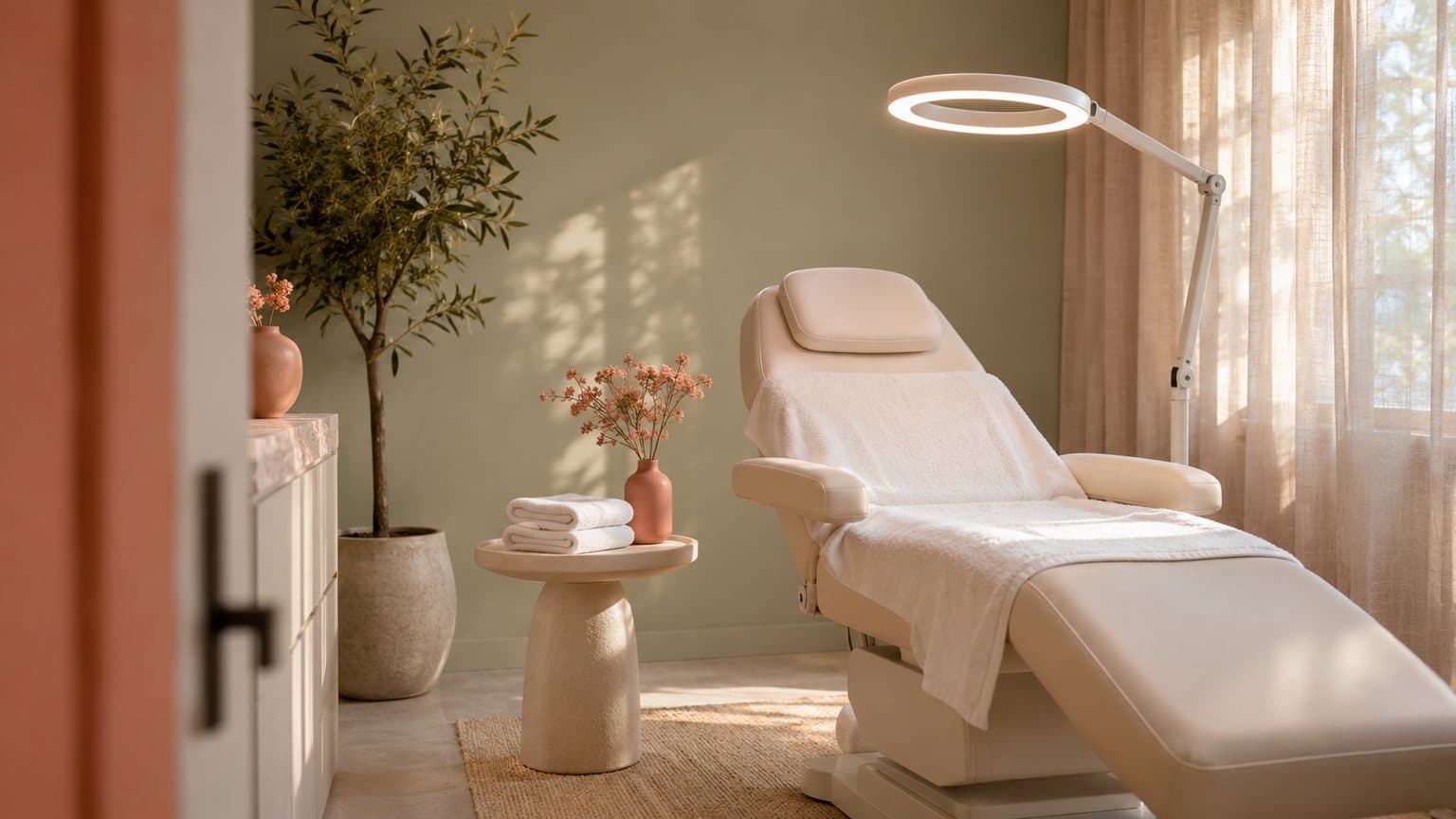
An empty treatment room in motion, for 6 credits
We started this post with one made-up picture of an empty treatment room (a cream chair reclined under a ring lamp, folded towels on a steel cart, an olive tree by the window) and animated it into five seconds of the camera easing toward the chair, the lamp glowing warm the whole time. The picture cost 1 credit and the clip 5. That room doesn't exist. It stands in for the phone shot you'd grab of your own room before the day's first client, and we think that shot is where a med spa's ads should start.
Most weeks, the hard part is filling the consult book. There's a Tuesday afternoon with open slots, a holiday package that needs an ad before the December rush, and new clients calling the front desk to ask what a first visit even involves. Each of those is an ad you could run this week, and none of them needs a needle, a result or a client on screen.
On November 15, 2026, we went through the search results for "med spa ads" and Google's own ad policy pages, priced each piece with our current credit costs, and made both images in this post with our own Claude connector. We haven't run any of these ads, so nothing here predicts how one will perform.
Two of the top results for that search tell owners to target keywords like "Botox appointment [city]" and "Botox near me". Google's policy for US campaigns lets an ad or its landing page name a prescription drug such as Botox without certification, within local laws and regulations. But it requires certification before you can target that name as a keyword. None of the six results we read spells out the split.
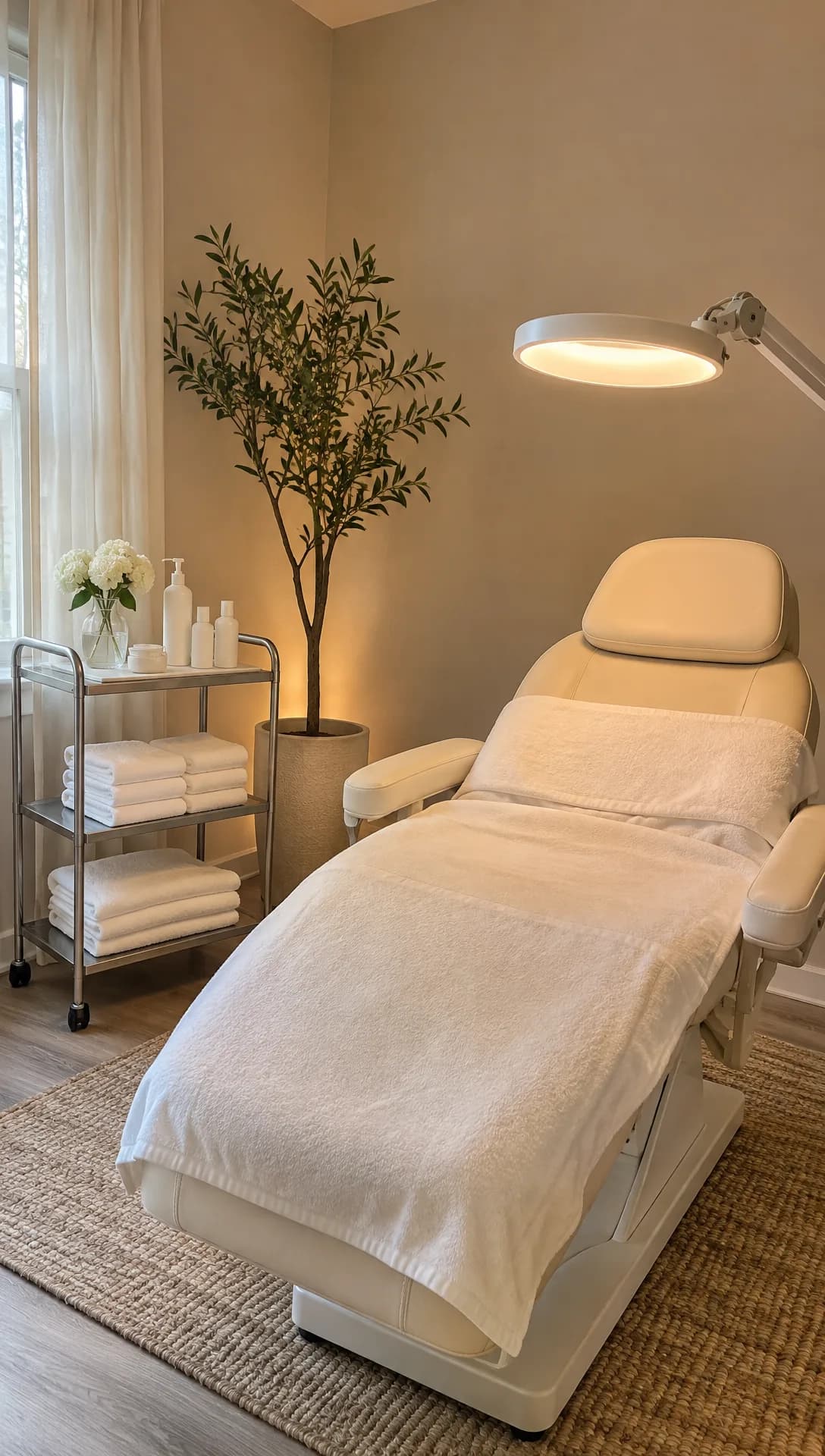 Made in Novoads with GPT Image 2.6 Sunburst · an empty treatment room shot like the room's own phone photo · stands in for your own photo · 1 credit · 2026-11-15
The ads that fill a med spa's consult book
Those same search results keep coming back to a handful of formats (explainers, seasonal specials, before-and-after posts, short tours and the occasional joke), and most of that list holds up for us. What changes when AI makes the ad is the line each format can't cross. If you haven't made an AI ad yet, our guide to AI ads covers the basics.
The treatment explainer
The explainer is for the client who's curious and a little nervous. It answers, in your provider's words, the questions a first-time client asks about a wrinkle-relaxer appointment or a facial.
- What does the appointment actually involve?
- How long does it take?
- What do the next few days look like?
We think it's the format AI handles best. An AI presenter reads a script your provider has signed off on, and you can try a handful of opening lines and keep whichever one books the most consults.
Leave out a needle going in, a device on skin, a result on a face, and any presenter standing in for your nurse or doctor. The presenter is a host who explains things, and at the consult the client meets the person who'll actually treat them.
The seasonal or first-visit offer
Med spas run on seasons, from the weeks before the holidays and wedding season to the New Year crowd and the slow stretch after it. The offer ad names the package, the price and the date it ends, and you have to rebuild it every time the season turns. We think that's where AI saves the most time, because a new season only needs a new script.
Keep the price and the end date real, and make it your clinic's own offer, whether that's a consultation that costs nothing, a first-visit price or a membership. If the offer names a prescription drug, the Google rule further down applies to it too.
The treatment-room tour
We think a first-time client books more easily once they've seen the room. A tour ad shows the chair, the lamp, the towels and the quiet, and it's the format where your own photos do the work. Each photo becomes a few seconds of slow movement, and the ad's text names who does the treatments there, with their real credentials.
Don't show any room, staff member or credential that isn't yours, because a client who books from the tour expects to walk into that room.
The relatable line
The lightest format is a joke about upkeep, said straight to camera and ending on the booking link. One we'd try is "You booked the dentist, the haircut and the oil change. When did you last book something for your skin?" You can have an AI presenter say a line like that several ways and keep the one people respond to.
Never have the presenter speak as a client who had the treatment, and never aim the joke at how a viewer looks.
Shoot before-and-after posts with your own camera
The before-and-after post is the one popular format we'd keep AI out of. A generated or retouched result shows something that never happened to anyone, so that ad should come from your own camera, with your clients' consent. Nothing in the rest of this post makes one.
Making each one in Novoads
Every ad above comes down to two kinds of pieces, and you make both in the Novoads editor.
- A moving clip made from a photo of your clinic, for the room tour.
- An AI presenter reading a script, for the explainer, the offer and the relatable line.
A moving clip from a photo of your room
Take the photo yourself, in the light the room gets when clients arrive, with the room empty and every screen dark. Kling 3.0 uses it as the first frame of the clip.
- Open the Video tab and choose Kling 3.0 from the model menu.
- Drop the photo on the box that reads "Drop a start frame or click to upload", and the editor confirms with "The video starts on this picture."
- In the prompt, describe only the movement, such as the camera drifting in on the chair while the lamp glows and the room stays empty.
- Set Duration to 5 seconds, then send it with the round up-arrow button.
You get five seconds of video that opens on your exact room. Each of the other video models in the editor handles a photo differently.
- Kling 4.0 and Google Veo 3.1 also open on your photo, the way Kling 3.0 does.
- Seedance uses your photo as reference material, which you call @Image1 in the prompt, so its clip won't open on your room.
- Omni Flash and Wan 3.0 open on your photo when you pick "Start / End Frames" instead of "Reference".
We made the clip for this post another way, through our own Claude connector, which can start a Seedance 2.0 Mini clip from a picture. Its five seconds cost 5 credits. The four frames below show the camera closing in on the chair while the lamp keeps its warm glow.
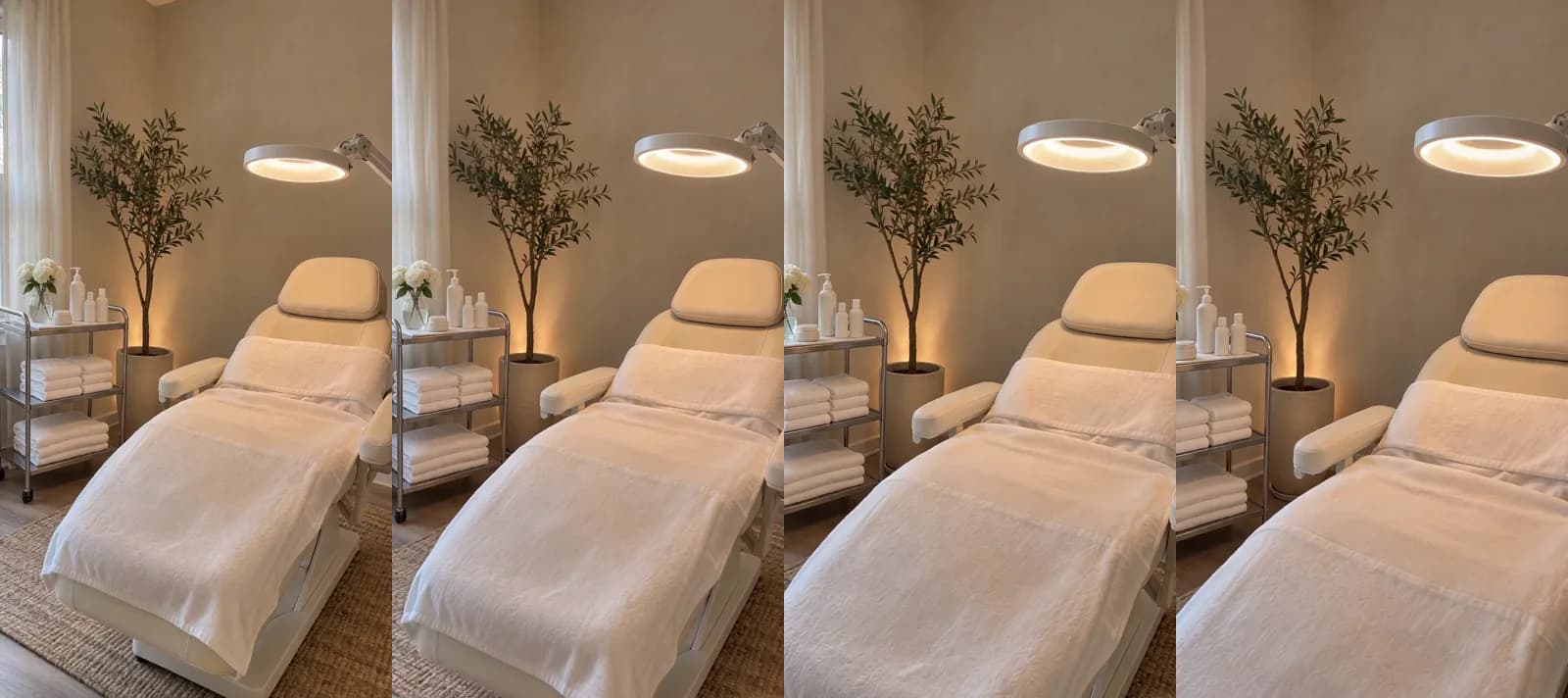 Made in Novoads with Seedance 2.0 Mini · a slow push toward the reclined chair, started from the still above, sound off, 720p · 5 credits · 2026-11-15
It's the same photo-first idea we walk through for products in how to make product videos with AI.
An AI presenter for the explainer and the offer
You start from the script your provider checked, and the steps are the same for every ad that uses a presenter.
- Open Talking Actors and press "Add actors" to pick an AI presenter whose look suits your clinic.
- Paste the script into the box that says "Write what the actor will say...".
- Check the price line. It shows the credits per started minute, and you click it to switch between 720p and 480p.
- Send it with the round arrow button.
The video comes back with the presenter speaking, voice and lip-sync included. You add captions afterward, on the finished video, and the Karaoke style costs 0 credits in the app. Our voice list covers 32 languages, so you can run the same offer in Spanish for clients who'd rather hear it that way.
Write the script the way a host would say it, about your clinic and in its name, and never let the presenter claim to be your injector or a client. We'd also put "AI presenter" in the ad's text, so nobody mistakes them for your staff.
The joke ad and next season's offer
For the relatable-line ad, follow the same steps with a shorter script. Because we bill per started minute, a 15-second joke costs as much as a full minute. Our guide to ecommerce video ads argues for testing many versions of an ad instead of polishing one, and the same goes for a clinic.
For the next season, change the offer and the end date in the script and press the arrow again. Each new take is charged again, but because you're starting from last season's script, the offer and the date are all you have to rewrite.
What these ads cost, in credits and dollars
None of the results we read puts a price on a single ad, so the figures here come from our own price list. Prices as of November 15, 2026.
- Starter, $15 a month for 200 credits, billed monthly only
- Plus, $49 a month for 1,000 credits
- Ultra 3,000, $129 a month for 3,000 credits
Our pricing page lists every plan. We worked out the dollar amounts below ourselves, by spreading each plan's monthly price across its credits.
The pieces, plan by plan
| What you make | Credits | Starter | Plus | Ultra 3,000 |
|---|---|---|---|---|
| AI presenter, up to 60 s, 720p | 200 | $15.00 | $9.80 | $8.60 |
| AI presenter, up to 60 s, 480p | 100 | $7.50 | $4.90 | $4.30 |
| Room clip, Kling 3.0, 5 s | 10 | 75 cents | 49 cents | 43 cents |
| Room clip, Wan 3.0, 5 s, 720p | 9 | about 68 cents | about 44 cents | about 39 cents |
| Presenter at 480p plus a Kling 3.0 clip | 110 | $8.25 | $5.39 | $4.73 |
We bill a presenter video per started minute, so anything up to 60 seconds costs what the table shows. On Starter, a single 720p presenter video uses the whole month's credits, which is why we'd make the first ones at 480p.
One consult offer and one room clip
For a first month, we'd make one 480p presenter video with the consult offer and one 5-second Kling 3.0 clip of your treatment room. That's the last row of the table. On Starter, that pair leaves you 90 credits for the rest of the month. A month of Plus covers nine of those pairs.
Those figures don't include a second take if the first one misses (every take is charged again), or anything you spend running the ad. A produced 30-second spot calls for a different budget, and our AI commercials guide prices one out.
What a beauty creator charges for one video
Launchpoint, a company that offers UGC creators to brands, publishes a rate guide for beauty and skincare creators that it updated in March 2026. It says those creators "typically charge between $150 and $500 per video deliverable".
We read that as one vendor's range for a person filming on camera. It isn't a like-for-like comparison with an AI presenter plus a clip of your own room, and the AI version still needs your provider to check the script.
What Google's page says about Botox as a keyword
The rule comes from Google's Restricted drug terms page, which is part of its Healthcare and medicines policy. We read it on November 15, 2026, and everything in this section comes from that reading.
Naming Botox in an ad versus targeting it as a keyword
The page has a section for campaigns targeting Canada, New Zealand or the United States, and two of its sentences decide what a med spa can do there.
- "You may use prescription drug terms for promotional purposes, in accordance with local laws and regulations."
- You don't "need to be certified in order to use prescription drug terms in ads and landing pages", but "you must be certified in order to keyword-target these terms."
Google's list of prescription drug terms includes botox, and botulinum toxin has an entry of its own. Dysport and Xeomin are on it too, so swapping one brand name for another doesn't get you around the keyword rule. Google notes, "This is not an exhaustive list", and in our reading, a name that's missing from it isn't cleared either.
Who Google certifies, and where that leaves a med spa
The same section adds that "Certification is also required for certain business types, like online pharmacies, telemedicine providers, and pharmaceutical manufacturers." The part of the page about applying gives example certification types ("Online Pharmacy, Addiction Services, Telemedicine, Health Insurance, or Pharmaceutical manufacturer") and says "Do not apply for a category that does not match your business model."
None of those examples is a med spa that treats people in person. We read that as leaving a typical med spa with no certification it could apply for, and so no way to target the brand name as a keyword.
What that means for the ads above
As far as Google's page goes, the ad and its keywords follow different rules.
- The explainer and the seasonal offer can name Botox in the ad and on the booking page.
- The keywords stick to the service and the place, such as "wrinkle relaxer near me" or "med spa near me".
We picked those two keyword examples ourselves. And the drug name in the ad still has to comply with the local laws and regulations the page points to.
A separate limit on your client list
Google's personalized ads policy lists "Restricted drug terms" among its sensitive interest categories. It also says "Advertisers promoting products and services that fall within sensitive interest categories are unable to use advertiser-curated audiences". A table in the policy sorts the targeting options into two groups.
- Customer Match, your data segments, audience expansion and lookalike segments count as advertiser-curated, so you can't use them.
- You can use Google's predefined audiences, location targeting among them, even when the ad promotes a sensitive category.
In our reading, you can't aim a campaign that promotes Botox at your uploaded client list, though it can still reach people near your clinic. Meta draws its own line here, and our post on chiropractor ads explains which audiences Meta flags for suggesting a health condition.
What this rule doesn't cover
- It's a Google Ads policy, so Meta's and TikTok's own rules aren't part of it.
- The same paragraph that clears drug terms in ads names business types that need certification of their own, telemedicine providers among them. A clinic that also prescribes online has a separate question to settle with Google, which this post doesn't cover.
- The local laws and regulations the page points to fall outside it, and so does the FDA's line between a cosmetic claim and a drug claim, which our skincare ads guide works through.
We're reporting what Google's page says, and none of it is legal advice. Read the page yourself before you set up keywords.
A first week of ads for open consult slots
We'd start with the two pieces that cost the least for what they do, and add the rest once those have run.
- Take the room photo this week and turn it into a five-second Kling 3.0 clip.
- Have an AI presenter read your consult offer in a 480p video.
- Run both, with keywords on the service and the town.
- Add the explainer once you know which opening line gets people to book.
Novoads is the tool we built for this kind of week. You bring your photos and scripts, and you get back a clip or an AI presenter video, on a plan you pay for from its first month. If the presenter route fits your clinic, our page on UGC-style ads with AI actors shows what that looks like in practice.
Start with your consult offer
Write the offer for an AI presenter, or upload a photo of your treatment room and give it five seconds of movement.
See AI presenter adsTake the room photo before tomorrow's first client, while the chair is made up and the lamp is on.
Frequently Asked Questions
Can a med spa say Botox in a Google ad?
Google's Restricted drug terms page says that in campaigns targeting the United States, Canada or New Zealand, you may use prescription drug terms for promotional purposes, in accordance with local laws and regulations. It also says you don't need to be certified to use them in ads and landing pages. Targeting them as keywords is another matter. Google says you must be certified for that, and botox is on its list of prescription drug terms. We read the page on November 15, 2026. None of this is legal advice.
Key Takeaways
- The treatment explainer, the seasonal offer, the room tour and the relatable line are the ads that fill a med spa's consult book. You can make each one from photos of your own rooms or with an AI presenter, and none of them needs a needle, a result or a client on screen.
- A five-second Kling 3.0 clip that opens on a photo of your treatment room costs 10 credits. An AI presenter at 480p costs 100 credits per started minute of video.
- One 480p presenter video with your consult offer plus one Kling 3.0 room clip comes to 110 credits. On Starter, that's $8.25 of what you pay for the month.
- Google's Restricted drug terms page says that in campaigns targeting the United States, you may use prescription drug terms in ads and landing pages without certification, in accordance with local laws and regulations. But it adds that you must be certified to keyword-target them, and botox, dysport and xeomin are all on Google's list of prescription drug terms.
- Google's page lists online pharmacy, addiction services, telemedicine, health insurance and pharmaceutical manufacturer as example certification types. We read that as leaving a typical med spa with no way to keyword-target those drug terms, so its keywords stick to the service and the town.