HVAC Ads: The Heat Pump Tax Credit Ended, So Here's What to Advertise Instead
The federal heat pump tax credit only covers installs through December 31, 2025. We show the HVAC ads to run instead, how to make each one with AI and what each costs.

Mauricio Valdivia
·Updated ·11 min
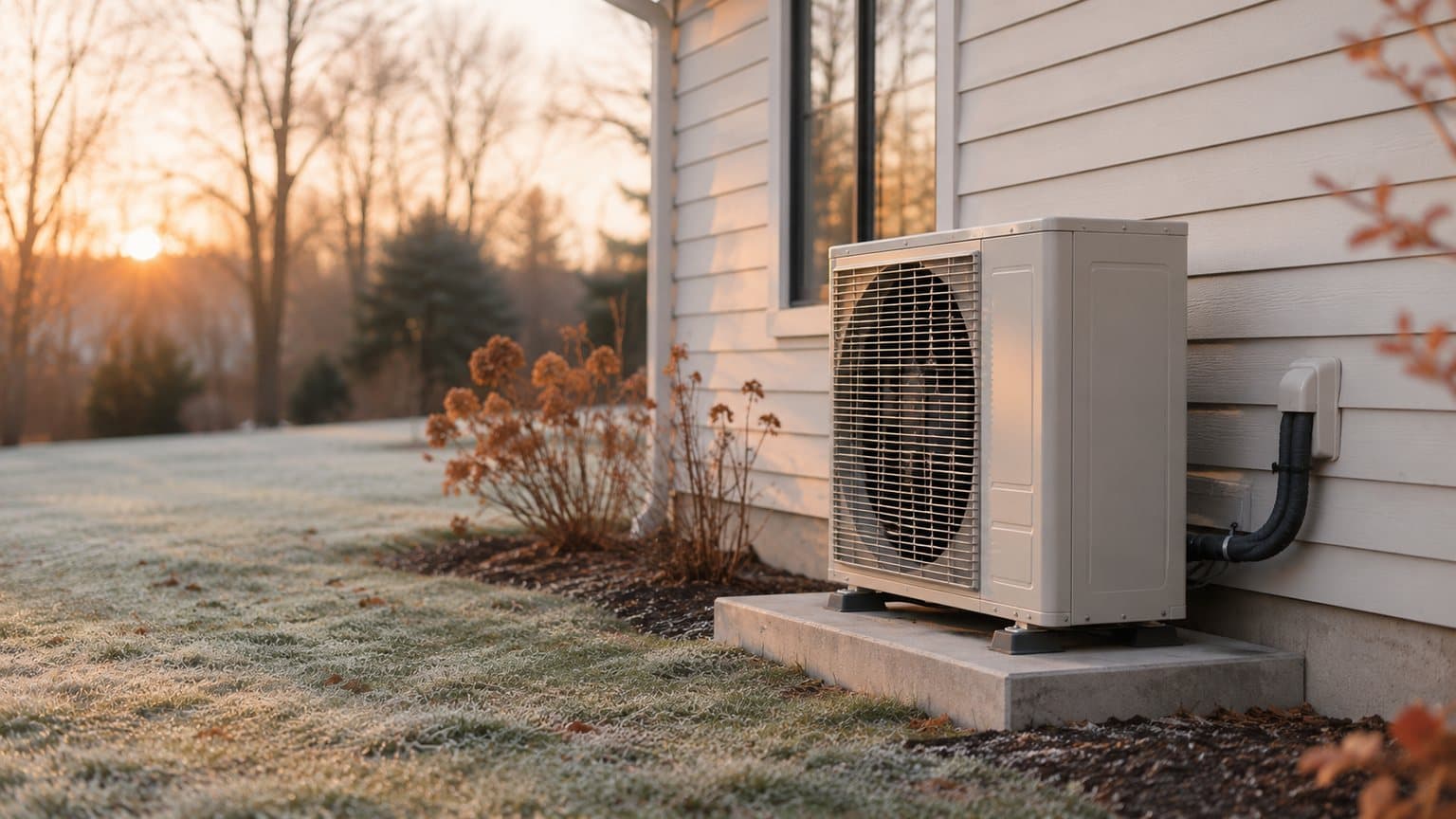
Heat pump quotes this winter come without the federal credit
The first hard freeze fills your schedule with no-heat calls, and a few of those homeowners decide their old furnace has seen its last winter. Somewhere in that group, someone comparing heat pump quotes asks whether they can still claim the federal tax credit, worth up to $2,000 a year. For a system you install now, they can't. The IRS's own page on the Energy Efficient Home Improvement Credit says "You can claim the credit for improvements made through December 31, 2025."
In our reading, a heat pump ad that still leans on that credit is promising a saving the homeowner can't claim. So the offer has to come from something you control, like the tune-up, the financing or the install itself. We wrote this for the owner of a heating and cooling company who's working out what to run between now and spring.
We made one short clip for this post, to see how far a single photo can go. A GPT Image 2.6 Sunburst still stands in for the phone photo you'd take on install day (a gray outdoor unit on a concrete pad against light siding), and it cost 1 credit. We turned that still into five seconds of Seedance 2.0 Mini video through our own Claude connector, for 5 more credits. In the clip, the camera swings around to face the unit while the morning light warms and then fades toward evening.
Everything else here comes from the pages that ranked for "hvac ads" when we read them on November 13, from the IRS's pages on the credit as of today (November 15, 2026) and from the prices we actually charge. We haven't run any of these ads ourselves or measured what they bring in.
What the IRS page says about the heat pump credit
The credit covers installs through December 31, 2025
The IRS puts the cutoff in the first paragraph of that page, which it last reviewed or updated on April 28, 2026. An IRS fact sheet, FS-2025-05, dated August 21, 2025, says the same thing in the language of the law. Its line on this credit reads "The credit will not be allowed for any property placed in service after December 31, 2025."
The date that matters is the day the system goes in. The page tells homeowners "You must claim the credit for the tax year when the property is installed, not merely purchased." So a heat pump your crew put in during 2025 belongs on that homeowner's 2025 return. One installed this year doesn't qualify, no matter when the homeowner paid for it.
Strictly speaking, the rule is about who can claim the credit on a federal return. As we read it, offering the credit on a system installed now promises the buyer something they can't get, and we'd pull that line today. We aren't tax advisers, so read the IRS page itself before an ad names any federal credit. When a homeowner brings up the credit during an estimate, we'd point them to that page and steer the conversation toward what you can offer, such as financing or a rebate whose program page you've read.
What the credit covered while it ran
The credit paid back part of the cost of a set list of upgrades, and the IRS page spells out the limits.
- 30% of the qualified cost, for upgrades from January 1, 2023
- Up to $2,000 a year for qualified heat pumps, under one yearly cap shared with heat pump water heaters and biomass stoves or boilers
- Up to $600 per item for a central air conditioner or a gas, propane or oil furnace
- Those $600 items counted toward a $1,200 yearly total, along with doors, windows, insulation and energy audits
- Only for the homeowner's main home, so never for a landlord who lives elsewhere or for a property used only for business
Rebates are separate programs
Everything above is about the federal credit only. Utility, state and maker rebates are separate programs with their own rules and dates. We didn't check any of them for this post, so an ad that names one should be backed by the program's own page for the system, the address and the dates you're advertising.
None of the top pages we opened on November 13 said the credit had ended. One of them, Service Allies' list of 25 promotions for HVAC companies (updated July 25, 2025, while the credit was still running), still suggests "Tax Credits and Rebates on Select Systems." It points readers to ENERGY STAR's page on the federal credits, and when we read that page on November 15, 2026, it said they were available "through the end of 2025."
The HVAC ads worth running this winter
The pages ranking for "hvac ads" are mostly idea lists from marketing agencies and an invoicing software company, plus the libraries of live ads inside AI ad tools. The same few ads keep coming up across them. Where we say what AI does well in each, that's our own reading. In every one of them, the jobs, customers and technicians on screen should be your own.
The no-heat call
The no-heat ad is for the night a furnace quits or the afternoon an AC stops cooling, and it comes down to one problem, your number and a button to call. AI can handle the parts that would otherwise eat your evening. A presenter can name the breakdown in plain words, captions carry it for people scrolling with the sound off, and a photo of your own truck can start a few seconds of video. If your trucks answer plumbing calls too, the emergency ads we lay out for plumbers work the same way.
Never let it show any of these.
- A made-up technician presented as one of your crew
- A response time you can't keep
- A license or badge your company doesn't have
The seasonal tune-up offer
Fall furnace checks and spring AC checks fill the slow weeks between the rushes, so this ad needs the offer, the price and the date it ends. With a presenter reading it and the price in a caption, the ad is easy to remake every season from the same script.
Keep these off the screen unless they're your real offer.
- A price
- A deadline
- A promise that the system won't break down
Financing a replacement
When a homeowner is weighing a new system against one more repair, we'd lead with the monthly payment, because that's the number they can compare with the repair bill. A presenter can explain the payment in plain words while the lender's terms run as captions.
Leave these out.
- A monthly figure, a rate or an approval the lender didn't give you
- An energy-bill saving framed as a real customer's result when it isn't one
The second opinion on a replacement quote
One offer on Service Allies' list is a second opinion on the replacement estimate a homeowner already has from someone else. The ad can be short. It names the doubt (is the whole system really done?), says you'll take a look before anyone sells them anything, and gives the number to call. A presenter carries it well, because the script is one question and one answer.
It must never do any of these.
- Say a competitor's quote was wrong
- Show a homeowner who isn't real
- Promise a lower price before you've seen the system
Before-and-after installs
This ad runs on your crew's photos of the old unit and the new one. AI can add captions and a voice-over, or turn a photo of the finished install into a short moving shot. For other ways to use a crew's job photos, see the project video ideas we put together for general contractors.
Keep three things out of it.
- An old unit or a new install that AI made up, passed off as a job you did
- A customer who isn't real
- A saving nobody measured
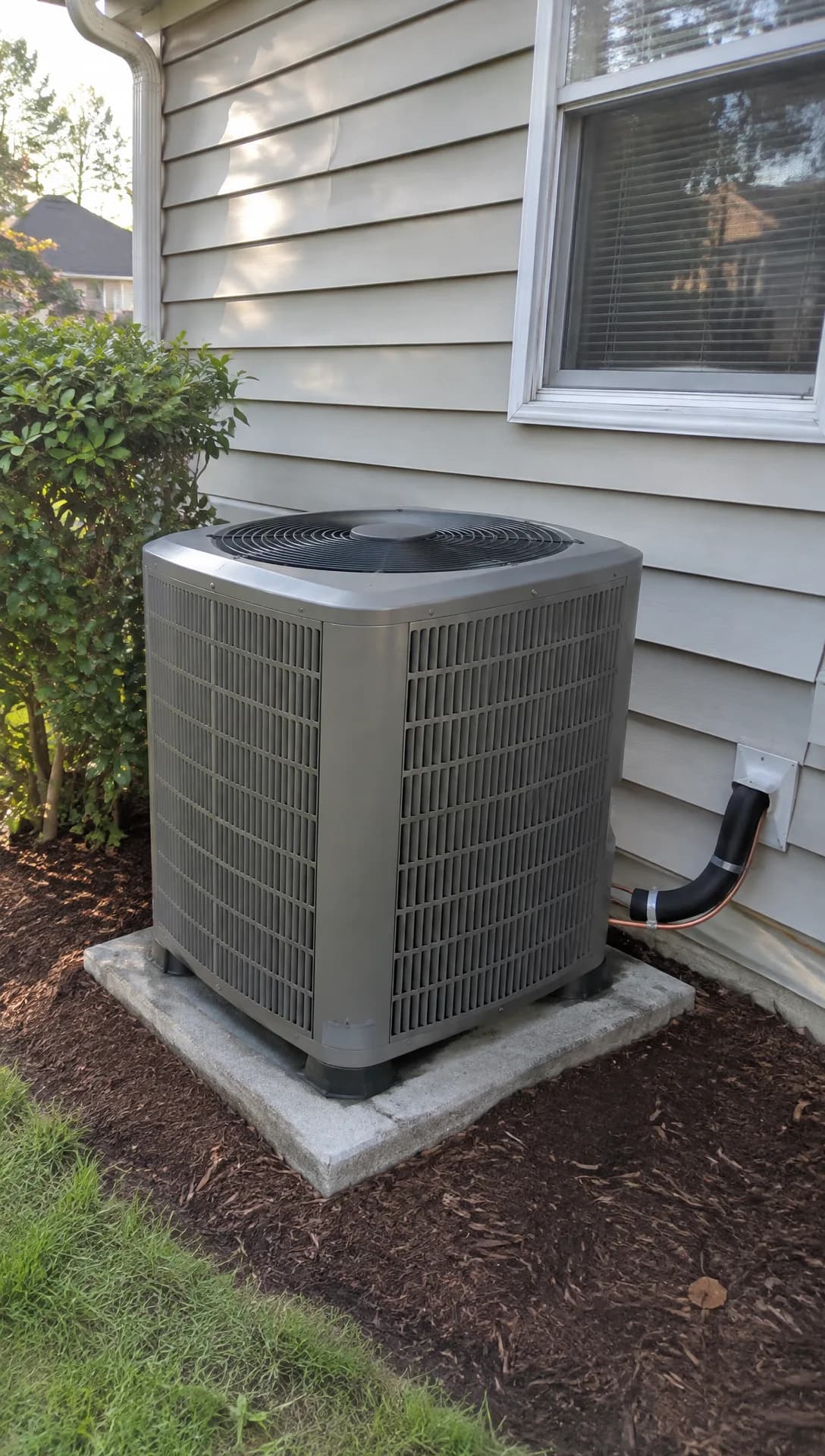
Made in Novoads with GPT Image 2.6 Sunburst · a new outdoor unit on its pad beside a house, shot like an installer's phone photo, standing in for your own install photo · 1 credit · 2026-11-15
Rebate ads after the federal credit
A rebate ad still works when the rebate is real. A presenter explains which rebate applies and who qualifies, with the terms as captions. Of all these ads, the end of the 25C credit changes this one most. It must never do either of these.
- Offer the federal credit on a system installed now
- Show a rebate amount or eligibility rule the utility or maker didn't publish
Making these ads in Novoads from your crew's photos
Every ad above is built from two kinds of pieces.
- Your own photos, turned into short clips
- An AI presenter reading a script you write
Turning an install photo into a clip
In the editor, Kling 3.0 can start a clip on your photo, and that's the route we'd use for an install shot.
- Open the Video tab, press Settings (the sliders button) and pick Kling 3.0 under Model.
- Set Duration to 5 or 10 seconds, and check the Estimated cost before you send anything.
- Drop your install photo where the box says "Drop a start frame or click to upload." The editor then shows "The video starts on this picture."
- In the prompt box, describe a single slow camera move and keep everything else still, for example "slow push toward the outdoor unit, camera steady, nothing else moves."
- Press the round arrow button to send it.
You get back a clip that starts on your photo and moves the way the prompt asked. The other video models in the editor handle a photo differently.
- Kling 4.0 and Google Veo 3.1 start on your photo the same way.
- Omni Flash and Wan 3.0 start on it once you pick "Start / End Frames" instead of "Reference."
- In Seedance, your photo is only a reference the prompt points to, so the clip may begin on a different frame.
For more on choosing the motion, see our guide to turning one photo into a finished clip.
We made the clip in this post a different way, handing the still above to Seedance 2.0 Mini through our own Claude connector, where a picture can be a clip's first frame. It cost 5 credits. Over the five seconds, the camera moved around the unit to face it more squarely, and the light warmed and then dimmed toward evening.
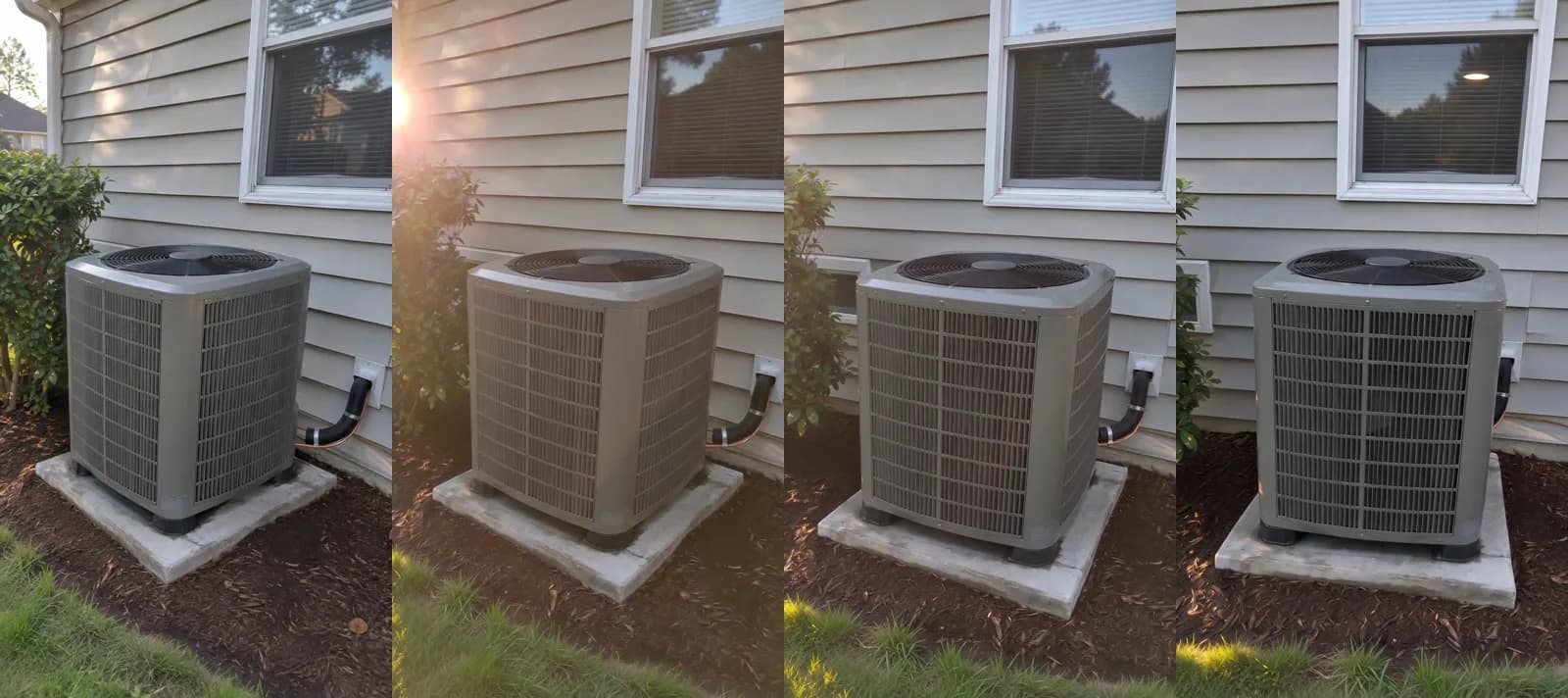
Made in Novoads with Seedance 2.0 Mini through our Claude connector · the outdoor unit still, standing in for your own install photo, with the camera moving around it as the light shifts, sound off · 5 credits · 2026-11-15
You won't need the still at all. We only made it because we had no install of our own to photograph, and your own photo is the one to start from.
Putting an AI presenter on your offer
The presenter is an AI actor from our library reading your script. It speaks for your company, and you should never present it as one of your technicians or as a customer. A tune-up script needs four short lines (what you'll check, the price, the date it ends and how to book), with your own numbers where the brackets are.
Cold nights are coming, so let's look at your furnace before they do. We'll check the burners, the filter, the flue and the thermostat for [your price]. This offer ends [your date]. Book on our site or call the number on screen.
- Open Talking Actors and type your script into the box that says "Write what the actor will say..."
- Press Add actors and pick one.
- Switch between 720p and 480p where the price shows under the box. At 480p, a minute costs half as much.
- Press the round arrow button.
You get back a video of that actor saying your script, voiced and lip-synced. You pay for each started minute, so any read up to 60 seconds costs a full minute. You add captions to the finished video afterward (open Captions and pick a style), and in the app the Karaoke style costs 0 credits. Our voice list covers 32 languages, so a Spanish version of the tune-up ad starts from a Spanish script.
Before an ad goes out
We'd check four things first.
- Every clip still matches the real photo, so the unit, the pad and the house are yours.
- The offer, the price and the deadline on screen are ones you'll honor.
- Any license, badge or rebate on screen is one you hold, or one you've read on the program's page.
- No line offers the federal 25C credit on a system installed now.
What a heating and cooling ad costs to make
Credits and dollars as of November 15, 2026, at each plan's own rate per credit.
| What you make | Credits | Starter ($15 for 200) | Plus ($49 for 1,000) | Ultra 3,000 ($129) |
|---|---|---|---|---|
| A still, GPT Image 2.6 Sunburst, medium | 1 | about 8 cents | about 5 cents | about 4 cents |
| 5-second Seedance 2.0 Mini clip, 720p | 5 | about 38 cents | about 25 cents | about 22 cents |
| 5-second Kling 3.0 clip from a photo | 10 | 75 cents | 49 cents | 43 cents |
| 10-second Kling 3.0 clip from a photo | 20 | $1.50 | 98 cents | 86 cents |
| AI presenter, up to a minute, 480p | 100 | $7.50 | $4.90 | $4.30 |
| AI presenter, up to a minute, 720p | 200 | $15.00 | $9.80 | $8.60 |
The Seedance 2.0 Mini row is the clip in this post, made through our connector.
Pricing the tune-up ad
The tune-up ad from above has two pieces. The presenter reading the offer at 480p is 100 credits. A 10-second Kling 3.0 clip of your crew's install photo adds 20. Together they come to 120 credits.
- About $9 on Starter, where a month's credits cover a single ad with 80 to spare
- About $5.88 on Plus, enough for eight a month
- About $5.16 on Ultra 3,000, enough for exactly 25 a month
What that price leaves out
Three costs aren't included in those 120 credits.
- Every new take of a clip, charged like the first one
- The ad spend itself
- Your own time checking each clip against the real photo before it runs
What a creator video costs, by one agency's figures
Web Tonic, a marketing agency, priced creator video in a guide to HVAC ad creative studios that it published on August 9, 2026, and updated on October 9. It says creator-marketplace video for home services "runs roughly $300 to $800 per ad." The same sentence puts batch-generated AI video "nearer $5 to $50 per ad at much lower trust."
We think the trust warning is fair when a presenter pretends to be someone they aren't, which is why every ad here shows your jobs in your own photos and keeps the presenter in a presenter's role. The two figures don't buy the same thing, either. A creator films something new, while in Novoads you animate your own photos or put an AI presenter on your offer. If you're weighing a longer TV-style spot instead, our post on what an AI commercial costs to make works through one.
Where to start before the next cold snap
If you make only one ad this month, make it the tune-up offer or the no-heat call. Both run on an offer you set yourself, and neither needs a tax credit to work.
You can make both in Novoads from what you already have. Your crew's install photos become short clips, and an AI presenter reads the offer you write. Our page on AI UGC video ads shows how the presenter side works. You pay from your first month, starting with Starter at $15 for 200 credits, and every plan is on our pricing page.
Your install photos, moving
Turn a crew photo into a short clip and put an AI presenter on your tune-up offer, paid in credits from your first month.
See AI presenter adsFor ad formats beyond heating and cooling, our AI ads guide covers the basics, and our ecommerce video ads guide walks through more formats with examples. Before the next freeze, take the credit line out of any heat pump ad you're running and put the tune-up price or the monthly payment in its place.
Frequently Asked Questions
Can an HVAC ad still promise the federal heat pump tax credit?
Not on a system installed now, in our reading. The IRS page says you can claim the credit for improvements made through December 31, 2025, and that you claim it for the tax year the property is installed rather than the year it's bought. A heat pump installed in 2025 still went on that year's return. Utility, state and maker rebates are separate programs, so check the program's own page before an ad names one. We aren't tax advisers, and the IRS page is the place to confirm it.
What is commercial HVAC?
Commercial HVAC is the heating, cooling and ventilation in business buildings such as shops, offices and restaurants, as opposed to homes. That difference matters for this credit. The IRS page says the Energy Efficient Home Improvement Credit was for improvements to your main home, and that it can't be claimed for a property used solely for business purposes. So in our reading, it never belonged in a commercial HVAC ad.
How much does it cost to make an HVAC video ad with AI?
In Novoads, the tune-up ad in this post comes to 120 credits. The AI presenter reading the offer at 480p accounts for 100 of them. A 10-second Kling 3.0 clip made from your install photo is the other 20. That's about $5.88 on Plus and about $9 on Starter. Every new take of a clip costs its credits again, and the ad spend is separate.
Can the AI presenter in our ad say they're one of our technicians?
No. The presenter is an AI actor, so write the script for someone speaking on your company's behalf, never as a technician on your crew or as a customer. Put your real crew and real installs in the photos and clips, and let the presenter carry the offer.
Key Takeaways
- The IRS says the Energy Efficient Home Improvement Credit covers improvements made through December 31, 2025, and what counts is the year the system is installed. In our reading, an HVAC ad running now can't promise it on a new install.
- While it ran, the credit was 30% of the qualified cost, up to $2,000 a year for qualified heat pumps (a cap shared with heat pump water heaters and biomass stoves or boilers). A central air conditioner or a gas, propane or oil furnace got up to $600 each, within a $1,200 yearly total.
- The HVAC ads that keep coming up are the no-heat call, the seasonal tune-up, financing, a second opinion on a replacement quote, before-and-after installs and rebate offers. Each one should show only your own jobs, customers and crew.
- In the Novoads editor, Kling 3.0 can start a clip on your own install photo, and an AI presenter can read your offer from a script without ever posing as one of your technicians.
- The tune-up ad in this post comes to 120 credits, about $5.88 on Plus. Web Tonic, a marketing agency, puts creator video for home services at roughly $300 to $800 an ad. It puts batch-made AI video nearer $5 to $50 an ad, at much lower trust.