Event Ads: Five Ideas to Sell Tickets, What Each Costs With AI, and Google's Rule for Ticket Ads
The five ads event organizers and venues run before the doors open, how to make them in Novoads from your own venue photos or with an AI presenter, what each costs plan by plan, and the Google Ads step a ticket ad needs first.

Mauricio Valdivia
·11 min
An empty stage, four seconds and three credits
Two rows of black folding chairs face a small stage with nobody on it yet. There's a mic stand at the front, a covered drum kit, two floor monitors and five amber lamps along the top of the curtain. We made that picture for this guide with GPT Image 2.6 Sunburst for 1 credit, as a stand-in for the photo you'd take of your own room before doors. Then we turned it into a 4-second Seedance 2.0 Mini clip through our own connector, for 2 more credits. The camera eases toward the stage, the front chairs slip out of frame at the bottom, and the lamps brighten until you can see their beams in the air.
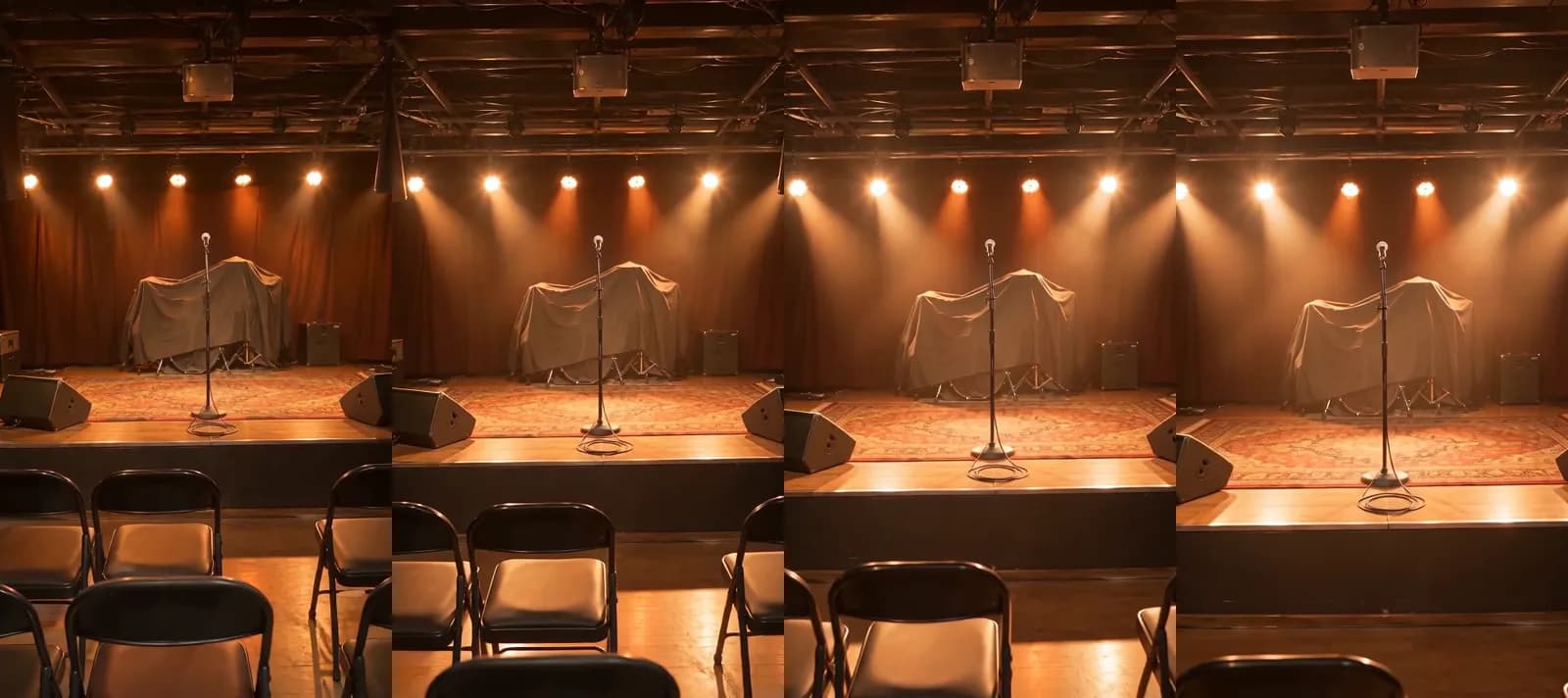 Made in Novoads with Seedance 2.0 Mini · the stage picture with a slow push-in as the lamps come up, 4 seconds at 480p with no sound, started from the still through our connector · 2 credits · 2026-11-18
Before an event, that empty room is most of what you have to show. You've got a date, a room, a lineup that's still being confirmed and an early-bird price with a deadline. Between the announcement and the doors, you need something new to post every week. For most events, we don't think it makes sense to hire a film crew for each of those posts. And a stock clip of someone else's crowd says nothing true about your night.
On November 18, 2026, we read the pages that rank for "event ads", Google's ad policy pages and our own prices, and made the two images in this guide. We didn't run an ad for a real event, so nothing here tells you how many tickets an ad will sell.
Five ads that carry an event from announcement to doors
The guides that rank for "event ads" come from marketing agencies, an event app company and a portfolio platform's blog, and the same four formats keep showing up in them. We'd add a fifth for venues with several dates. Each of the five also has a line we wouldn't let AI cross. If you want the wider picture first, our overview of how AI is changing advertising is a good place to start.
A countdown teaser from your own venue photos
A teaser keeps the date in front of people who said "maybe" when you announced it. Fliplet's list of event promotion ideas says to "Create a countdown series to maintain audience excitement", and Fueler's guide to promoting a local event suggests "a final countdown push in the last few days". We'd build it on a photo you took of your own room, with the camera creeping toward the stage as the lights come up and the date in the captions. Leave out any crowd, stage set, headliner or sold-out room that isn't from your event, since viewers would take it for yours. If your crowd is on TikTok, read our guide to making TikTok ads next.
Last year's recap, from last year's photos
First-timers want to know what the night feels like, and a recap shows them. Fliplet says "Highlight reels showcase past event successes and build anticipation", and Neil Patel suggests "a collage of previous attendees at old events or a video of past speakers". In Novoads, you'd start from photos you took last year and add a push toward the stage or a slow pan across the room before doors. Don't add attendees, performers or a packed room that weren't there and pass them off as last year's. If you don't have the photos, we'd skip the recap rather than make one up.
The early-bird price, read to camera
Of the five, the early-bird read is the one that sells tickets, so every word in it has to be true. Fliplet's list includes "Offer Early Bird Discounts & Exclusive Perks", and it's a good fit for an AI presenter. You write the real price, the real deadline and where to buy, and a talking AI actor reads it aloud with lip-sync. The presenter speaks for the event. It never poses as you, a performer, a speaker or someone who went last year and loved it. If it runs on Google Ads, it counts as a ticket ad under the Google rule we cover further down.
The lineup or speaker announcement
Each name you add to the bill is another reason to post. 618 Media's guide to Google Ads for events says to make clear what sets the event apart, "such as exclusive speakers, unique experiences, or limited-time offers". This is where we'd keep AI on the shortest leash. In the Image tool, you can make a picture ad that uses your venue photo as its reference and shows the act's name and the date. Ask for both in the prompt, then check them letter by letter. We'd keep real faces out of the AI step entirely. If you want the act in the ad, use the press photo their team approved, untouched. Never show a performer or speaker who isn't booked, and never make a real person look like they said or endorsed something.
One ad for several dates
Venues with a run of shows can promote the whole run at once, with one picture per date. Base each picture on a shot of your actual room, with that night's date on it. Leave out any room, stage or view your venue doesn't have. If you sell merch alongside tickets, the formats in our guide to ecommerce video ads are a better fit for it than these. When the same room hosts weddings between shows, the ads that book wedding dates are a separate set, built on ceremony and reception photos.
When to run each one
The five ads fit the weeks between the announcement and the doors.
- When you announce, post the lineup or speaker card, then a new one each time a name is confirmed.
- In the first weeks, run last year's recap for the people who've never been.
- While the early-bird price lasts, run the early-bird read with the deadline in its first line.
- In the last two weeks, switch to the countdown teaser, with the date in every version.
- If you have a run of shows, keep one ad for the whole run going and update it as nights sell out.
- After the doors close, save this year's stage photos, because they're next year's recap.
Making each one in Novoads from your own photos
You make the ads in Novoads and run them wherever you pay for reach. Each of the five starts from something you upload or type, so the room on screen is yours, and so is the price. If this is your first AI ad, start with our step-by-step guide to AI ads. Our walkthrough that turns one product photo into a video applies the same idea of starting on a photo to things you sell.
A clip that starts on your venue photo
The teaser and the recap both work this way, and Wan 3.0 is the model we priced for them.
- Open Video and pick Wan 3.0 in the model menu.
- Switch the photo box from "Reference" to "Start / End Frames".
- Drop a picture of your room, or of last year's stage, into the start frame. The editor then shows "The video starts on this picture."
- Describe the camera move in the prompt (we'd ask for a gentle drift toward the stage while the lights warm up), set 5 seconds and 720p, then press the round up-arrow button to send it.
With Kling 3.0 and Kling 4.0, the clip opens on your picture with no switch to flip. Omni Flash needs the same "Start / End Frames" switch as Wan 3.0.
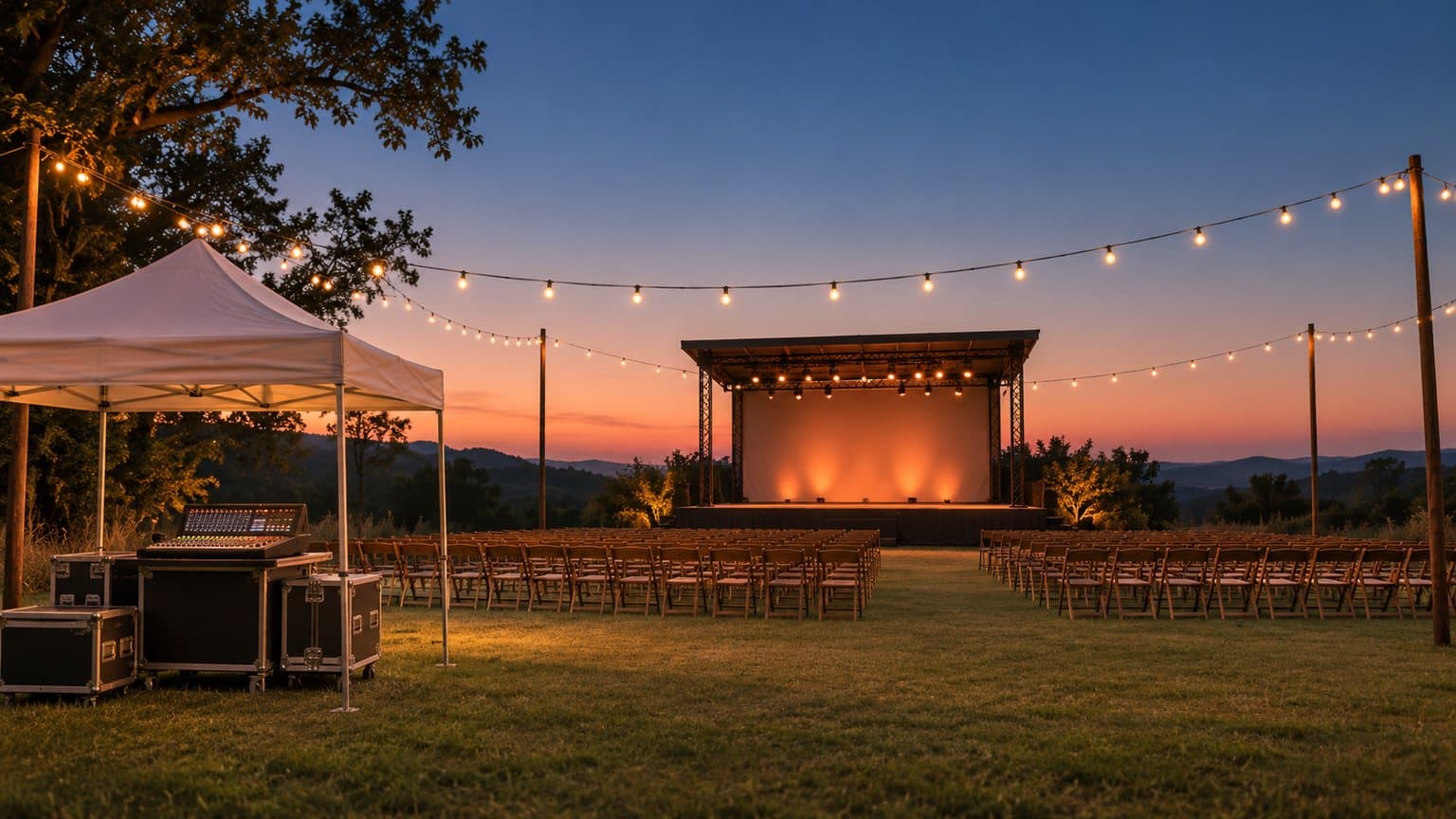
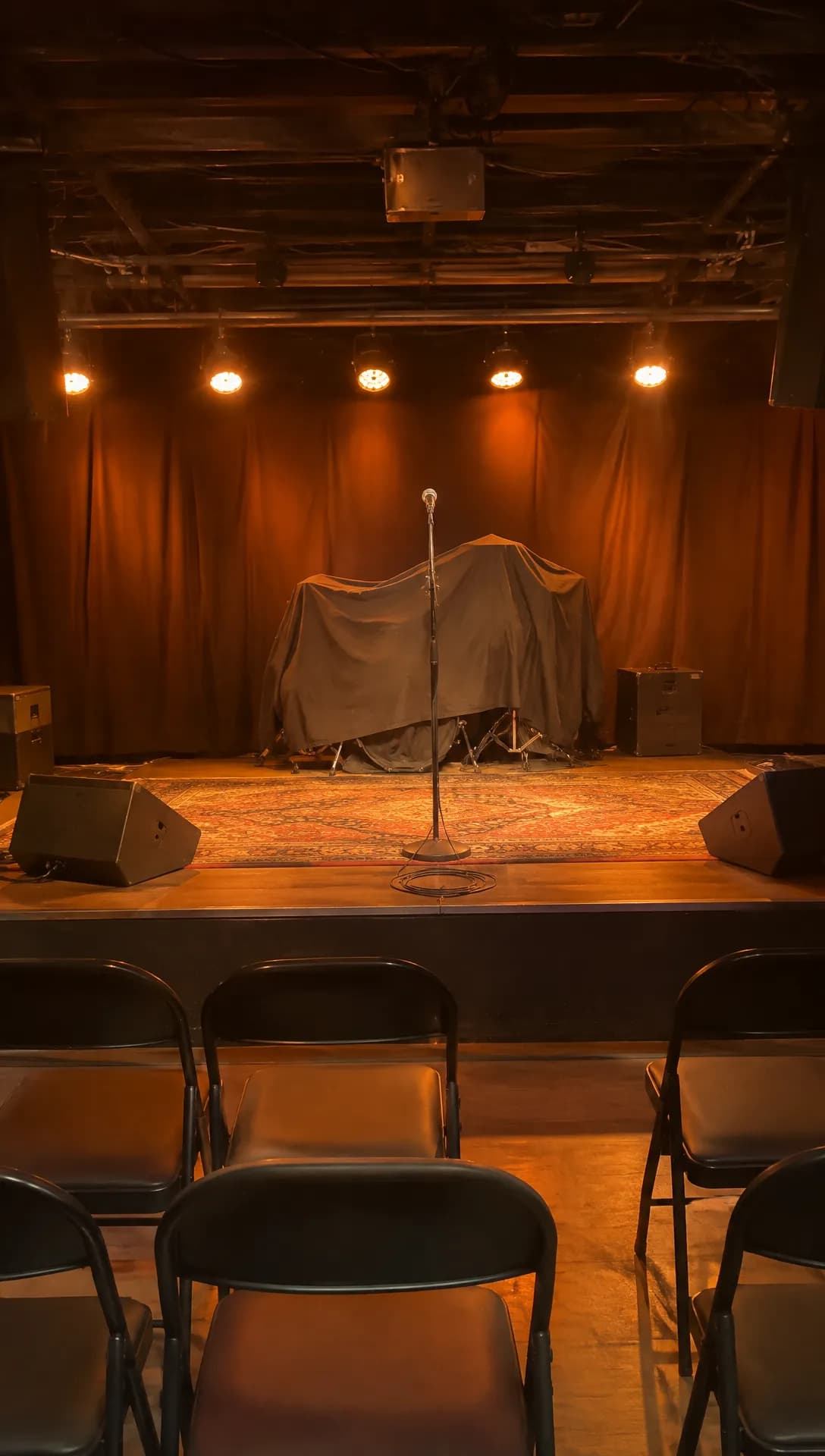 Made in Novoads with GPT Image 2.6 Sunburst · a vertical phone-style photo of an empty small-venue stage before doors, made to take the place of your own venue photo · 1 credit · 2026-11-18
The clip at the top of this guide started on that picture. We made it through our connector, where a Seedance 2.0 Mini clip can start on a picture. In the editor, Seedance uses an uploaded photo as a reference that the prompt names, never as a first frame. So when the clip has to open on your room, pick Wan 3.0, Omni Flash or one of the Kling models. We kept ours at 480p because we were only testing the motion, and we'd render the version you post at 720p.
The early-bird read with a talking AI actor
- Open Talking Actors and click "Add actors" to choose an AI presenter.
- Type the real price, the deadline and where to buy into the box that reads "Write what the actor will say...".
- Pick 480p or 720p in the rate menu, which shows the credits per started minute for each actor.
- Send it. The video comes back with the voice and lip-sync in place. You add captions separately, in Captions.
A 20- or 30-second early-bird read fits inside one started minute, so you only pay for one. Write it the way you'd say it at the box office, with the deadline near the top.
Date and lineup pictures from the Image tool
- Open Image, click "Reference" and upload your venue photo (JPG, PNG or WebP).
- Describe the ad in the prompt, including the date or the names you want written on it.
- Under Settings, change Model to GPT Image 2 (the tool opens on Nano Banana Pro) and set Quality to Medium. It starts on High, which costs 4 credits a picture.
- Leave Images at 3 and pick the aspect ratio. GPT Image 2 has no 4:5 option, so when you want that taller feed shape, switch to Nano Banana Pro, which costs 2 credits a picture.
Check each one against the real thing
Before anything goes out, hold each clip next to the photo it started from. The stage, the room and the lights should be yours, with nothing added that you don't have. Check that the price and deadline the presenter reads match your ticket page, and that every name on a picture is spelled the way the act spells it. A retake costs the same number of credits again, and the table below doesn't include retakes.
What the four ads cost, plan by plan
These are our prices as of November 18, 2026. Each column uses that plan's cost per credit, which is what the plan costs a month divided by the credits it gives you.
| Ad | Model and setting | Credits | Starter ($0.075 a credit) | Plus ($0.049 a credit) | Ultra 3,000 ($0.043 a credit) |
|---|---|---|---|---|---|
| Countdown teaser | Wan 3.0, 5 s, 720p | 9 | about 68 cents | about 44 cents | about 39 cents |
| Last year's recap | Wan 3.0, 5 s, 720p | 9 | about 68 cents | about 44 cents | about 39 cents |
| Early-bird read | Talking actor, up to 60 s, 480p | 100 | $7.50 | $4.90 | $4.30 |
| Lineup or date pictures | GPT Image 2, Medium, 3 pictures | 3 | about 23 cents | about 15 cents | about 13 cents |
| All four | 121 | about $9.08 | about $5.93 | about $5.20 |
We priced the talking actor at 480p. At 720p, which is the default, a talking actor costs 200 credits per started minute, so the same read costs twice as much. The 200 credits in a Starter month cover the whole set once, with 79 left over. The 1,000 in a Plus month cover it eight times.
Kling 3.0 costs 10 credits for a 5-second clip that opens on your photo. Kling 4.0 costs 18 for the same length at 720p. The total leaves out retakes, captions (each of the six caption looks costs 3 credits per started minute), the step that joins the clips into one ad and whatever you pay a platform to show it. For a full commercial, our guide to AI commercials works out what one costs to make.
Vidico, a B2B explainer video company, has a guide to promo video pricing dated May 21, 2026. It says social media video ads of 15 to 30 seconds "typically cost $1,000 to $5,000". That range is for spots a video company produces for you, which is a different job from building a clip on photos you already have.
Google's rule for ads that sell tickets
None of the top results we read for "event ads" mention this rule. 618 Media's guide to Google Ads for events suggests the keyword "music festival tickets" and the line "Get Your Tickets Today" without saying a word about it.
What Google's policy says
Google's Event ticket sale policy says "Businesses that sell event tickets are allowed to advertise in Google Ads after applying for and obtaining confirmation of eligibility from Google." Its Other restricted businesses page puts it the other way around, saying "Promotion of live event ticket sales is only allowed if you have confirmation of eligibility from Google." So ticket ads are allowed on Google Ads once you've applied and Google has confirmed you're eligible. The policy's examples are spectator sports, theater shows and plays, music concerts and performances, and virtual live events streamed online, and it says the list isn't complete.
Who counts as a primary provider
Google's policy sorts ticket advertisers into business models, and each one has its own requirements. It defines a primary provider as "The event owner, organizer, venue, or their contractually authorized ticket seller that is initially selling the ticket." So an organizer or a venue counts as one when it's the business that first sells the tickets, and it applies for the confirmation like everyone else. This part dates back to November 12, 2018. Google's change log says that from that day, "Ticket sellers who qualify as primary providers will need to be certified with Google".
A venue or an act whose tickets are sold on its behalf falls under another of the policy's business models, the event-associated group, which it describes as "Any artist, tour, team, league, venue, and similar event or group on behalf of whom tickets are sold." The policy's table has a row for an event-associated group whose website "links to a primary provider for your ticketing". By our reading, you still need the confirmation whenever your ads promote ticket sales, because Google's Other restricted businesses page allows that promotion only with Google's confirmation.
What this means for your event ads
By our reading, the rule applies to any of the five ads that runs on Google Ads and sends people to buy a ticket.
- The early-bird read is the clearest case. So is a teaser or lineup card that ends on a ticket link.
- An ad for a free event doesn't sell tickets. If Google flags one anyway, its Other restricted businesses page says you can use the Appeal button in the Policy Manager to ask for a manual review if your ads "were incorrectly flagged and you do not sell tickets".
- Apply before your on-sale push. Google's page says requests are "typically processed within 2 business days" and that responses may take longer when volume is high.
- The confirmation belongs to one Google Ads account and the domain it advertises. Google says "Certification at the Manager Account (MCC) level is not available", so an agency's manager account can't hold it for its clients.
- A primary provider doesn't need the reseller disclosures or the fee breakdown, since it's "exempt from these requirements unless you link to a site that sells resale tickets". It still needs the confirmation, though.
Google's page covers only Google Ads, so it says nothing about running the same clip on Instagram or TikTok. Before you apply, check your own case against Google's two pages. Other trades have Google rules of their own, like the actual-car photo rule for dealership ads.
What to make before your next on-sale date
Pick the next date on your calendar that matters, whether it's the announcement, the early-bird deadline or the last week, and make one ad for it from photos you already have. In Novoads, that could be a clip that opens on your venue photo, an AI presenter reading your real price and deadline, or a picture from the Image tool built on your photo. The four ads we priced came to 121 credits. Starter is $15 a month for 200 credits, which covers them once. Plus is $49 a month for 1,000 credits, and the pricing page lists every plan.
Make this week's ad for your event
Start a clip on your own venue photo, or have an AI presenter read your real early-bird price and deadline. Every plan and its monthly credits are on the pricing page.
See the plansMake the early-bird ad first, apply for Google's confirmation before any ticket ad runs on Google Ads, and keep this year's stage photos for next year's recap.
Frequently Asked Questions
What's the best way to advertise an event?
Start with what's real and already yours. That means your venue, last year's stage and the actual early-bird price with its deadline. Between the announcement and the doors, we'd rotate a countdown teaser, a recap of last year, the early-bird offer read to camera and a lineup or date picture, adding one new piece each week. If an ad sells tickets on Google Ads, apply for Google's confirmation of eligibility before it runs.
How much does it cost to advertise an event?
There are two costs, making the ads and paying a platform to show them, and this guide only prices the first. The four ads we priced in Novoads come to 121 credits, about $5.93 at the Plus rate. In a guide dated May 21, 2026, Vidico puts social media video ads at $1,000 to $5,000. That range is for a 15- to 30-second spot that a video company produces for you.
Do I need Google's approval to run ads for my event?
For ads that promote ticket sales on Google Ads, yes. Google's policy says businesses that sell event tickets may advertise in Google Ads after applying for and obtaining confirmation of eligibility from Google. That goes for an event's owner, organizer or venue too, when it's the one that first sells the tickets. An ad for a free event doesn't sell tickets. For your own case, read Google's Event ticket sale page.
Can an AI presenter announce my lineup or my early-bird price?
Yes, if it speaks for the event as an AI presenter. Give it your real price, deadline and names, and don't let it pose as you, a performer, a speaker or a past guest giving a review. Nothing in the ad should show a headliner who isn't booked or a crowd from another event. In Novoads, a talking AI actor speaks the lines you type with lip-sync, and at 480p it costs 100 credits per started minute.
Key Takeaways
- Five ads cover most of an event's run-up (a countdown teaser, last year's recap, the early-bird price read to camera, a lineup or speaker card and one ad for several dates).
- Start every clip on photos you took of your venue and last year's stage, and have an AI presenter read your real early-bird price and deadline without posing as you, a performer or a past guest.
- The four ads we priced in Novoads came to 121 credits, about $5.93 at the Plus rate. That covers two clips that start on your photos, an early-bird read by a talking AI actor at 480p and three date pictures.
- On Google Ads, a business can promote event ticket sales only after it applies for Google's confirmation of eligibility and gets it. That goes for an event's owner, organizer or venue too, when it's the one that first sells the tickets.
- Google's confirmation belongs to one Google Ads account and one domain, so an agency's manager account can't hold it for you. An ad for a free event doesn't sell tickets.
Sources
- •Google Advertising Policies Help: Event ticket sale
- •Google Advertising Policies Help: Other restricted businesses
- •Google Advertising Policies Help: Update to Event ticket sale policy (September 2018)
- •Vidico: Promo Video Cost, What You'll Pay in 2026
- •618 Media: Event Promotion Strategies, Leveraging Google Ads for Maximum Impact
- •Fliplet: 17 Effective Event Promotion Ideas to Boost Attendance
- •Neil Patel: The 10 Best Ways to Promote an Event Online
- •Fueler: How to Promote a Local Event