Garage Door Advertising: Ad Ideas, What Each Costs With AI, and the FTC's Line on Bait Offers
Five ads a garage door company can run, from the broken-spring call to the tune-up offer, made in Novoads from photos of doors you installed or with an AI presenter. We price each one on Starter, Plus and Ultra 3,000 and look at what the FTC's bait advertising guides mean for a low tune-up price.

Mauricio Valdivia
·11 min
Rolling in under a raised garage door
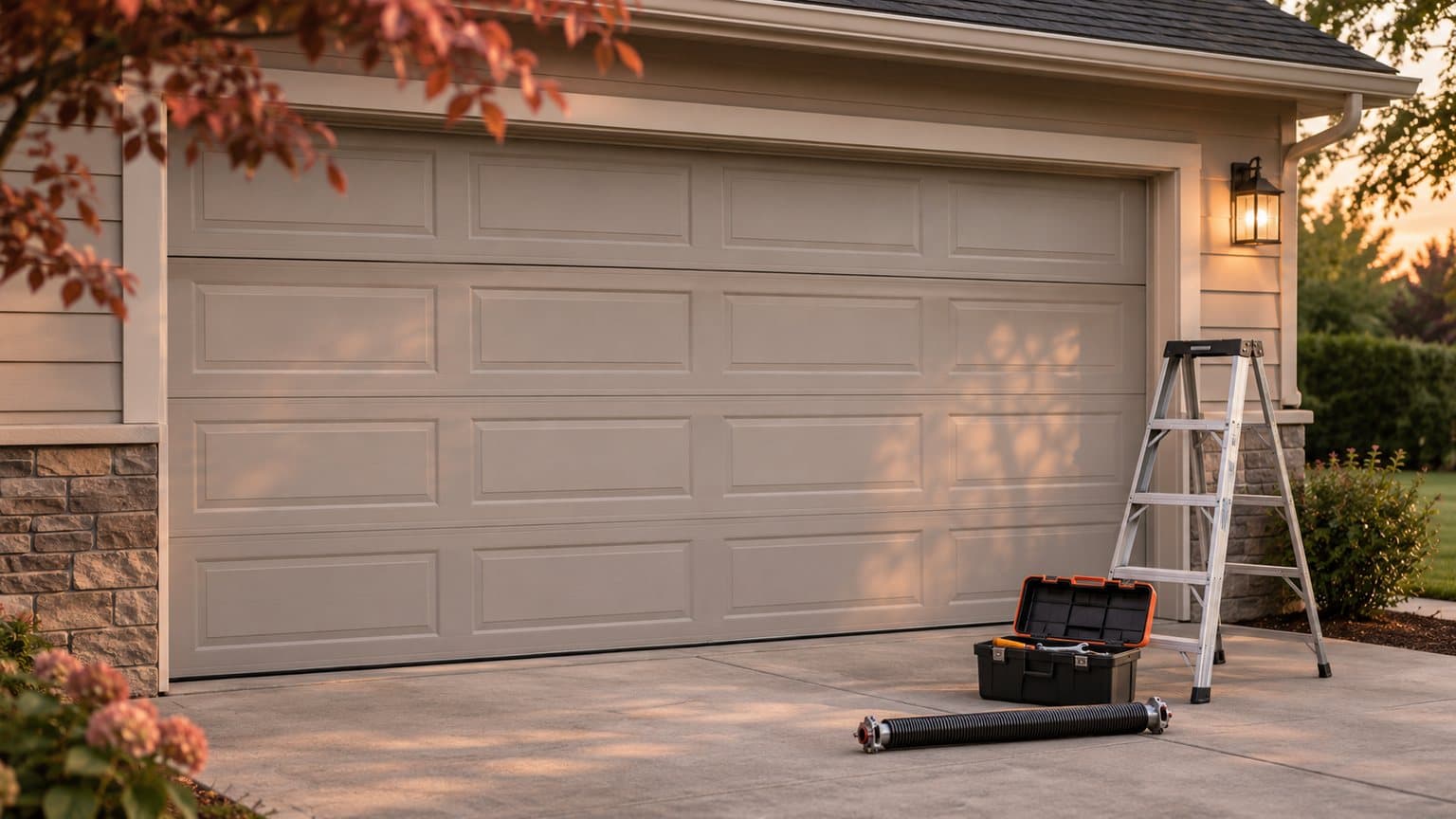
Leaf shadows cross a sunny driveway, and then the camera rolls in under an overhead door that's already up on its tracks. Rails and panels slide by over the lens, a yellow push broom slips from view, and the opener's bulb flares as the camera nears the pegboard on the back wall. We made this 2-credit clip on November 17 for our junk removal guide and reused it here, which is why it shows an empty garage instead of a door job. It's 4 seconds long at 480p, with no repair or install in it, so treat it as a placeholder for a picture of your own crew's work.
Your ads come out of your own week. A torsion spring snaps on a Saturday morning, and a car is stuck inside until somebody shows up. The insulated door your crew hung on Tuesday looks better than anything on your website. Then it's maintenance season, and your tune-up price goes out to every homeowner you serve. With AI, you can animate your own photos and have your offer read out in each of those ads. None of them should show a door you didn't hang or a repair nobody made.
Most of the written pages that rank for this search sell leads or list marketing ideas. Of the five we opened, none says what a video or picture ad costs to make or shows one being made with AI. None mentions the FTC's bait advertising guides either, and by our reading they reach the low tune-up and service-call prices these ads lean on. We read the results page and those pages on November 18, 2026, and we've priced every ad from our own credit tables. The guides we quote come from the federal code's 2026 edition. We didn't make a new render for this guide and haven't run these ads for a garage door company, so nothing here says how one performs.
The garage door ads worth making, and what each must leave out
Most lists of ad ideas, our own guide to ecommerce video ads included, are written for products that ship in a box. A garage door company sells a visit and a job. The five pages we opened (a pay-per-lead company, an agency's guide to Google's Local Services Ads, an agency's list of ideas, a direct-mail company's list and a pay-per-call seller) point to five kinds of ads. For each, we've added what AI handles well and what it should never show.
The broken spring and the door that won't open
It's the call that can't wait until Monday. Brandignity's guide to Local Services Ads for garage door companies notes that people sometimes need help right away, for example "when a door spring breaks." Hoom Advertising, which sells calls to garage door companies, says its paid campaigns go after searches like "garage door repair near me."
- An AI presenter reads your service area, your real hours and your phone number, and captions keep the number on screen.
- A clip can start on a photo of your van parked at a real job.
- Leave out any technician, van, repair or arrival time that isn't yours and real, and never present the AI presenter as you or one of your techs.
Google restricts garage door repair ads under the same policy as locksmith services, and our locksmith ads guide covers the verification it asks of locksmiths.
The door your crew just installed
It's the ad only you can make, because it's your work. It starts from your own photos of a door you hung, and if somebody took a picture before the old door came down, you've got a before-and-after of the same opening.
- You can turn the still into a short vertical clip with a gentle camera move and use the photo for picture ads.
- Don't show a door, a house or an after shot your crew didn't install, and never pass off an AI-made door as your work.
The tune-up or service-call offer
In maintenance season, the low entry price goes out, whether it's a tune-up, a safety check or a service call at a set price.
- An AI presenter states the price and what it includes, captions carry both, and you cut a version for each place you post.
- Never include a price you won't honor, a made-up inspection finding ("your springs are about to go") or an offer whose real job is to switch the homeowner to a new door.
By our reading, the FTC's bait advertising guides describe that last offer, and we'll come back to them after the costs.
The review over a real job photo
A review ad lets a homeowner's own words do the talking.
- A real review goes in captions over your own photo of that job, read aloud by an AI voice.
- Don't use an AI actor as the homeowner, or a review that's made up or edited to say more than it did.
The follow-up for people who already looked
Simply Noted, a handwritten direct mail company, lists retargeting among its garage door marketing ideas ("Use retargeting ads to follow prospects online").
- Short vertical and square cuts of the same real offer, each with captions, go out to people who've already visited your site.
- Skip any deadline or discount that isn't real, along with everything the other four ads leave out.
If the vertical cut is for TikTok, our guide to TikTok ads covers that format.
Turning your own door photos into finished ads in Novoads
Every one of these ads starts with something real, like a photo of a door you installed, a finished job or a script with your own price in it. You'll make the clip, the presenter take or the picture in Novoads, then post it and pay for the placement wherever you advertise. For the basics of making ads with AI, start with our guide to AI ads.
A clip that opens on your own door photo
In the video editor, Kling 4.0 can start a clip on your photo.
- In "Studio," open a project and choose "Video."
- Press the sliders button ("Settings") and pick Kling 4.0 under "Model," just below Kling 3.0. Set it to 5 seconds. Under "Resolution," pick 720p, since Kling 4.0 defaults to 1080p.
- Drop your photo of the door into the start frame box, and the editor shows "The video starts on this picture."
- Describe the camera move and what has to stay put (for example, a gentle dolly toward the closed door at dusk), and say that no person or vehicle should appear.
- Check "Estimated cost," then press the round arrow button to send it.
You get a 5-second clip whose first frame is your photo. Kling 4.0 clips always have sound. At 720p, it's 18 credits. Kling 3.0 takes a start frame the same way, for 10 credits at 5 seconds. Our guide to turning one product photo into a video goes further.
We've reused the garage still from our junk removal guide. It came from a written prompt and stands in for your own photo.
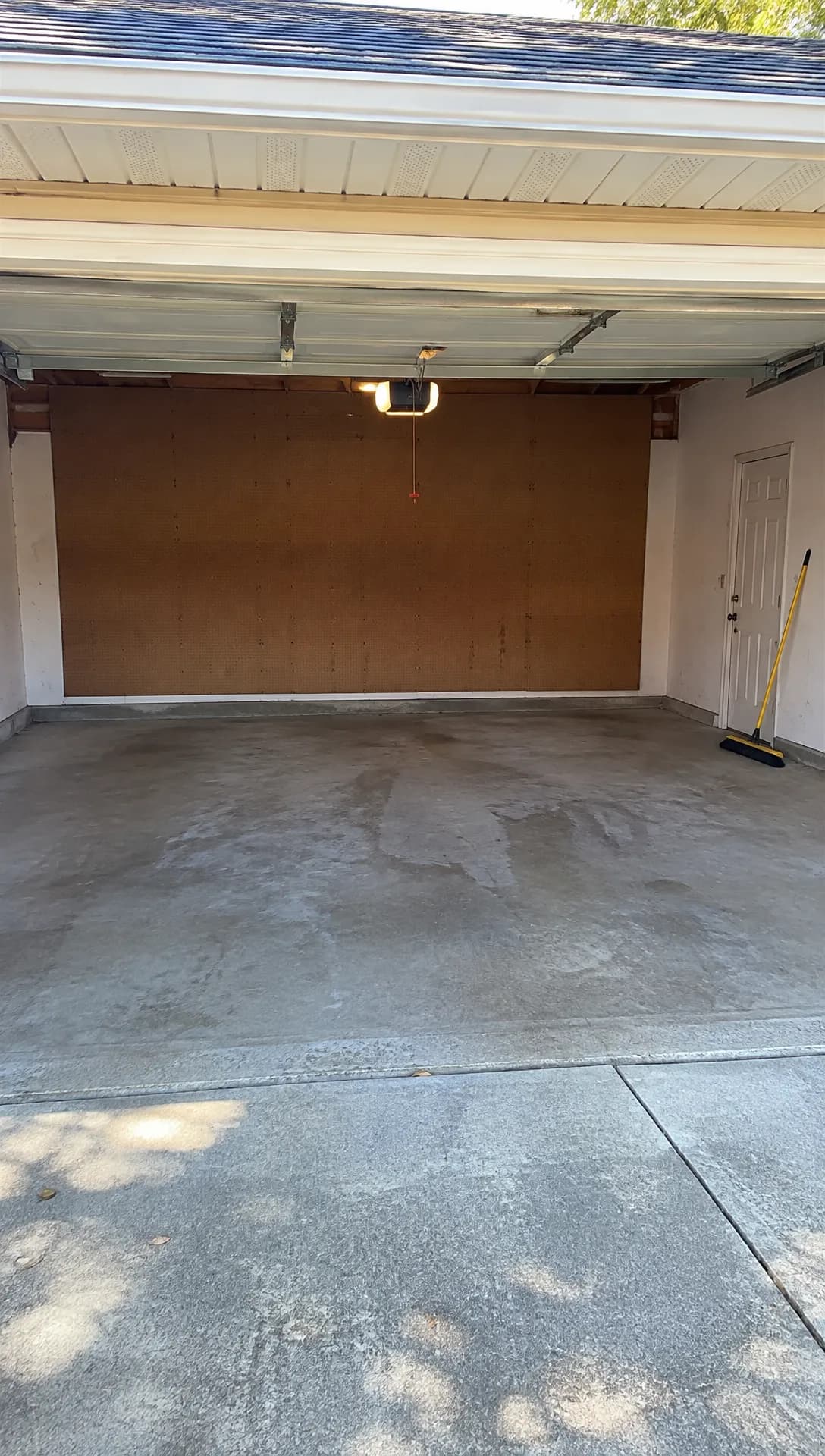 Made in Novoads with GPT Image 2.6 Sunburst · an empty garage under a raised door, from a written prompt for our junk removal guide, standing in for your own job photo · 1 credit · 2026-11-17
We made a 4-second Seedance 2.0 Mini clip from it through our connector, at 480p without sound. The lens slips under the raised door, the tracks slide past above it, the broom drifts off the right edge, and the bulb on the opener flashes before the end. It's a cheap motion test. The clip you'll post should be 720p or higher.
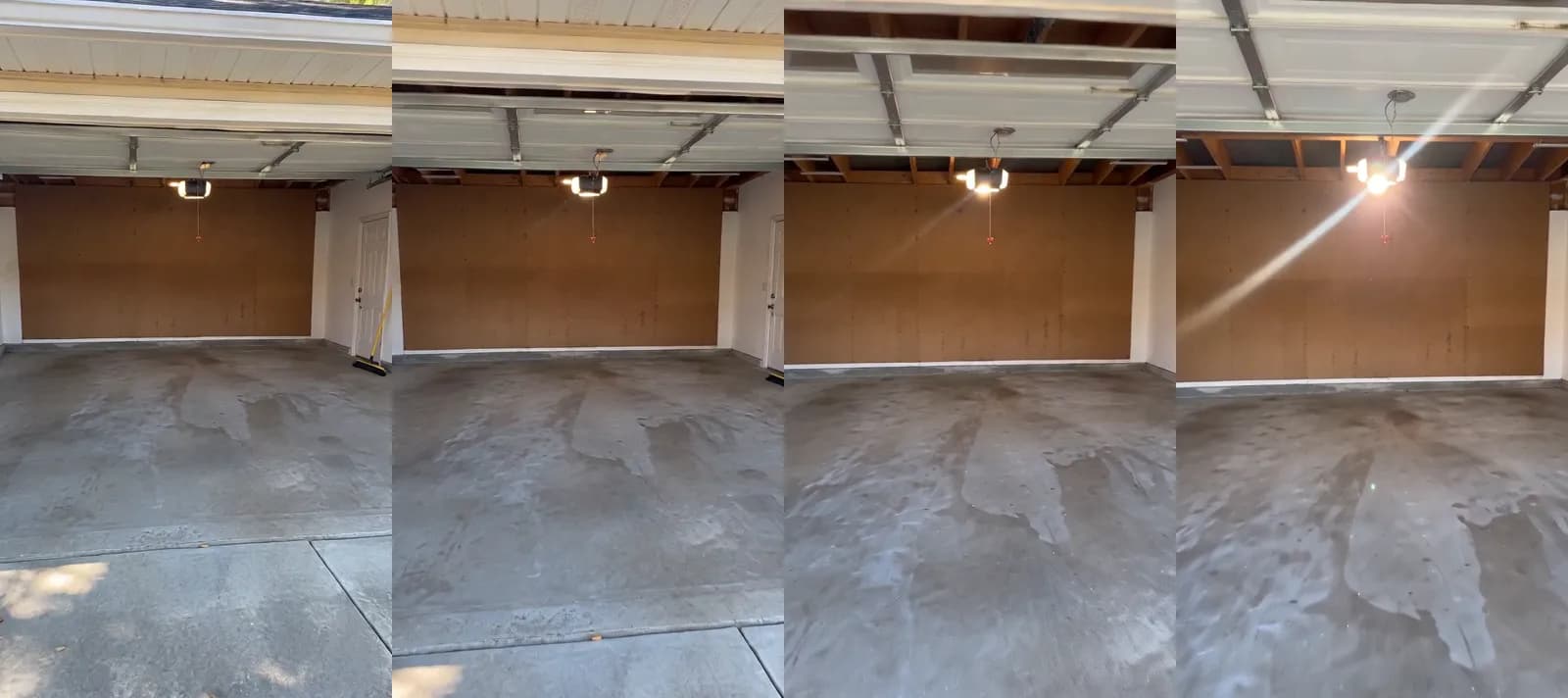 Made in Novoads with Seedance 2.0 Mini through our connector · four frames of a 4-second clip at 480p, sound off, moving in under the raised door from the still above, made for our junk removal guide · 2 credits · 2026-11-17
Through our connector, you can start a Seedance clip from a picture. In the editor, though, Seedance only uses your photo as a reference the prompt points to, so the clip won't open on it. When the first frame has to be your real door, use Kling 3.0 or Kling 4.0, or Omni Flash or Wan 3.0 switched to "Start / End Frames."
Before and after on the same opening
Wan 3.0 and Omni Flash let you switch between "Reference" and "Start / End Frames." On "Start / End Frames," put your photo of the old door in as the start frame and the new one as the end frame, and the clip moves from one to the other. Make it 5 seconds long. At 720p, that Wan 3.0 clip costs 9 credits. Both photos have to be yours, of the same house. The seconds between them are the model's guess, so watch for a hand, a ladder or a crew it added, and remake the clip if one shows up.
An AI presenter who reads your real tune-up price
- In "Studio," open a project and choose "Talking Actors."
- In the box that says "Write what the actor will say...", write your real tune-up price, what it includes, the towns you serve and your phone number.
- Press "Add actors" and pick one AI actor.
- On the price line, switch the resolution from 720p to 480p.
- Press the arrow.
The take shows the presenter saying your script, with voice and lip-sync. You're billed by the started minute, so a take that's a minute or less is one charge. That's 100 credits at 480p. At 720p, the default, it's 200.
Captions are a second step on the finished video. Choose "Captions" in its menu, and the "Add captions" tool opens on the "TikTok, no box" look. Each of its six looks costs 3 credits per started minute. Because the presenter is an AI actor, the script speaks for the company ("our techs," "we") and never claims to be you, a tech or a customer.
For the review ad, make a clip from your photo of the job, have an AI voice read the review word for word, then caption it. We haven't priced the voice-over here, so it's left out of the costs below.
Picture ads with your photo as the Reference
- Open the Image tool, click "Reference" and upload your photo as a JPG, PNG or WebP.
- Describe an ad that keeps the door, the house and the light as they are, with room for your offer line.
- Under "Settings," switch the model from Nano Banana Pro (the tool's default) to GPT Image 2, and change Quality from High to Medium.
- Pick 1:1, 2:3, 9:16 or 16:9. A 4:5 feed picture needs Nano Banana Pro. At its 2K default, a picture costs 2 credits.
A run makes three pictures unless you change the Images setting. At Medium, those GPT Image 2 pictures cost 3 credits in all. Check each one against the real door, and if the model changed the panels, the windows or the color, don't run it.
What each garage door ad costs on every plan
Every credit figure here comes from our own tables, read on November 18, 2026. A credit's price depends on your plan.
- Starter, $15 a month for 200 credits, so $0.075 a credit
- Plus, $49 a month for 1,000 credits, so $0.049 a credit
- Ultra 3,000, $129 a month for 3,000 credits, so $0.043 a credit
What each piece costs
| Piece of the ad | Credits | Starter | Plus | Ultra 3,000 |
|---|---|---|---|---|
| Kling 4.0 clip, 5 s, 720p | 18 | $1.35 | about 88 cents | about 77 cents |
| Kling 4.0 clip, 5 s, 1080p | 27 | about $2.03 | about $1.32 | about $1.16 |
| Kling 3.0 clip, 5 s | 10 | 75 cents | 49 cents | 43 cents |
| Wan 3.0 clip, 5 s, 720p | 9 | about 68 cents | about 44 cents | about 39 cents |
| AI presenter, up to 60 s, 480p | 100 | $7.50 | $4.90 | $4.30 |
| AI presenter, up to 60 s, 720p | 200 | $15.00 | $9.80 | $8.60 |
| Three GPT Image 2 pictures, Medium | 3 | about 23 cents | about 15 cents | about 13 cents |
| Captions, per started minute | 3 | about 23 cents | about 15 cents | about 13 cents |
You pay for every take, so a clip you make twice costs double.
One tune-up ad and two install clips
The set we'd make first is two install clips and one tune-up take.
- Two Kling 4.0 clips from your photo of a door you installed, 5 seconds each at 720p, 36 credits
- One AI presenter take at 480p with your tune-up price and what it covers, 100 credits
That's 136 credits. On Starter it's $10.20. That leaves 64 of the month's 200 credits. On Plus it's about $6.66, and a month's credits cover seven sets. On Ultra 3,000 it's about $5.85, and a month's credits cover 22.
The total leaves out re-rolls, captions, a voice-over and joining the clips into one finished ad, which we haven't priced here. Nor does it include your ad spend or the minutes spent comparing each clip with the real door. Every plan, and what its credits buy, is on our pricing page.
What a video company charges to film one commercial
Vidico, a B2B explainer video company that also makes commercials, puts a local or small business commercial at $3,000 to $15,000 to produce. That's from its guide to what commercials cost, dated September 21, 2026. The tier covers a simple concept with one or two non-professional actors in a single location, plus basic editing and sound mixing. It isn't a like-for-like comparison, since that tier films people on location, whereas in Novoads you animate your own photos and add an AI presenter. Your ad spend comes on top of either. If you're after the longer, TV-style format made with AI, our guide to AI commercials covers it.
The FTC's bait advertising guides and a low tune-up price
What the guides say
The FTC's Guides Against Bait Advertising define bait advertising in section 238.0 as "an alluring but insincere offer to sell a product or service which the advertiser in truth does not intend or want to sell." The same section gives bait's purpose as "to switch consumers from buying the advertised merchandise, in order to sell something else, usually at a higher price." A footnote says advertising "includes any form of public notice however disseminated or utilized." And section 238.1 says, "No advertisement containing an offer to sell a product should be published when the offer is not a bona fide effort to sell the advertised product."
The guides then list signs that an ad isn't a bona fide offer. The first is "The refusal to show, demonstrate, or sell the product offered in accordance with the terms of the offer." One line goes further than "should." Section 238.2(b) says, "Even though the true facts are subsequently made known to the buyer, the law is violated if the first contact or interview is secured by deception."
Who they reach and how old they are
They're the FTC's guides for advertisers in the US, the agency's reading of Section 5 of the FTC Act, and they mostly say "should." They've been in force since 1967, and we quote them from the edition of the federal code revised as of January 1, 2026. They don't name garage doors, tune-ups or service calls anywhere, so what follows about your ads is our reading. It isn't legal advice, and you should read the guides' own text on govinfo.gov.
What they mean for the ads above
By our reading, these guides speak most directly to the tune-up ad. Section 238.0's definition covers "a product or service," and that's how a tune-up or a service call comes within the guides' reach. The tune-up price in your presenter's script should be one your techs really sell at, with what it includes said out loud. A low price whose real job is to get a tech in front of an old door so they can sell a new one fits what section 238.0 describes. And a tech who won't do the tune-up on the advertised terms is the first sign the guides list.
Selling some tune-ups at the advertised price doesn't settle it on its own. The guides' closing note says sales of the advertised merchandise "do not preclude the existence of a bait and switch scheme." We'd read the after-hours ad the same way, so the service-call price you advertise for a broken spring on a Saturday should be the one you'll charge that Saturday. Section 238.2(b) is about the first contact. By our reading, that's the call your ad brings in or the visit it books, so a price that only gets explained once the tech is in the garage is what that line describes.
Start with a door you hung this month
If you make one ad this week, make the install clip. You've already got the photo, and nobody else can make that ad for you. At 18 credits a take, it's a cheap way to see what Kling 4.0 does with your own door. Then add the tune-up take with the price your techs really charge.
In Novoads, you'll turn those door photos and your script into the clips, the presenter take and the pictures, then run them wherever you already advertise. Every Novoads plan is paid from day one.
Price your first garage door ad
Choose a plan, then turn a photo of a door you installed into a clip.
See the plansTake a photo of last week's install, make two 5-second clips from it, and put your real tune-up price in the presenter's script before you pay for any placement.
Frequently Asked Questions
What does a garage door video ad cost to make with AI?
In Novoads, a Kling 4.0 clip that opens on your own door photo costs 18 credits for 5 seconds. That's at 720p, and 1080p costs more. An AI presenter reading your offer costs 100 credits for up to a minute at 480p. Two clips and one presenter take come to 136 credits. On Plus that's about $6.66, and your ad spend comes on top.
Can an AI presenter play one of our technicians in an ad?
No. An AI presenter is an AI actor, so it speaks for the company and states your real prices. It's never introduced as you, one of your techs or a customer. The ads that show your work start on your own photos of jobs you did.
Is a low service-call or tune-up price bait advertising?
The FTC's Guides Against Bait Advertising call bait an alluring but insincere offer to sell something the advertiser doesn't intend or want to sell. They also say no ad should be published when its offer isn't a bona fide effort to sell. They don't mention garage doors. By our reading, a tune-up price you really sell at, with what it includes stated in the ad, is a different thing. The guides add, though, that some sales at that price don't settle the question on their own. This isn't legal advice.
What photos do I need to make garage door ads with AI?
Your own photos of doors you installed, a before and an after of the same opening if you took them, and photos of finished jobs for review ads. In Novoads, you can start a clip on your photo with Kling 3.0 or Kling 4.0, or with Omni Flash or Wan 3.0 set to Start / End Frames. For a picture ad, you use the photo as the Reference in the Image tool.
Key Takeaways
- Clips that show your work should start on your own photos. In Novoads, a 5-second Kling 4.0 clip that opens on a door you installed costs 18 credits. That's the 720p price, and the 1080p default costs more.
- For 100 credits at 480p, an AI presenter can state your real tune-up price and what it includes, as long as it's never passed off as you, a tech or a customer.
- The set we'd make first, two install clips and one presenter take, comes to 136 credits. On Plus that's about $6.66.
- Vidico's guide puts a local or small business commercial at $3,000 to $15,000 to produce. The guide is dated September 21, 2026.
- In the US, the FTC's Guides Against Bait Advertising, in force since 1967, say no ad should be published when its offer isn't a bona fide effort to sell. By our reading, they reach the tune-up and service-call prices garage door ads lean on.