Carpet Cleaning Ads: Ideas That Book Jobs, What Each Costs With AI, and the IICRC's Logo Rule for Companies
Four carpet cleaning ads you can make with AI from your own job photos, what each one costs in Novoads credits and dollars, and what the IICRC's Invalid Firms page says about using its logo on a company's website, communications and vans.

Mauricio Valdivia
·11 min
Every carpet you clean is an ad you haven't posted
Carpet cleaning ads that book jobs are made of things you see every week, like wand stripes across a living room, a pet stain that's gone from a hallway runner, a wool rug back from the wash and your van at a customer's curb. You probably have some of that on your phone already. What usually gets in the way is finding the time to turn those photos into ads, and getting a straight answer on what that costs.
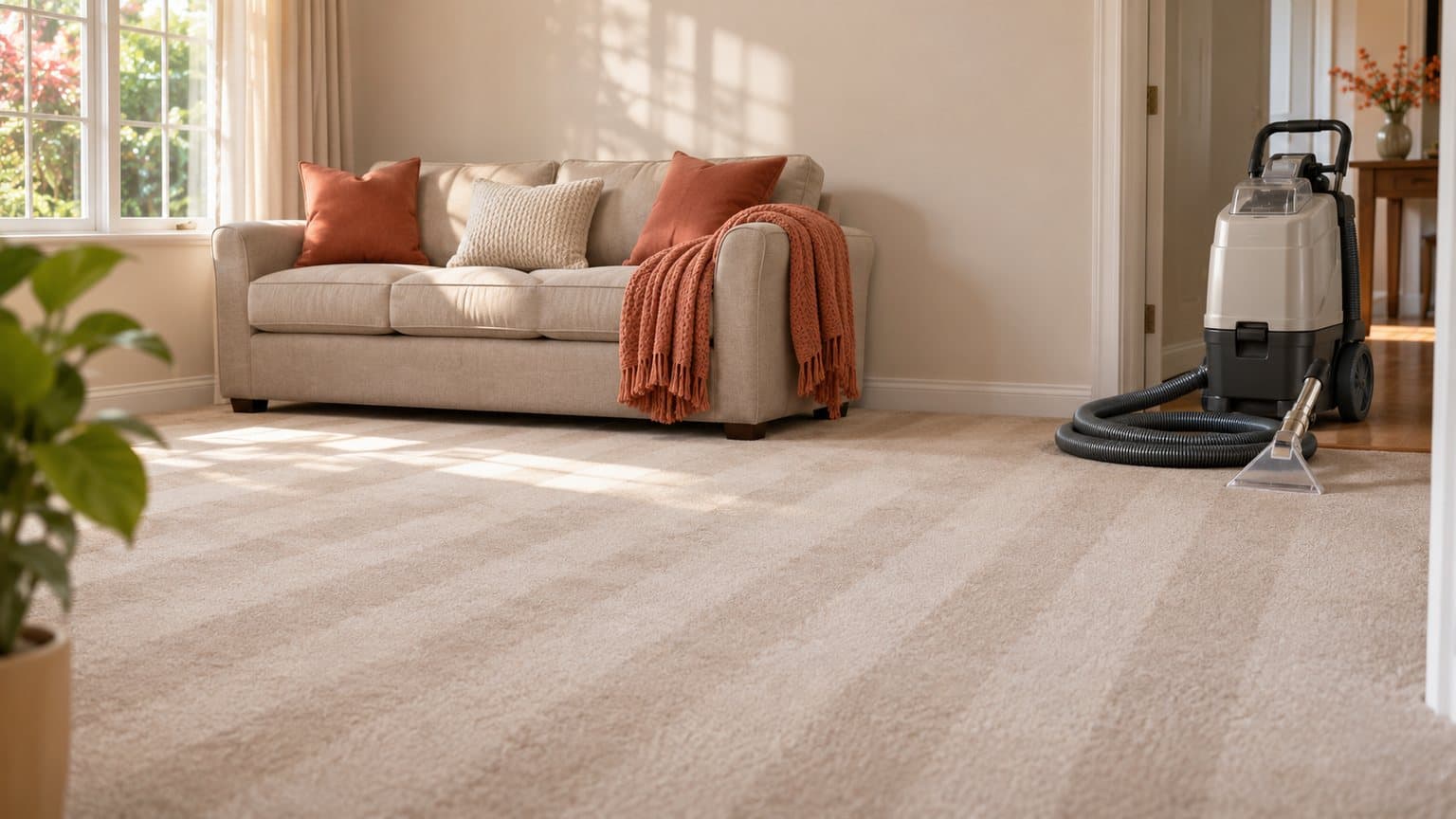
There's no carpet company behind this guide, so its pictures are reused. Both came from our furniture ads guide and were made in Novoads on November 15. One is a still we made from a written prompt (a green velvet sofa on a cream wool rug in a sunny room) that stands in for a photo from one of your jobs. The other is the five-second clip we made from that still. Neither one shows a cleaning job.
Everything else comes from pages we read on November 19, 2026 (four of the pages ranking for this search, the IICRC's own pages and a trade magazine's write-up) and from our own credit tables. We didn't make anything new for this post or run any of these ads, and we haven't seen the logo memo the IICRC keeps for its Certified Firms.
Four carpet cleaning ads, and what AI can't fake in each
The pages that rank for this search pass around the same handful of ideas. Nextdoor's guide for carpet cleaners, dated April 23, 2025, suggests sharing before-and-after photos, customer testimonials "in written or video form" and limited-time deals. Taradel's list from February 19, 2024, pairs video testimonials with before/after showcases. We sorted those ideas into four ads you can build from your own photos and words. In each one, AI animates your photos, reads your script or puts your words on a picture. The stains, rugs, reviews and credentials all come from your own work.
Before-and-after clips from your own jobs
This is the ad most carpet cleaners already have half of. Shoot the before and the after from the same spot, at the same height, with the same lights on, so the only thing that changes is the carpet. That might be the gray traffic lane from the front door, the dark patch by the couch where the dog sleeps, or a rug that went out matted and came back from the wash with its pile standing up.
Each photo can become a five-second clip that starts on it, with a slow push down the hallway or a pan along the stripes, and the ad plays the two in the order you shot them. AI is good at that kind of motion, but it should never make either half. A generated after of a carpet you didn't clean shows a result nobody got, and so does a generated stain on a before shot. TikTok also has its own rule on before-and-after results, and our post on what TikTok counts as misleading covers it. Our window cleaning ads guide deals with Google's rule on AI-edited and AI-generated photos in Local Services Ads.
A first-cleaning or rug special that names your service area
Two of those pages lead with a price or an offer. Nextdoor's sample call to action reads "Call Today for 20% Off Your First Cleaning Service", and GorillaDesk tells owners to list their services and prices on door hangers. A video version can say the offer out loud while the towns you cover stay on screen.
A talking AI presenter can read the offer, the price you'll honor and the towns you serve. If some of your neighborhoods would rather hear it in Spanish, our voices cover 32 languages. The presenter is an AI actor (never you, one of your techs or a customer), so write the script in the company's voice ("we clean," "book us"). No truck, crew or uniform that isn't yours belongs in the ad. If the special is a low first price, our garage door advertising guide covers what the FTC's bait advertising guides say about a low advertised price.
A pet odor or upholstery service ad
Pet odor and upholstery are both add-ons that GorillaDesk's list tells owners to upsell. The list names "upholstery cleaning, or pet odor & stain removal" alongside stain guard. Nextdoor puts pet odors on its list of local problems worth looking into.
A presenter can explain the problem and what your treatment involves, and then the ad cuts to clips made from your own photos of the equipment and the sofa you worked on. No cleaning result, odor test or health claim goes on screen as proof in this ad. And no AI-made pet or living room should pass for a customer's home. If your pitch calls your products green or eco-friendly, our cleaning ads guide covers what the FTC's Green Guides say about that word.
A customer's review over your job photos
Taradel's list tells owners to ask happy customers to write reviews on sites such as Google My Business and Yelp. The ad version puts a real customer's written words on screen over photos from your jobs, as a picture ad or a short clip.
AI can set the words and the layout. An AI actor shouldn't read the review aloud, because that turns a customer's words into a performance by someone who never used your service. And a review nobody wrote has no place in an ad at all. Our supplement ads guide covers what the FTC's Endorsement Guides say about a customer's result in an ad.
Turning job photos into clips, a presenter and offer pictures
You make each of these in Novoads from photos you upload or a script you type. Then you download the files and run the ads wherever you already advertise.
A clip that starts on your photo
- Open the Video tab and pick Wan 3.0 from the model menu. The editor opens on Omni Flash, so you'll have to switch models.
- Change the photo box from "Reference" to "Start / End Frames" and drop your photo where it says "Drop a start frame or click to upload". The editor then shows "The video starts on this picture."
- Set the clip to five seconds at 720p. In the prompt, describe one camera move, such as a slow push along the wand stripes toward the window in morning light, with no people.
- Send it with the round arrow button.
That clip costs 9 credits. On Kling 3.0, you drop your photo straight into its start-frame box with nothing to switch, and five seconds cost 10 credits. Wan 3.0 comes with sound on, and a silent clip costs the same. Before you use the clip, compare it with your photo (the carpet's color, the furniture, the doorway). Keep in mind that a second take is billed again.
 Made in Novoads with GPT Image 2.6 Sunburst · a green velvet sofa on a wool rug in a bright living room, written as a prompt for our furniture ads guide and used here in place of a photo from your job · 1 credit · 2026-11-15
In your ad, that frame would be a photo you took on the job.
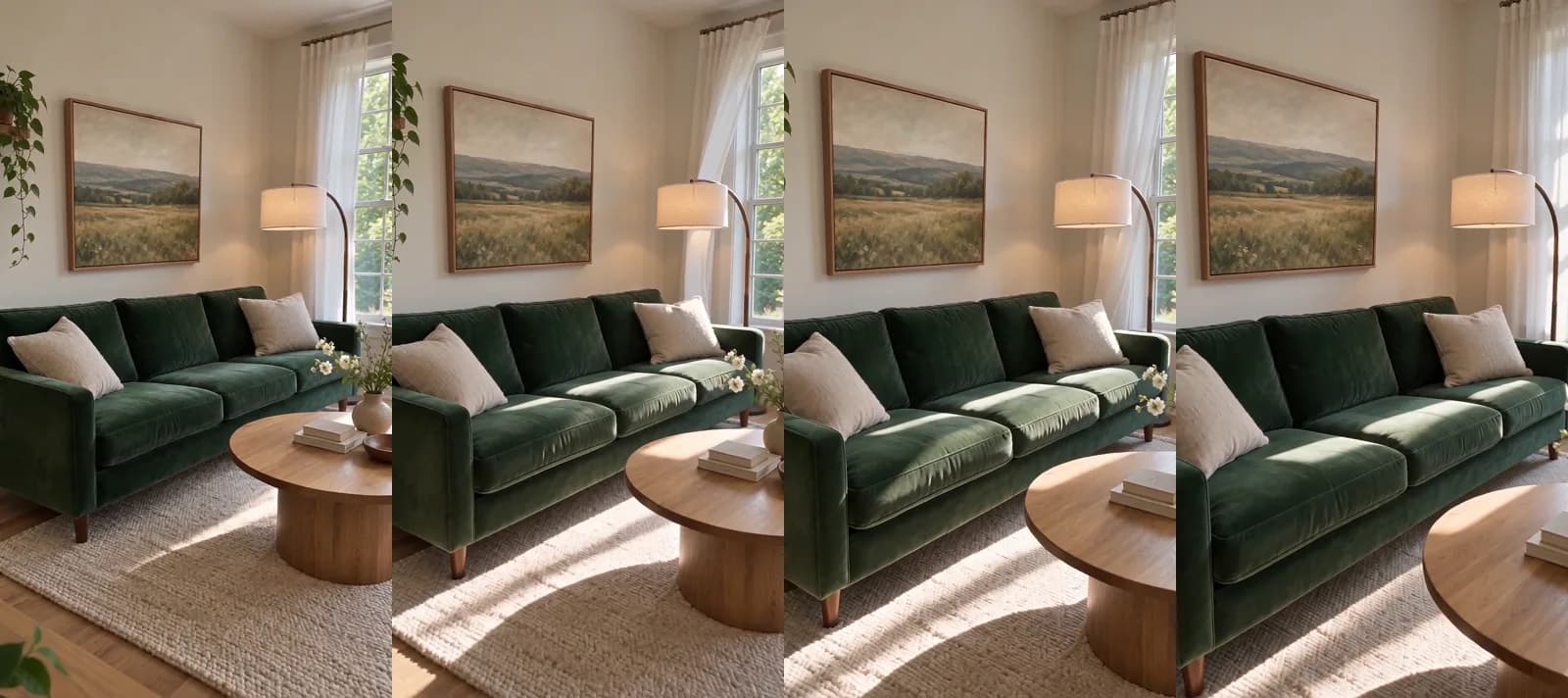 Made in Novoads with Seedance 2.0 Mini · the sofa still set moving by a slow camera drift as sunlight passes over the rug, no sound, made from the still with our Claude connector · 5 credits · 2026-11-15
We made the clip through our own connector for Claude, which can start a Seedance 2.0 Mini clip on a picture. It came back five seconds long at 720p, and it cost 5 credits. In the editor, Seedance takes a photo only as a reference you name as @Image1 in the prompt, so the photo isn't set as the clip's first frame. That's why the steps above use Wan 3.0 or Kling 3.0.
An AI presenter for the offer and the towns you serve
- Open the Talking Actors tab and type your script where it says "Write what the actor will say...". Stick to the offer, the towns you cover and how to book, and write it in your company's voice.
- Click "Add actors" and pick one AI actor.
- The price line next to the send button shows the rate and the size, set to 720p at first. Click it and pick 480p, which is 100 credits a started minute.
- Send it with the round arrow button.
The video comes back with voice and lip-sync. Billing is by the started minute, so any script up to a minute costs the same 100 credits at 480p. Each extra actor you add is billed again. Captions are one more step on the finished video. The captions tool opens on its "TikTok, no box" look, at 3 credits a started minute. The presenter only talks, so the shots of your van and your jobs come from your own clips.
Offer and review pictures from one of your photos
- Open the Image tab, click Reference and upload your photo. A photo of your van at a curb works, and so does one of a room you just finished.
- In "Describe your image...", describe the ad you want and say that your van or the room stays as it is. Give your offer line or the customer's review word for word, and ask for no other logos, badges or text.
- Open Settings and pick GPT Image 2 under Model and Medium under Quality. Quality starts on High, which is 4 credits a picture on GPT Image 2.
- Under Aspect ratio, pick 9:16 for stories or 1:1 for the feed. For a 4:5 post, you'll need Nano Banana Pro instead, at 2 credits a picture.
- Leave Images on "3 images" and send it with the round arrow button. The run costs 3 credits.
Before you post any of the pictures, compare each one with your photo (the van's lettering, the room, the furniture) and check every word of the offer or the review. If a picture changes your lettering or the customer's words, send it back for another run. If your company isn't a registered IICRC Certified Firm, also check that no badge showed up on the van or in a corner.
What each ad costs on Starter, Plus and Ultra
Prices as of November 19, 2026. You'll find every plan on our pricing page, and Novoads is paid from the first month. The dollar figures below are our own arithmetic.
- Starter is $15 a month for 200 credits, or 7.5 cents a credit.
- Plus is $49 a month for 1,000 credits, or 4.9 cents a credit, and $39 a month if you pay for the year.
- Ultra 3,000 is $129 a month for 3,000 credits, or 4.3 cents a credit, and $99 a month if you pay for the year.
| What you make | Credits | Starter | Plus | Ultra 3,000 |
|---|---|---|---|---|
| One 5-second Wan 3.0 clip at 720p, starting on your photo | 9 | about 68 cents | about 44 cents | about 39 cents |
| One 5-second Kling 3.0 clip, starting on your photo | 10 | 75 cents | 49 cents | 43 cents |
| A talking AI presenter at 480p, up to a minute | 100 | $7.50 | $4.90 | $4.30 |
| The same presenter at 720p | 200 | $15.00 | $9.80 | $8.60 |
| One run of three GPT Image 2 pictures at Medium | 3 | about 23 cents | about 15 cents | about 13 cents |
| Three Wan 3.0 clips, one 480p presenter take and one picture run | 130 | $9.75 | $6.37 | $5.59 |
A Starter month covers that last row once and leaves 70 credits for second takes. A Plus month covers it seven times, and an Ultra 3,000 month covers it 23 times.
That total leaves out four things.
- Second takes, each billed again.
- Captions, at 3 credits a started minute.
- The ad spend you pay Facebook, Google or Nextdoor to show the ads.
- A voice-over, and putting the clips and the presenter together into one ad, neither of which has a price in our tables.
The IICRC logo rule none of the top results mention
What the Invalid Firms page says
The IICRC (the Institute of Inspection Cleaning and Restoration Certification) is a nonprofit that certifies technicians in the inspection, cleaning and restoration industries. It was founded in 1972 as the International Institute of Carpet and Upholstery Cleaning. A business that employs one or more of its Certified Technicians can apply to become an IICRC Certified Firm. On its Invalid Firms page, above a list of companies, the IICRC writes, "The following firms have violated the IICRC logo usage policy. They are not registered as IICRC Certified Firms and are not permitted to use the IICRC Logo on their website in communications, or on company vehicles."
None of the four ranking pages we opened mentions that rule. It's the IICRC's rule for its own registered mark, and the firms on its list aren't all American. When we read the page on November 19, 2026, it named firms in Canada, Ireland, the UK, the Netherlands, Australia and New Zealand as well as the US. The IICRC's firm locator calls them "invalid companies promoting the IICRC Certified Firm status" and offers a way to report one. The Invalid Firms page's sentence also heads a list the IICRC posted in August 2023. We take that to mean the rule has stood since at least then.
A technician's certificate isn't the company's registration
An IICRC certificate belongs to the technician who earned it. The IICRC's FAQ says, "Your Certifications follow you and not your company, so your Certifications must remain in your name." A Certified Firm is a separate registration for the business. The same FAQ lists what it takes (current liability insurance, at least one active Certified Technician and a completed application). It also says the firm's fees are prorated by the month, plus a $25.00 application fee. A firm's renewal is $199.00 a year.
The IICRC's supply store keeps the two apart too. It sells Certified Firm Truck Decals, a Certified Technician Patch and a globe logo lapel pin, and the IICRC verifies your credentials before it completes an order. We didn't find a public IICRC page that says whether a company that isn't a registered firm may show a technician's own patch in an ad, so ask the IICRC's Certified Firms department before you put one in yours.
What it means for the four ads
Registered firms do put the logo to work. Cleanfax's write-up of Unscripted (the IICRC's video series), dated October 20, 2025, says Certified Firms can use the IICRC logo in their branding. It quotes Gavin McMahon, the IICRC's Certified Firms Supervisor, listing "your website, your company website, your LinkedIn profile, your business cards, your brochures, your truck decals." None of the IICRC pages we read mentions AI or says how its rule applies to a video ad, so what follows is our reading of them for the four ads.
- Your company's own website, ads and vans should carry the IICRC logo only once the company is a registered Certified Firm. We read that as covering a video or picture ad you post.
- Registering doesn't settle every use. In the Certified Firm Code of Ethics, a firm agrees to use "the IICRC name, logo, certification marks, and trademarks only in the manner authorized and approved by the IICRC", following a logo use memo kept in its Certified Firm tool box. We haven't seen that memo, so we can't tell you its terms.
- In the same code, a firm left with no Certified Technician on staff agrees to hire a replacement within twelve months and, if it fails to, to "cease advertising as a Certified Firm for those services which require such Certified Technician."
- Our own line for AI-made footage goes further than the IICRC's pages do. A patch belongs on the technician who earned the certificate, and a decal belongs on a Certified Firm's own van. So no AI presenter, AI-made uniform or van, or stand-in picture like ours should carry an IICRC logo, patch or pin.
- A credentials ad says only what's true of your company today and shows your own people and vehicles.
Nextdoor's April 2025 tips suggest carpet cleaners share their "progress in acquiring professional Institute of Inspection Cleaning and Restoration Certification (IICRC) certifications" on social media, but they say nothing about the logo. Before you put a badge in that post, the two pages to read are the IICRC's Invalid Firms page and its FAQ.
Photograph the carpet before you roll up the hose
The four ads need photos you can only get on a job. Before you pack up, take the after shot from where you took the before. Photograph the rug on the drying rack and the van at the curb with your own lettering, and ask the customer whether you can quote their review word for word.
From one job's photos, you can make a week's set of ads, with a clip each for the before and the after, one more of the rug or the van, a presenter take for this month's offer and a run of offer pictures. That's the set we priced in the cost table.
Turn this week's job photos into ads
Compare what Starter, Plus and Ultra give you in credits each month, and pick the plan that fits how many jobs you photograph.
Compare the plansFrequently Asked Questions
What kinds of ads do carpet cleaning companies run?
The usual four are before-and-after clips made from photos of real jobs, a first-cleaning or rug special that names the towns you serve, a service ad for pet odor, stains or upholstery, and a real customer's written review over your job photos. You can make each one with AI from your own photos or a script, as long as the results, reviews and credentials in it are your own.
Can my carpet cleaning company use the IICRC logo in its ads if I'm IICRC certified?
Your certificate follows you, not your company, and a Certified Firm is a separate registration for the business. The IICRC's Invalid Firms page says the firms it lists aren't registered as IICRC Certified Firms and aren't permitted to use its logo on their website, in communications or on company vehicles. By our reading, your company's own site, ads and vans should carry the logo only once it's a registered Certified Firm. We didn't find a public IICRC page that says whether an unregistered company may show a technician's own IICRC patch in an ad, so ask the IICRC's Certified Firms department before you do.
How much does a carpet cleaning video ad cost to make with AI?
In Novoads, a five-second Wan 3.0 clip that starts on your photo costs 9 credits at 720p. A talking AI presenter reading your offer costs 100 credits for up to a minute at 480p. Three of those clips, one presenter take and a run of three offer pictures come to 130 credits, which is $6.37 on Plus. Second takes and the ad spend come on top of that.
Should I use AI to make before-and-after photos for carpet cleaning ads?
Use it only to animate the before and after photos you took. An AI-made after shot of a carpet you didn't clean shows a result nobody got, and so does an AI-made stain on a before shot. Start each clip on your own photo of the real job, and shoot both photos from the same spot in the same light so the change on screen is the one you made.
Key Takeaways
- Carpet cleaning ads that book jobs are built from your own work, whether that's before-and-after clips, a first-cleaning or rug special that names your service area, a pet odor or upholstery pitch, or a real customer's review.
- In Novoads, you can start a clip on your photo with Wan 3.0 or Kling 3.0, have a talking AI presenter read your offer and the towns you serve, and turn a photo of your van into offer pictures with the Image tool.
- The IICRC lists firms that have violated its logo usage policy. It says they aren't registered as IICRC Certified Firms and aren't permitted to use its logo on their website, in communications or on company vehicles.
- A technician's IICRC certificate follows the person, not the company, so, by our reading, a company's own website, ads and vans should carry the logo only once it's a registered Certified Firm.
- Keep IICRC logos, patches and pins off AI-made presenters, uniforms and vans, and never let AI make a before or after shot, a result or a review.