TikTok Shop Ads: How GMV Max Uses Your Videos, and What Each Costs With AI
Since July 2025, any ad with your TikTok Shop as its sales destination runs as a GMV Max campaign, built from the videos your accounts post. You can make those videos with AI from your own product photos and see what each one costs in credits before you start.

Mauricio Valdivia
·11 min
Your next TikTok Shop ad starts as a video you post
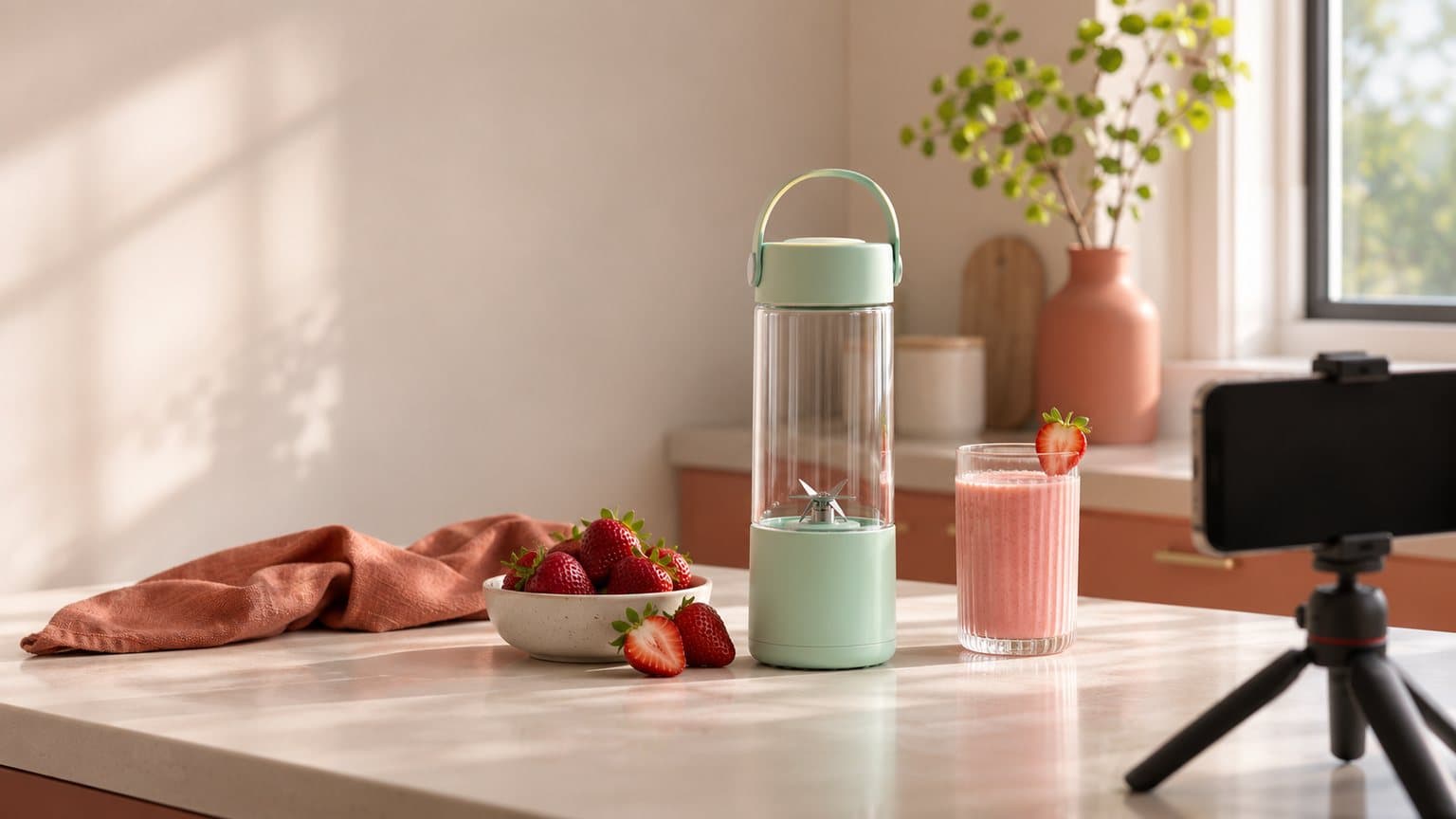
The mint portable blender in the picture below doesn't exist. We made it as one AI picture, set on a sunny kitchen counter beside strawberries and a glass of pink smoothie, and then used that picture to make a five-second clip with the camera turning slowly around it. The picture cost 1 credit, and the clip cost 5.
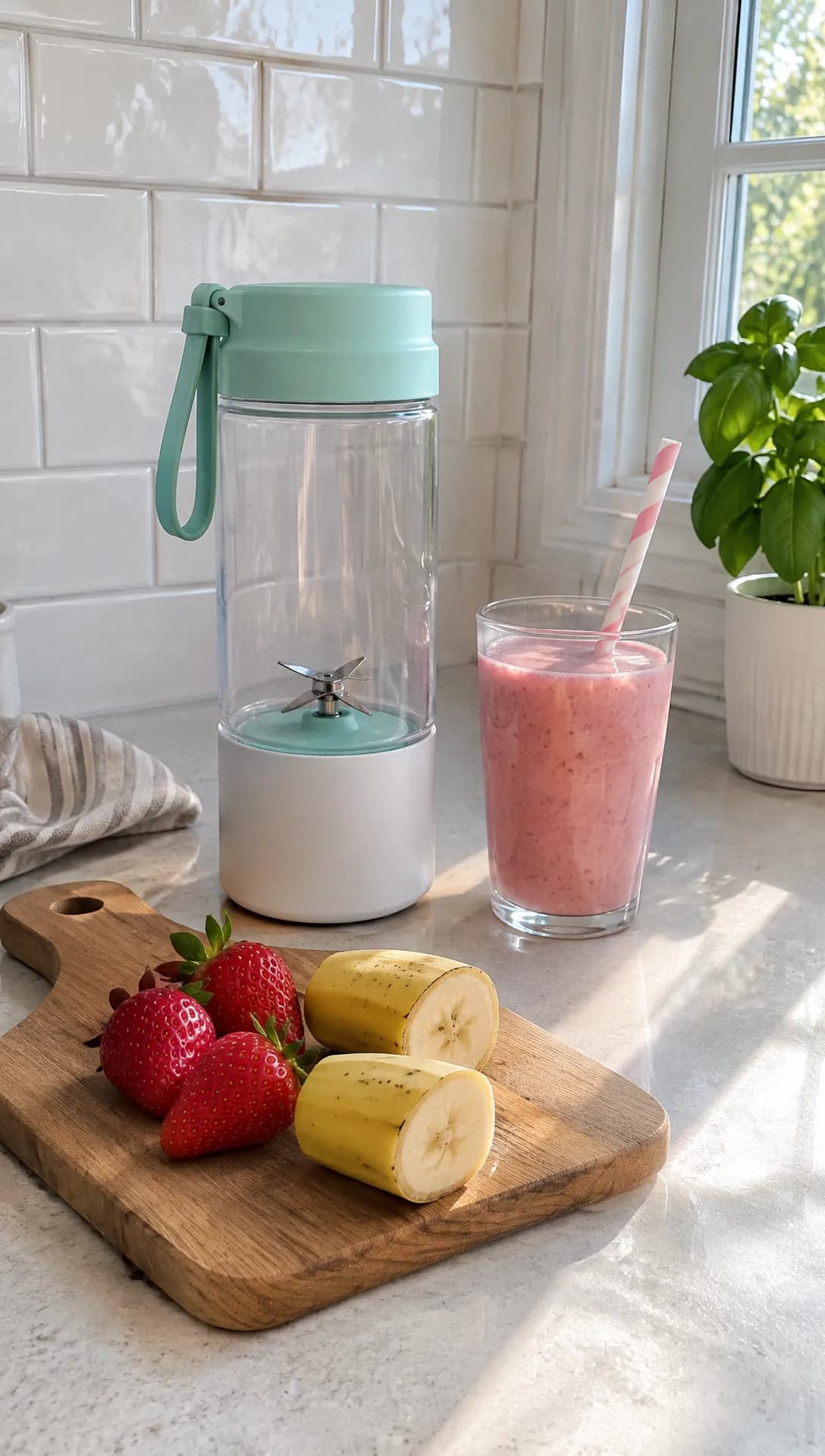 Made in Novoads with GPT Image 2.6 Sunburst · a portable blender with fruit and a smoothie, made to stand in for your own product photo · 1 credit · 2026-11-16
A clip like that is the raw material of a TikTok Shop ad. Since July 2025, any ad you create with your TikTok Shop as its sales destination runs as a GMV Max campaign. GMV Max builds its ads from the videos your accounts post, the posts you authorize and your product cards. That makes the videos the hard part of a Shop seller's week. Your product card has too few of them, the affiliate who posted once has gone quiet, and your GMV Max campaign needs more creative than you have.
We read TikTok's own help pages on Shop ads and GMV Max, the articles on the first page of search results for "tiktok shop ads" that we could open, and our own credit prices, all on November 16, 2026. The blender picture stands in for the photo you'd take for your own listing. We didn't run a GMV Max campaign or spend anything on ads for this post.
How TikTok Shop ads work under GMV Max
TikTok's help article on the change states the rule in one sentence. "Starting July 2025, GMV Max will be the default and only supported campaign type for TikTok Shop Ads." It gives a month but no day. The rule applies to anyone who picks the Sales objective with TikTok Shop as the sales destination. For that setup, TikTok says "you will no longer be able to create, edit or duplicate LIVE Shopping Ads, Product Shopping Ads or Video Shopping Ads." The article is dated March 2026, and it still reads that way.
The two routes TikTok left outside GMV Max
The same article names two exceptions.
- You can still create LIVE Shopping Ads by selecting a TikTok identity instead of a shop, though you can't pick an official or marketing account as that identity anymore.
- You can still create Video Shopping Ads with Showcase as the sales destination. TikTok Shop isn't an option there anymore.
Outside those two routes, any Sales campaign you create with your shop as the destination is a GMV Max campaign.
What happens to the Shop ads you're already running
TikTok's article says "Existing campaigns in these formats will remain active." TikTok's GMV Max guidelines, dated June 2026, put limits on that, and they apply once the shop's primary ad account has an active GMV Max campaign.
- A Video Shopping Ad that shares even one product with an active Product GMV Max campaign is paused, whichever ad account it was made in.
- A Product Shopping Ad stops showing the products that campaign covers, but it may keep showing the rest.
- LIVE Shopping Ads made for the shop's official account are paused once a LIVE GMV Max campaign is active.
- When the GMV Max campaign ends, TikTok doesn't restart any of them, though you can restart them by hand.
If you want to move an old campaign over yourself, TikTok's article points you to the upgrade notices across Ads Manager. The moved campaign uses your historical ROI results as its target ROI.
Where GMV Max gets the ads it runs
"Product GMV Max campaigns use videos from your TikTok accounts to create ads optimized for product sales," says TikTok's page on creative assets. It lists where those videos can come from.
- the official TikTok account connected to your shop
- a TikTok business account connected to your shop
- an authorized TikTok account connected to your Shop Business Center
- authorized Spark Ads posts in the ad account that runs the campaign
- Affiliate Creatives for Ads, the affiliate videos you're cleared to run as ads
TikTok's page on Product GMV Max adds that it uses all available creative assets to create ads, in "both video and product card formats." So when TikTok's older Shop Ads page (dated September 2025) still lists three types of TikTok Shop Ads under its GMV Max note, we read those types as the formats your ads can take inside GMV Max, which picks among them for you.
As we see it, that moves the work of a Shop ad out of the campaign and into the videos. The campaign asks you for products, an ROI target, a daily budget and a start time, so the part you build by hand is the pool of videos it draws from.
The Shop ads sellers run, and the parts AI can make
Each of these is a video or picture GMV Max can draw from. AI can make most of them from your own photos, but the affiliate video isn't a job for AI at all.
Product videos posted with an anchor link
On TikTok's Shop Ads page, the default call to action on a Video Shopping Ad is "a product anchor link (orange shopping cart)," and TikTok's creative assets page lists posting a video with that link as the first way to make videos available to Product GMV Max. We'd make more of these than any other kind, because each one puts a single product in front of the viewer with the cart right on it.
- AI does well with a vertical clip that starts on your own product photo, an AI presenter talking through the problem and the offer, and a few different openings for the same product, so GMV Max has versions to compare. Our guide to making TikTok ads that actually sell has more on what makes a TikTok ad work.
- Leave out any result the product doesn't deliver, any feature it doesn't have and any presenter passed off as a customer. TikTok's rules on before-and-after shots are in our guide to what TikTok counts as misleading in AI ads.
Hauls, unboxings and how-tos with more than one product
A haul or a how-to puts several of your products in one video, which suits a shop that sells bundles, sets or items people buy together. Our ecommerce video ad examples show more formats built around physical products.
- AI does well with a short shot of each product, made from its own photo and joined into one video with captions and music.
- Leave out anything your shop doesn't sell and anything that isn't in the box you actually ship.
Affiliate videos running beside yours
GMV Max "automatically includes authorized affiliate videos that feature your selected products," once you set the campaign's video source to Affiliate post. Those are posts by real creators, and AI plays no part in making them.
- AI does well with your own videos of the same product, so the campaign isn't left waiting on an affiliate who posted once.
- Leave out any AI presenter shown as an affiliate, any creator account that doesn't exist and any buyer who never bought.
Teasers before a LIVE
You set up a LIVE GMV Max campaign in Seller Center, one per TikTok identity. Its Video-to-LIVE ads use videos from your TikTok account to pull viewers into the live. The live itself is you, or whoever hosts for your shop, on camera.
- AI does well with a short teaser in which an AI presenter gives the time of the live and its deal, plus product clips to go with it.
- Leave out any host or live session that isn't yours, and any deal the live won't actually offer.
Product cards built from your product page
TikTok's Shop Ads page says Product Shopping Ads let you "run ads without any additional content creation," using product images from TikTok Shop. As we read it, the product card format inside GMV Max does the same job, so the pictures on your product page become part of your ads.
- AI does well with clean product shots and lifestyle scenes made from your own product photo.
- Leave out any color, size or item that doesn't match the listing.
How Novoads makes each one from your product photos
Every AI part in the last section starts from the product photos you already have, an AI presenter, or both. If AI-made ads are new to you, start with our guide to making AI ads in five steps, which covers the basics.
Start from the product photo you already have
In the Video tab, pick Kling 3.0 and drop your product photo where it says "Drop a start frame or click to upload." Once it's in, the editor tells you "The video starts on this picture." Then describe what should move (a slow turn around the bottle, or the light shifting across the counter) and send it with the round arrow button.
On Omni Flash or Wan 3.0, switch from "Reference" to "Start / End Frames" before you drop the photo in. On Seedance, the photo goes in as a reference you call @Image1 in your prompt, so the clip isn't set to open on your exact picture. Our product video walkthrough goes further on choosing the motion and getting one product to look right on camera.
We made our blender clip another way, by sending the picture through our own Claude connector, which starts a Seedance 2.0 Mini clip from a start picture. It came back clean on the first take, with no person, sign or text in it.
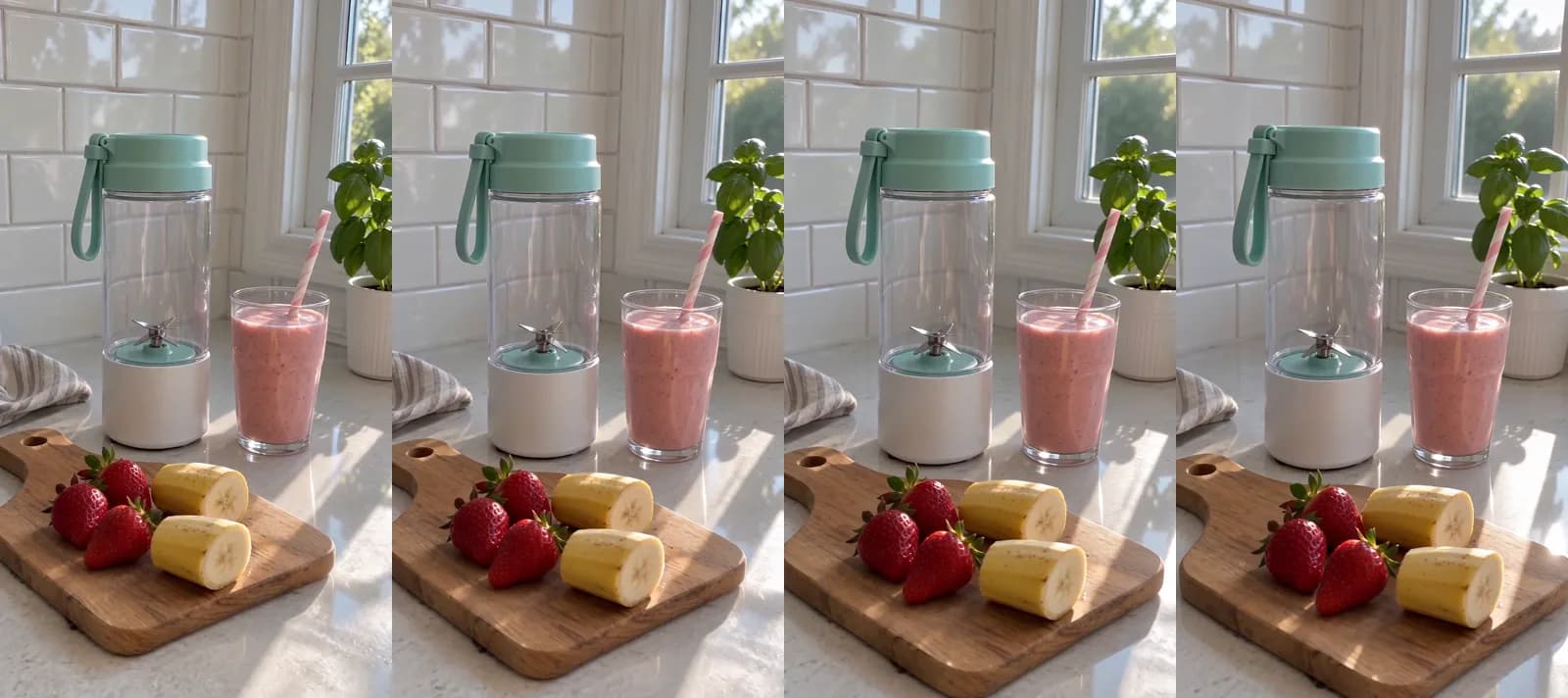 Made in Novoads with Seedance 2.0 Mini · the camera turns slowly around the blender bottle from the picture above, sound off · 5 credits · 2026-11-16
Across the four frames, the camera turns a little around the blender and the glass, the fruit stays in front and the light on the counter shifts. The clip has no sound of its own, so in a finished ad, the presenter's voice and any music carry the audio. Sellers who also list on Etsy can put a silent clip like this one on a listing there, since Etsy removes the audio from every listing video anyway.
Put an AI presenter on the problem and the offer
In the Talking Actors tab, the steps read "Write or pick a script," "Choose an actor" and "Press the arrow to generate." Write your script around what the product fixes, what it costs this week and where to tap. The price line lets you switch from 720p to 480p, which halves the price of each minute.
You get back the presenter saying your script, with the voice and lip-sync done. Captions are a separate step on the finished video. The presenter is an AI actor, so your script should never have it claim to be a buyer, a reviewer who used the product, the shop's owner or one of your affiliates. A presenter from the library has empty hands, so the product shows up in the clips you join around it.
Product card pictures and captions
For the product card, open "Image Product to Ad Pro" and upload your product photo. It turns that photo into ad pictures for 1 credit each. Check every one against the listing before it goes on the product page.
For captions, the Captions tool has a Karaoke look, listed as "Karaoke, yellow," which costs 0 credits in the app. On desktop, the tool opens on a paid look, so pick Karaoke yourself if that's the one you want.
What each one costs on Starter, Plus and Ultra 3,000
Prices as of November 16, 2026. We priced each cell at what a credit costs you on that plan.
- Starter is $15 a month for 200 credits, which comes to $0.075 a credit.
- Plus is $49 a month for 1,000 credits, which comes to $0.049 a credit.
- Ultra 3,000 is $129 a month for 3,000 credits, which comes to $0.043 a credit.
| What you make | Credits | On Starter | On Plus | On Ultra 3,000 |
|---|---|---|---|---|
| Seedance 2.0 Mini clip, 5 s, 720p | 5 | about 38 cents | about 25 cents | about 22 cents |
| Wan 3.0 clip, 5 s, 720p | 9 | about 68 cents | about 44 cents | about 39 cents |
| Kling 3.0 clip, 5 s | 10 | 75 cents | 49 cents | 43 cents |
| AI presenter, up to 60 s, 480p | 100 | $7.50 | $4.90 | $4.30 |
| AI presenter, up to 60 s, 720p | 200 | $15.00 | $9.80 | $8.60 |
| Product card picture | 1 | about 8 cents | about 5 cents | about 4 cents |
| Captions, Karaoke look, in the app | 0 | 0 cents | 0 cents | 0 cents |
A presenter is billed per started minute, so anything from a few seconds up to a full minute costs the same. At 720p, a presenter uses up a whole month of Starter credits, which is why we priced our first set at 480p.
What a first set for one product costs
The first set we'd make for a product is an AI presenter at 480p and three Seedance 2.0 Mini clips, each made with a different photo of the product. That comes to 115 credits.
| Plan | Price of a credit | 115 credits come to | Sets a month's credits cover |
|---|---|---|---|
| Starter | $0.075 | about $8.63 | 1 |
| Plus | $0.049 | about $5.64 | 8 |
| Ultra 3,000 | $0.043 | about $4.95 | 26 |
Three things aren't in that total. Joining the presenter and the clips into one video doesn't have a fixed credit price we could print, so we left it out. Every re-roll is billed again at the same price. And your ad budget is separate, since you set it in GMV Max.
What a creator video costs instead
Billo, which sells creator videos made from a brand's brief, says in its pricing guide that prices start at $99 per video, as of October 2026. The same guide says the final price depends on video length, format, creator type, the number of creators and extras such as hooks or variations.
In our view, that price pays a real person to film your product, which none of our clips does. So we'd treat the two as different purchases and choose based on what your product card is missing. A longer, polished spot is a third kind of purchase, and our post on what an AI commercial costs prices that route.
Getting AI videos into your GMV Max campaign
TikTok's creative assets page lists four ways to make videos available to Product GMV Max, and three of them suit videos you make with AI.
Post them with a product anchor link
The first is to "Post videos with a product anchor link" from one of the connected accounts in the list above. Our guide to making TikTok Shop videos with AI covers the posting steps and TikTok's rule against still images in Shop videos.
Add them as custom posts that show only in ads
On the campaign editing page, click Manage creatives, then Add posts, and choose Add custom posts. TikTok's article adds a condition. "As long as you activate only show in ads setting, these public videos will not appear on your TikTok profile."
We think that's the right home for AI hook tests. A stack of openings for one blender would clutter your profile, but inside a campaign they're just more versions for GMV Max to compare.
Spark Ads codes and bulk uploads
Spark Ads posts go in the same way, through Manage creatives and Add posts, except you choose Add video codes. Shop Creative Hub, TikTok's creative tool for GMV Max, also has a bulk upload that takes up to 50 videos at a time and 10,000 a month.
What to make first for a product card with few videos
Pick the product with the fewest videos on its card and make one set for it this week. That's an AI presenter talking about the problem the product solves, plus three short clips from your best product photos, each posted with the anchor link or added as an ads-only custom post. Give GMV Max a few days with them, and let the openings it spends on tell you what to write for the next set.
Novoads makes every piece of that set from your product photos and a script you write. Novoads is paid from the first month, and you can compare what each plan's credits buy on our pricing page. If TikTok is your main channel, our page on AI video ads for TikTok has more on making them in Novoads.
Price your next set of Shop videos
Compare what a month of credits makes on each plan. Every plan is paid from the first month.
See the plansFrequently Asked Questions
How do TikTok Shop ads work?
Since July 2025, any ad you create with the Sales objective and your TikTok Shop as the sales destination is a GMV Max campaign. You pick the products, an ROI target, a daily budget and a start time, and GMV Max builds the ads from your connected accounts' videos, authorized Spark Ads posts, affiliate videos and your product cards. The two routes TikTok left outside GMV Max are LIVE Shopping Ads under a TikTok identity and Video Shopping Ads with Showcase as the destination.
How do I turn on Shop ads for my TikTok Shop?
TikTok says you don't need to do anything to start creating GMV Max campaigns. In Seller Center, click Shop Ads in the left-hand menu, then Create GMV Max ads. In TikTok Ads Manager, click GMV Max at the top of the dashboard and choose the shop you want to promote. Only one ad account per shop can run GMV Max at a time, and that's the primary ad account assigned in Seller Center. You create a LIVE GMV Max campaign in Seller Center.
Can I still run Video Shopping Ads on TikTok?
Not with TikTok Shop as the sales destination. TikTok's help article says you can't create, edit or duplicate them there anymore, but you can still create them with Showcase as the sales destination. The ones you're already running stay active until a Product GMV Max campaign covers one of their products, and then TikTok pauses them.
What does one TikTok Shop ad video cost to make with AI?
In Novoads, a five-second Seedance 2.0 Mini clip made with your product photo costs 5 credits. That's about 25 cents on Plus. A five-second Kling 3.0 clip that starts on the photo costs 10 credits. An AI presenter of up to a minute costs 100 credits at 480p. A presenter plus three Mini clips comes to 115 credits. On Plus, that's about $5.64. Novoads is paid from the first month, and you'll find every plan on the pricing page.
Key Takeaways
- Since July 2025, any ad you create with your TikTok Shop as its sales destination runs as a GMV Max campaign. The two routes TikTok left outside GMV Max are LIVE Shopping Ads under a TikTok identity and Video Shopping Ads with Showcase as the destination.
- GMV Max builds its ads from videos posted by your connected and authorized accounts, Spark Ads posts, affiliate videos and your product cards, so if you want more ads, you have to supply more videos.
- TikTok pauses an older Video Shopping Ad once a Product GMV Max campaign covers even one of its products, and it doesn't restart the ad when that campaign ends.
- In Novoads, a five-second Kling 3.0 clip that starts on your product photo costs 10 credits. An AI presenter video of up to a minute costs 100 credits at 480p.
- A video reaches GMV Max when you post it with a product anchor link from a connected account, or when you add it to the campaign as a custom post that you can set to show only in ads.