Hair Salon Ads: Video Ideas That Fill Chairs, What Each Costs With AI, and Google's Book Button
The five ads salon and barbershop owners keep running, how to build each one from photos already on your phone or around an AI presenter, what each costs in credits and dollars, and how Google's Book button gets onto your Business Profile.

Mauricio Valdivia
·12 min
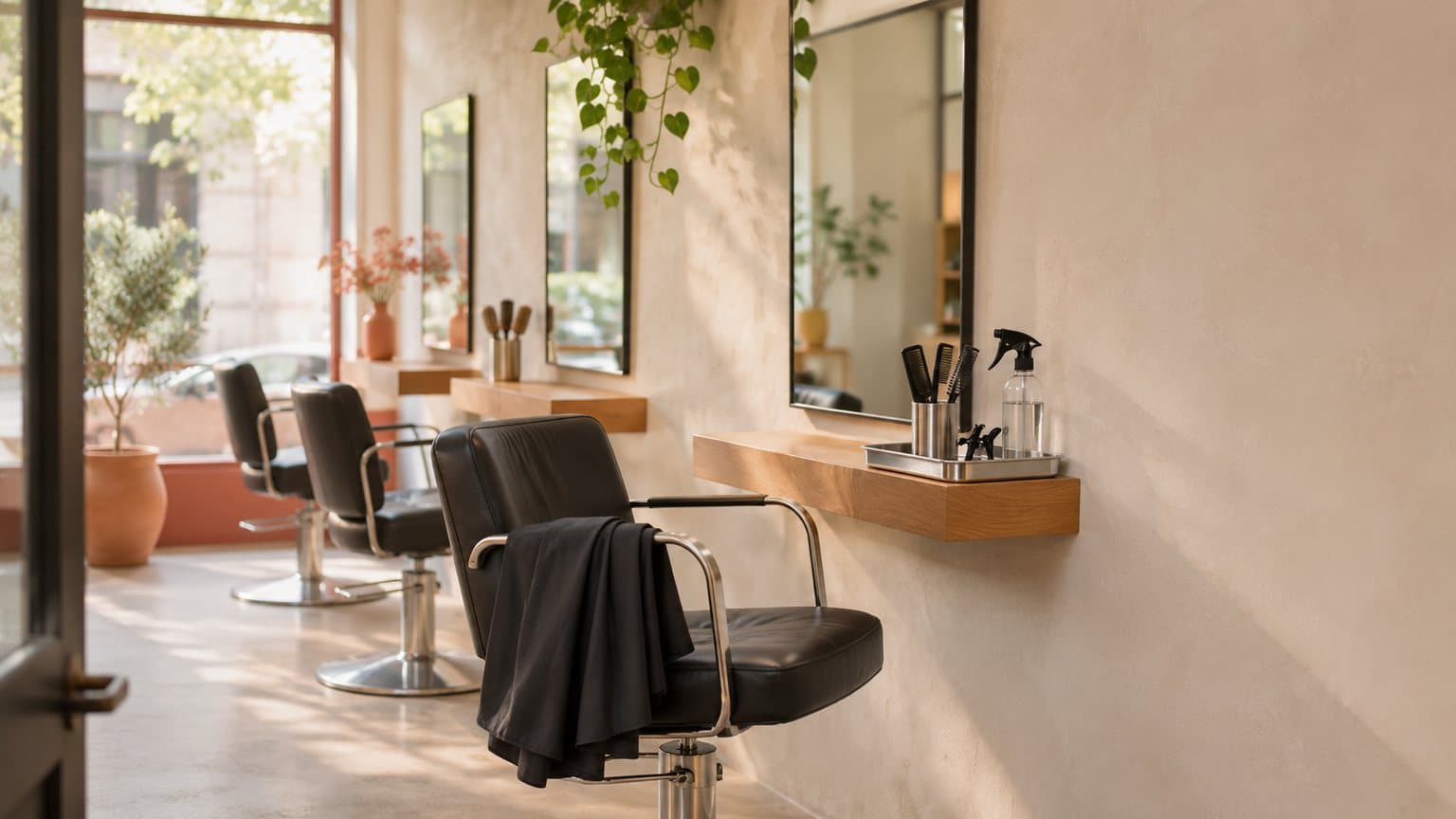
One photo of an empty chair became a five-second ad
The chair by the window is empty at two on a Tuesday, and the only slot anyone has asked about all week is Saturday morning. A salon ad's job is to put a name in that Tuesday slot. But most weeks, nobody on the floor has time to film one between a root touch-up and a blowout.
So we tried the smallest version of the job. We made a picture of an empty styling chair in morning light to stand in for the photo you'd take on your own phone before the first client walks in. Then Seedance 2.0 Mini turned that picture into a five-second vertical clip. It cost 5 credits, about 25 cents at the Plus rate. The first take came back with no person, no sign and no text in it. Watch what the model did inside the mirror, though, because a salon is a room full of mirrors.
On November 13, 2026, we went through the results for "hair salon ads" and through Google's own help and partner pages. Every Novoads price here is our own credit cost, and we made both pictures that same day. For this post, we didn't run a salon campaign or tap a Book button on a live profile, so the booking steps further down come from Google's written instructions.
The five ads salons and barbershops keep running
Boulevard, which sells salon booking software, published an advertising guide on September 4, 2026, and its first tip is "Show off Your Work With Before-And-After Content". Sprites, which sells an AI tool for building Meta and Google campaigns, keeps a page of salon ads it counted in Meta's Ad Library. That page was updated on November 13, 2026. It counts 23,881 ads from 49 salons and hair brands and says "Book now" is the most-used button on them. Those are Sprites' numbers, and we didn't recount them.
Across those two pages and the five others we opened, the same five ads come up again and again. Our general walkthrough for AI-made ads covers the method for any kind of business. If you sell skincare at the front desk, our skincare ads guide covers the claims that turn a cream into a drug.
Before and after
The finished color, cut or fade is the ad, and it belongs in the first second. Sprites' page says to "Show the finished work in the first second".
AI is good at one narrow thing here. It can set your real "after" photo moving for a few seconds, with the camera easing in on the hair or light sliding across a fresh balayage, so the photo plays as video.
What the clip can't show is a result nobody in your chair got. That rules out three things:
- an "after" made by AI
- an AI-made head of hair beside a real "before"
- a clip where the shade, the length or the hairline changed between the first frame and the last
We'd keep these clips to five seconds, because a short clip gives the model less room to drift from the photo. And ask the client before their hair goes in an ad.
The first-visit offer
This is the ad for the person who has never booked with you. It names one service, one price or discount and one last day. Boulevard's guide says a line like "Take $25 off your first color service" usually does better than a vague new-client special, and it tells you to add an expiration date.
An AI presenter fits this ad. The presenter reads the offer and the deadline, and then your own photos show the room and your work. If you haven't used one, our post on how brands cast AI actors in ads explains what they are.
The presenter is an AI actor, and the script has to keep it that way:
- Write in the salon's voice ("new clients get", "we're open until eight").
- Never write the presenter as a stylist, a barber or a client. "I've been coming here for years" is a line for a real person who has.
- Leave out any price or deadline the front desk won't honor.
Meet the stylist or the barber
People book a person. An ad that names one stylist and what they're known for (curly cuts, skin fades, vivid color, bridal updos) gives a stranger someone to ask for.
AI has the smallest part in this one. Film ten seconds of the real person yourself, on a phone, saying their name and their specialty. AI's part is a short clip of their station to open on.
Never show an AI face as someone on your team, and never invent a stylist. We wouldn't animate a real stylist's portrait, either. A video model redraws what it moves, and a face that comes out slightly wrong is worse than the still photo you started with.
A client's review
A review belongs to the client who wrote it. To put one in a video, show their words on screen exactly as they wrote them, and have an AI presenter read them as a review ("one of our clients wrote this last month"). Our post on testimonial ads by format walks through the filmed versions. A dental office runs the same kind of ad with its patients, and our dental ads guide covers it.
What you can't do is let an AI actor play the client. The person on screen never sat in your chair, so the script never says "my stylist" or "I got my color done here". Get the client's OK before you use their words.
Late hours, holidays and gift cards
Some ads are only about timing:
- you're open until eight on Thursdays
- prom and wedding season is coming
- it's December and gift cards are at the desk
A short clip made from a photo of your actual room is all the picture these need. A voice reads the dates and the hours, and the same words go on screen.
If the model adds a second chair, a wall of retail product or people in the mirror, the ad shows a salon the client won't find when they walk in.
How to make each one in Novoads
Novoads is a paid tool. It makes the finished file, and where that file runs is up to you. For a salon, there are two starting points (a photo you took or an AI presenter), and most of these five ads need only the first.
Start from a photo you already took
Take the photo vertical, in good light, before the day starts. There are two ways to turn it into a clip, and they treat the photo differently.
The first is our own connector for AI assistants, which is how we made the clip below. You give the assistant your photo and ask for a clip that starts on it, and the clip opens on that picture. With Seedance 2.0 Mini, five seconds at 720p is 5 credits.
The second is the app. Open Video, and in Video Settings pick the Model. The Seedance models there take your photo as a reference image, which you call @Image1 in the prompt, and a reference isn't a start picture. Kling 3.0, which our pricing table calls Kling v3 Pro, does take one. With Kling selected, the upload box reads "Drop a start frame or click to upload", and a five-second clip is 10 credits.
Either way, the rest is the same:
- Set the shape to 9:16 and the length to five seconds, and read the cost before you generate.
- Write what moves and what doesn't. Name the camera move, and end with "No people, no text."
- Generate, then hold the last frame up beside your photo.
If a start picture isn't the video's shape, it gets a border or a background drawn by AI to fit. So shoot vertical.
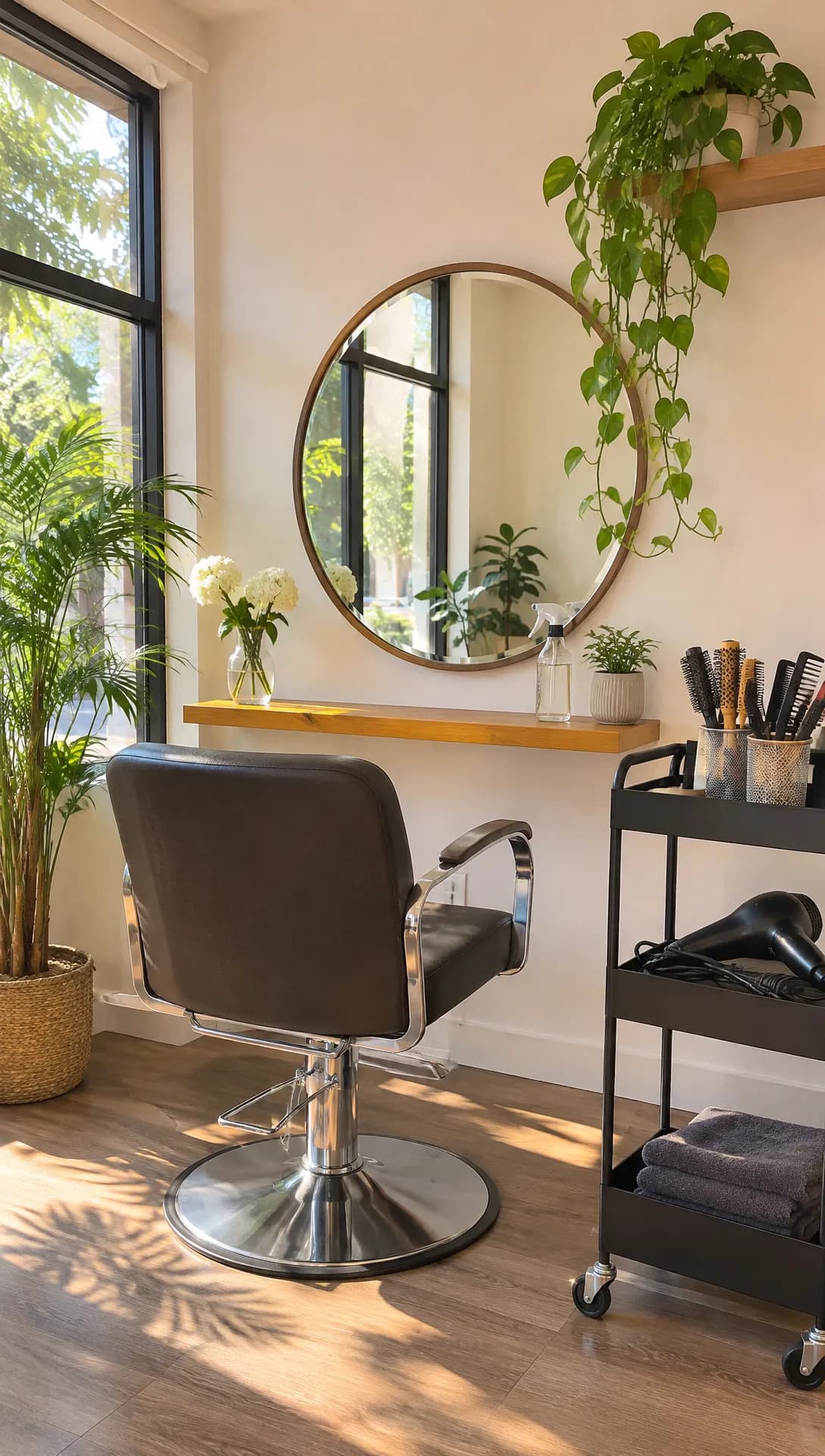 Made in Novoads with GPT Image 2.6 Sunburst · a made-up salon corner as a vertical phone photo, which stands in for your own photo · 1 credit · 2026-11-13
That's the picture we started from. No salon owner took it, and it isn't a real place. Word for word, the prompt for the clip was "The camera glides slowly toward the empty styling chair and the round mirror. Daylight shifts softly across the wooden floor, the hanging plant's leaves move a little. Calm, steady, no cuts. No people, no text. Silent b-roll. Vertical 9:16."
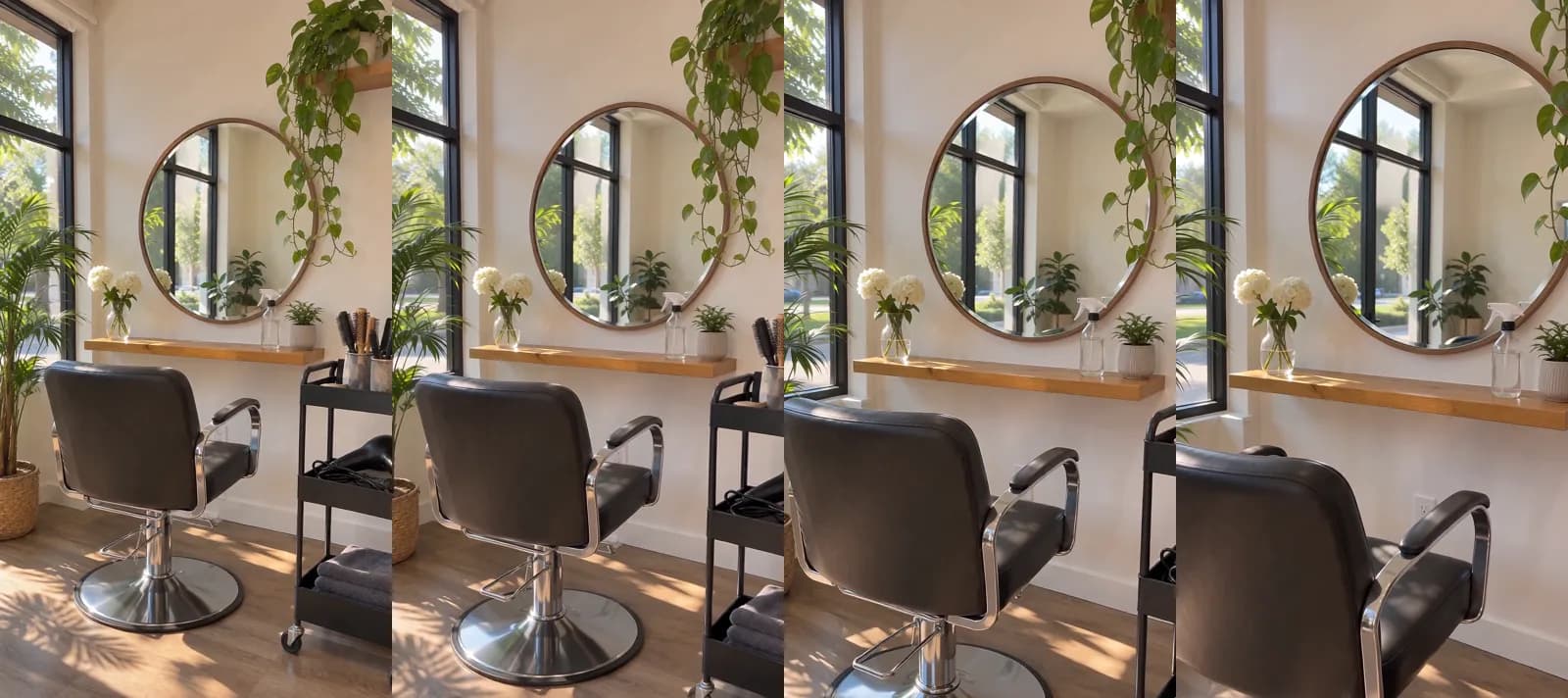 Made in Novoads with Seedance 2.0 Mini · the salon still as the start picture, a slow five-second glide toward the chair and mirror at 720p, sound off · 5 credits · 2026-11-13
The camera did what we asked. It closes in on the chair while the cart slides out of the frame on the right. Now look at the mirror. As the camera moves, the view inside it changes too, and by the last frame the mirror holds more of the street outside than the picture ever showed. The model invented that part.
In a made-up room, that does no harm. In your salon, a mirror reflects the rest of the room, and a model that has to guess at it can add a chair, a window or a person you don't have. So check every mirror in the last frame, or frame the photo so the mirror sits off to one side. We go deeper on camera-move prompts in our how-to for turning one photo into a product video.
Add an AI presenter for the offer
- Open Talking Actors and choose an actor.
- Write what the actor will say (the service, the price and the last day) the way you'd say it at the desk.
- Pick a voice. The voice list covers 32 languages, which matters if half your book speaks Spanish.
- Choose the resolution on the price line. It's 720p by default, and 480p costs half as much.
- Generate. What you get back has the voice and the lip-sync in it.
The presenter is priced by the started minute, so a 20-second offer costs the same as a 55-second one. Captions are a separate step afterward. The app's default caption style is 0 credits. The other styles are 3 or 5 credits for each started minute.
Then put the pieces in order in whatever editing app you already use, with the presenter first and your photo clips after.
What each ad costs in credits and dollars
Prices as of November 13, 2026. We worked out the dollar columns ourselves by multiplying credits by what one credit costs on each plan.
| What you make | Credits | Starter | Plus | Ultra 3,000 |
|---|---|---|---|---|
| One five-second clip from your photo | 5 | about 38 cents | about 25 cents | about 22 cents |
| The same clip on Kling 3.0 | 10 | 75 cents | 49 cents | 43 cents |
| A before and after (two clips) | 10 | 75 cents | 49 cents | 43 cents |
| AI presenter, up to 60 seconds, 480p | 100 | $7.50 | $4.90 | $4.30 |
| AI presenter, up to 60 seconds, 720p | 200 | $15.00 | $9.80 | $8.60 |
| Offer ad (480p presenter and two clips) | 110 | $8.25 | $5.39 | $4.73 |
Unless a row names another model, the photo clips are Seedance 2.0 Mini at 720p. The per-credit prices come from the plans themselves:
- Starter is $15 a month for 200 credits, so 7.5 cents each.
- Plus is $49 a month for 1,000 credits, so 4.9 cents each.
- Ultra 3,000 is $129 a month for 3,000 credits, so 4.3 cents each.
All three are on our pricing page, and you pay from month one on any of them.
What one month covers
A Starter month covers one offer ad with 90 credits left over. That's enough for nine before and after pairs. A Plus month covers nine offer ads.
What the math leaves out
- Re-rolls. Every new take is billed again at the price in the table. Our clip was usable on the first take, but that's one run, and it tells you nothing about your tenth.
- Paid caption styles and the time it takes to join the clips.
- The ad spend. Novoads makes the ad. What Meta, Google or anyone else charges to show it is a separate bill.
- Checking each clip. Somebody who knows the salon has to compare every clip with the photo it came from.
What a creator asks for one video
The guide to creator rates from inBeat Agency, which sells UGC and influencer campaigns, was last updated on August 7, 2026. It cites a 2022 creator survey by the newsletter Brands Meet Creators. The survey asked about one vertical video of 15 to 60 seconds. It says "The average asking price for one piece of UGC content is $212", and it puts the median at $150.
That's an asking price from a four-year-old survey, and the agency passing it along sells this kind of work. A creator films a real person in a real place, while what we priced above moves your own photos or uses an AI presenter who can't be your client. There's more on what UGC creators charge in a separate post.
Google's Book button comes through your booking provider
Every ad above ends on some form of "book now". Some of the people who see it will search your salon's name before they do, and we don't have a number for how many. What they find is your Google Business Profile, and whether they can book from it depends on a setting the lists we read leave out.
What Google's help page says
Google's help page on bookings, as we read it on November 13, 2026, gives the steps. You open your Business Profile, select Bookings, select Get started, select your provider and select Done. Then the page says, "Your booking providers will show up on your Business Profile within a week."
It also carries a warning. "Important: When you book through Google, your provider might charge you. Check with your provider for more info." The provider is the only one the page says might charge you.
Google's page for booking companies covers the other side. It says, "With an Actions Center account, you can add your merchants' services to Google for free." That's the provider's deal with Google. What the provider charges you is between the two of you.
On Google Maps, customers see the button as "Book online". It isn't a recent feature, either. Google's own blog announced salon booking for the US on July 13, 2017.
Where it stops
- It needs a provider on Google's list for your country. The same help page points you to "providers available in your country" through Reserve with Google. Google's Maps help says the service "is only available in certain countries/regions where businesses work with a supported scheduling provider". Booksy, Fresha, Mindbody and Square Appointments were on the US list when we read it. That list covers every kind of business, so a name on it is only the first check.
- Google lists the kinds of salon it supports. Its partner policies, last updated on April 1, 2026, name "Hair Salon, Laser Hair Removal, Make Up, Barber Shop, Beauty Salon, Tattoo Salon, Nail Salon, MedSpa" under Beauty and say the list isn't exhaustive.
- If your provider isn't listed, you add your own link. The help page says, "You can also add your own link to your Business Profile." Google's links page allows up to 10 links per category.
- The client finishes on your provider's page. The partner policies say a booking link must "lead to a dedicated landing page for specific merchants, and clearly denote that it is owned and operated by a platform provider". Google's Maps help still describes booking "without leaving a Google surface", so tap your own button before you describe it to a client.
- You can't remove the provider yourself. The links page says, "You cannot manually delete third-party booking or reservation providers directly from your Business Profile settings." You have to ask the provider, and Google says providers "are required to process opt-out requests within 5 business days".
Google's pages set rules for you, as the owner of the profile, and for your booking provider. They say nothing about ads on Meta or TikTok.
What it changes about your ads
This part is our own take.
- Set the button up before the ad runs. Google says the provider can take up to a week to show up.
- Ask what a Google booking costs you. Put that question to your provider before you point a discount at the button. A first-visit discount and a provider's charge on one appointment both come out of the same haircut.
- Keep the room the same in both places. If the clip in your ad shows a salon your profile photos don't match, the person who looks you up will notice before they book.
Which ad to make first
We'd make the before and after first. It's 10 credits, it's your real work, and nobody has to learn a script. Once the Book button is on your profile, make the offer ad and point it there.
Novoads turns the photos you already take of your own work into clips, and it gives you an AI presenter to read an offer when nobody in the salon wants to be on camera.
Price a week of salon ads
A before and after is 10 credits, and Starter is $15 a month for 200 credits. You pay from month one.
Check the plansMeta, Google and TikTok each have their own rules on telling viewers an ad was made with AI, and we cover them in a post on labeling AI-generated ads. Tomorrow, before your first client, take the photo vertical, with the mirror off to one side.
Frequently Asked Questions
How do you promote a hair salon?
A stranger checks two things before booking, your work and how to get a slot, so start there. Post your real before and after results as short vertical videos, run one first-visit offer with a clear last day, and make sure the Book button on your Google Business Profile works. Google's help page says a booking provider you select shows up on the profile within a week. Then add a stylist introduction and a client review, each filmed or written by the real person.
What are good advertising ideas for a hair salon?
Five ideas come up on nearly every list we read: a before and after of real work, a first-visit offer for one named service, an introduction to one stylist or barber, a real client's review, and a timed push for late hours, prom, weddings or holiday gift cards. Each one can start from a photo you already have. Keep AI to moving your own photos and reading your own offer, and never let it invent a result or a client.
What are some creative Instagram posts for a hairstylist?
Turn one finished look into a five-second vertical clip with the camera easing in on the hair. Show the same client's before first and the after second. Or open on your empty station in morning light, with the day's last open slot in the caption. For an introduction, a stylist saying their name and their specialty to the camera does well. Whatever you post, the hair in it should be hair you did.
How do I get a Book button on my salon's Google Business Profile?
Google's help page gives the steps: open your Business Profile, select Bookings, select Get started, pick your booking provider and select Done. Google says the provider shows up on the profile within a week. The button works only with a provider on Google's list for your country. If yours isn't there, the same page says you can add your own booking link instead.
How much does it cost to make a hair salon video ad with AI?
Prices as of November 13, 2026. In Novoads, a five-second clip that starts from a photo you took is 5 credits on Seedance 2.0 Mini. That's about 38 cents at Starter's rate. An AI presenter reading your offer for up to 60 seconds is 100 credits at 480p. At 720p it's 200. An offer ad built from a 480p presenter and two photo clips is 110 credits. On Starter, that's $8.25. That leaves out re-rolls, paid caption styles and what you spend to run the ad.
Key Takeaways
- Salons and barbershops keep running five kinds of ads: the before and after, the first-visit offer, the stylist or barber introduction, the client review, and the late-hours or holiday push.
- AI can set your own photo moving for a few seconds or have an AI presenter read your offer. It shouldn't show a hair result nobody in your chair got, and an AI presenter is never your stylist, your barber or your client.
- In Novoads, a five-second clip from one photo is 5 credits. An offer ad with a 480p AI presenter and two photo clips is 110 credits. That's $8.25 at Starter's rate.
- Google's help page says the booking provider you pick shows up on your Business Profile within a week, and it warns that the provider might charge you for bookings made through Google.
- The button works only with a provider on Google's list for your country. You also can't delete a provider's booking link from the profile yourself, so check the provider's terms before you point an ad at it.